Autotruck FCU CardGuard
Autotruck Financial Credit Union Inc.
1.3 ★
7 ratings
Free
AppRecs review analysis
AppRecs rating 1.3. Trustworthiness 64 out of 100. Review manipulation risk 26 out of 100. Based on a review sample analyzed.
★☆☆☆☆
1.3
AppRecs Rating
Ratings breakdown
5 star
0%
4 star
0%
3 star
0%
2 star
29%
1 star
71%
What to know
✓
Low review manipulation risk
26% review manipulation risk
⚠
Mixed user feedback
Average 1.3★ rating suggests room for improvement
About Autotruck FCU CardGuard
CardGuard helps you protect your Autotruck debit card by sending you transaction alerts and giving you the ability to define when, where and how your card is used. Simply download the Autotruck FCU CardGuard app, then customize your alert preferences and usage settings to monitor and manage your card.
Alerts Ensure Safe, Secure Card Usage
Alerts for PIN and signature transactions can be set up to keep you informed of your debit card usage and help you quickly detect unauthorized or fraudulent activity. CardGuard can send an alert when your card is used or when a card transaction has been attempted but is declined – and additional customizable alert options are available. Alerts are sent in real time, immediately after a transaction has taken place.
Location-Based Alerts and Controls
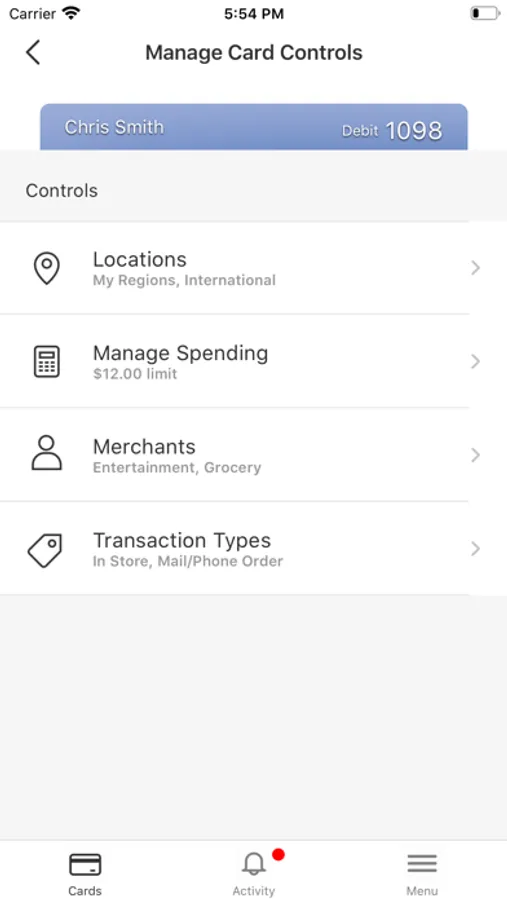
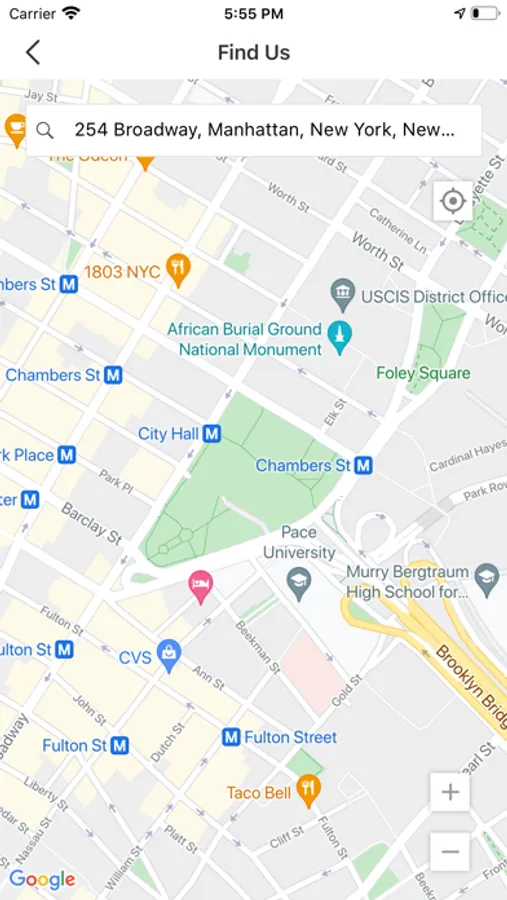
The My Location control can restrict transactions to merchants located within a certain range of your location (using your phone’s GPS). Transactions requested outside of the specified range can be declined. The My Region control uses city, state, country or zip code on an expandable interactive map. Transactions requested by merchants outside of a specific region can be declined.
Usage Alerts and Controls
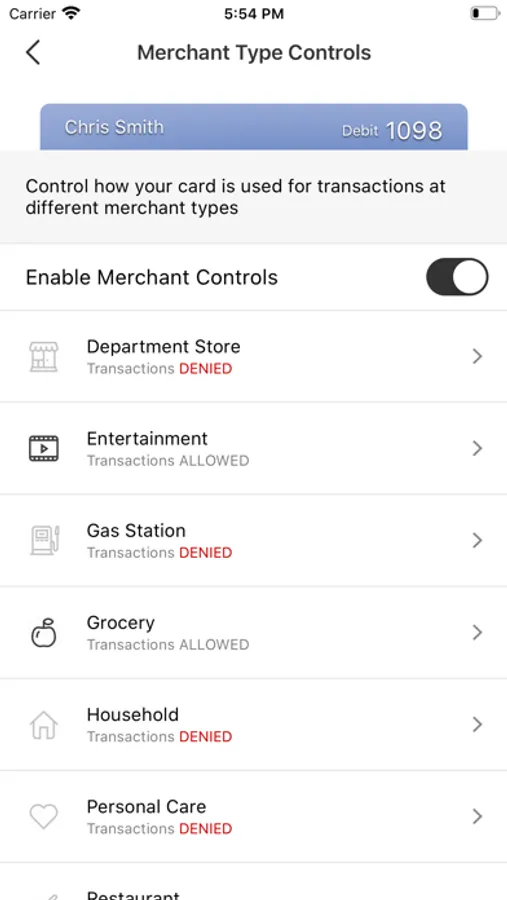
Spending limits can be established to allow transactions up to a certain dollar value and decline transactions when amounts exceed your defined limits. Transactions can be monitored and managed for specific merchant categories such as gas stations, department stores, restaurants entertainment, travel, and groceries. Your transactions can also be monitored for specific transaction types: in-store purchases, e-commerce transactions, mail/phone orders and ATM transactions.
Card On/Off Setting
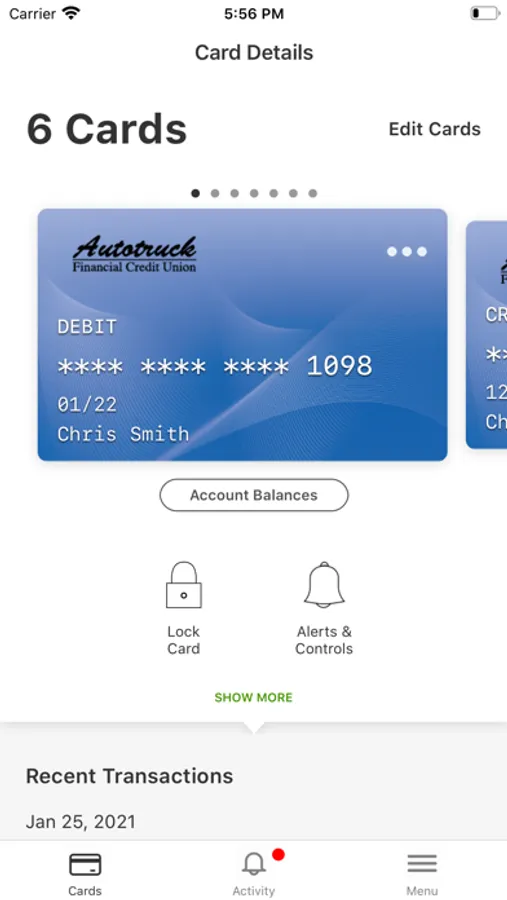
When the card is “on,” transactions are allowed in accordance with your usage settings. When the card is “off,” no purchases or withdrawals are approved until the card is turned back “on.” This control can be used to disable a lost or stolen card, prevent fraudulent activity in the case of a data breach, or control spending.
Additional Capabilities
CardGuard also lets you to conduct card-related mobile transactions wherever you are, any time of the day.
• Real-time balance inquiries
• Locating ATMs
Key Card Benefits
• Receive alerts to monitor transactions and protect your account.
• Actively manage your money and take charge of your card usage
Alerts Ensure Safe, Secure Card Usage
Alerts for PIN and signature transactions can be set up to keep you informed of your debit card usage and help you quickly detect unauthorized or fraudulent activity. CardGuard can send an alert when your card is used or when a card transaction has been attempted but is declined – and additional customizable alert options are available. Alerts are sent in real time, immediately after a transaction has taken place.
Location-Based Alerts and Controls
The My Location control can restrict transactions to merchants located within a certain range of your location (using your phone’s GPS). Transactions requested outside of the specified range can be declined. The My Region control uses city, state, country or zip code on an expandable interactive map. Transactions requested by merchants outside of a specific region can be declined.
Usage Alerts and Controls
Spending limits can be established to allow transactions up to a certain dollar value and decline transactions when amounts exceed your defined limits. Transactions can be monitored and managed for specific merchant categories such as gas stations, department stores, restaurants entertainment, travel, and groceries. Your transactions can also be monitored for specific transaction types: in-store purchases, e-commerce transactions, mail/phone orders and ATM transactions.
Card On/Off Setting
When the card is “on,” transactions are allowed in accordance with your usage settings. When the card is “off,” no purchases or withdrawals are approved until the card is turned back “on.” This control can be used to disable a lost or stolen card, prevent fraudulent activity in the case of a data breach, or control spending.
Additional Capabilities
CardGuard also lets you to conduct card-related mobile transactions wherever you are, any time of the day.
• Real-time balance inquiries
• Locating ATMs
Key Card Benefits
• Receive alerts to monitor transactions and protect your account.
• Actively manage your money and take charge of your card usage
Autotruck FCU CardGuard Screenshots
Tap to Rate:
Reviews for Autotruck FCU CardGuard
Sexythkrdbn
Sad
Sad
dhrd79
Horrible
Worked fine for a couple days after that keep getting a error message tried to remove and reinstall but keeps doing it HORRIBLE APP