
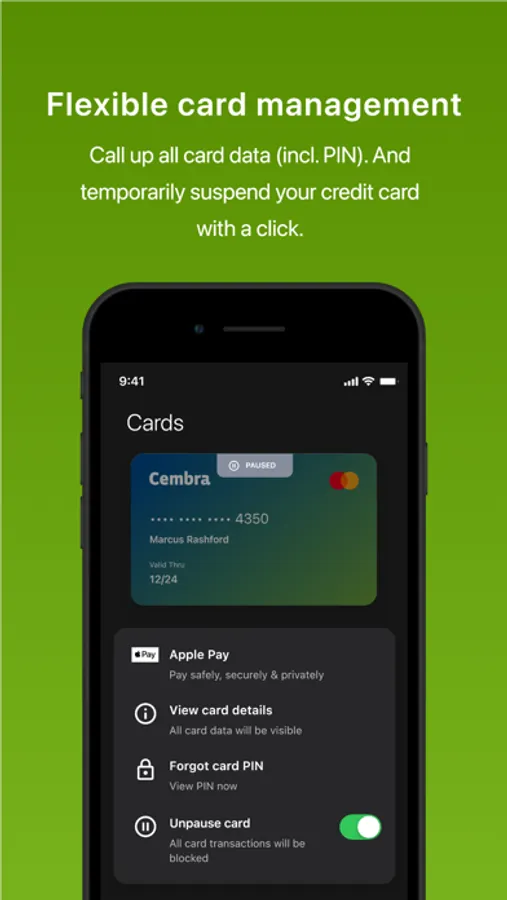
With this financial app, you can view your credit card details, manage payments, and receive notifications. Includes real-time purchase tracking, PIN retrieval, and card suspension features.
AppRecs review analysis
AppRecs rating 4.3. Trustworthiness 0 out of 100. Review manipulation risk 0 out of 100. Based on a review sample analyzed.
★★★★☆
4.3
AppRecs Rating
Ratings breakdown
5 star
86%
4 star
5%
3 star
0%
2 star
0%
1 star
9%
What to know
✓
High user satisfaction
86% of sampled ratings are 5 stars
✓
Authentic reviews
No red flags detected
About Cembra App
"Cembra App: It couldn't be simpler"
From now on you can, among other things, check your purchases in real time, retrieve your card PIN and suspend your credit card yourself.
"Who is the Cembra app for?"
The Cembra app is ideal for all Cembra customers. If you haven't registered to use the app yet, you can easily do this here: https://www4.cembra.ch/cmf/en/#apply
Once you have received your access code from us by mail, you can set up the Cembra app yourself with just a few simple steps.
"These are the features you've been waiting for"
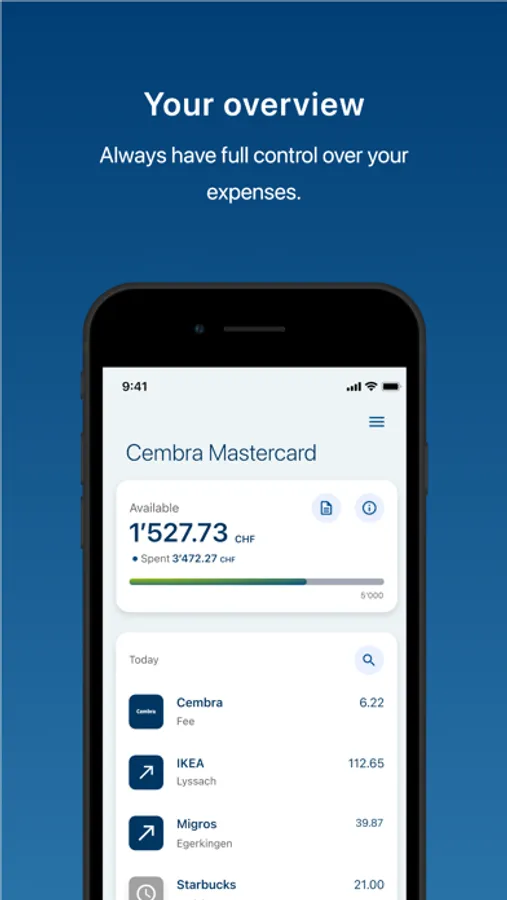
* Find all important information about your Cembra credit card(s) in one overview.
* Put your credit card/s into the Apple Wallet
* Keep track of your current credit card payments
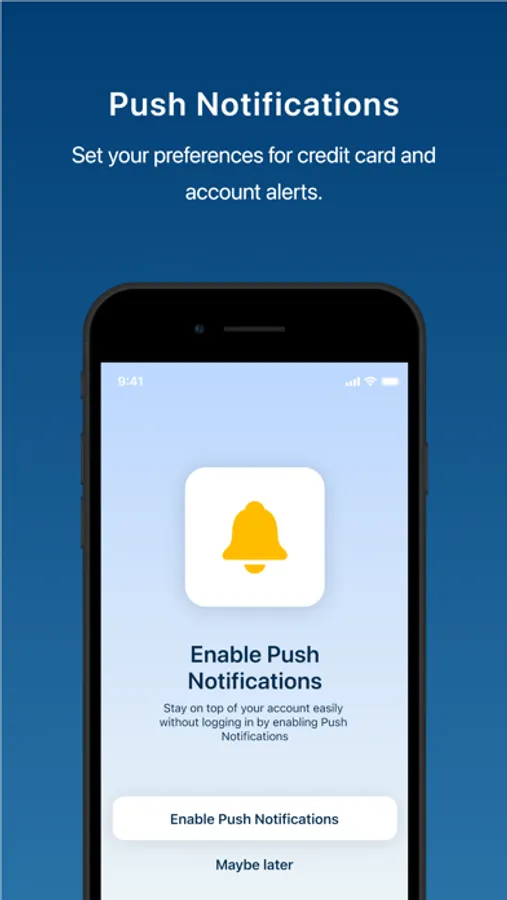
* Manage and receive important push notifications
* Access your monthly statements
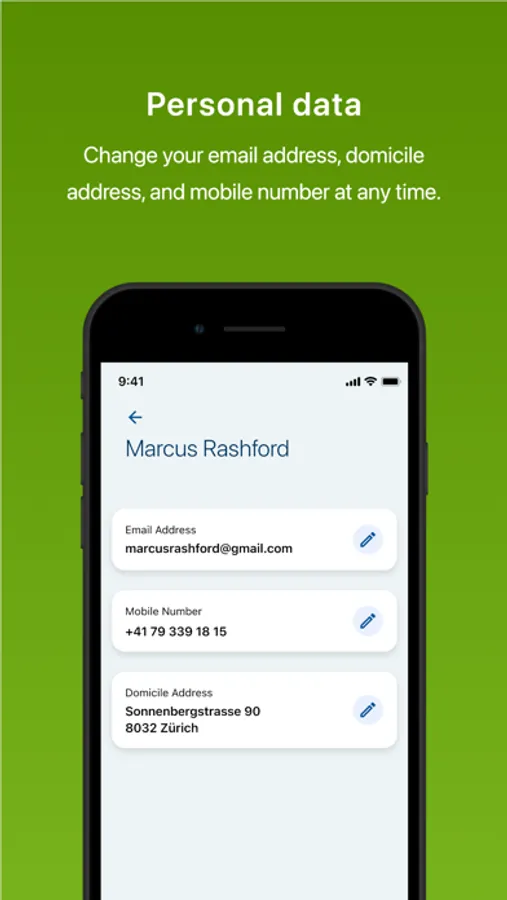
* Customize your personal data directly in the Cembra app
* Log in easily and securely using Touch ID (fingerprint) or Face ID (facial recognition).
We are working on new features and services all the time. We also look forward to receiving your suggestions and feedback via cmfsupport@cembra.ch
From now on you can, among other things, check your purchases in real time, retrieve your card PIN and suspend your credit card yourself.
"Who is the Cembra app for?"
The Cembra app is ideal for all Cembra customers. If you haven't registered to use the app yet, you can easily do this here: https://www4.cembra.ch/cmf/en/#apply
Once you have received your access code from us by mail, you can set up the Cembra app yourself with just a few simple steps.
"These are the features you've been waiting for"
* Find all important information about your Cembra credit card(s) in one overview.
* Put your credit card/s into the Apple Wallet
* Keep track of your current credit card payments
* Manage and receive important push notifications
* Access your monthly statements
* Customize your personal data directly in the Cembra app
* Log in easily and securely using Touch ID (fingerprint) or Face ID (facial recognition).
We are working on new features and services all the time. We also look forward to receiving your suggestions and feedback via cmfsupport@cembra.ch
Cembra App Screenshots
Tap to Rate:
Reviews for Cembra App
steveM710
Data not yet visible
Still can’t see my info/data
Karibu14
Latest Up date statement Oct 23
Delayed, but email received!