In this passport photo app, you can capture, edit, and format images to meet specific document requirements. Includes auto background removal, template selection for multiple countries, and options to print or share photos.
AppRecs review analysis
AppRecs rating 4.1. Trustworthiness 72 out of 100. Review manipulation risk 37 out of 100. Based on a review sample analyzed.
★★★★☆
4.1
AppRecs Rating
Ratings breakdown
5 star
87%
4 star
5%
3 star
2%
2 star
1%
1 star
4%
What to know
✓
Credible reviews
72% trustworthiness score from analyzed reviews
✓
High user satisfaction
87% of sampled ratings are 5 stars
About ID Photo - Passport Photo App
In need of an urgent passport photo but no able to get it done nearby? Have an urgent submission and time is of the essence?
This Passport Photo App allows you capture your image, format and edit it professionally, save the passport photo as well as share and print it as per your convenience.
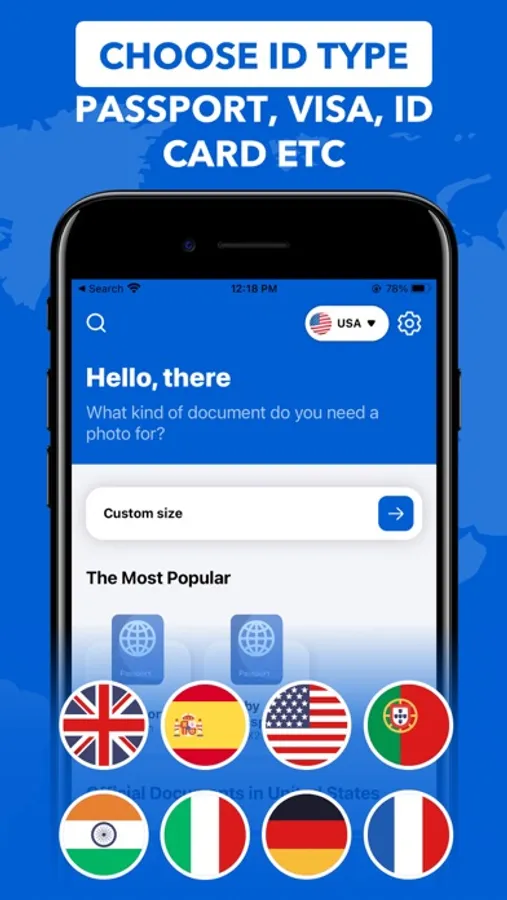
You can select from over 100+ documents that can be created from 8 countries!
Key Features in this app?
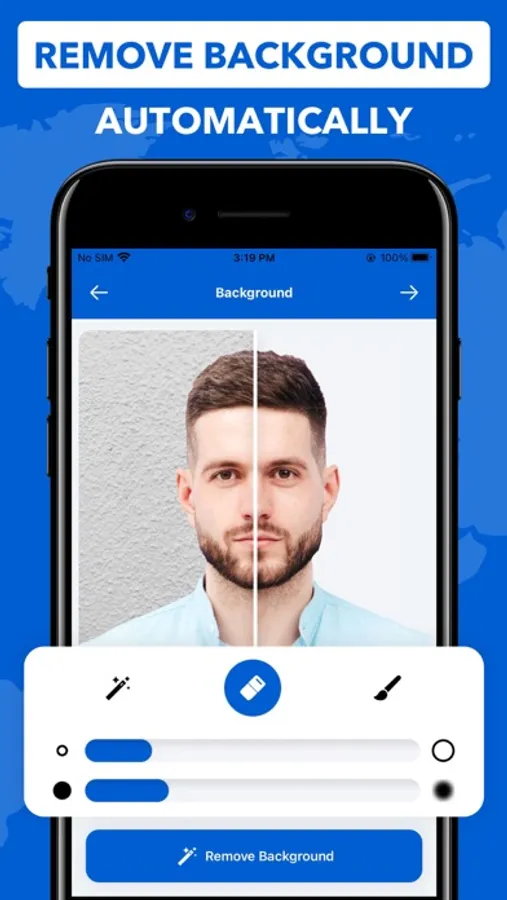
- Auto Background Removal
- Smart Image Enhancer
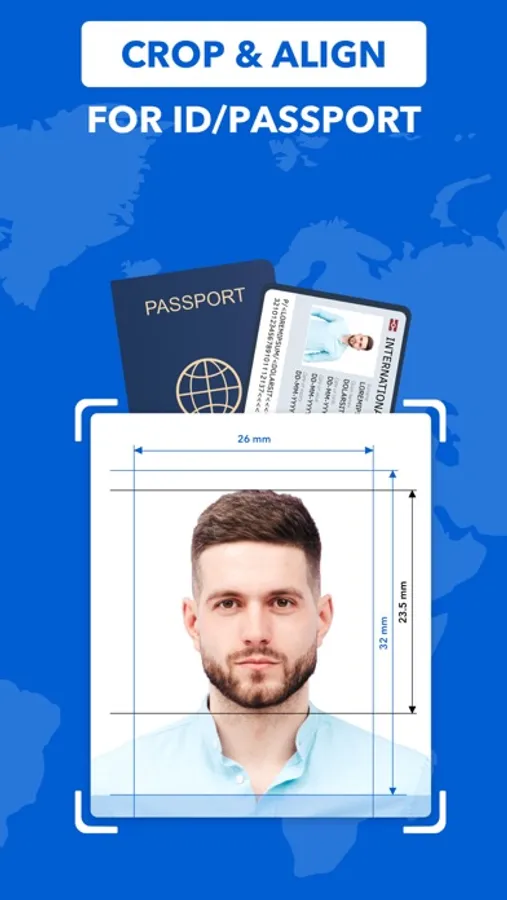
- Guidelines for a perfect photo
- Choose from 100+ documents
- Select from 8 countries
- Manually edit the image
- Change saturation, contract, vibrancy & brightness
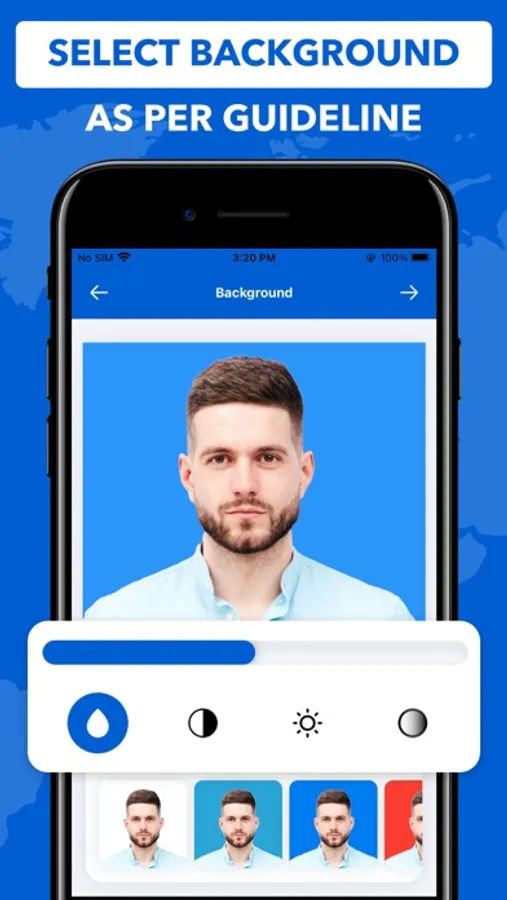
- Select background color as per requirement
- Print multiple copies
- Save or share photo in JPEG format
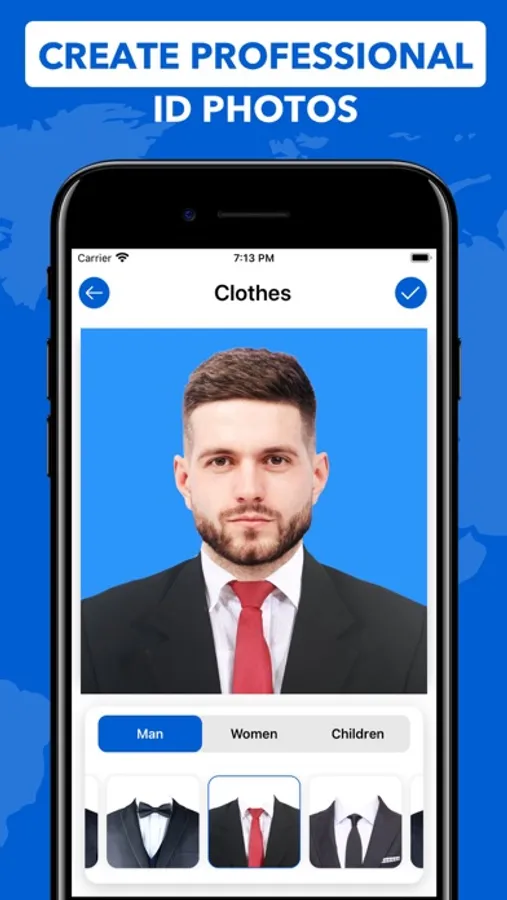
- Add Professional clothing to your images
- Clothing supported for men, women & children
You can now efficiently and easily share, store, print or email multiple passport photos. Get help from smart, AI-powered techniques to help position your face to be able to capture the perfect picture. You also get access to highly efficient and wonderful Auto-Background remover tool which will help you remove any background disturbance just with the tap of a single button.
You can then manually smoothen the edges, sharpen the corners as well as change the image configuration based on your specifications and requirements. But different countries have different requirements? No Problem! You can choose from multiple background colours as per your requirement.
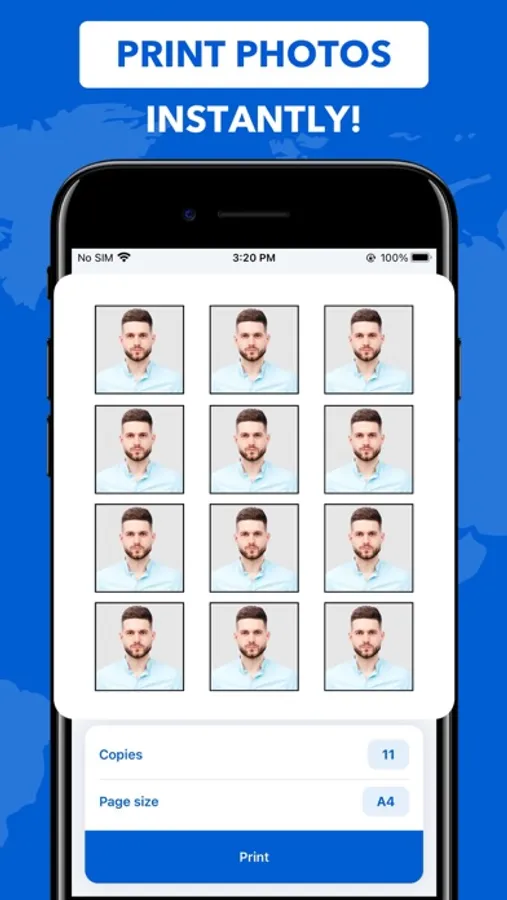
Lastly, you want to get it printed? Well, now select the number of copies you require and immediately print them. You can also share them as well as save them to your devices.
The app already provides passport photo templates for the following countries: USA, India, UK, France, Germany, Italy, Spain, Portugal.
This app supports printing on an AirPrint-compatible printer. The print size can be adjusted in the app if needed. The passport photo will be automatically printed slightly larger in order to facilitate cutting it out.
We do not accept any liability for the correctness, accuracy, or up-to-dateness of the passport photo templates. Please check that the templates are suitable for you before using them. You should also find out about passport photo regulations from the relevant authorities. In particular, make sure that the shot you take is correct and meets the current regulations.
Privacy Policy - https://maximaapps.com/id-photo/privacy-policy
Terms & Conditions - https://maximaapps.com/id-photo/terms-of-use
You can select from over 100+ documents that can be created from 8 countries!
Key Features in this app?
- Auto Background Removal
- Smart Image Enhancer
- Guidelines for a perfect photo
- Choose from 100+ documents
- Select from 8 countries
- Manually edit the image
- Change saturation, contract, vibrancy & brightness
- Select background color as per requirement
- Print multiple copies
- Save or share photo in JPEG format
- Add Professional clothing to your images
- Clothing supported for men, women & children
You can now efficiently and easily share, store, print or email multiple passport photos. Get help from smart, AI-powered techniques to help position your face to be able to capture the perfect picture. You also get access to highly efficient and wonderful Auto-Background remover tool which will help you remove any background disturbance just with the tap of a single button.
You can then manually smoothen the edges, sharpen the corners as well as change the image configuration based on your specifications and requirements. But different countries have different requirements? No Problem! You can choose from multiple background colours as per your requirement.
Lastly, you want to get it printed? Well, now select the number of copies you require and immediately print them. You can also share them as well as save them to your devices.
The app already provides passport photo templates for the following countries: USA, India, UK, France, Germany, Italy, Spain, Portugal.
This app supports printing on an AirPrint-compatible printer. The print size can be adjusted in the app if needed. The passport photo will be automatically printed slightly larger in order to facilitate cutting it out.
We do not accept any liability for the correctness, accuracy, or up-to-dateness of the passport photo templates. Please check that the templates are suitable for you before using them. You should also find out about passport photo regulations from the relevant authorities. In particular, make sure that the shot you take is correct and meets the current regulations.
Privacy Policy - https://maximaapps.com/id-photo/privacy-policy
Terms & Conditions - https://maximaapps.com/id-photo/terms-of-use
ID Photo - Passport Photo App Screenshots
Tap to Rate:
Reviews for ID Photo - Passport Photo App
MadameofCatlanta
Hard to get the free pic
But you can if you’re persistent
baccadi
Wonderful ID Photo App
In the past I used to pay pro to do the job of preparing pictures for me. Now I’m becoming a pro in photography in less than a minute. Thank you