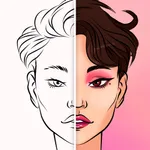
In this wardrobe organization app, you can create and customize a digital avatar to try on clothing virtually. Includes avatar customization options, clothing imports, and preset management.
AppRecs review analysis
AppRecs rating 3.7. Trustworthiness 80 out of 100. Review manipulation risk 23 out of 100. Based on a review sample analyzed.
★★★☆☆
3.7
AppRecs Rating
Ratings breakdown
5 star
42%
4 star
18%
3 star
9%
2 star
12%
1 star
20%
What to know
✓
Low review manipulation risk
23% review manipulation risk
✓
Credible reviews
80% trustworthiness score from analyzed reviews
⚠
High negative review ratio
32% of sampled ratings are 1–2 stars
About Vestire
VESTIRE FEATURES
• Randomize your entire outfit to choose what to wear
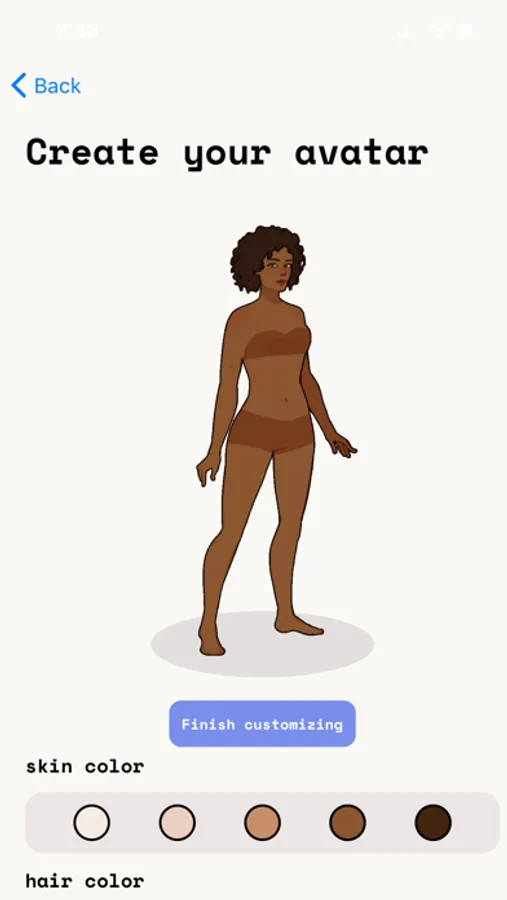
• Customize your avatar to look like you
• Save your looks for later
• Import your own designed clothing
• Download presets to customize yourself
• Randomize items in each category
HOW DOES IT WORK?
1. When you create an account, you first need to create your avatar. You can choose from 6 different body types, 5 skin colors, and a number of hair options.
2. You are ready to add your first item! If you want to draw the items yourself, read the tutorial (from the (?) button) and download your avatar template. Now go to step 4 to learn about the upload process. If you don't want to draw from scratch, go to the next step.
3. Now introducing presets! Go to the presets tab and select one of the basic items provided. You can download these to your device to use as a template, or you can add them directly to your closet if you feel like you have a similar item. If you choose to download, then go to the next step to follow the drawing + uploading process.
DRAWING + UPLOADING PROCESS
4. Open your template in another drawing app. MAKE SURE THE CANVAS SIZE IS THE EXACT SAME SIZE AS THE TEMPLATE! You can insure this by importing the image directly, rather than opening a different sized canvas first.
5. Draw your clothing items on separate layers from the avatar layer. When you're done, export each layer with a transparent background (it should just be the clothing item, not the avatar too!).
6. Go back to Vestire and click the + button. Now you can select your item and see if it fits on your avatar. If not, make sure all the dimensions are correct. Now you can fill in the item name, brand, and category before you hit upload.
7. When you upload, it will ask you to verify if the thumbnail looks correct. The clothing item itself should fill up the thumbnail (make sure it doesn't look small, and that your avatar isn't visible).
10. If all looks good, your item will be successfully added to your closet. Now you can style it with the rest of your wardrobe!
FOR UPDATES
Follow the creator's TikTok (@sreyahalder_) and Instagram (@sreyahalder) to find out more on how to use the app.
Vestire Screenshots



Tap to Rate:
Reviews for Vestire
dancingdiva939
good idea
i was really looking forward to using this for organizing my closet and buying some new clothes. the style is really cute and it’s such a fun idea to really visualize your outfits unlike a lot of other closet tools where you just take a picture of the clothes. unfortunately in practice i have issues. sometimes images that are transparent in other apps get uploaded with a white background and there is no way to fix it. there’s also limited customization. you can’t add any new categories or choose 2 things from the same category. there’s also no way to customize what layer each category goes on. i have some fun tights - if they’re bottoms, i can’t layer them with any skirts or shorts. if they’re an accessory, they go on the top layer instead of the bottom. since it is quite a bit of investment to draw the clothes, it’s really frustrating when they don’t look right in the app
Magnolia '
This is a disappointment
I downloaded this app with the intention that I found a clothing organization app. It is so complicated and after refreshing like three times because it wasn’t allowing me upload my image from my camera roll, it deletes my account. I only put 5 stars so people could see it and think twice before pressing download. I think with a lot more work and development this could be a good app. Good luck