AppRecs review analysis
AppRecs rating 4.3. Trustworthiness 0 out of 100. Review manipulation risk 0 out of 100. Based on a review sample analyzed.
★★★★☆
4.3
AppRecs Rating
Ratings breakdown
5 star
0%
4 star
0%
3 star
100%
2 star
0%
1 star
0%
About Smart ALAC
Introducing Smart ALAC. What is Smart ALAC? ALAC stands for All Access Connection, which should come as no surprise from a bank whose name stands for: banking. always connected.
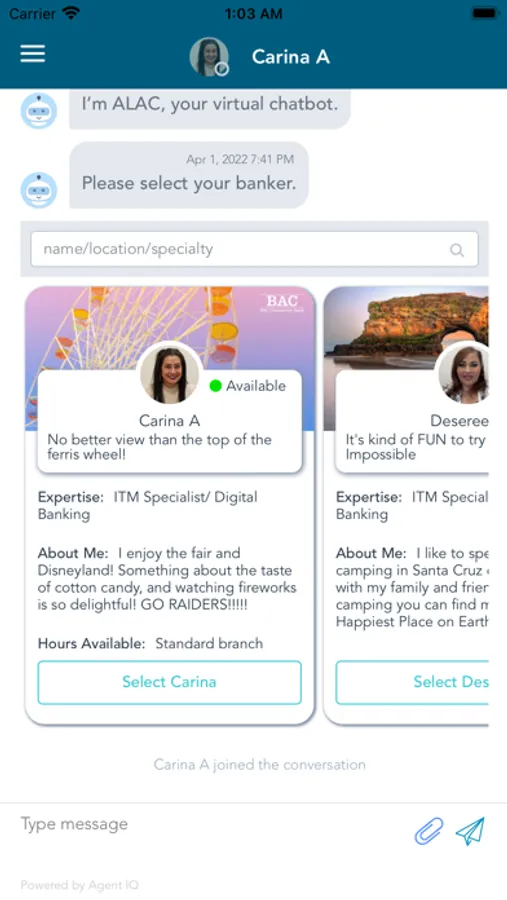
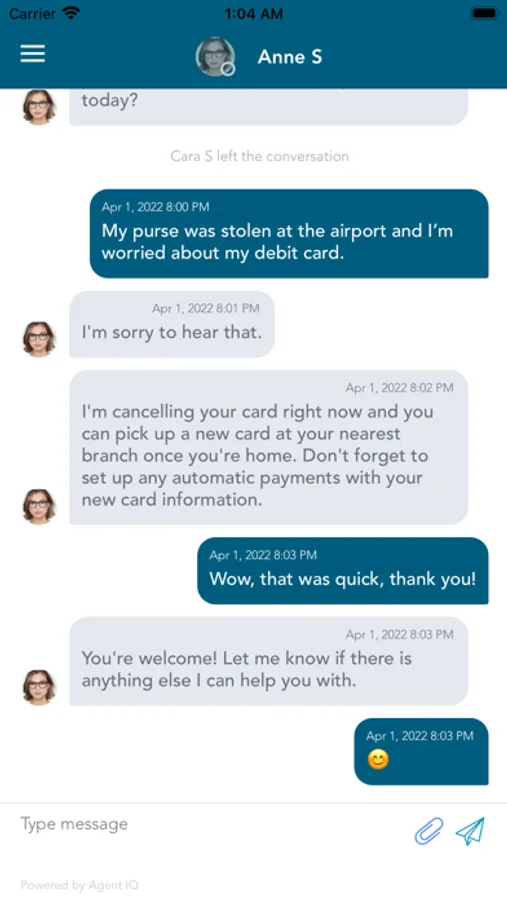
Smart ALAC combines all-access connection in one super-smart and secure AI-powered app that makes messaging a BAC banker as easy as messaging a friend – anywhere, any time. Welcome to the latest in a long history of tech-savvy BAC banking products. Smart ALAC connects customers with a real BAC employee who will be their dedicated personal banker. Customers can review banker profiles and select the individual with whom they prefer to work. The chosen banker will be available to assist our customer with their banking needs, answer questions, provide helpful information and provide them with friendly, one-to-one service wherever they are.
This highly functional app is more than a communication tool. It also has unexpected features to make banking with BAC Community Bank even easier and more enjoyable.
To get started, download and launch the Smart ALAC app on your device. Choose the “Sign Up” option at the bottom of the welcome screen to create your username and password. Next, select your personal banker and start getting the personal service you deserve.
Member FDIC
Equal Housing Lender
Smart ALAC combines all-access connection in one super-smart and secure AI-powered app that makes messaging a BAC banker as easy as messaging a friend – anywhere, any time. Welcome to the latest in a long history of tech-savvy BAC banking products. Smart ALAC connects customers with a real BAC employee who will be their dedicated personal banker. Customers can review banker profiles and select the individual with whom they prefer to work. The chosen banker will be available to assist our customer with their banking needs, answer questions, provide helpful information and provide them with friendly, one-to-one service wherever they are.
This highly functional app is more than a communication tool. It also has unexpected features to make banking with BAC Community Bank even easier and more enjoyable.
To get started, download and launch the Smart ALAC app on your device. Choose the “Sign Up” option at the bottom of the welcome screen to create your username and password. Next, select your personal banker and start getting the personal service you deserve.
Member FDIC
Equal Housing Lender
Smart ALAC Screenshots
Tap to Rate:
Reviews for Smart ALAC
Kamilah H476865
It would be 5 stars if the changes took place
Every time I need my bank e statements, I can’t access them through the online portal because the file is in “aspx” whatever that is. It needs to come pdf format so it can be downloaded and transferable. Because of this problem, every time I need my online statements I have to call them which even though their nice and send them it’s still a hassle.