
PikPak - Cloud Storage & Saver
PIKCLOUD PTE. LTD.
3.1 ★
195 ratings
Free
With this cloud storage app, you can upload, organize, and preview files with online photo and video support. Includes Telegram bot integration and secure backup technology.
AppRecs review analysis
AppRecs rating 3.0. Trustworthiness 72 out of 100. Review manipulation risk 18 out of 100. Based on a review sample analyzed.
★★★☆☆
3.0
AppRecs Rating
Ratings breakdown
5 star
41%
4 star
8%
3 star
7%
2 star
5%
1 star
39%
What to know
✓
Low review manipulation risk
18% review manipulation risk
⚠
Pricing complaints
Many low ratings mention paywalls or pricing
⚠
High negative review ratio
44% of sampled ratings are 1–2 stars
About PikPak - Cloud Storage & Saver
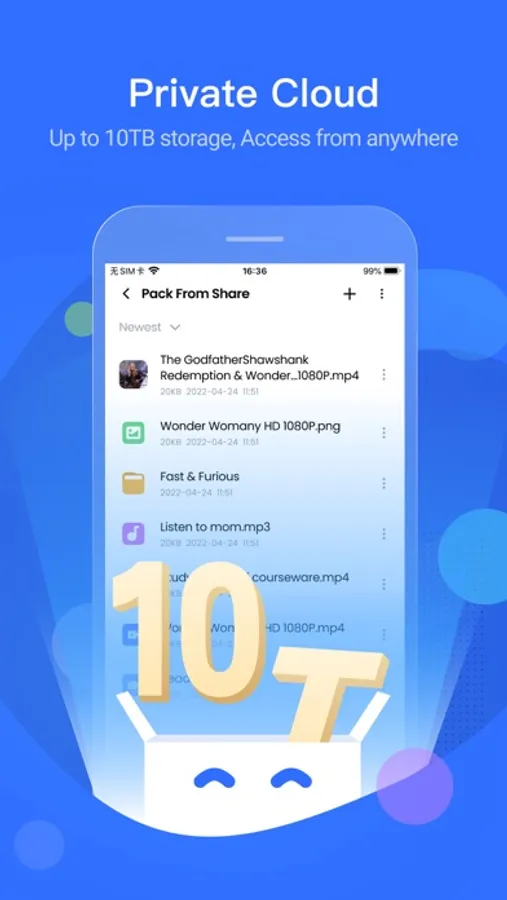
PikPak - Private cloud that saves your favorite files conveniently. Supports online photo preview and video playing.
You can forward favorite files to PikPak via Telegram Bot, or save them through system sharing; Then find them in PikPak.
PikPak uses secure backup technology to avoid file loss.
PikPak Highlights:
-Sign up to get 6GB of free private cloud storage, and upgrade to a Premium plan at the lowest price to unlock 10TB of private cloud storage, capable of storing up to 8,000 video files.
-Powerful Telegram Bot: one-click forwarding to save files and links from Telegram.
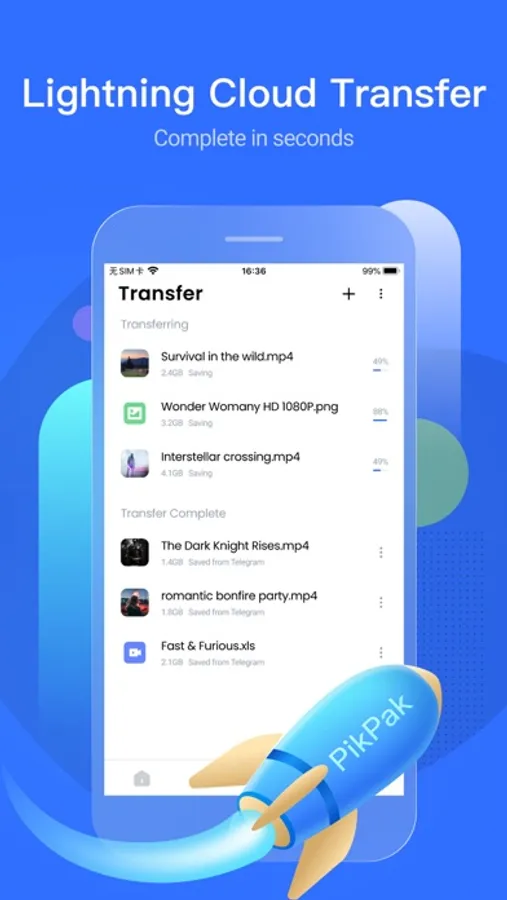
-Leading acceleration technology for fast saving of all files via cloud transfer.
-Convenient preview of image and video.
-Manage the files in the collection by creating folders.
Install PikPak now and you will have a pleasant file collection and viewing experience. You can sign in with your email address and phone.
If you have any questions about PikPak, please join the official PikPak user group: https://t.me/pikpak_userservice_en; You can also feel free to support@mypikpak.com Feedback to us.
-----------------------------------------------
Auto-Subscription Instructions:
1. User Agreement: https://mypikpak.com/policy/user-agreement
2. Privacy Policy: https://mypikpak.com/policy/privacy-policy
3.PikPak subscription service:
a.PikPak Premium Monthly.
b.PikPak Premium Yearly.
4.PikPak subscription price:
a.Premium Monthly: $10.0/month.
b.Premium Yearly: $100.99/year.
c.Other currencies are calculated according to the exchange rate.
5. Payment instructions: After activation, the subscription service will be paid directly through the iTunes account.
6. Automatic renewal: Apple iTunes account will automatically renew and deduct fees according to the type of subscription product within 24 hours before expiration.
7. Turn off the service: If you need to turn off the subscription deduction service, please do so in "Account Settings" at least 24 hours in advance.
You can forward favorite files to PikPak via Telegram Bot, or save them through system sharing; Then find them in PikPak.
PikPak uses secure backup technology to avoid file loss.
PikPak Highlights:
-Sign up to get 6GB of free private cloud storage, and upgrade to a Premium plan at the lowest price to unlock 10TB of private cloud storage, capable of storing up to 8,000 video files.
-Powerful Telegram Bot: one-click forwarding to save files and links from Telegram.
-Leading acceleration technology for fast saving of all files via cloud transfer.
-Convenient preview of image and video.
-Manage the files in the collection by creating folders.
Install PikPak now and you will have a pleasant file collection and viewing experience. You can sign in with your email address and phone.
If you have any questions about PikPak, please join the official PikPak user group: https://t.me/pikpak_userservice_en; You can also feel free to support@mypikpak.com Feedback to us.
-----------------------------------------------
Auto-Subscription Instructions:
1. User Agreement: https://mypikpak.com/policy/user-agreement
2. Privacy Policy: https://mypikpak.com/policy/privacy-policy
3.PikPak subscription service:
a.PikPak Premium Monthly.
b.PikPak Premium Yearly.
4.PikPak subscription price:
a.Premium Monthly: $10.0/month.
b.Premium Yearly: $100.99/year.
c.Other currencies are calculated according to the exchange rate.
5. Payment instructions: After activation, the subscription service will be paid directly through the iTunes account.
6. Automatic renewal: Apple iTunes account will automatically renew and deduct fees according to the type of subscription product within 24 hours before expiration.
7. Turn off the service: If you need to turn off the subscription deduction service, please do so in "Account Settings" at least 24 hours in advance.
PikPak - Cloud Storage & Saver Screenshots



Tap to Rate:
Reviews for PikPak - Cloud Storage & Saver
到x.com/zhuangyin8 激烈交流
垃圾
@PikPak2_Bot保存磁力链接后不显示预览图,之前可以正常显示预览图。同一种子文件(数量大于1000)Save to PikPak保存一次,网盘却显示三次。网页上传文件夹(数量大于1000)也保存同名文件三次。最新版本1.32.0依然没有解决
Goog66688
离线非常快
使用app离线观看速度可以4.50mb 高清4k观看无压力