AppRecs review analysis
AppRecs rating 1.7. Trustworthiness 71 out of 100. Review manipulation risk 27 out of 100. Based on a review sample analyzed.
★☆☆☆☆
1.7
AppRecs Rating
Ratings breakdown
5 star
14%
4 star
0%
3 star
0%
2 star
14%
1 star
71%
What to know
✓
Low review manipulation risk
27% review manipulation risk
✓
Credible reviews
71% trustworthiness score from analyzed reviews
⚠
Mixed user feedback
Average 1.7★ rating suggests room for improvement
About Pinyin Pengyou
Learning Chinese ? Difficult to communicate in Chinese characters ?
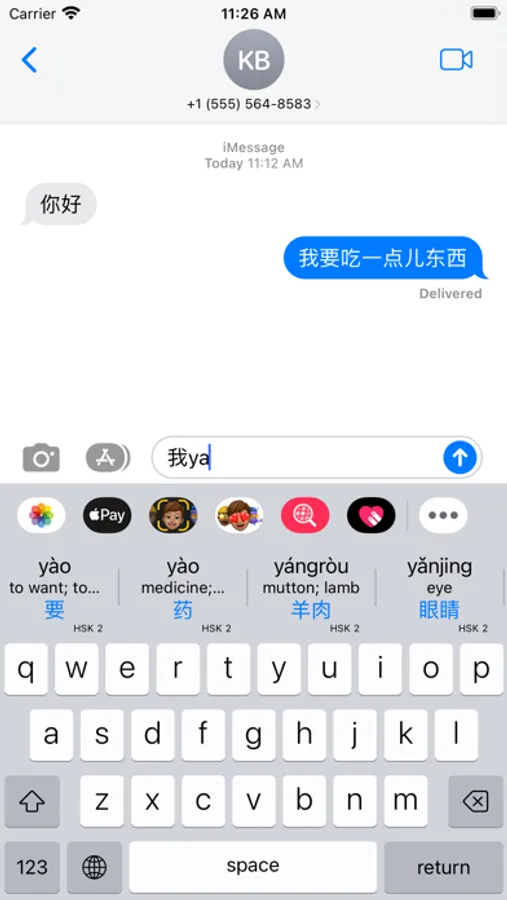
This app provides a keyboard for learners of Chinese. Type the first few letters of a Chinese word in Pinyin and see possible matches with the full pinyin word, the Chinese characters (Hanzi) and an English translation to help you chose the right word.
Many learners are not able to comfortably use the builtin iOS Chinese keyboards, because they require full familiarity with Chinese characters and their meaning. Pinyin Pengyou allows even a brand new learner with only a handful of pinyin words to begin to type Chinese characters comfortably on their iPhone or iPad.
Enable the keyboard in settings and give it full access so it can search the dictionaries. Use the keyboard in any iOS app, by selecting from the globe icon on the on-screen keyboard.
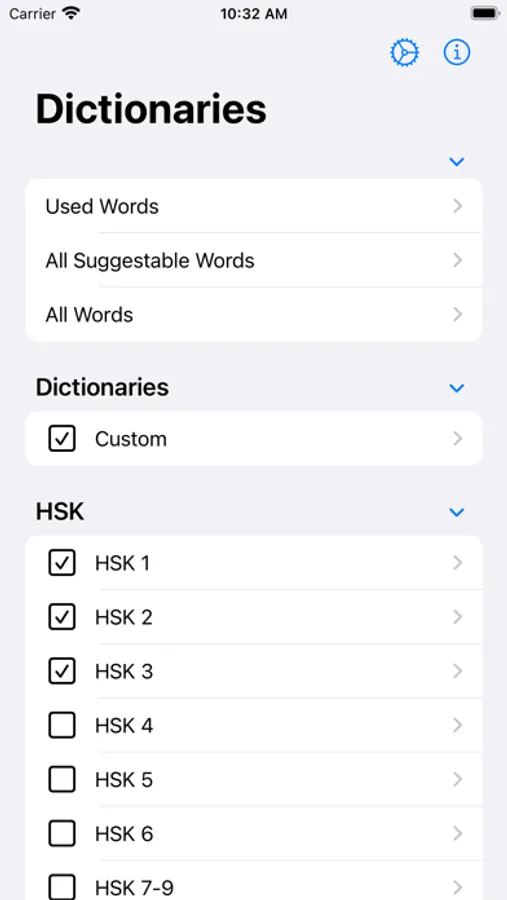
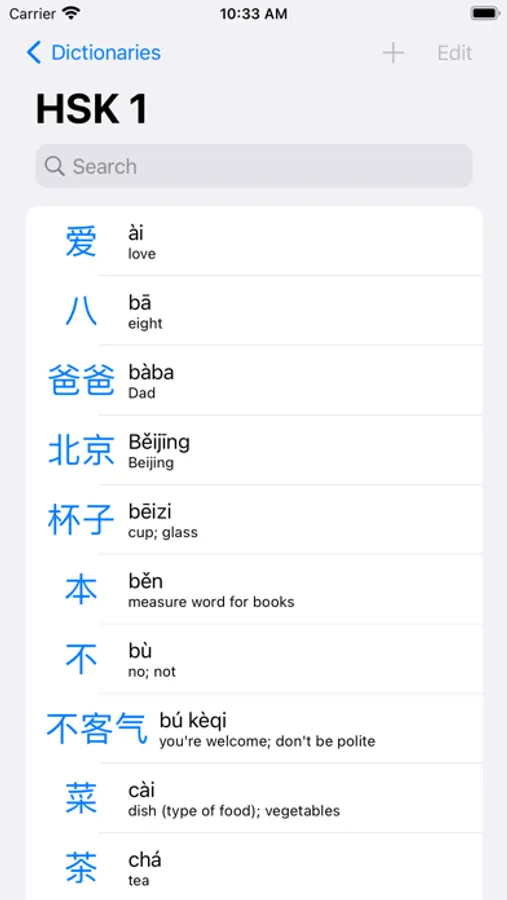
In the Pinyin Pengyou app you can select from a list of dictionaries up to a level which matches the words you have learnt. HSK levels 1 to 6 (and beyond). TOCFL levels 1 to 4. Pimsleur Mandarin up to level III. You may also add additional custom words and phrases with translations of your own. A dictionary of country names is also provided. The main screen of the app provides access to the word lists for each dictionary. All Suggestible words list only the words in the selected dictionaries. All Words list every word in every dictionary.
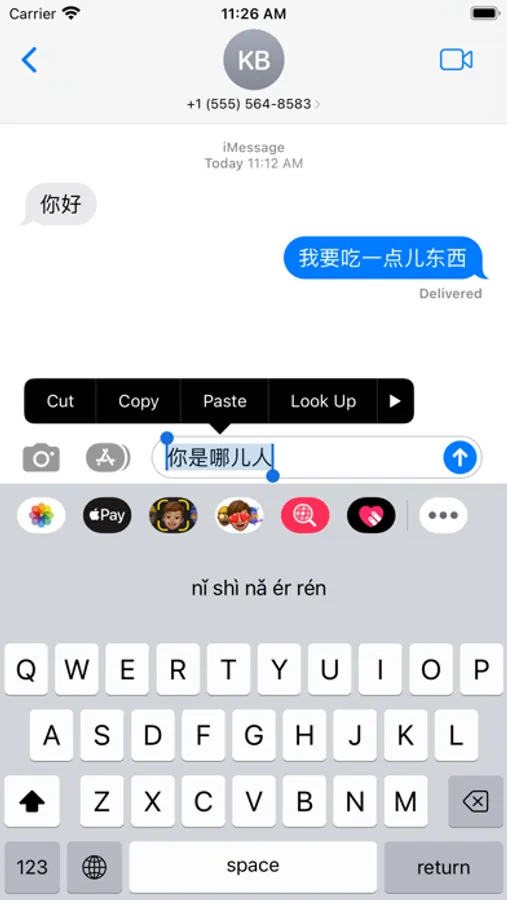
When the keyboard appears, start typing a pinyin word. Matching words with full pinyin, hanzi and a translation are displayed above the keyboard. Swipe the suggestions left and right to see every matching word. Tap a suggestion to enter the word, press return or space to just enter the roman letters typed so far. Tap and hold a suggestion to display the full definition over the keyboard, just tap the definition to dismiss.
In the app settings, haptic and/or audio feedback can be enabled for key presses and one of three keyboard layouts QWERTY, AZERTY or QWERTZ may be selected.
Downloading the app is free, and without a subscription, only pinyin words will be entered into your documents. Subscribe to the app with either a low monthly, six-monthly or annual fee to enable the ability to write in Chinese hanzi. Press the info button to show the subscription offers if not already subscribed.
The app keeps track of how many times words are used and it suggests more frequently used words first. No data is transmitted beyond your device.
Reach out to me at the address on my website if you have any questions, or press "Help?" on the Setup screen.
Pinyin is a romanization of Mandarin. Pengyou is the Chinese word for friend !
EULA: https://www.apple.com/legal/internet-services/itunes/dev/stdeula/
This app provides a keyboard for learners of Chinese. Type the first few letters of a Chinese word in Pinyin and see possible matches with the full pinyin word, the Chinese characters (Hanzi) and an English translation to help you chose the right word.
Many learners are not able to comfortably use the builtin iOS Chinese keyboards, because they require full familiarity with Chinese characters and their meaning. Pinyin Pengyou allows even a brand new learner with only a handful of pinyin words to begin to type Chinese characters comfortably on their iPhone or iPad.
Enable the keyboard in settings and give it full access so it can search the dictionaries. Use the keyboard in any iOS app, by selecting from the globe icon on the on-screen keyboard.
In the Pinyin Pengyou app you can select from a list of dictionaries up to a level which matches the words you have learnt. HSK levels 1 to 6 (and beyond). TOCFL levels 1 to 4. Pimsleur Mandarin up to level III. You may also add additional custom words and phrases with translations of your own. A dictionary of country names is also provided. The main screen of the app provides access to the word lists for each dictionary. All Suggestible words list only the words in the selected dictionaries. All Words list every word in every dictionary.
When the keyboard appears, start typing a pinyin word. Matching words with full pinyin, hanzi and a translation are displayed above the keyboard. Swipe the suggestions left and right to see every matching word. Tap a suggestion to enter the word, press return or space to just enter the roman letters typed so far. Tap and hold a suggestion to display the full definition over the keyboard, just tap the definition to dismiss.
In the app settings, haptic and/or audio feedback can be enabled for key presses and one of three keyboard layouts QWERTY, AZERTY or QWERTZ may be selected.
Downloading the app is free, and without a subscription, only pinyin words will be entered into your documents. Subscribe to the app with either a low monthly, six-monthly or annual fee to enable the ability to write in Chinese hanzi. Press the info button to show the subscription offers if not already subscribed.
The app keeps track of how many times words are used and it suggests more frequently used words first. No data is transmitted beyond your device.
Reach out to me at the address on my website if you have any questions, or press "Help?" on the Setup screen.
Pinyin is a romanization of Mandarin. Pengyou is the Chinese word for friend !
EULA: https://www.apple.com/legal/internet-services/itunes/dev/stdeula/
Pinyin Pengyou Screenshots
Tap to Rate:
Reviews for Pinyin Pengyou
kaytlinkociemba
Can’t even use the keyboard
The ONLY app I can use the keyboard is this app. It does not let me use the keyboard on any app! It’s so angering!
hi178((
Bad app
If i write 朋友 the app writes péngyou. If its like that on a simple word i can't trust this app. Its péngyǒu we all know that. Bad app