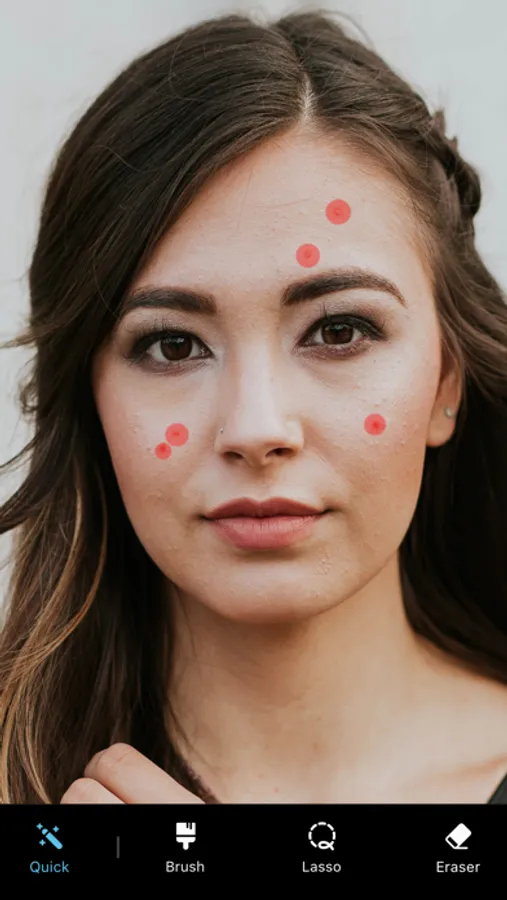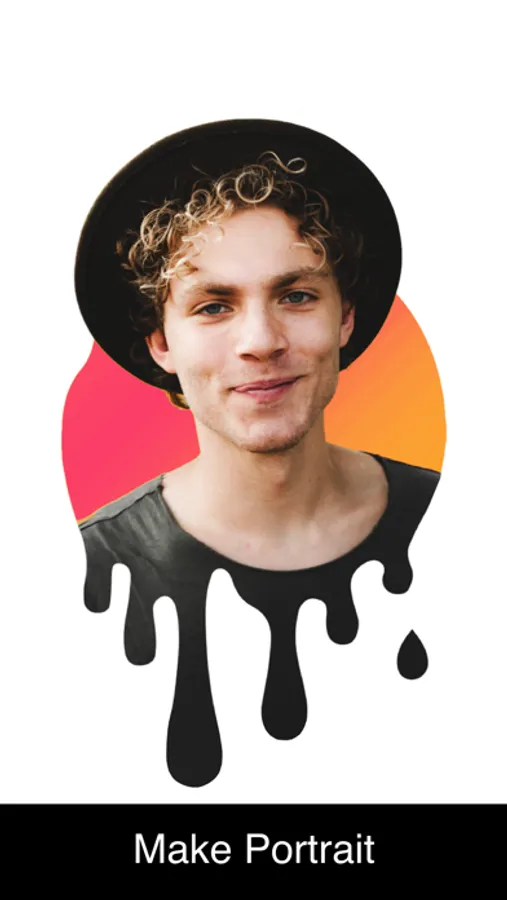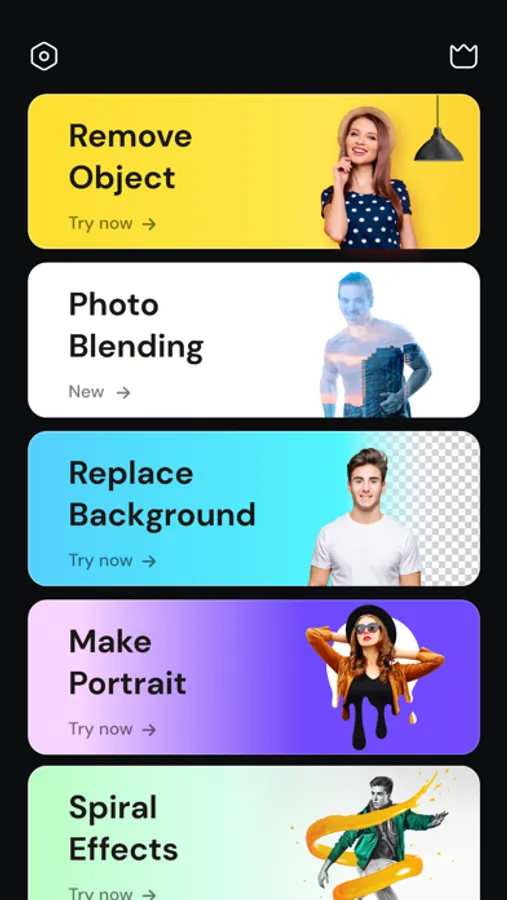
In this photo editing app, you can remove objects, backgrounds, or blemishes using AI tools and adjust images with overlays and effects. Includes features like background replacement, sky changing, and portrait styling tools.
AppRecs review analysis
AppRecs rating 3.9. Trustworthiness 80 out of 100. Review manipulation risk 27 out of 100. Based on a review sample analyzed.
★★★☆☆
3.9
AppRecs Rating
Ratings breakdown
5 star
84%
4 star
6%
3 star
4%
2 star
2%
1 star
4%
What to know
✓
Low review manipulation risk
27% review manipulation risk
⚠
Ad complaints
Many low ratings mention excessive ads
⚠
Pricing complaints
Many low ratings mention paywalls or pricing
About Retouch: Photo Object Eraser
Remove objects, people or text from photos easily with this ai retouch app. Erase backgrounds of a photo and save as transparent with just one tap. Fix your blemishes also with advanced one-tap-retouch feature. Change your outfit with our advanced ai clothes changer feature instantly.
Features
Remove Object: Tap or brush away tourists, wires, or stains. Quick Mode erases with AI; Brush & Lasso gives pixel-perfect control.
AI Outfit Changer: Try-on new dresses with our outfit generator.
Clone Stamp: Sample any clean patch and paint over distractions. Edge-aware blending matches texture, light, and perspective.
AI Retouch: One swipe zaps blemishes, smooths skin, sharpens eyes, adds a natural glow, and whitens teeth while preserving pores.
Replace Background: Auto-cut subjects and drop them onto built-in scenes, your own images, or transparent PNGs for pro-grade product shots.
Background Blur: Pop subjects with DSLR-style depth—Gaussian, Motion, Bokeh, Hexagon, Disc, and more—and adjust focus and strength in real time.
Photo Overlay & Double Exposure: Layer textures, designer frames, or a second image, then fine-tune opacity and blend modes for instant magazine vibes.
Stylish Portrait: Soft-focus backgrounds, polish facial details, and apply studio color toning for a cover-ready finish.
Sky Changer: Auto-detect the horizon and swap gray skies for golden sunsets, auroras, or storm clouds with perfect color matching and crisp edges.
Photo Blending: AI isolates your subject and fuses it with artistic overlays; refine with manual brush and eraser for cinematic double exposures.
Dripping Portrait: Melt edges into flowing paint drips; pick preset shapes or draw your own, then adjust length, direction, and gradients.
Spiral Effects: Wrap subjects in neon coils, glitter ribbons, or dotted trails. Tweak thickness, color, and rotation for instant 3-D pop.
Unlimited undo/redo, high-resolution exports, and before/after previews keep every experiment safe and speedy—so you can perfect anything from quick selfies to polished product shots without ever losing a pixel of quality.
This app includes advertisement. To enjoy ad free experience and using all premium contents, we are offering a Premium subscription package.
Retouch Premium Subscription information
• Subscription Length: Weekly, Monthly.
• Your payment will be charged to your iTunes Account as soon as you confirm your purchase.
• You can manage your subscriptions and turn off auto-renewal from your Account Settings after the purchase.
• Your subscription will renew automatically unless you turn off auto-renew at least 24 hours before the end of the current period.
• The cost of renewal will be charged to your account 24 hours before the end of the current period.
• When canceling a subscription, your subscription will stay active until the end of the period. Auto-renewal will be disabled, but the current subscription will not be refunded.
• Any unused portion of a free trial period, if offered, will be forfeited when purchasing a subscription.
Privacy policy: https://sites.google.com/view/anthonydurbins/privacy
Terms of service: https://sites.google.com/view/anthonydurbins/terms
Contact for support, reporting bug or improvement suggestions
email: app.care.anthony@gmail.com
You may also contact our support team through the app’s settings screen.
Features
Remove Object: Tap or brush away tourists, wires, or stains. Quick Mode erases with AI; Brush & Lasso gives pixel-perfect control.
AI Outfit Changer: Try-on new dresses with our outfit generator.
Clone Stamp: Sample any clean patch and paint over distractions. Edge-aware blending matches texture, light, and perspective.
AI Retouch: One swipe zaps blemishes, smooths skin, sharpens eyes, adds a natural glow, and whitens teeth while preserving pores.
Replace Background: Auto-cut subjects and drop them onto built-in scenes, your own images, or transparent PNGs for pro-grade product shots.
Background Blur: Pop subjects with DSLR-style depth—Gaussian, Motion, Bokeh, Hexagon, Disc, and more—and adjust focus and strength in real time.
Photo Overlay & Double Exposure: Layer textures, designer frames, or a second image, then fine-tune opacity and blend modes for instant magazine vibes.
Stylish Portrait: Soft-focus backgrounds, polish facial details, and apply studio color toning for a cover-ready finish.
Sky Changer: Auto-detect the horizon and swap gray skies for golden sunsets, auroras, or storm clouds with perfect color matching and crisp edges.
Photo Blending: AI isolates your subject and fuses it with artistic overlays; refine with manual brush and eraser for cinematic double exposures.
Dripping Portrait: Melt edges into flowing paint drips; pick preset shapes or draw your own, then adjust length, direction, and gradients.
Spiral Effects: Wrap subjects in neon coils, glitter ribbons, or dotted trails. Tweak thickness, color, and rotation for instant 3-D pop.
Unlimited undo/redo, high-resolution exports, and before/after previews keep every experiment safe and speedy—so you can perfect anything from quick selfies to polished product shots without ever losing a pixel of quality.
This app includes advertisement. To enjoy ad free experience and using all premium contents, we are offering a Premium subscription package.
Retouch Premium Subscription information
• Subscription Length: Weekly, Monthly.
• Your payment will be charged to your iTunes Account as soon as you confirm your purchase.
• You can manage your subscriptions and turn off auto-renewal from your Account Settings after the purchase.
• Your subscription will renew automatically unless you turn off auto-renew at least 24 hours before the end of the current period.
• The cost of renewal will be charged to your account 24 hours before the end of the current period.
• When canceling a subscription, your subscription will stay active until the end of the period. Auto-renewal will be disabled, but the current subscription will not be refunded.
• Any unused portion of a free trial period, if offered, will be forfeited when purchasing a subscription.
Privacy policy: https://sites.google.com/view/anthonydurbins/privacy
Terms of service: https://sites.google.com/view/anthonydurbins/terms
Contact for support, reporting bug or improvement suggestions
email: app.care.anthony@gmail.com
You may also contact our support team through the app’s settings screen.