
AppRecs review analysis
AppRecs rating 4.0. Trustworthiness 65 out of 100. Review manipulation risk 23 out of 100. Based on a review sample analyzed.
★★★★☆
4.0
AppRecs Rating
Ratings breakdown
5 star
71%
4 star
0%
3 star
0%
2 star
14%
1 star
14%
What to know
✓
Low review manipulation risk
23% review manipulation risk
✓
High user satisfaction
71% of sampled ratings are 4+ stars (4.0★ average)
About Stash for Flowhub Maui
Stash is a simple mobile application compatible with the Flowhub Maui cannabis retail platform. It helps dispensary inventory managers streamline operations, increase efficiency, and save time.
With Stash, you can…
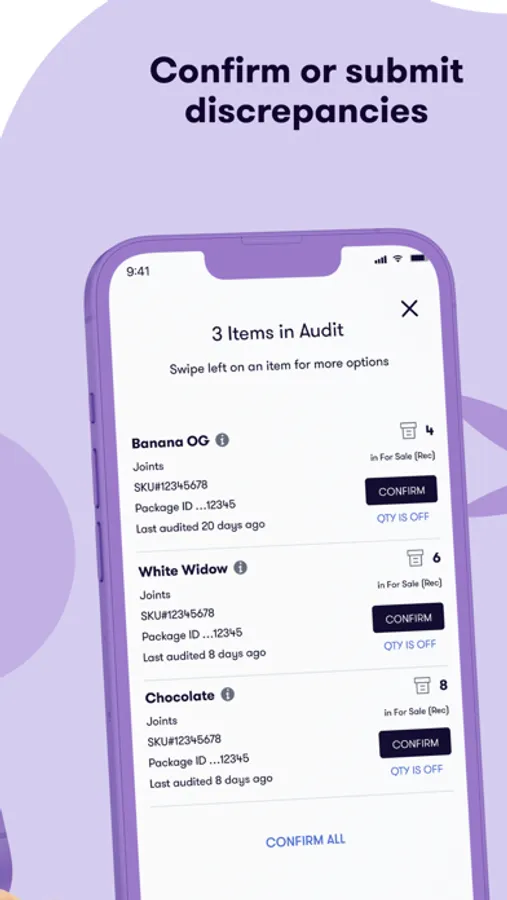
• Scan SKUs and Package Tags to quickly audit inventory
• Set up discrepancy approval workflows
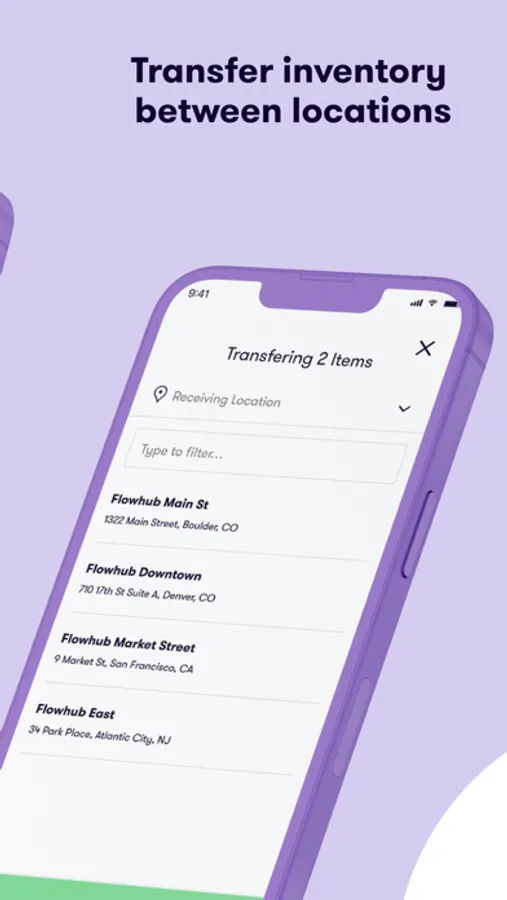
• Transfer inventory between locations
• Move inventory between rooms
• Sync data in real-time for always up-to-date inventory
“Stash is a godsend! It has changed our workflows dramatically and saves us 2-3 hours per day on inventory management.” – The Lodge, CO
About Flowhub:
Flowhub is the leading cannabis retail management platform for dispensaries. Founded in 2015, Flowhub pioneered the first Metrc API integration to help dispensaries stay compliant. Today, thousands of dispensaries trust Flowhub’s compliance, point of sale, payments, inventory tracking, and mobile solutions to process billions of dollars in cannabis sales annually.
Want to learn how Flowhub can help your dispensary succeed? Get started at flowhub.com/demo
Stash for Flowhub Maui Screenshots



Tap to Rate:
Reviews for Stash for Flowhub Maui
Skolkage
Does not function the same
Stash before Maui worked perfectly, Maui Stash does not work the same. In the audit section, the list is not sorted by last audited, it’s just plain not sorted. Submitting a discrepancy and approving it does not register as audited. Approving discrepancies in app is not possible. If you get into the selected item screen without any items selected, you cannot exit until you close the app and reopen it. You have to scan items twice for it to register, but it still gives you the “item already selected message” on the second scan. Approving discrepancies does not adjust by +\- X, it adjusts it as an absolute value(if FH shows 10, but we count 9, and then sell 3 brining total inventory to 6, approving the discrepancy puts the inventory at 9). Please fix asap!!!!!