About SmartCasa
Connect and Control Your Smart Appliances with the SmartCasa App
Easily connect and enjoy automated control of your smart appliances with just a few taps.
■ Experience a Smart Home in “Home” Mode
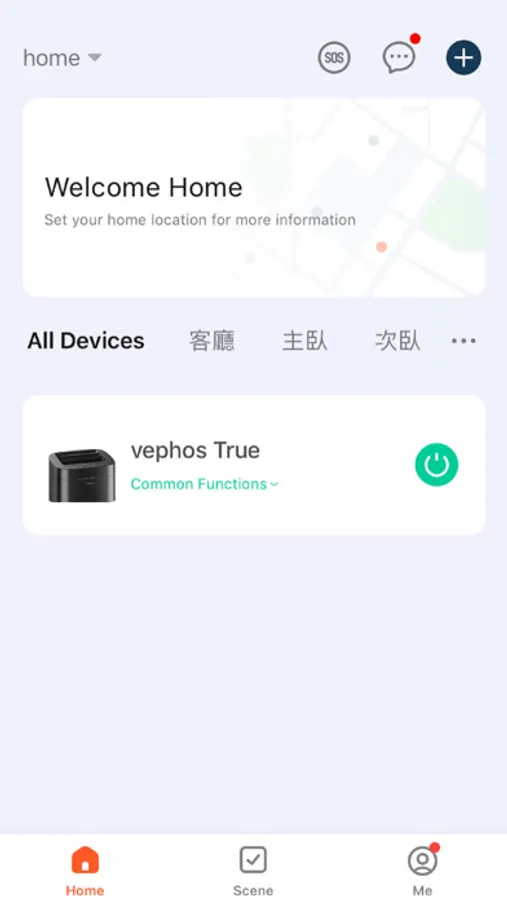
Control your IoT appliances anytime, anywhere via the SmartCasa App.
Receive tailored management suggestions based on your appliance usage to maximize efficiency.
■ Monitor Your Energy Usage at a Glance
Analyze your household energy consumption compared to your neighbors with the "Energy Monitoring" feature.
Set energy-saving modes and receive real-time notifications to optimize your energy usage.
■ Resolve Diagnostics and Service Needs Within the App
Use the "Smart Diagnosis" feature to check the status of your appliances and get instant troubleshooting tips.
Schedule professional engineer visits for accurate inspections and repairs.
■ Manage Appliance Manuals in One Place
Keep all your appliance manuals in one app for easy access to feature explanations and troubleshooting guides.
※ Note
SmartCasa App features may vary depending on the appliance model and your country or region.
Permission Requests
To provide a complete service experience, the app may require the following permissions. All permissions are optional, and the app will remain functional except for features requiring specific permissions.
Optional Permissions
• Location
To connect nearby Wi-Fi when registering products.
To set and save your home location in the “Home Management” feature.
To provide local weather information.
To set up routines based on your current location in the “Smart Routines” feature.
• Camera
For taking and setting profile pictures.
To scan QR codes for sharing your home or account.
To attach photos when submitting support requests.
• Photos, Media, and Files
To store downloaded product information on your mobile device.
To attach photos during support inquiries.
To play photos/videos from your smartphone on connected devices.
• Media and Music
To play music files from your smartphone on connected devices.
• Microphone
To check appliance status using the "Smart Diagnosis" feature.
• Local Network
To detect and connect nearby Wi-Fi when registering products.
• Bluetooth
To detect and connect nearby Bluetooth devices when adding products.
• HomeKit
Required for registering IoT products.
• Notifications
To receive updates on appliance status, important announcements, promotions, and information.
Easily connect and enjoy automated control of your smart appliances with just a few taps.
■ Experience a Smart Home in “Home” Mode
Control your IoT appliances anytime, anywhere via the SmartCasa App.
Receive tailored management suggestions based on your appliance usage to maximize efficiency.
■ Monitor Your Energy Usage at a Glance
Analyze your household energy consumption compared to your neighbors with the "Energy Monitoring" feature.
Set energy-saving modes and receive real-time notifications to optimize your energy usage.
■ Resolve Diagnostics and Service Needs Within the App
Use the "Smart Diagnosis" feature to check the status of your appliances and get instant troubleshooting tips.
Schedule professional engineer visits for accurate inspections and repairs.
■ Manage Appliance Manuals in One Place
Keep all your appliance manuals in one app for easy access to feature explanations and troubleshooting guides.
※ Note
SmartCasa App features may vary depending on the appliance model and your country or region.
Permission Requests
To provide a complete service experience, the app may require the following permissions. All permissions are optional, and the app will remain functional except for features requiring specific permissions.
Optional Permissions
• Location
To connect nearby Wi-Fi when registering products.
To set and save your home location in the “Home Management” feature.
To provide local weather information.
To set up routines based on your current location in the “Smart Routines” feature.
• Camera
For taking and setting profile pictures.
To scan QR codes for sharing your home or account.
To attach photos when submitting support requests.
• Photos, Media, and Files
To store downloaded product information on your mobile device.
To attach photos during support inquiries.
To play photos/videos from your smartphone on connected devices.
• Media and Music
To play music files from your smartphone on connected devices.
• Microphone
To check appliance status using the "Smart Diagnosis" feature.
• Local Network
To detect and connect nearby Wi-Fi when registering products.
• Bluetooth
To detect and connect nearby Bluetooth devices when adding products.
• HomeKit
Required for registering IoT products.
• Notifications
To receive updates on appliance status, important announcements, promotions, and information.
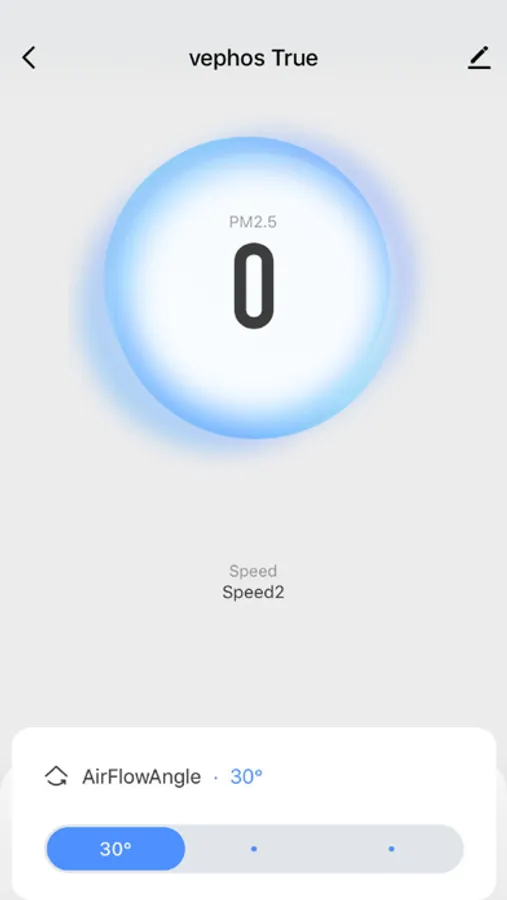
SmartCasa Screenshots
Tap to Rate: