
About Petty cash accounting(Petty-A)
Provides functions for managing petty cash for social welfare corporations.
This application is an app (Petty-A) used by accounting staff for accounting.
Besides this,
An application (Petty-S) used by general staff when shopping with petty cash
EXCEL tool for printing a petty cash account book (Petty-P.xlsm)
to configure the system.
The usage and features of each application according to the business are explained below.
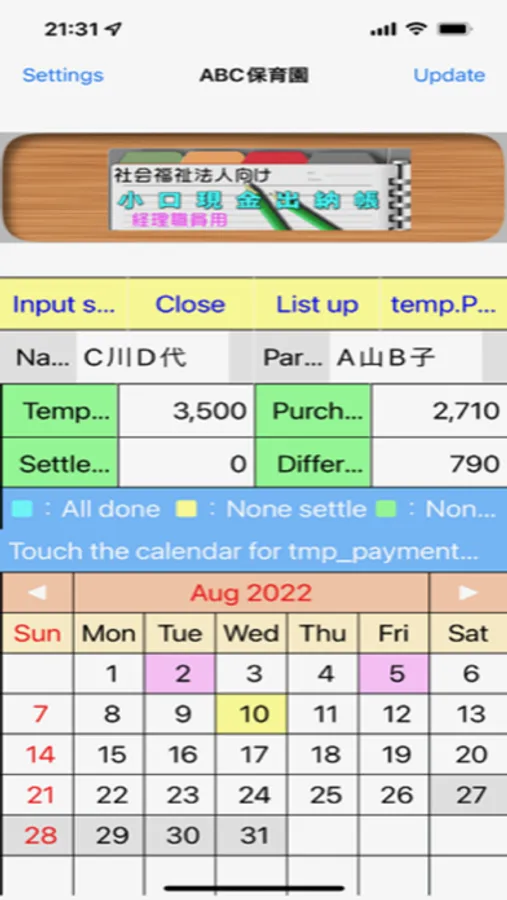
1. Temporary payment
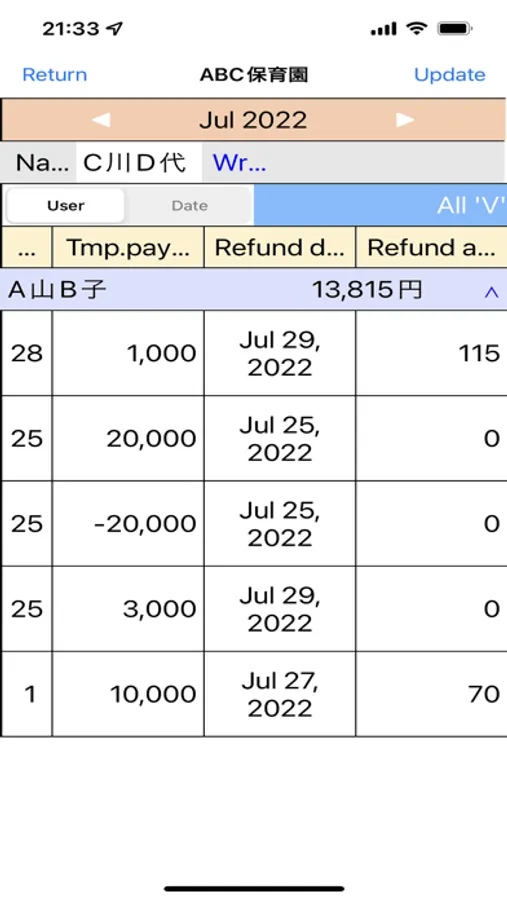
-Accounting staff enters the amount of provisional payment to the other staff in Petty-A.
- This will be displayed on Petty-S as a remaining balance.
2. Enter shopping information
- After shopping, enter the supplier, description, and amount. (OCR recognition of receipts is recommended)
- Memorize the input data for supplier and descriptions, and then make them selectable.
- After inputting, calculate and display the balance.
- You can edit and delete the entered data.
- When editing data that has been settled, account title set, or "closed", red and black invoice processing is performed.
- You can take photos and attach them to the input data.
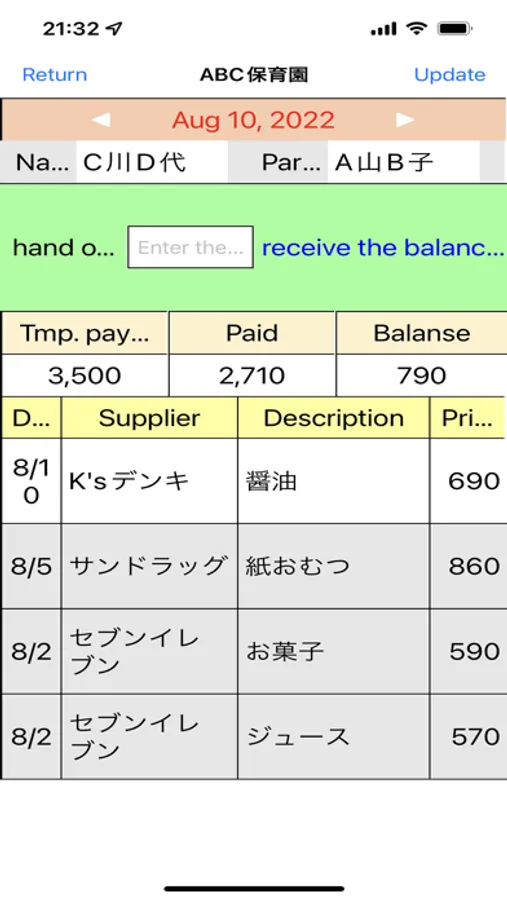
3. Balance settlement
- After completing the desired shopping, refund the voucher and the balance.
- Accounting staff processes the settlement at Petty-A.
- With this, the balance will be 0 even on Petty-S.
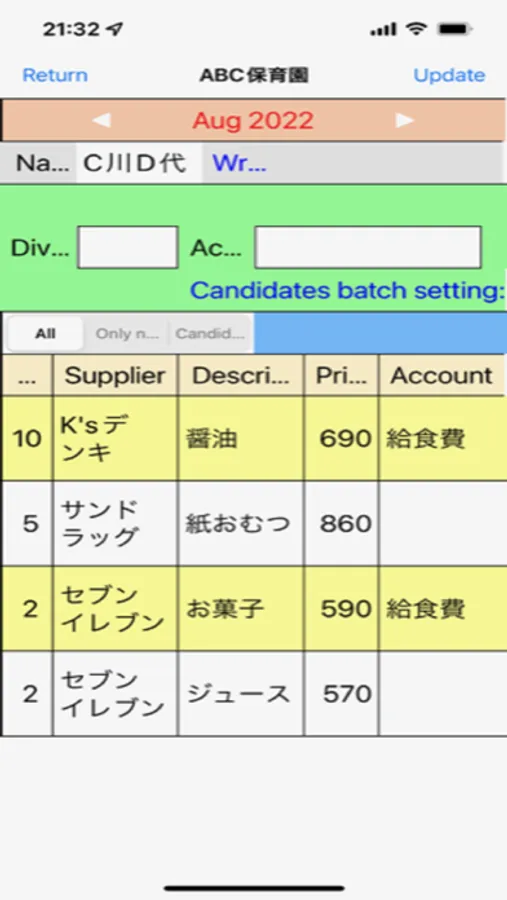
4. Account title settings
- Set account title for the data entered on Petty-S.
- Account title setting is done by presenting the account title and touching the corresponding rows.
- Memorize the pattern of supplier - description - account title, and display candidates for the same unset data.
- For data with account title candidates, you can set all account title by one touch.
- If necessary, you can also set the consumption tax category.
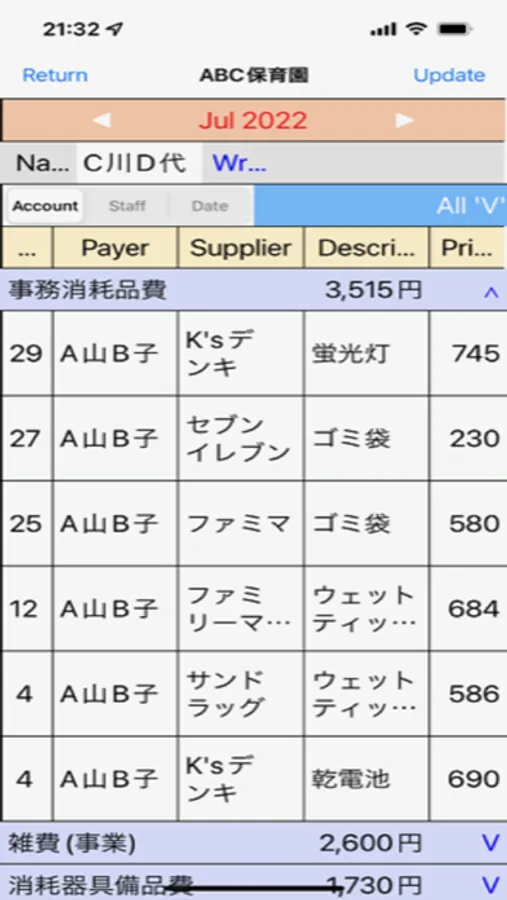
- The account title displayed are those specified in the regulations of the Ministry of Health, Labor and Welfare, but others can be added.
5. Print petty cash book
- Just by opening Petty-P.xlsm of EXCEL, the data will be read and ready for printing.
This application is an app (Petty-A) used by accounting staff for accounting.
Besides this,
An application (Petty-S) used by general staff when shopping with petty cash
EXCEL tool for printing a petty cash account book (Petty-P.xlsm)
to configure the system.
The usage and features of each application according to the business are explained below.
1. Temporary payment
-Accounting staff enters the amount of provisional payment to the other staff in Petty-A.
- This will be displayed on Petty-S as a remaining balance.
2. Enter shopping information
- After shopping, enter the supplier, description, and amount. (OCR recognition of receipts is recommended)
- Memorize the input data for supplier and descriptions, and then make them selectable.
- After inputting, calculate and display the balance.
- You can edit and delete the entered data.
- When editing data that has been settled, account title set, or "closed", red and black invoice processing is performed.
- You can take photos and attach them to the input data.
3. Balance settlement
- After completing the desired shopping, refund the voucher and the balance.
- Accounting staff processes the settlement at Petty-A.
- With this, the balance will be 0 even on Petty-S.
4. Account title settings
- Set account title for the data entered on Petty-S.
- Account title setting is done by presenting the account title and touching the corresponding rows.
- Memorize the pattern of supplier - description - account title, and display candidates for the same unset data.
- For data with account title candidates, you can set all account title by one touch.
- If necessary, you can also set the consumption tax category.
- The account title displayed are those specified in the regulations of the Ministry of Health, Labor and Welfare, but others can be added.
5. Print petty cash book
- Just by opening Petty-P.xlsm of EXCEL, the data will be read and ready for printing.
Petty cash accounting(Petty-A) Screenshots
Tap to Rate: