
AppRecs review analysis
AppRecs rating 3.9. Trustworthiness 64 out of 100. Review manipulation risk 16 out of 100. Based on a review sample analyzed.
★★★☆☆
3.9
AppRecs Rating
Ratings breakdown
5 star
71%
4 star
0%
3 star
0%
2 star
0%
1 star
29%
What to know
✓
Low review manipulation risk
16% review manipulation risk
✓
Good user ratings
71% positive sampled reviews
About Previs Shot - Video Workflow
Previs Shot - Streamlining workflows for creative studios; video、TV & film production management software.
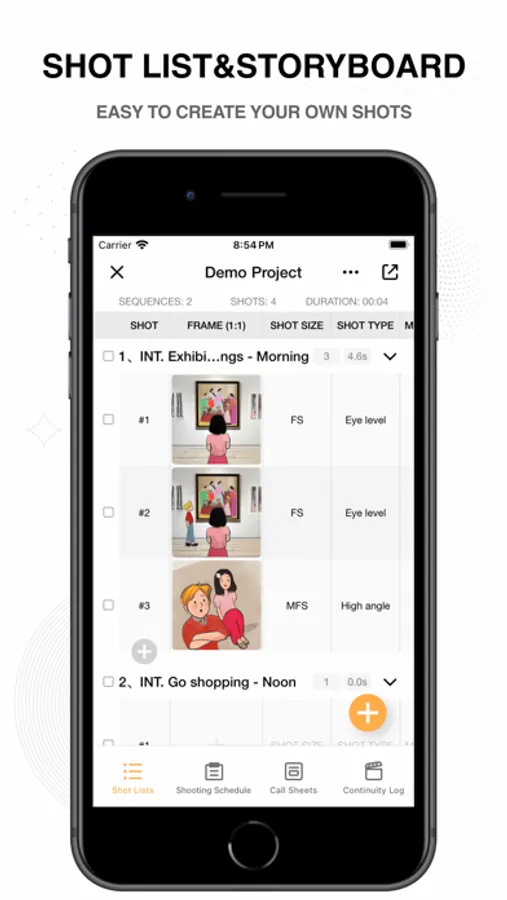
[Shot list & Storyboard]
• Easily edit storyboard grids with various options for scene, camera movement, and input methods.
• Visual display supports images, text, and storyboard modes, making it user-friendly.
• Storyboard images support multiple ratios, allowing image import and automatic cropping.
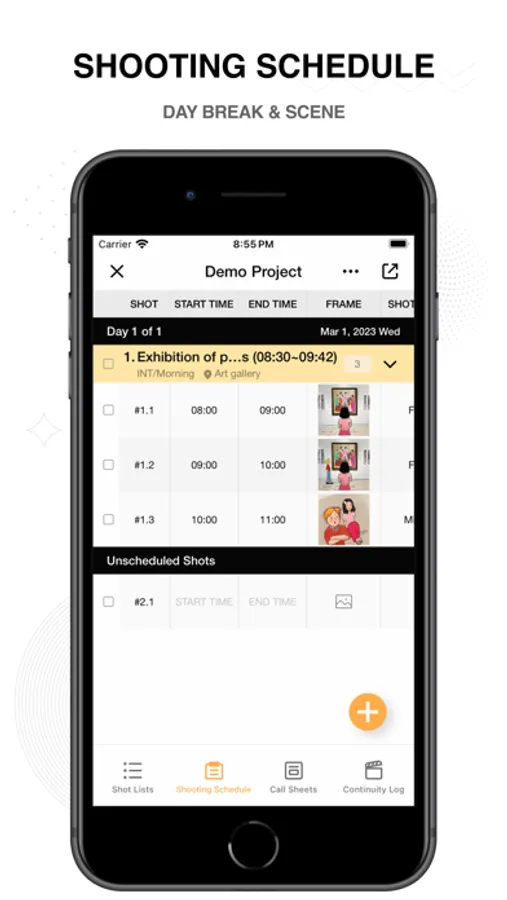
[Shooting Schedule]
• The shooting schedule rearranges shots into scenes, supports quick filtering and sorting, and is your best assistant.
• Plan shooting schedules by day, coordinate cast, locations, and work hours, saving project budgets!
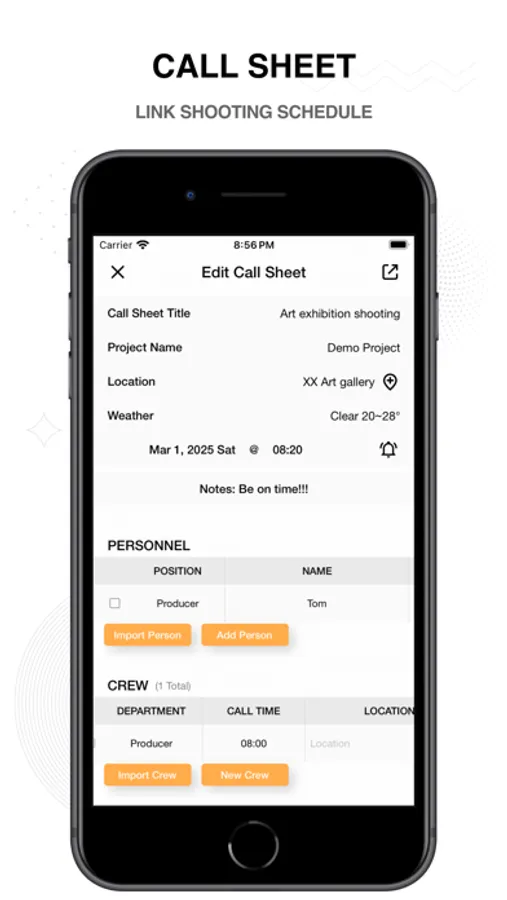
[Call Sheet]
• Keep all information organized: schedules, clients, cast, crew, and more.
• Choose a shooting schedule, automatically import scenes and shot list, making it simple and worry-free.
• Supports quick importing of addresses, contacts, and crew information, so you don't have to type every time.
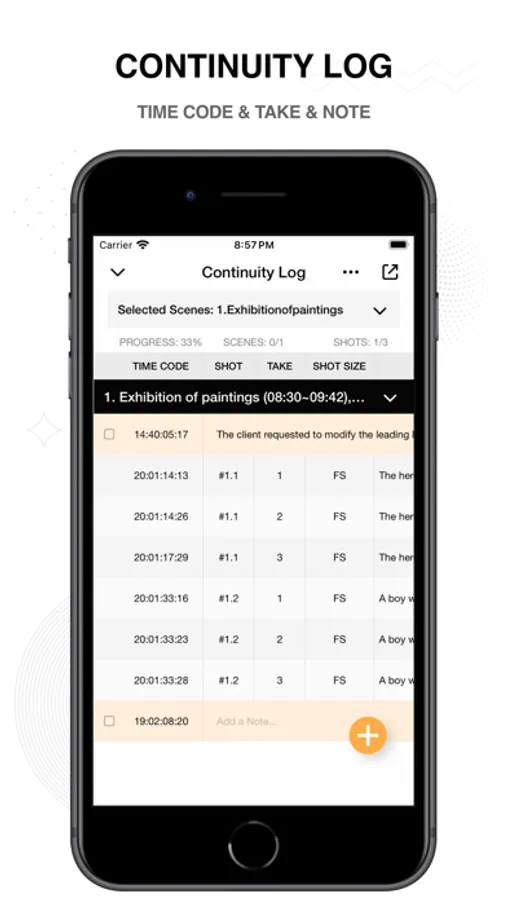
[Takes]
• Rate and mark shots after shooting, reaching 100% progress.
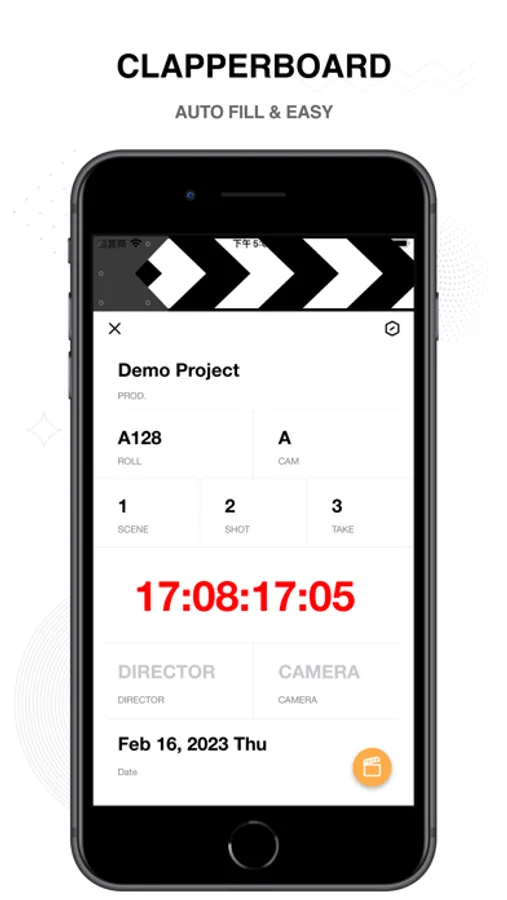
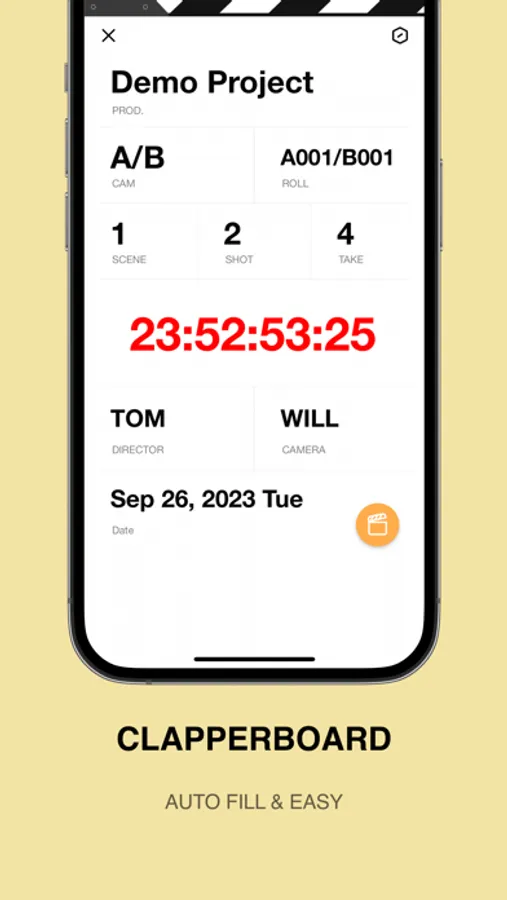
• The clapperboard automatically fills in information, so you can say goodbye to a racing heart!
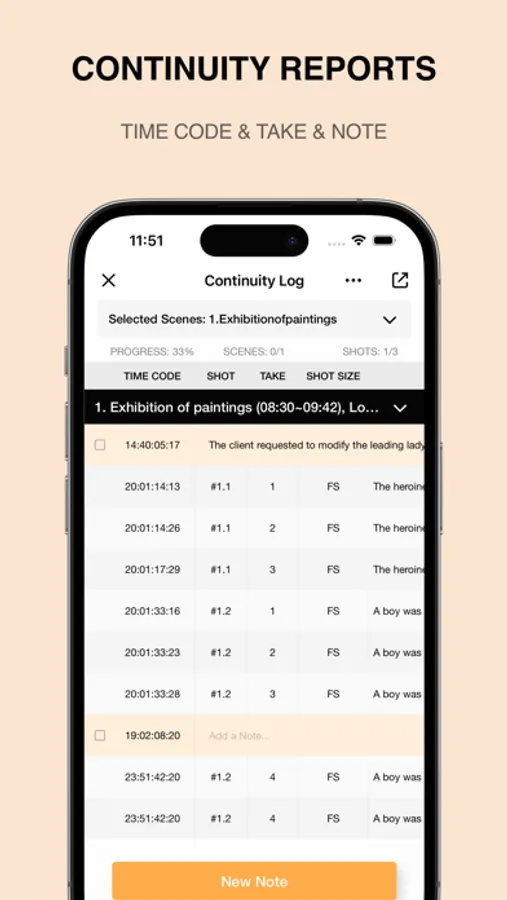
• Automatically record continuity reports during the shooting, print and deliver them when done.
• Supports multiple camera angles, it has everything you can think of!
[Previs Shot auto-renewing subscriptions statement of service]
• Payment will be charged to your Apple ID account at the confirmation of purchase. Subscription automatically renews unless it is canceled at least 24 hours before the end of the current period. Your account will be charged for renewal within 24 hours prior to the end of the current period.
• If you need to unsubscribe, please open the iphone "Settings" → "Apple ID" → "Subscription" → "Previs Shot" → unsubscribe.
• Terms of Use: https://zhangwenhai.notion.site/Previs-Shot-Terms-Of-Use-253694968dc84dd4a881c65ff3b02757
• Privacy Policy: https://zhangwenhai.notion.site/Previs-Shot-Privacy-Policy-5ae5f7088d1b4b82aaae95ffa9e625c7
[Shot list & Storyboard]
• Easily edit storyboard grids with various options for scene, camera movement, and input methods.
• Visual display supports images, text, and storyboard modes, making it user-friendly.
• Storyboard images support multiple ratios, allowing image import and automatic cropping.
[Shooting Schedule]
• The shooting schedule rearranges shots into scenes, supports quick filtering and sorting, and is your best assistant.
• Plan shooting schedules by day, coordinate cast, locations, and work hours, saving project budgets!
[Call Sheet]
• Keep all information organized: schedules, clients, cast, crew, and more.
• Choose a shooting schedule, automatically import scenes and shot list, making it simple and worry-free.
• Supports quick importing of addresses, contacts, and crew information, so you don't have to type every time.
[Takes]
• Rate and mark shots after shooting, reaching 100% progress.
• The clapperboard automatically fills in information, so you can say goodbye to a racing heart!
• Automatically record continuity reports during the shooting, print and deliver them when done.
• Supports multiple camera angles, it has everything you can think of!
[Previs Shot auto-renewing subscriptions statement of service]
• Payment will be charged to your Apple ID account at the confirmation of purchase. Subscription automatically renews unless it is canceled at least 24 hours before the end of the current period. Your account will be charged for renewal within 24 hours prior to the end of the current period.
• If you need to unsubscribe, please open the iphone "Settings" → "Apple ID" → "Subscription" → "Previs Shot" → unsubscribe.
• Terms of Use: https://zhangwenhai.notion.site/Previs-Shot-Terms-Of-Use-253694968dc84dd4a881c65ff3b02757
• Privacy Policy: https://zhangwenhai.notion.site/Previs-Shot-Privacy-Policy-5ae5f7088d1b4b82aaae95ffa9e625c7
Previs Shot - Video Workflow Screenshots

Tap to Rate:
Reviews for Previs Shot - Video Workflow
Qyulo
This is great but..
Please give the option to create an account, add the ability to add "Camera" to the shot list, and add a One-Time payment option. With the right features... I would happily pay $80 for lifetime access.
ioksin
太专业了
软件非常好用,而且开发者还不断更新,贴合导演、制片需求。