
AppRecs review analysis
AppRecs rating 2.4. Trustworthiness 82 out of 100. Review manipulation risk 23 out of 100. Based on a review sample analyzed.
★★☆☆☆
2.4
AppRecs Rating
Ratings breakdown
5 star
28%
4 star
0%
3 star
11%
2 star
11%
1 star
50%
What to know
✓
Low review manipulation risk
23% review manipulation risk
✓
Credible reviews
82% trustworthiness score from analyzed reviews
⚠
Mixed user feedback
Average 2.4★ rating suggests room for improvement
About MRI Angus
Key Features:
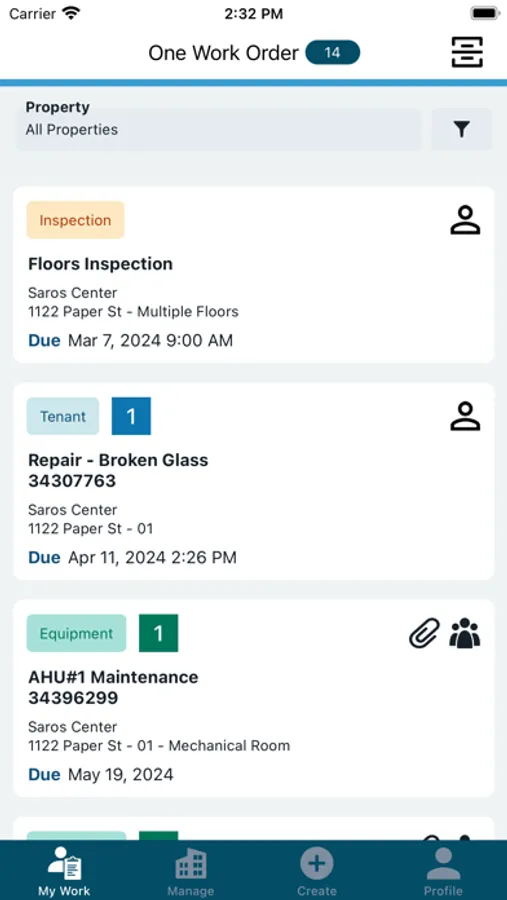
Unified Work Order Management
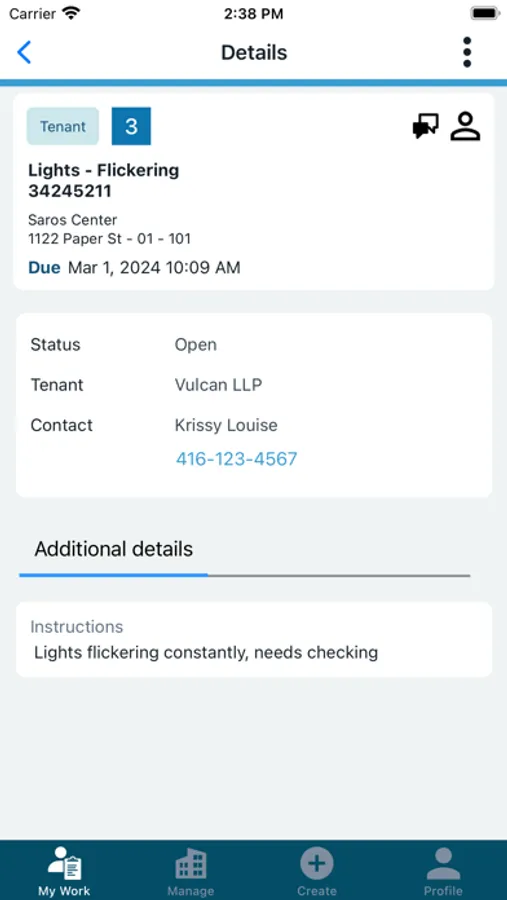
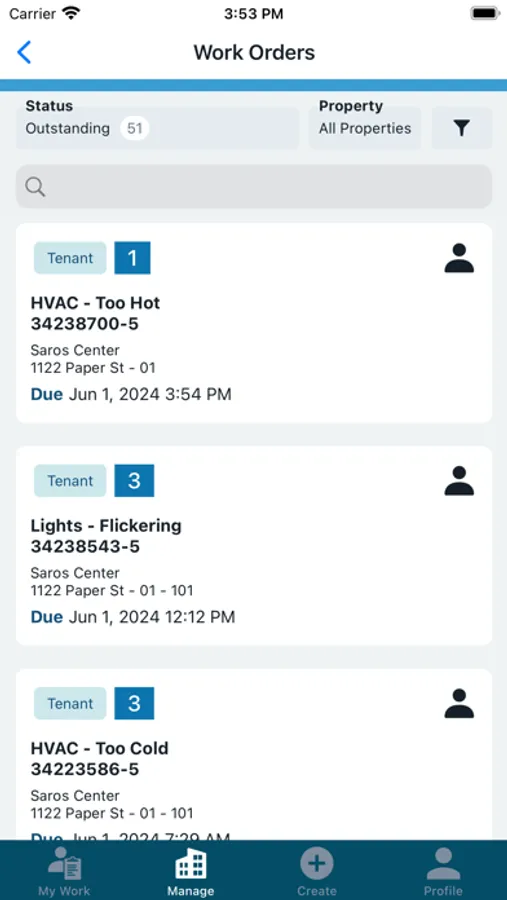
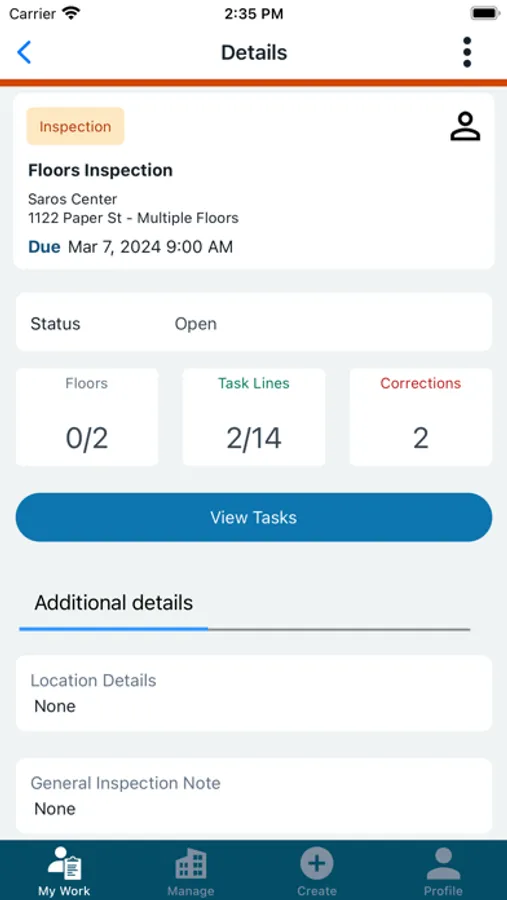
- Access all Tenant, Equipment, and Inspection work orders in a single, streamlined list.
- Filter work orders by type for faster navigation and prioritization.
Real-Time Notifications
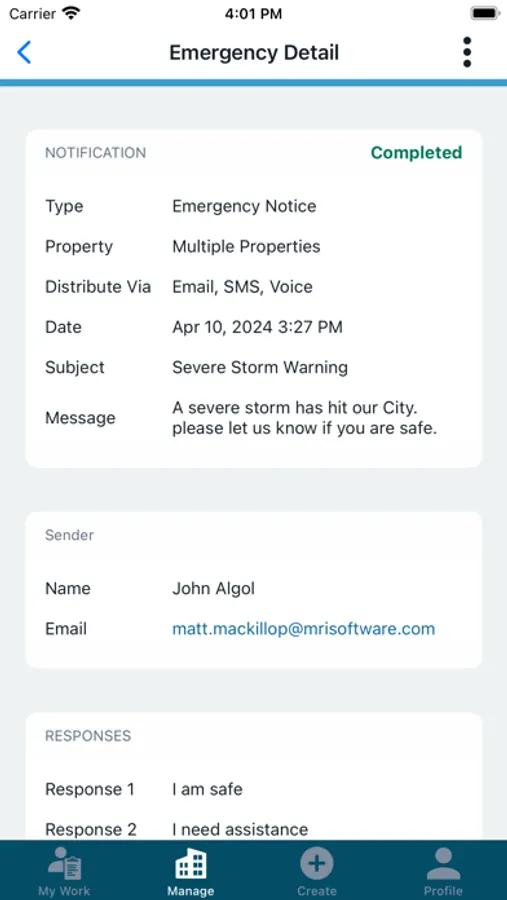
- Stay updated with instant alerts for new work orders and status changes, so you never miss a critical task.
Offline Mode
- Continue working without an internet connection; your data syncs automatically when you’re back online-perfect for fieldwork and remote locations.
Fast, Accurate Data Syncing
- Ensure all updates and changes are instantly reflected across your team for reliable, up-to-date information.
Comprehensive Management Tools
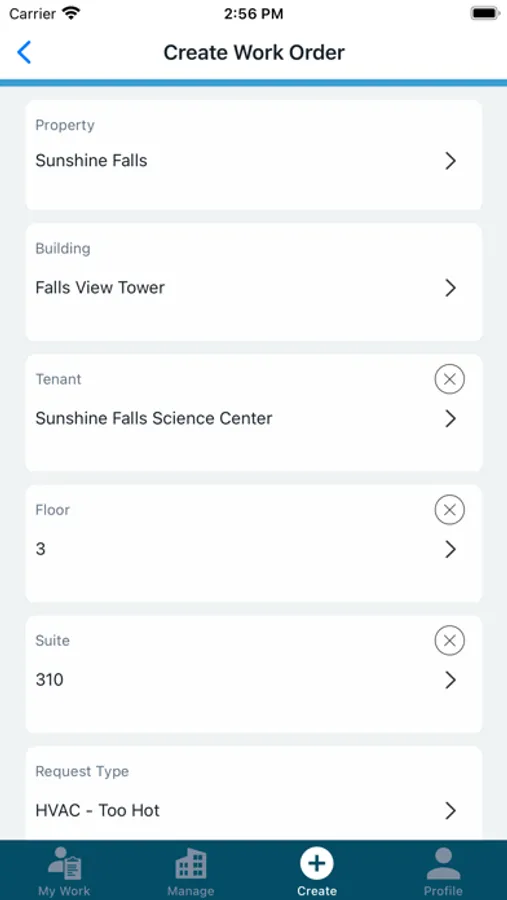
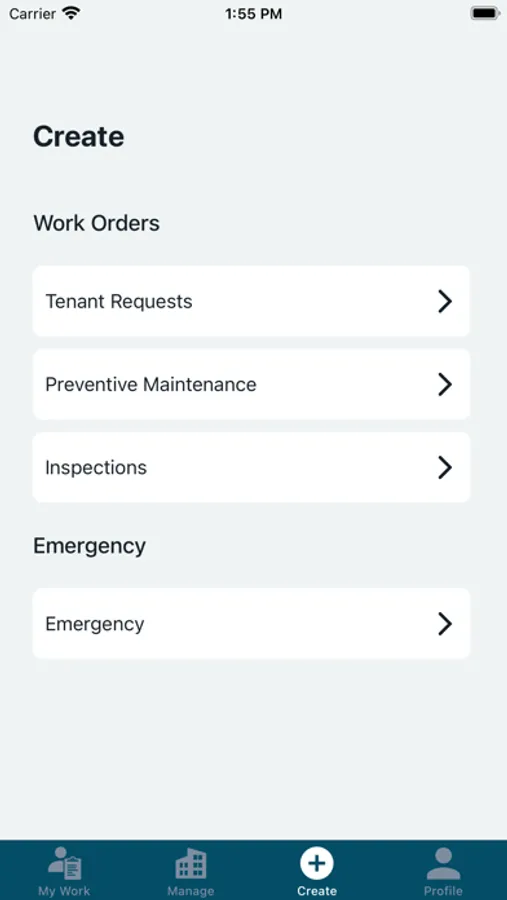
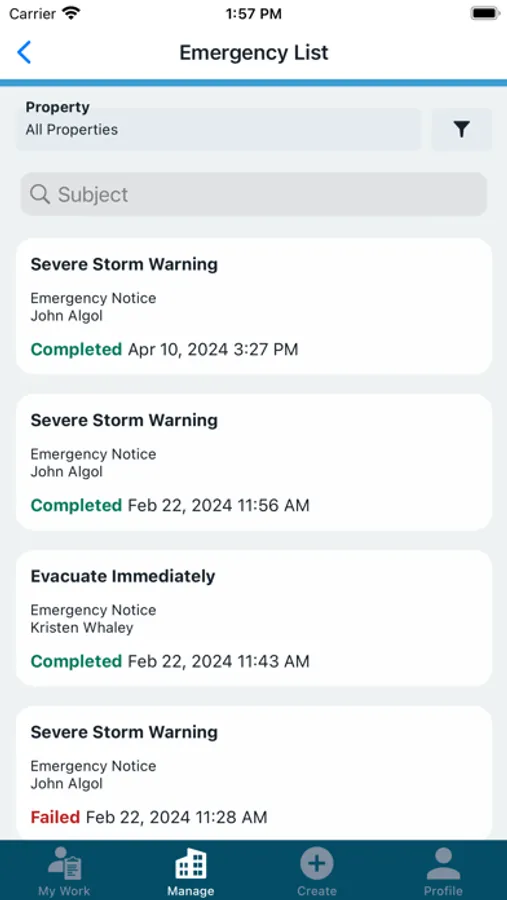
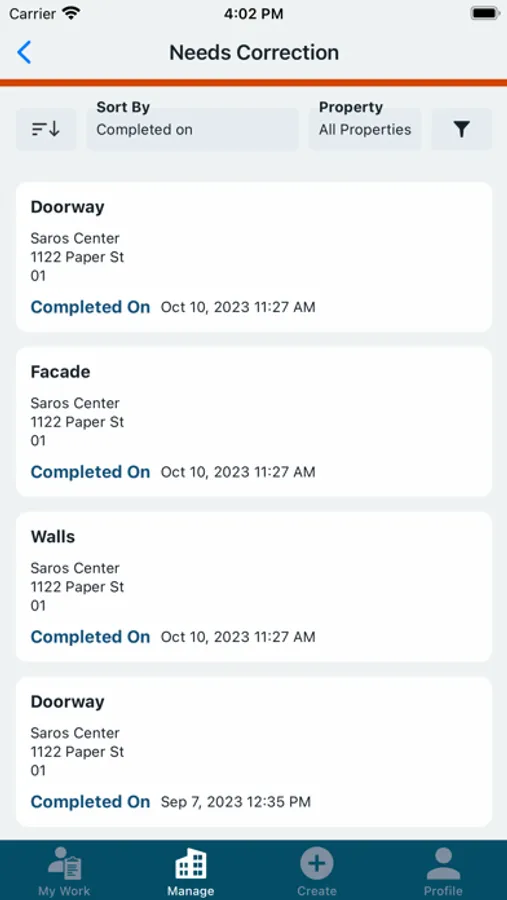
- Effortlessly handle tenant requests, schedule and track equipment maintenance, conduct inspections, and manage emergencies from one app.
Advanced Search Capabilities
- Quickly locate work orders using keyword search, saving time and reducing manual scrolling.
User-Friendly Design
- Enjoy smooth navigation and a modern interface built for speed and simplicity-whether you’re in the office or in the field.
Smart Asset and Directory Search
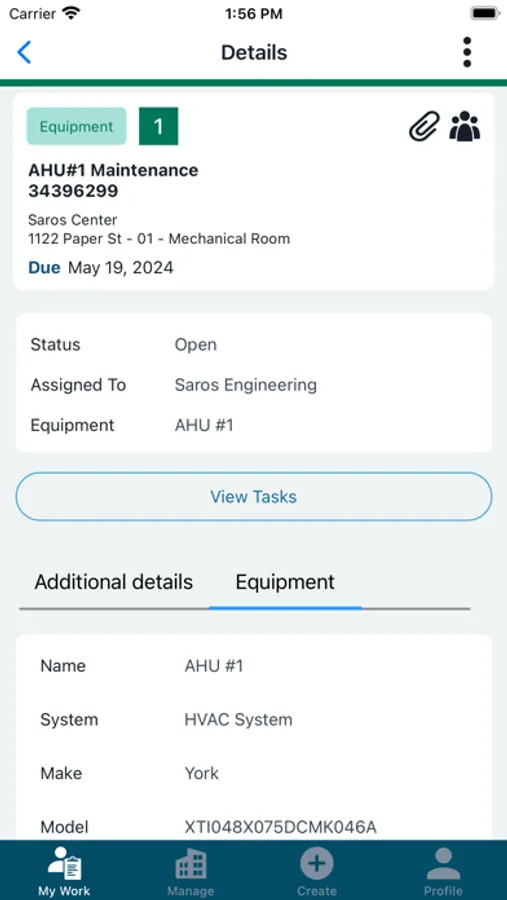
- Instantly pull up equipment records by scanning asset codes and view associated work orders.
- Search your directory for employees, tenants, vendors, and equipment, and access detailed contact information
Enhanced Workflows
- Create, assign, dispatch, and complete work orders directly from your mobile device.
- Attach photos and notes to work orders for comprehensive documentation
MRI Angus Screenshots
Tap to Rate:
Reviews for MRI Angus
SeeYaLatr
Cluttery
It’s not great, management switched to this from workspeed and that is the worst decision they could’ve made in my opinion regarding work orders. This app is all over the place and confusing, workspeed was simple and laid out so nothing would get jumbled up and lost. This app you have to click on the work order to view all the details on workspeed you can see all the information you need just from the card which makes it convenient while doing multiple on a single floor. 1 star I don’t think it can match workspeed
imtheweekend
2025 version is great
Really solid app for managing building operations on the go. MRI Angus makes it super easy to keep track of work orders, inspections, and visitor access all from my phone. The layout is clean, and everything syncs smoothly. It’s definitely helped me stay organized and respond to issues faster. Great tool if you're in property or facility management!