
AppRecs review analysis
AppRecs rating 4.0. Trustworthiness 0 out of 100. Review manipulation risk 0 out of 100. Based on a review sample analyzed.
★★★★☆
4.0
AppRecs Rating
Ratings breakdown
5 star
0%
4 star
100%
3 star
0%
2 star
0%
1 star
0%
What to know
✓
High user satisfaction
100% of sampled ratings are 4+ stars (4.0★ average)
About Yurit Budget
* About Yurit Budget...
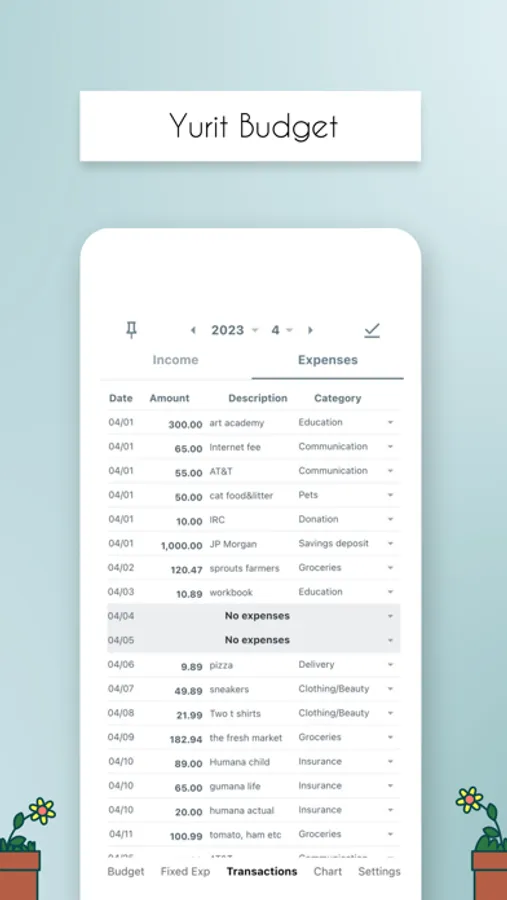
You can enter each line as if writing on paper.
We've faithfully recreated the traditional way of keeping a household ledger.
At the same time, we’ve added various automations and settings for user convenience.
Yurit Budget features an intuitive UI that lets you enter data directly on the screen,
without opening new dialogs — just like using a paper ledger.
There are no required fields, so you can save an entry with just the amount or just a memo.
You can drag and resize columns like amount, memo, and category to your desired size,
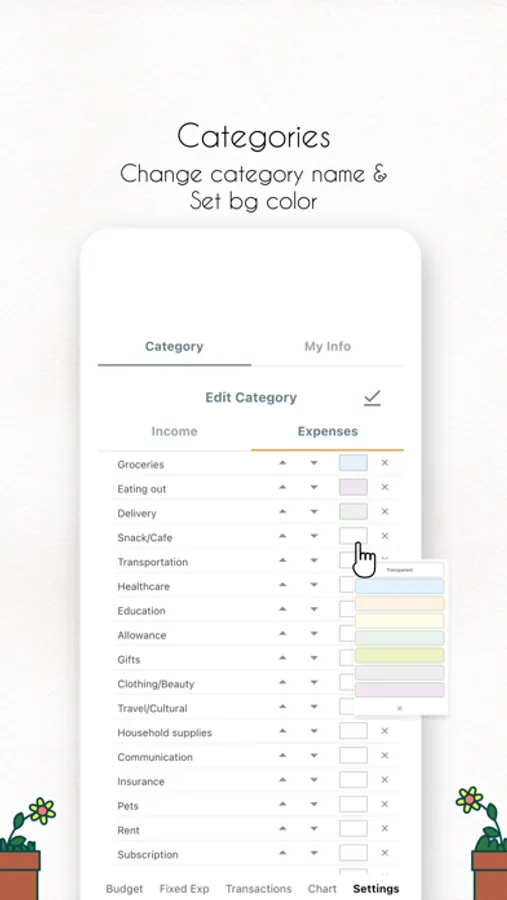
and change all on-screen colors to ones you prefer.
You can also leave a simple one-line diary while filling out the ledger.
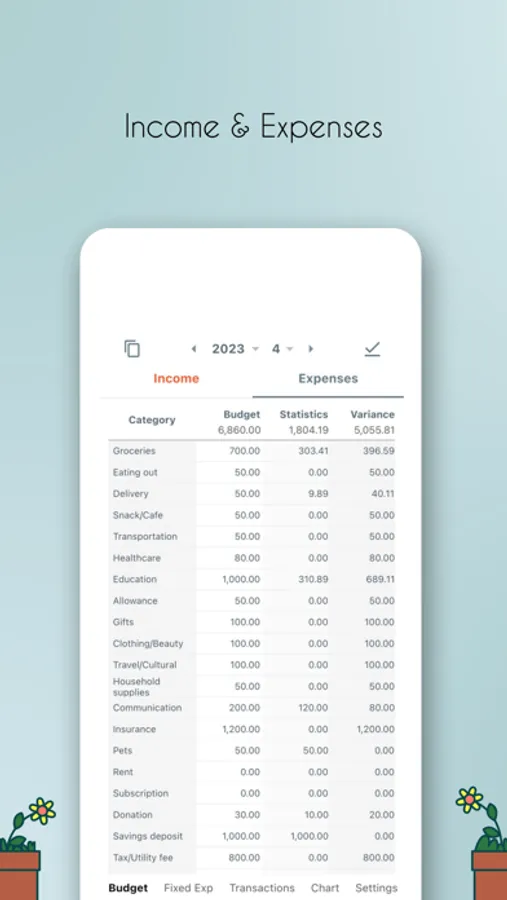
When setting your monthly budget, you can manage both budget and settlement memos.
There’s no need to re-enter budgets every month — just tap to copy them forward.
After writing in the ledger, you can quickly grasp your status with the report view,
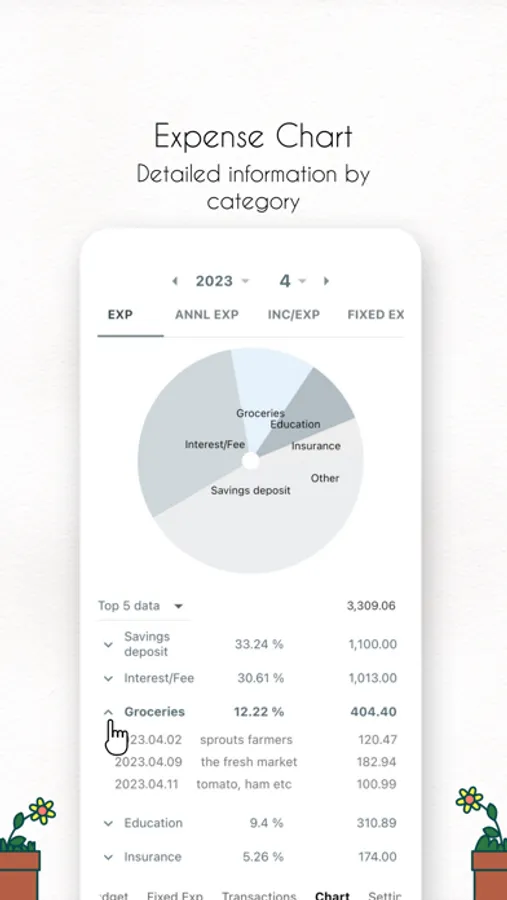
or analyze detailed statistics through charts.
Tap any item in the stats to immediately show the corresponding entries in the ledger.
Yurit Budget saves your data to the server via the internet,
so there’s no need for backup or restore.
You can access your data on both smartphones and tablets,
or keep your data intact when changing devices, simply by logging into the same account.
It also supports sharing via QR code.
Even with different accounts, multiple users can manage the same data together.
With QR code sharing, couples or groups can keep a shared household ledger together.
* 5 main menus
1. Budget/Settlement: Plan your spending by setting income and expense budgets.
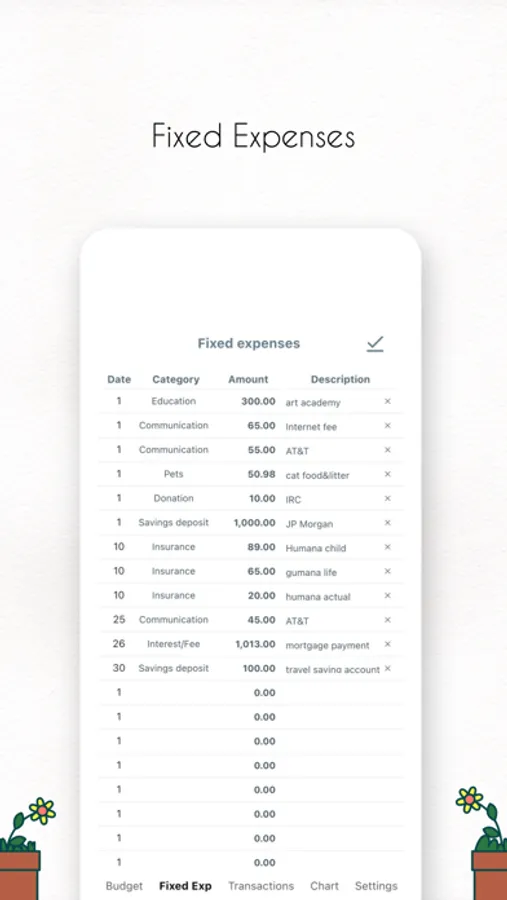
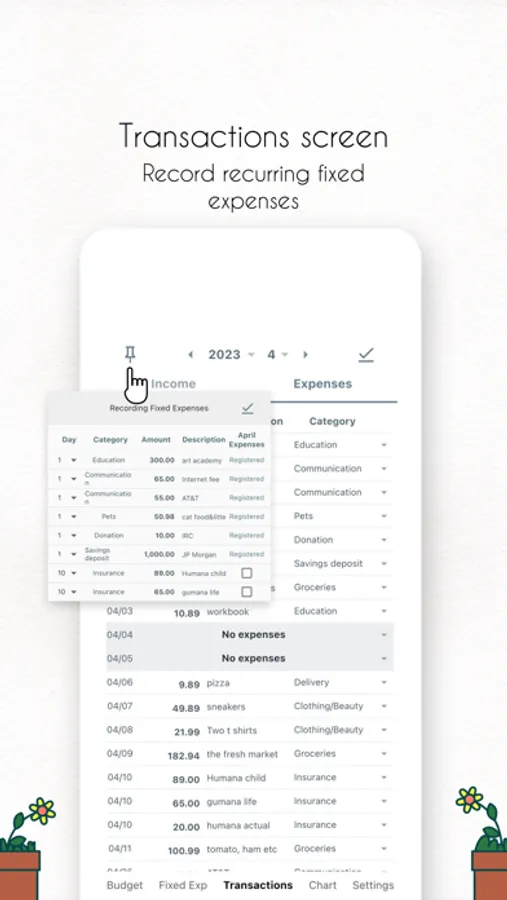
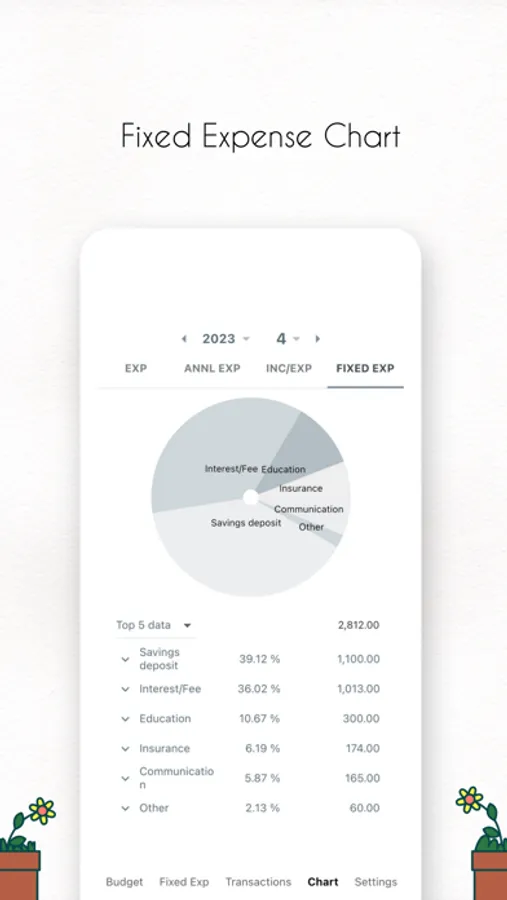
2. Recurring Income/Expenses: Easily manage monthly recurring transactions.
3. Ledger: Enter income and expenses directly on the screen.
You can link assets to each income or expense entry.
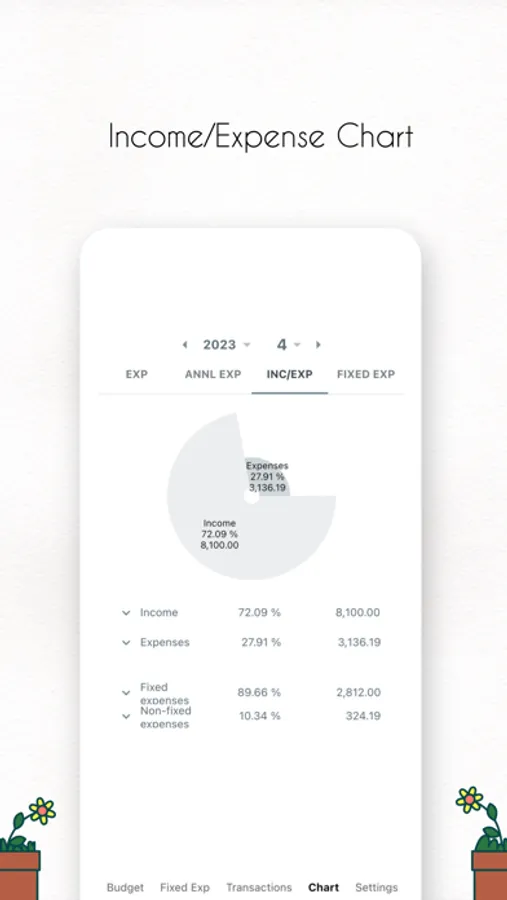
4. Charts: Visualize income and expense trends at a glance with various charts.
5. Settings: Customize everything — from auto-scrolling columns and auto search,
to ledger start date, colors, and font sizes.
* Getting started is half the journey.
Yurit Budget is here to support your start — and more importantly, your ongoing steps.
You can enter each line as if writing on paper.
We've faithfully recreated the traditional way of keeping a household ledger.
At the same time, we’ve added various automations and settings for user convenience.
Yurit Budget features an intuitive UI that lets you enter data directly on the screen,
without opening new dialogs — just like using a paper ledger.
There are no required fields, so you can save an entry with just the amount or just a memo.
You can drag and resize columns like amount, memo, and category to your desired size,
and change all on-screen colors to ones you prefer.
You can also leave a simple one-line diary while filling out the ledger.
When setting your monthly budget, you can manage both budget and settlement memos.
There’s no need to re-enter budgets every month — just tap to copy them forward.
After writing in the ledger, you can quickly grasp your status with the report view,
or analyze detailed statistics through charts.
Tap any item in the stats to immediately show the corresponding entries in the ledger.
Yurit Budget saves your data to the server via the internet,
so there’s no need for backup or restore.
You can access your data on both smartphones and tablets,
or keep your data intact when changing devices, simply by logging into the same account.
It also supports sharing via QR code.
Even with different accounts, multiple users can manage the same data together.
With QR code sharing, couples or groups can keep a shared household ledger together.
* 5 main menus
1. Budget/Settlement: Plan your spending by setting income and expense budgets.
2. Recurring Income/Expenses: Easily manage monthly recurring transactions.
3. Ledger: Enter income and expenses directly on the screen.
You can link assets to each income or expense entry.
4. Charts: Visualize income and expense trends at a glance with various charts.
5. Settings: Customize everything — from auto-scrolling columns and auto search,
to ledger start date, colors, and font sizes.
* Getting started is half the journey.
Yurit Budget is here to support your start — and more importantly, your ongoing steps.
Yurit Budget Screenshots
Tap to Rate:
Reviews for Yurit Budget
토익입문
업데이트 이후에 광고가 안꺼져요..
업데이트 이후에 광고가 안꺼지네요 ㅜㅜ 끝날때까지 기다려도 종료 버튼이 안눌러져서 접속이 불가해요