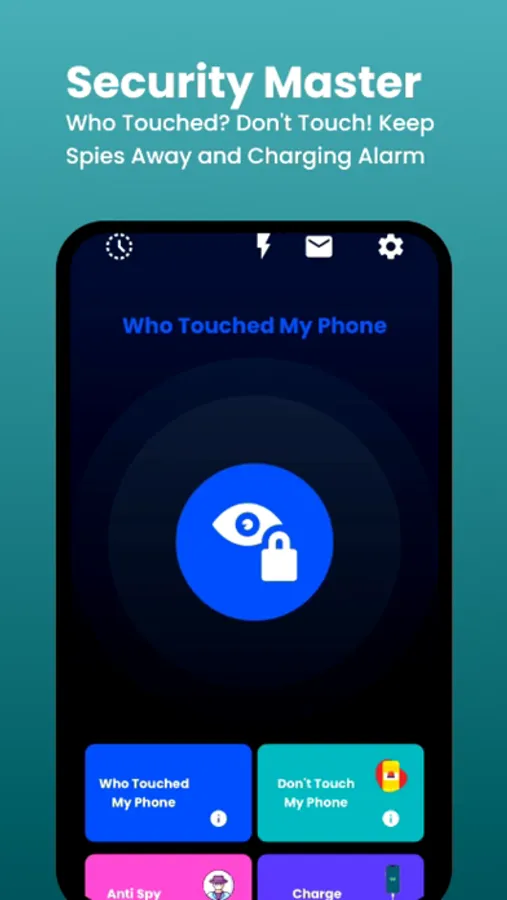
With this security app, you can monitor unauthorized access, capture intruder photos, and manage device permissions. Includes features like photo vaults, motion alerts, spyware checks, and charge notifications.
AppRecs review analysis
AppRecs rating 4.5. Trustworthiness 74 out of 100. Review manipulation risk 28 out of 100. Based on a review sample analyzed.
★★★★☆
4.5
AppRecs Rating
Ratings breakdown
5 star
77%
4 star
7%
3 star
7%
2 star
2%
1 star
6%
What to know
✓
Low review manipulation risk
28% review manipulation risk
✓
Credible reviews
74% trustworthiness score from analyzed reviews
✓
High user satisfaction
85% of sampled ratings are 4+ stars (4.5★ average)
About Who Touched My Phone :Guardian
Who Touched My Phone: Guardian helps you protect your phone from unwanted access with smart motion detection and privacy-first security tools. Turn your iPhone into a personal phone guardian and stay in control wherever you leave your device.
Whether you’re at a café, office, gym, or home — instantly know if someone touches, moves, or unlocks your phone.
__________
WTMP – Lockwatch & Intruder Selfies
Wondering who touched your phone or who unlocked it?
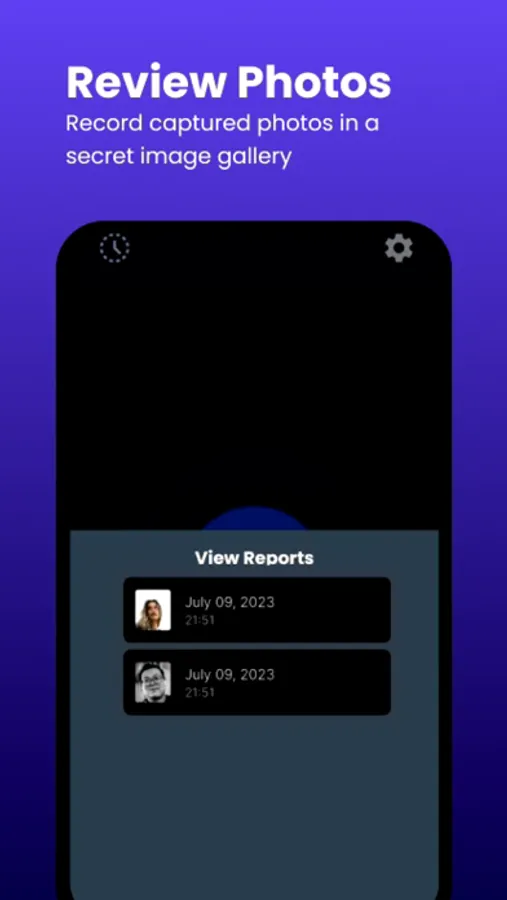
The lockwatch feature automatically captures intruder selfies when someone tries to unlock your phone without permission.
Each event is saved with time and date inside a secure secret vault, protected by your PIN.
All photos and reports stay on your device — no personal data is accessed, stored, or shared.
__________
Motion Alarm – Don’t Touch My Phone
Activate a powerful motion alert to protect your device from theft or unwanted handling.
This antitheft system works like a third eye / hidden eye or smart eye for your phone.
If someone touches or moves your phone, a loud alarm is triggered instantly — and only you can stop it using your PIN.
Perfect for phone security in public places.
__________
Anti Spy Setup – Privacy Checklist
Reduce the risk of spyware, snooping, or unauthorized access.
Anti Spy Setup provides step-by-step guidance to:
• Review app permissions
• Secure system privacy settings
• Prevent unwanted snoop attempts
A simple way to strengthen your mobile security without technical knowledge.
__________
Charge Alert
Enable Charge Alert to trigger an alarm when your charging cable is unplugged.
The alert can only be disabled with your PIN — adding an extra layer of phone security against tampering or theft.
__________
▶ How to Use
WTMP (Who Touched My Phone)
Open the app → tap WTMP → activate → lock your phone.
If someone unlocks it, an intruder selfie is captured and saved.
Motion Alarm (Don’t Touch My Phone)
Open the app → tap Don’t Touch My Phone → activate → place your phone on a surface.
Any movement triggers a loud alert.
Anti Spy Setup
Open the app → tap Anti Spy Setup → Follow the guided checklist to secure privacy and system settings.
Charge Alert
Plug the phone → Open the app → tap Charge Alert → activated. Unplugging the cable triggers an alarm.
__________
Premium Access
Upgrade to premium to unlock all security features.
Subscription options:
• Lifetime access
• Weekly auto-renewing
• Annual auto-renewing
Subscriptions renew automatically unless canceled at least 24 hours before the end of the current period.
__________
Protect your privacy, stop intruders, and stay in control.
Download Who Touched My Phone: Guardian today and keep your phone safe with one tap.
Support: info.easifystudios@gmail.com
Terms of Use:
https://www.apple.com/legal/internet-services/itunes/dev/stdeula/
Privacy Policy:
https://sites.google.com/view/whotouchedmyphonewtmp/home
Whether you’re at a café, office, gym, or home — instantly know if someone touches, moves, or unlocks your phone.
__________
WTMP – Lockwatch & Intruder Selfies
Wondering who touched your phone or who unlocked it?
The lockwatch feature automatically captures intruder selfies when someone tries to unlock your phone without permission.
Each event is saved with time and date inside a secure secret vault, protected by your PIN.
All photos and reports stay on your device — no personal data is accessed, stored, or shared.
__________
Motion Alarm – Don’t Touch My Phone
Activate a powerful motion alert to protect your device from theft or unwanted handling.
This antitheft system works like a third eye / hidden eye or smart eye for your phone.
If someone touches or moves your phone, a loud alarm is triggered instantly — and only you can stop it using your PIN.
Perfect for phone security in public places.
__________
Anti Spy Setup – Privacy Checklist
Reduce the risk of spyware, snooping, or unauthorized access.
Anti Spy Setup provides step-by-step guidance to:
• Review app permissions
• Secure system privacy settings
• Prevent unwanted snoop attempts
A simple way to strengthen your mobile security without technical knowledge.
__________
Charge Alert
Enable Charge Alert to trigger an alarm when your charging cable is unplugged.
The alert can only be disabled with your PIN — adding an extra layer of phone security against tampering or theft.
__________
▶ How to Use
WTMP (Who Touched My Phone)
Open the app → tap WTMP → activate → lock your phone.
If someone unlocks it, an intruder selfie is captured and saved.
Motion Alarm (Don’t Touch My Phone)
Open the app → tap Don’t Touch My Phone → activate → place your phone on a surface.
Any movement triggers a loud alert.
Anti Spy Setup
Open the app → tap Anti Spy Setup → Follow the guided checklist to secure privacy and system settings.
Charge Alert
Plug the phone → Open the app → tap Charge Alert → activated. Unplugging the cable triggers an alarm.
__________
Premium Access
Upgrade to premium to unlock all security features.
Subscription options:
• Lifetime access
• Weekly auto-renewing
• Annual auto-renewing
Subscriptions renew automatically unless canceled at least 24 hours before the end of the current period.
__________
Protect your privacy, stop intruders, and stay in control.
Download Who Touched My Phone: Guardian today and keep your phone safe with one tap.
Support: info.easifystudios@gmail.com
Terms of Use:
https://www.apple.com/legal/internet-services/itunes/dev/stdeula/
Privacy Policy:
https://sites.google.com/view/whotouchedmyphonewtmp/home
Who Touched My Phone :Guardian Screenshots
Tap to Rate:
Reviews for Who Touched My Phone :Guardian
Eskaj207
Good
Very good
Freaky reviews sucka
The best
I love it