
In this app, you can activate and customize a Snow Globe scene by shaking your phone and interacting with the decorations and characters. Includes scene updates based on specific dates, snow physics, and background music options.
AppRecs review analysis
AppRecs rating 4.9. Trustworthiness 79 out of 100. Review manipulation risk 22 out of 100. Based on a review sample analyzed.
★★★★☆
4.9
AppRecs Rating
Ratings breakdown
5 star
100%
4 star
0%
3 star
0%
2 star
0%
1 star
0%
What to know
✓
Low review manipulation risk
22% review manipulation risk
✓
Credible reviews
79% trustworthiness score from analyzed reviews
✓
High user satisfaction
100% of sampled ratings are 5 stars
About iTree - Christmas Tree
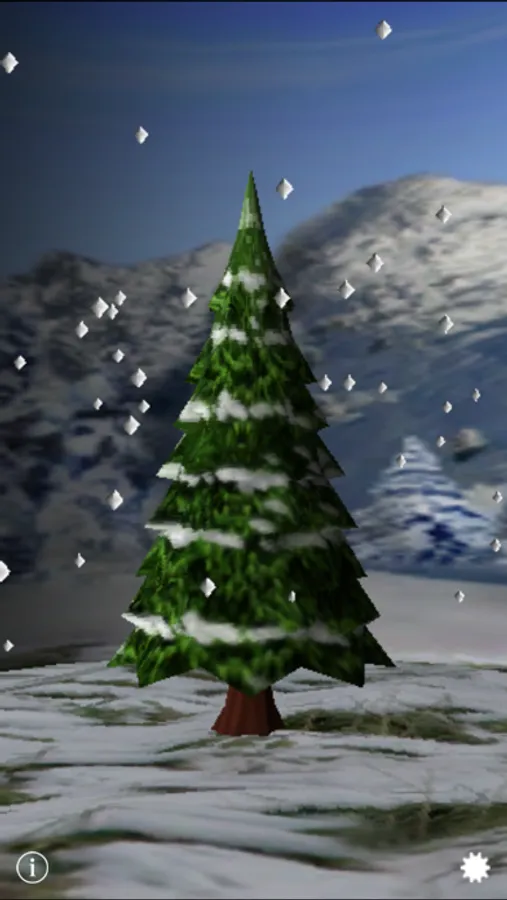
iTree is a Snow Globe you can activate by shaking your phone - with special features around Christmas and the beginning of the year.
Main Features:
- Scene changes on dates towards Christmas
- Scene changes between Day / Night mode
- 3 types of Snowflakes available
- Snow also follows Gravity
- Cool 3D Graphics
- Realistic Snow Physics Simulation
- Two songs to choose from
- Added a rabbit to the outdoor scene
Directions:
- Shake your phone to animate snow
- If you turn your phone the snow will fall in that direction
- Tapping on decorated tree switches lights on/off
- For Settings press icon on lower right
- For the Info Screen press icon on lower left
- Double tap screen for triggering animation of bear and rabbit characters
The scene of iTree updates on the following dates (during Christmas it has special features):
- Thanksgiving : Don't be surprised if your Tree disappears for a couple of days
- Dec 1 : Tree arrives in the house
- Dec 6st : Tree lights up at 6pm every day
- Dec 15 : The first gifts arrive
- Dec 16-20 : More gifts arrive
- Dec 24 : The tree is lit
- Dec 25 : Enjoy the Holidays
- Jan 1 : Lights go back to normal
- Jan 10 : Outdoor scene shows up again
- Feb 25 : A new tree starts to grow
Don't forget to check on your tree on those dates to see what happens.
Note: Under iOS 5 you need to quit the application or reboot your device to have iTree pick up the new date (we are working on a fix).
Main Features:
- Scene changes on dates towards Christmas
- Scene changes between Day / Night mode
- 3 types of Snowflakes available
- Snow also follows Gravity
- Cool 3D Graphics
- Realistic Snow Physics Simulation
- Two songs to choose from
- Added a rabbit to the outdoor scene
Directions:
- Shake your phone to animate snow
- If you turn your phone the snow will fall in that direction
- Tapping on decorated tree switches lights on/off
- For Settings press icon on lower right
- For the Info Screen press icon on lower left
- Double tap screen for triggering animation of bear and rabbit characters
The scene of iTree updates on the following dates (during Christmas it has special features):
- Thanksgiving : Don't be surprised if your Tree disappears for a couple of days
- Dec 1 : Tree arrives in the house
- Dec 6st : Tree lights up at 6pm every day
- Dec 15 : The first gifts arrive
- Dec 16-20 : More gifts arrive
- Dec 24 : The tree is lit
- Dec 25 : Enjoy the Holidays
- Jan 1 : Lights go back to normal
- Jan 10 : Outdoor scene shows up again
- Feb 25 : A new tree starts to grow
Don't forget to check on your tree on those dates to see what happens.
Note: Under iOS 5 you need to quit the application or reboot your device to have iTree pick up the new date (we are working on a fix).
iTree - Christmas Tree Screenshots
Tap to Rate:
Reviews for iTree - Christmas Tree
MamaNightOwl
A Holiday Classic
The first app I downloaded to my first iPod Touch years ago. Delighted to see it hanging in with each new version of iOS.
sprinks5
I love this app
I have had this app for years and it is like seeing an old friend at Christmas time.