In this app, you can organize notes and schedules with features for rich content attachments and customizable backgrounds. Includes note editing tools, calendar integration, and reminders synchronization.
AppRecs review analysis
AppRecs rating 4.1. Trustworthiness 80 out of 100. Review manipulation risk 26 out of 100. Based on a review sample analyzed.
★★★★☆
4.1
AppRecs Rating
Ratings breakdown
5 star
64%
4 star
12%
3 star
6%
2 star
4%
1 star
14%
What to know
✓
Low review manipulation risk
26% review manipulation risk
✓
Credible reviews
80% trustworthiness score from analyzed reviews
✓
High user satisfaction
76% of sampled ratings are 4+ stars (4.1★ average)
About Awesome Note 2
The new All-in-one Organizer, Awesome Note 2 is integrated with note and schedule management.
And now it’s available!!
WONDERFUL WRITING FEATURES
· It can be used not only for simple notes, but also rich and wonderful writing tool.
· Make notes even more powerful to add photos, voice recording and drawings.
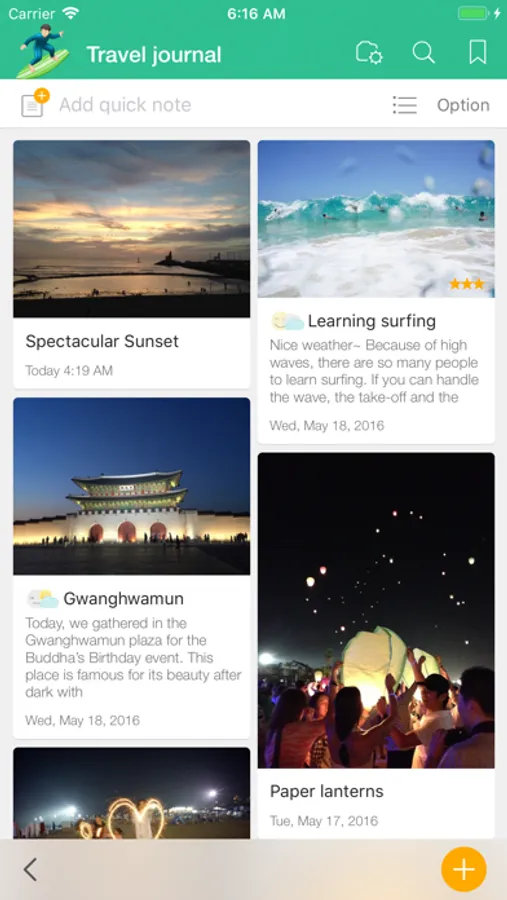
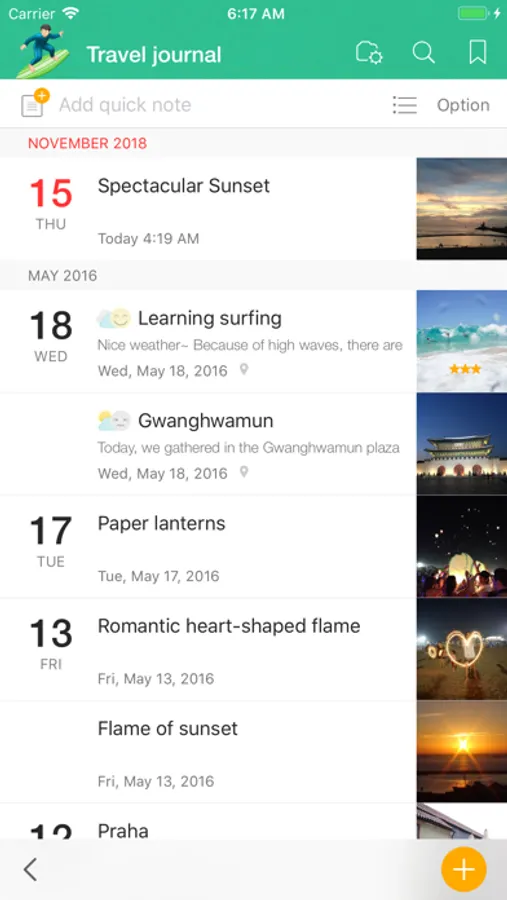
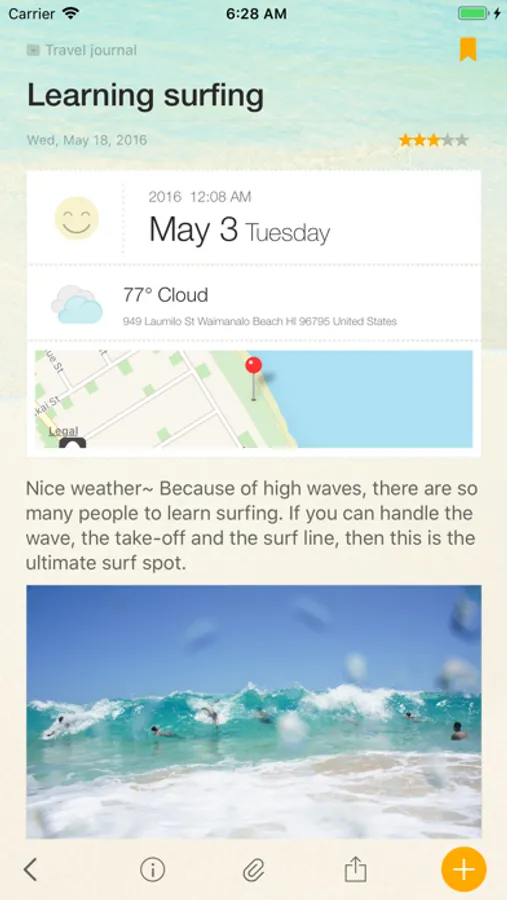
· Easily create diary notes to display feeling, weather or road map information.
SIMPLE, FLEXIBLE, AND FRIENDLY
· Broadly use as diary to record everyday life, travel notes to write anywhere, photo albums, shopping lists, and record for work or study in any theme.
NOTE AND SCHEDULING AS ONE
· Manage your iOS Calendar and Reminders in one.
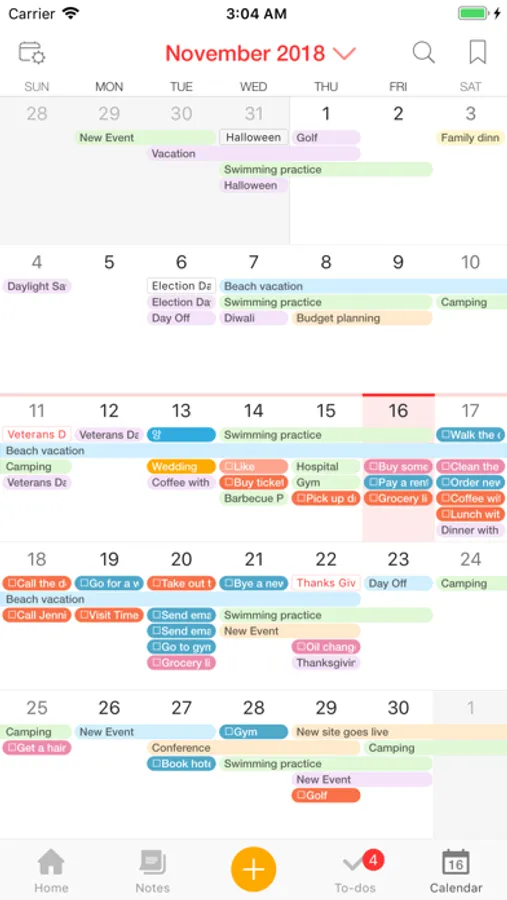
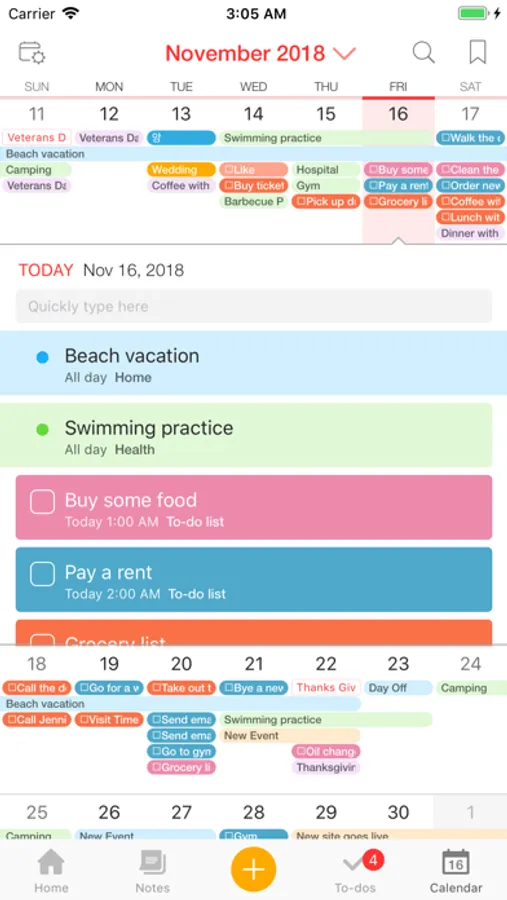
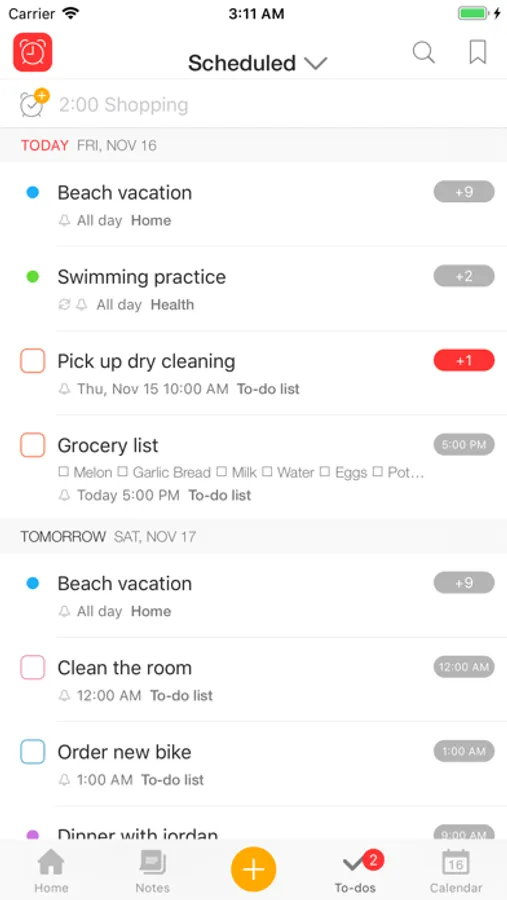
· Check todo lists and manage all schedules with calendar
· Receive notifications for important events and easily manage anniversaries such as birthdays.
NEAT AND STYLISH DESIGN
· Create your own style with tastefully designed icons, folders and various note backgrounds.
Capture all the memorable moments, stories, and everything in you.
[General]
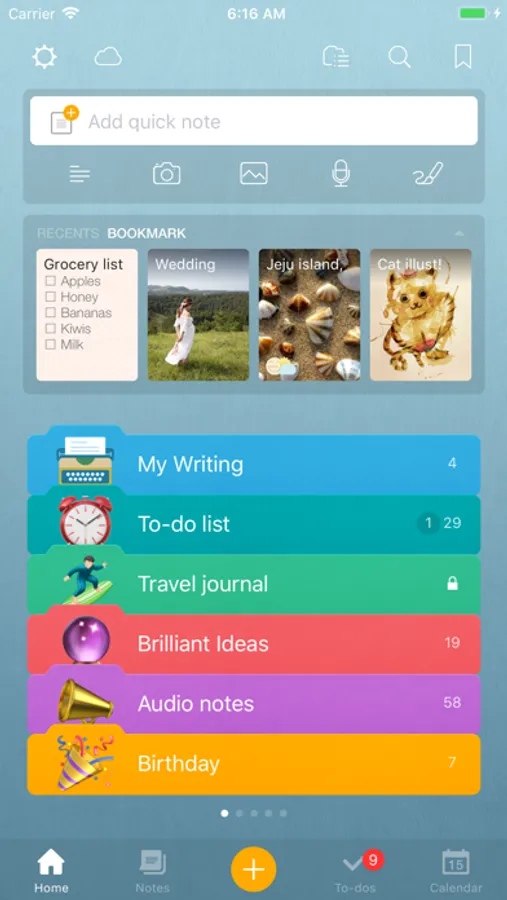
- Note management by folder
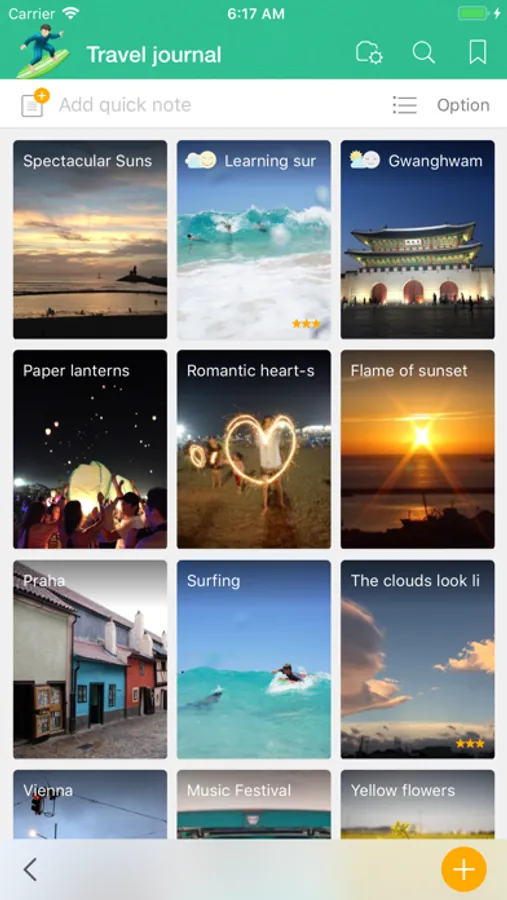
- Various type of list view (thumbnail, list, detail, diary, photo view)
- Various type of note (regular, to-do, diary, anniversary note)
- App and folder lock (Passcode and Touch-ID support)
- A variety of folder colors and icons
- Set your own photos as a home background
- Notes and calendar search
- Support landscape mode
- Not required login/network connection while using the app
[Note]
- Note editing feature to add various attachments
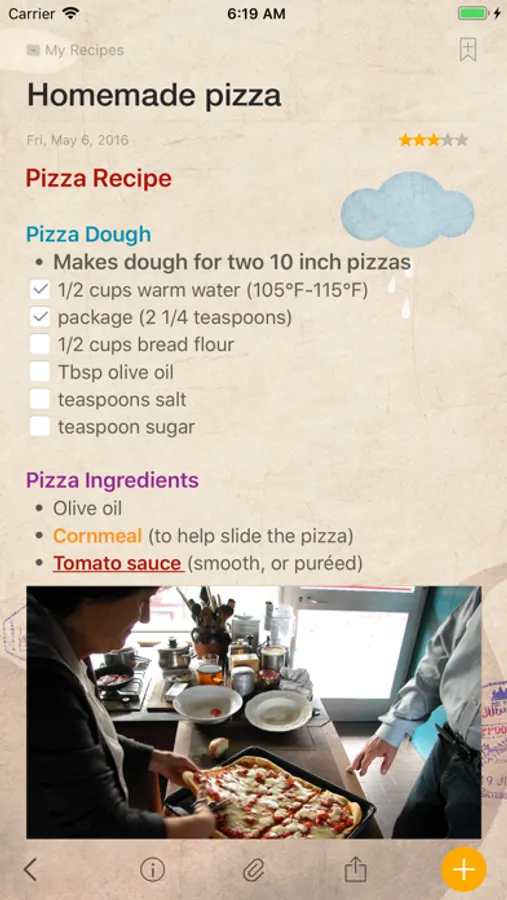
- Rich text formatting
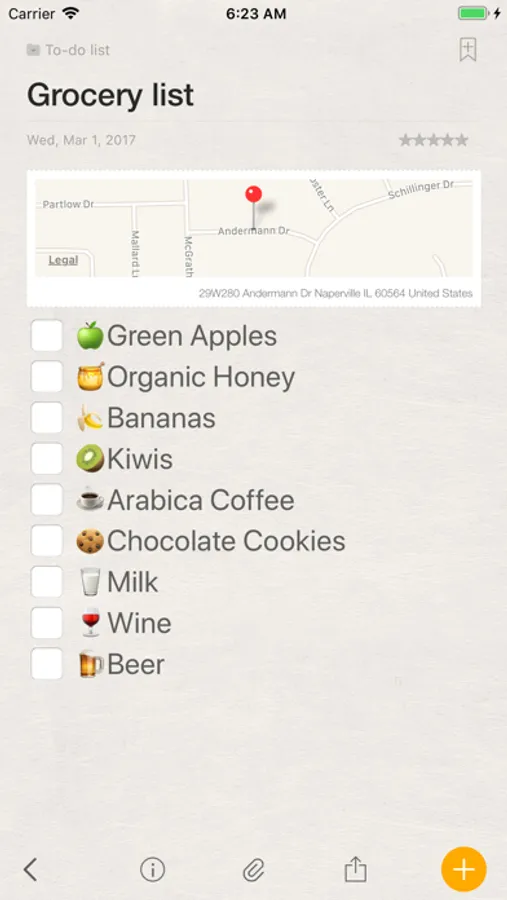
- Photo, Drawing, Voice recording, Map attachment
- Import current weather information
- Checklist in a note
- Various note backgrounds and fonts
- Tags, Bookmarks
[Schedule Management]
- Calendar View (with major holidays)
- To-do management view
- Natural language processing support
(Creating events with certain statements such as “3:00 meeting”)
- Important notes notification support
- Anniversary management
- D-day management
- Changing list orders
[Share/Sync]
- iCloud sync
- Evernote sync/export
- Sync with iOS default Calendar and Reminders
- Sharing notes through Airdrop
We welcome your suggestions, improvement requests or other inquires.
Please send it to 1:1 customer support in Awesome Note Settings.
Thanks for helping us to make Awesome Note 2 better.
And now it’s available!!
WONDERFUL WRITING FEATURES
· It can be used not only for simple notes, but also rich and wonderful writing tool.
· Make notes even more powerful to add photos, voice recording and drawings.
· Easily create diary notes to display feeling, weather or road map information.
SIMPLE, FLEXIBLE, AND FRIENDLY
· Broadly use as diary to record everyday life, travel notes to write anywhere, photo albums, shopping lists, and record for work or study in any theme.
NOTE AND SCHEDULING AS ONE
· Manage your iOS Calendar and Reminders in one.
· Check todo lists and manage all schedules with calendar
· Receive notifications for important events and easily manage anniversaries such as birthdays.
NEAT AND STYLISH DESIGN
· Create your own style with tastefully designed icons, folders and various note backgrounds.
Capture all the memorable moments, stories, and everything in you.
[General]
- Note management by folder
- Various type of list view (thumbnail, list, detail, diary, photo view)
- Various type of note (regular, to-do, diary, anniversary note)
- App and folder lock (Passcode and Touch-ID support)
- A variety of folder colors and icons
- Set your own photos as a home background
- Notes and calendar search
- Support landscape mode
- Not required login/network connection while using the app
[Note]
- Note editing feature to add various attachments
- Rich text formatting
- Photo, Drawing, Voice recording, Map attachment
- Import current weather information
- Checklist in a note
- Various note backgrounds and fonts
- Tags, Bookmarks
[Schedule Management]
- Calendar View (with major holidays)
- To-do management view
- Natural language processing support
(Creating events with certain statements such as “3:00 meeting”)
- Important notes notification support
- Anniversary management
- D-day management
- Changing list orders
[Share/Sync]
- iCloud sync
- Evernote sync/export
- Sync with iOS default Calendar and Reminders
- Sharing notes through Airdrop
We welcome your suggestions, improvement requests or other inquires.
Please send it to 1:1 customer support in Awesome Note Settings.
Thanks for helping us to make Awesome Note 2 better.
Awesome Note 2 Screenshots
Tap to Rate:
Reviews for Awesome Note 2
Hatethekate
The best
Please bring back awesome note 2 and start updating it again. Would love to have a dark mode version
Azzzie
It is 2026 and I am still using this app
Grateful for it