AppRecs review analysis
AppRecs rating 3.0. Trustworthiness 0 out of 100. Review manipulation risk 0 out of 100. Based on a review sample analyzed.
★★★☆☆
3.0
AppRecs Rating
Ratings breakdown
5 star
0%
4 star
50%
3 star
50%
2 star
0%
1 star
0%
About Qiblah
Qibla is the Arabic word for the direction that should be faced during prayers.
It points to the Kaaba in Mecca and gives a common direction to Muslims all around the globe.
You no longer need an astrolabe or another costly device. Your iPhone can help you.
Depending on your device there are 2 options :
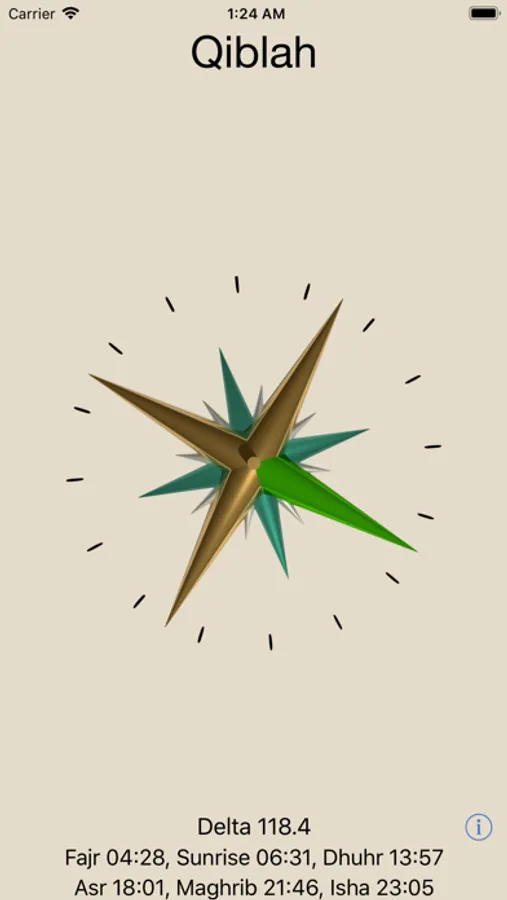
- With an integrated compass, just wait one or two seconds and your iPhone will point the Qibla.
The screen displays "Delta" with angular difference.
- With an older model or an Ipod Touch / iPad, you'll need a real compass to find magnetic north. Then set the top of your iPhone pointing the same direction. The arrow on the screen will show you the Qibla direction.
The screen displays "Compass bearing" with magnetic declination included.
Double Tap on the compass to change its look.
On the bottom of the screen : salaat times.
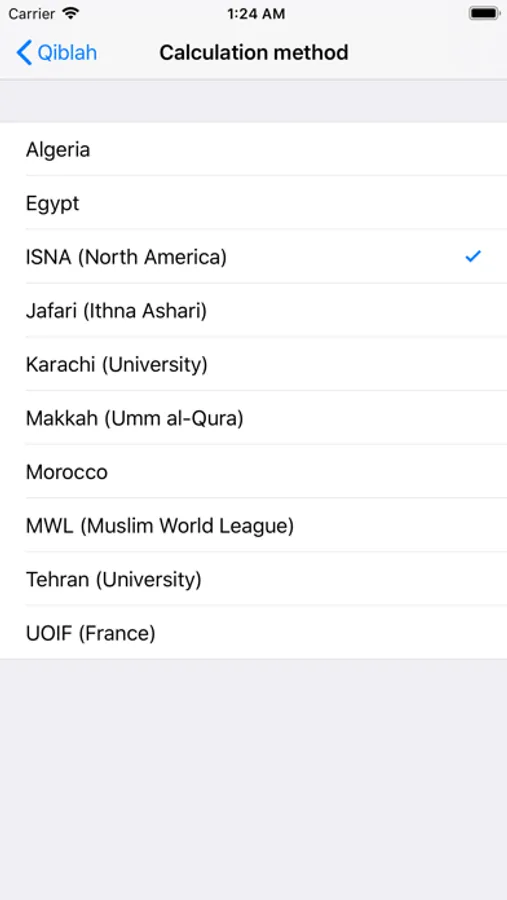
The control panel for salaat is in the device "Settings".
You have 10 presets (ISNA, MWL, …) for calculation method and 2 choices for Asr.
No network access is required, all calculations are done on the device. Great for traveling and privacy.
It points to the Kaaba in Mecca and gives a common direction to Muslims all around the globe.
You no longer need an astrolabe or another costly device. Your iPhone can help you.
Depending on your device there are 2 options :
- With an integrated compass, just wait one or two seconds and your iPhone will point the Qibla.
The screen displays "Delta" with angular difference.
- With an older model or an Ipod Touch / iPad, you'll need a real compass to find magnetic north. Then set the top of your iPhone pointing the same direction. The arrow on the screen will show you the Qibla direction.
The screen displays "Compass bearing" with magnetic declination included.
Double Tap on the compass to change its look.
On the bottom of the screen : salaat times.
The control panel for salaat is in the device "Settings".
You have 10 presets (ISNA, MWL, …) for calculation method and 2 choices for Asr.
No network access is required, all calculations are done on the device. Great for traveling and privacy.
Qiblah Screenshots
Tap to Rate:
Reviews for Qiblah
JokiGirl
Lovely, functional application
This application is attractive and functional. It does what it advertises. It has slightly more features than the sister app, Qiblih, for a lower price. You can adjust the calculation method in your device's settings app. You can choose between three or four different visuals for the compass. My one qualm is that I think it would have been better priced at 99¢ rather than $1.99.
ahariri
Thumbs up
Works great