In this music creation app, users sequence, synthesize, and sample sounds to produce electronic music. Includes sampling via microphone, project sharing through email, and WAV export capabilities.
AppRecs review analysis
AppRecs rating 4.5. Trustworthiness 74 out of 100. Review manipulation risk 22 out of 100. Based on a review sample analyzed.
★★★★☆
4.5
AppRecs Rating
Ratings breakdown
5 star
75%
4 star
9%
3 star
7%
2 star
1%
1 star
7%
What to know
✓
Low review manipulation risk
22% review manipulation risk
✓
Credible reviews
74% trustworthiness score from analyzed reviews
✓
High user satisfaction
84% of sampled ratings are 4+ stars (4.4★ average)
About nanoloop
Nanoloop combines sequencer, synthesizer and sampler in one package. It provides all functions for creating electronic music from scratch.
- Easy to use sequencer, suitable for rhythm and melody
- Automatisation of all parameters
- 8 channels, each can be synth or sampler
- 8 patterns per channel
- Sample via microphone
- Re-sample
- Polyphonic FM-, PWM- and noise synth
- Song editor with loop function
- Send and receive projects via e-mail
- WAV export
- Sharing projects and audio in file sharing apps like Dropbox is possible when these apps are installed.
- MIDI sync with other devices
- Ableton Link
The Synth
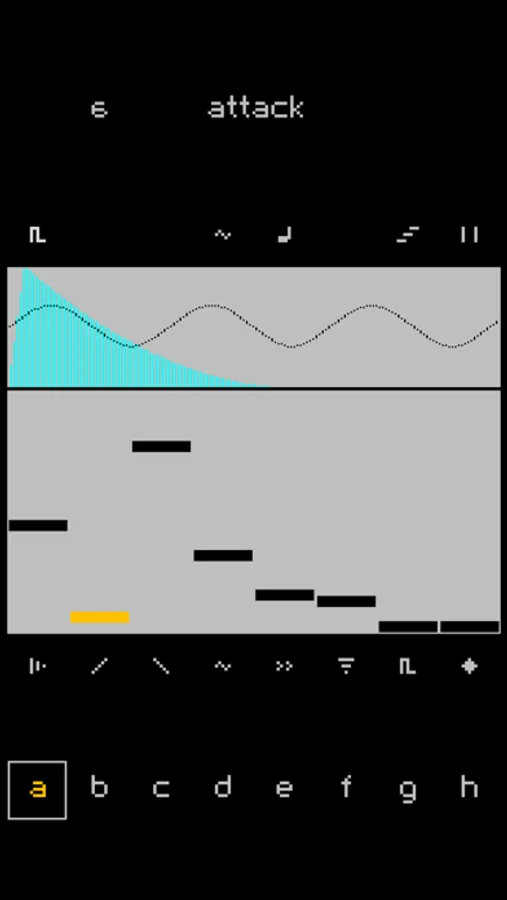
Nanoloop's FM synth offers a maximum of flexibility within a small set of parameters. It comes with a stereo modulator detune effect and covers the typical clean bells and Rhodes-like sounds, spheric pads, thick beats and basses.
The Sequencer
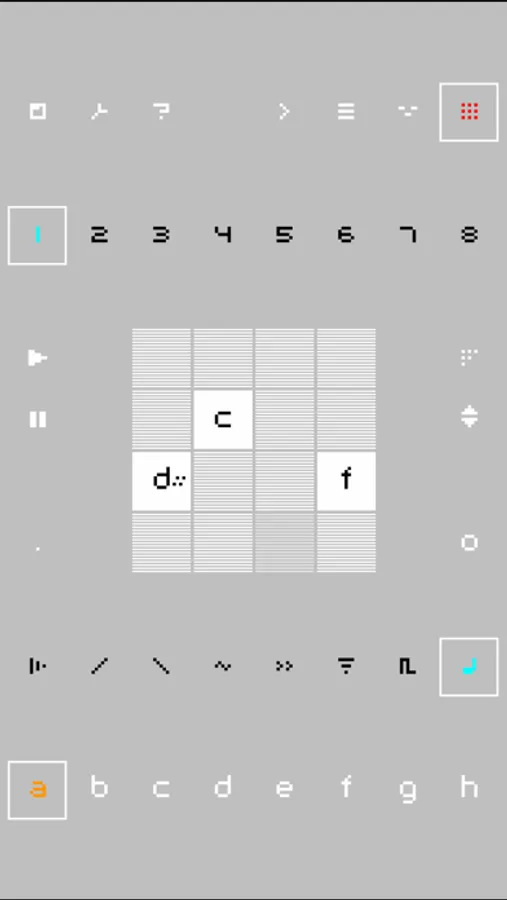
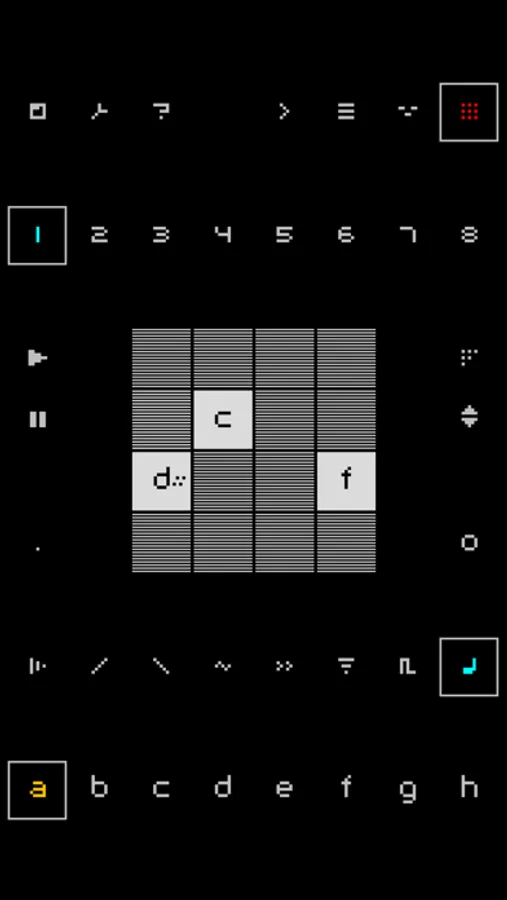
The stepsequencer visualises the rhythmic structure in a compact 4x4 square matrix, making it very easy to lay out patterns.
The Sampler
Besides A/D envelope, loop function, start offset, tune and fine tune, the puristic sampler comes without effects. You can record up to 6 seconds via microphone or copy samples via iTunes.
Share
With nanoloop for iPhone, you can send your saved projects to other nanoloop users and your own PC via e-mail. If nanoloop is installed on the recipient's iPhone / iPod, she/he can simply tap on the file name in the received e-mail to start nanoloop and import the attached file so that it is available for editing. This makes collaboration very easy, multiple users around the world can work on the same project by simply e-mailing the file.
Export
Songs can be exported to a WAV file that is accessible via iTunes (simply drag & drop files in finder). The exported file is also copied to the clipboard so that it can be pasted in other apps that support pasting audio. If a file sharing app like Dropbox is installed, you can upload the file there.
More information can be found at the nanoloop website: www.nanoloop.com
- Easy to use sequencer, suitable for rhythm and melody
- Automatisation of all parameters
- 8 channels, each can be synth or sampler
- 8 patterns per channel
- Sample via microphone
- Re-sample
- Polyphonic FM-, PWM- and noise synth
- Song editor with loop function
- Send and receive projects via e-mail
- WAV export
- Sharing projects and audio in file sharing apps like Dropbox is possible when these apps are installed.
- MIDI sync with other devices
- Ableton Link
The Synth
Nanoloop's FM synth offers a maximum of flexibility within a small set of parameters. It comes with a stereo modulator detune effect and covers the typical clean bells and Rhodes-like sounds, spheric pads, thick beats and basses.
The Sequencer
The stepsequencer visualises the rhythmic structure in a compact 4x4 square matrix, making it very easy to lay out patterns.
The Sampler
Besides A/D envelope, loop function, start offset, tune and fine tune, the puristic sampler comes without effects. You can record up to 6 seconds via microphone or copy samples via iTunes.
Share
With nanoloop for iPhone, you can send your saved projects to other nanoloop users and your own PC via e-mail. If nanoloop is installed on the recipient's iPhone / iPod, she/he can simply tap on the file name in the received e-mail to start nanoloop and import the attached file so that it is available for editing. This makes collaboration very easy, multiple users around the world can work on the same project by simply e-mailing the file.
Export
Songs can be exported to a WAV file that is accessible via iTunes (simply drag & drop files in finder). The exported file is also copied to the clipboard so that it can be pasted in other apps that support pasting audio. If a file sharing app like Dropbox is installed, you can upload the file there.
More information can be found at the nanoloop website: www.nanoloop.com
nanoloop Screenshots
Tap to Rate:
Reviews for nanoloop
gamer slag
Finally I can mix up that good good
I love this app! Easy to use, fun to sample and mix, and an overall booming blast!
BossHaussguymanbrotha
really good
I like this sounds great pitch effects sound great nice looking user interface, able to make some drumnbass on this, awesome music program