
With this file manager, you can organize, view, and share files across multiple cloud services and protocols. Includes features like file transfer, PDF annotation, web downloading, and voice recording.
AppRecs review analysis
AppRecs rating 3.0. Trustworthiness 81 out of 100. Review manipulation risk 28 out of 100. Based on a review sample analyzed.
★★★☆☆
3.0
AppRecs Rating
Ratings breakdown
5 star
48%
4 star
1%
3 star
7%
2 star
8%
1 star
36%
What to know
✓
Low review manipulation risk
28% review manipulation risk
✓
Credible reviews
81% trustworthiness score from analyzed reviews
⚠
High negative review ratio
44% of sampled ratings are 1–2 stars
About iFiles
iFiles is the most intuitive file manager for iOS with features like connectivity to many file cloud services, transferring files between computer or cloud services, ability to view many file formats (PDF viewer now supports annotations, search and more), voice recorder, web downloader, text file editor and more.
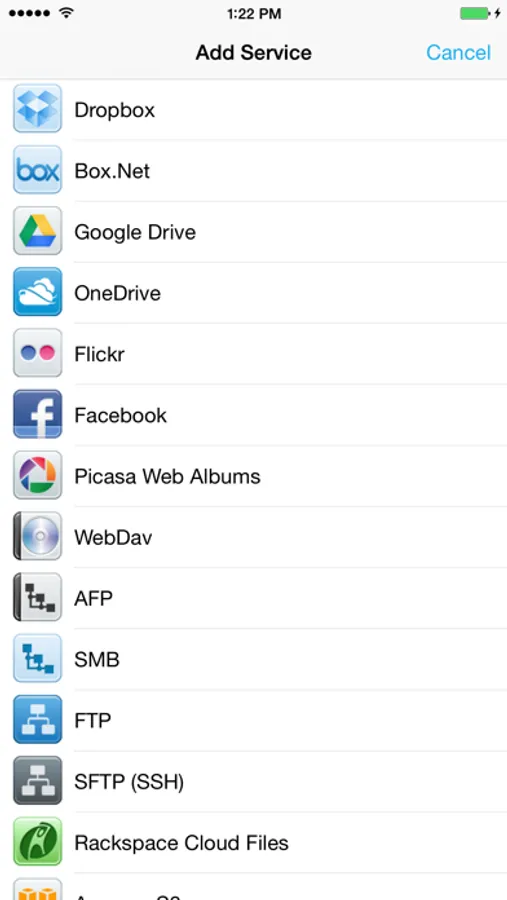
Supported Online Cloud Services and Protocols:
Dropbox, Google Drive, iCloud, Box.net, SkyDrive, SugarSync, AFP (Mac Shares), FTP/FTPS, SFTP, Flickr, Picasa, Facebook, Rackspace CloudFiles, CloudApp, PogoPlug, WebDav, Amazon S3, Ubuntu One Files, ownCloud, 4Shared, also using Amazon S3: DreamObjects and UltiCloud.
Key Features:
• WEB DOWNLOADER - Download files from the web using the build in Web Browser or Safari using iFiles Bookmarks. (HTML5 Videos are now supported)
• EMAIL - Send documents as email attachments directly from iFiles using iPhones email accounts or links to files stored in the cloud. (given service supports this feature)
• VOICE RECORDER - Use iFiles build-in voice recorder to create voice notes.
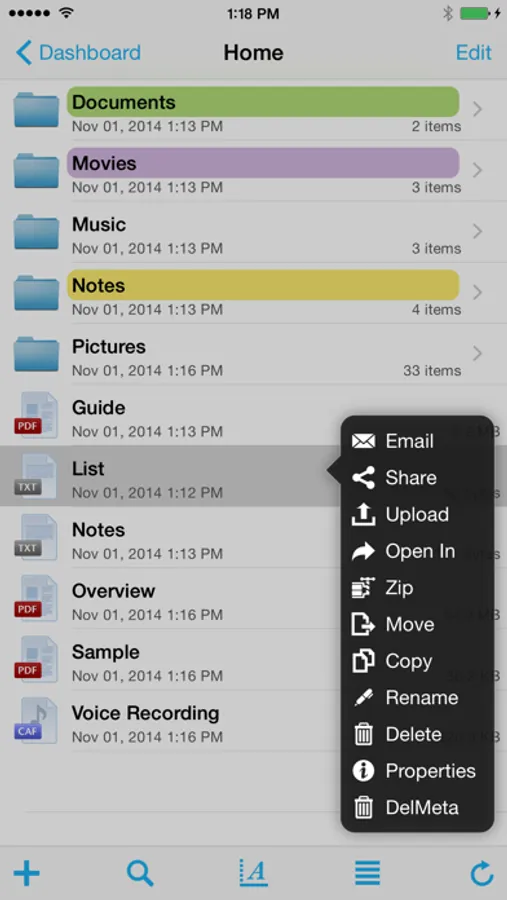
• POPUP MENU - Tap and hold on file to display context popup menu with file operations.
• PROPERTIES -View and change folder and files properties: color label, icon, and rename. For services with supported API you can edit: comments, description, tags/keywords, privacy, copy/generate links.
• SHARE FILES - Share files with other iOS users of iFiles over Wi-Fi or Bluetooth.
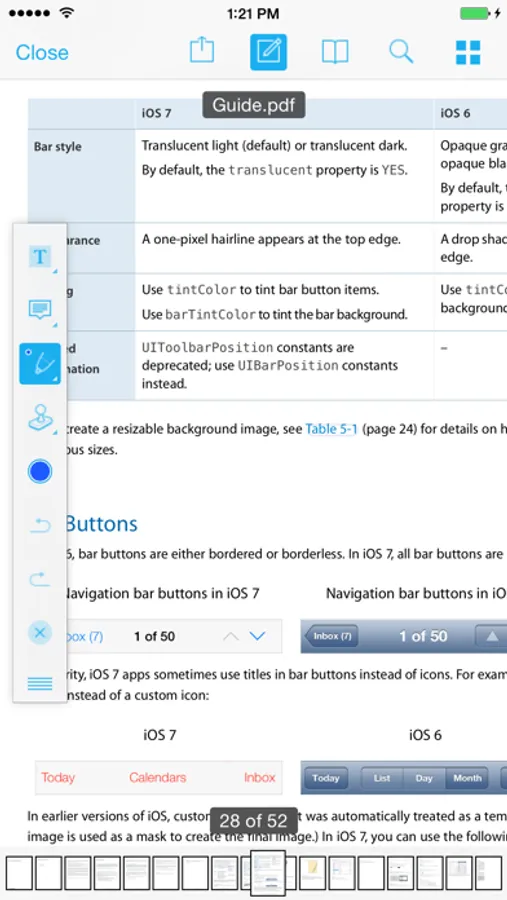
• PDF VIEWER - Viewer now supports annotations, full-text search, bookmarks, highlighting, saving directly to a cloud service and more.
• SECURE - If cloud services uses username and password they are stored using iOS Keychain, Remote access to your device can be secured with password, and device can be locked using passcode. (Your information is never send to any outside service)
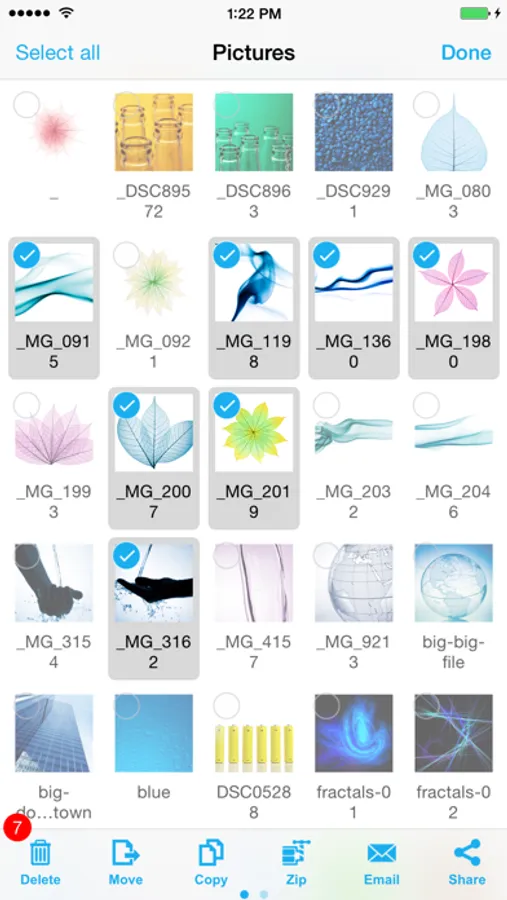
• FILE OPERATIONS - Move, Copy, Rename, Delete, and create New Folders (Operations are supported for all cloud services given that service API supports it)
• ZIP/EXTRACT - Create archive files and unarchive many common archive formats: Zip, RAR, 7-zip, Tar, Gzip, and Bzip2.
• TRANSFER MANAGER - Download, upload and transfer files directly between services without required to first download then upload files. Transfers support background mode and will resume if application is closed.
• EASY UPLOAD - If your creating voice recording, importing photos or creating a text file, iFiles will automatically upload to the current location no matter if its local or remote.
• CLIPBOARD PASTE - Paste text and photos/images directly to current folder.
• OPEN IN - Open files in apps that support those file types.
• PRINT - Print files using AirPrint.
• TEXT FILES - Create and edit plain text files. (Locally or directly in the cloud)
• PHOTO IMPORT - Take Photos, record movies or import from your Photo Library. (Multiple selection support is coming in next update)
• MEDIA PLAYER - Playback audio and video files.
• THUMBNAILS - Thumbnails are generated for local files: photos, videos and pdf files, thumbnails are displayed for cloud service if its supported.
File Formats
• iWorks (Pages, numbers, Keynote) ’08 and ’09 (with or without Preview)
• Microsoft Office (Word, Excel, PowerPoint).
• HTML web pages and Web archives (web pages downloaded by Safari)
• PDF Documents.
• RTF (Rich Text Format) and RTFD.
• Plain text with auto-detection of character encoding. Text files can also be edited.
• Movies (supported file formats by iPhone: MP4, MOV, MPV, 3GP, M4V)
• Audio (WAV, MP3, M4A, CAF, AIF, AIFF, ACC)
• Images (JPG, PNG, GIF, BMP, TIF, TIFF, ICO, CUR, XBM)
Requirements
A Wi-Fi connection is required to transfer files between home computer.
------------------
We're always excited to hear form you! If you have any feedback. questions, or concerns, please emails us at:
support@imagam.com
or visit http://www.ifilesapp.com
or follow us on twitter:
@ifilesapp
iFiles Screenshots

Tap to Rate:
Reviews for iFiles
Phoenix2000
Had to downgrade rating again because NO response to multiple messages to support over 6 months
New update claims to have fixed bugs but actually introduced a bunch of new bugs. Now it randomly pauses for no reason for several seconds while trying to navigate. It also makes my phone extremely hot and kills my battery life, I can’t help wonder if it’s running some kind of malware, I’m afraid to use it now. — The developers seem to be completely unresponsive/uncaring. No responses to several emails about pretty large security issues and functionality problems for over a year. Has some decently nice features if the developers were actually responsive and were fixing things but they don’t seem to be. There's a bug that it doesn't show files that have more than one dot (period) in the name at all. I've lost files because I deleted a directory that looked empty when it wasn't really, it just looked like it because ifiles is buggy and didn't show me the contents! I just discovered today that iFiles is wasting over 2.5GB on my phone, but I have almost nothing stored locally, it’s all on cloud providers. There doesn’t seem to be any “clear cache” or other setting, and my transfers list is empty. Seems the only way to fix this is to delete the app and reinstall from scratch, but then it will lose all my accounts and settings which will be a major pain to setup again. Here’s the previously reported problems that are still issues: Bad security problem since are forced to allow too simplistic "Allow Untrusted Certificate" rather than letting you see the details of a site using a self-signed certificate and being able to verify it is the correct fingerprint/key and enabling it to be saved for that specific site. Very insecure, and very bad design! No ability to search for files by name or for text within documents. No support for copy.com Needs an easy way to retry ALL failed transfers instead of having to manually do one at a time. Transfers don't seem to continue while sleeping/background. The wifi server support is poorly done, should be easy to toggle on and off rather than hidden and defaulting always to the same thing when you open the app. App doesn't remember where you were if you leave and return, which makes you have to go traverse the whole directory structure EVERY time, this needs fixing ASAP! No ability to sync files/photos to servers. This is a MAJOR feature deficiency, as it is very hard not to miss photos or changes since you have to do it manually (and then verify they all actually transferred successfully). Also, since photos/videos are saved on the server with the timestamp you uploaded them instead of when they were taken, that makes trying to "sync" all your photos even harder.
Haresabadi
Request update
Dear Sir; I am writing to inform you that I recently bought a new iPhone 13 Promax and when I take shoot with my iPhone I couldn’t opened it in I ifiles app recently! The image format is:IMG_HEIC Would you be kind and guide me about this matter? Thanks for your cooperation!Amir