With this project planning app, you can create and manage multiple projects, view tasks as Gantt charts, and update progress directly on the timeline. Includes task dependencies, resource management, and project export options.
AppRecs review analysis
AppRecs rating 4.0. Trustworthiness 80 out of 100. Review manipulation risk 23 out of 100. Based on a review sample analyzed.
★★★★☆
4.0
AppRecs Rating
Ratings breakdown
5 star
56%
4 star
11%
3 star
11%
2 star
0%
1 star
22%
What to know
✓
Low review manipulation risk
23% review manipulation risk
✓
Credible reviews
80% trustworthiness score from analyzed reviews
✓
Good user ratings
67% positive sampled reviews
About Project Planner - Gantt app
Project Planner 2 is a project and task planning application that makes it easy to keep track of multiple projects and tasks.
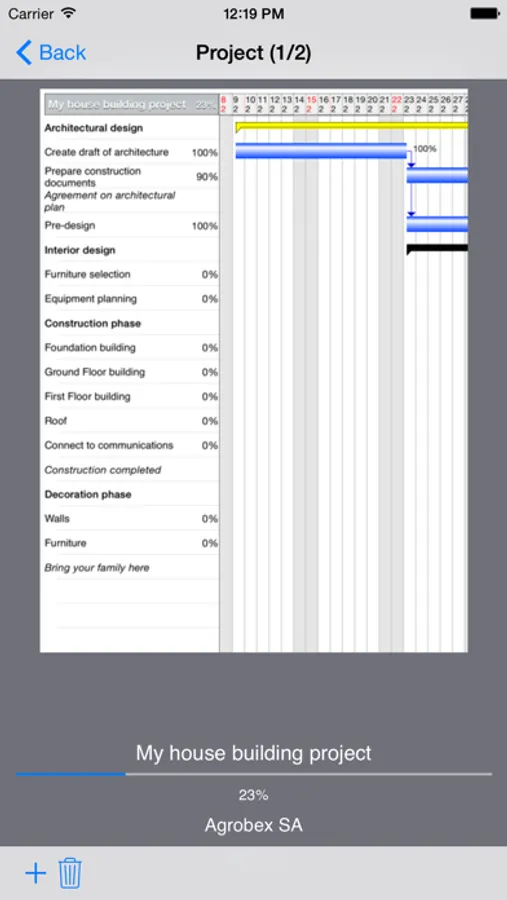
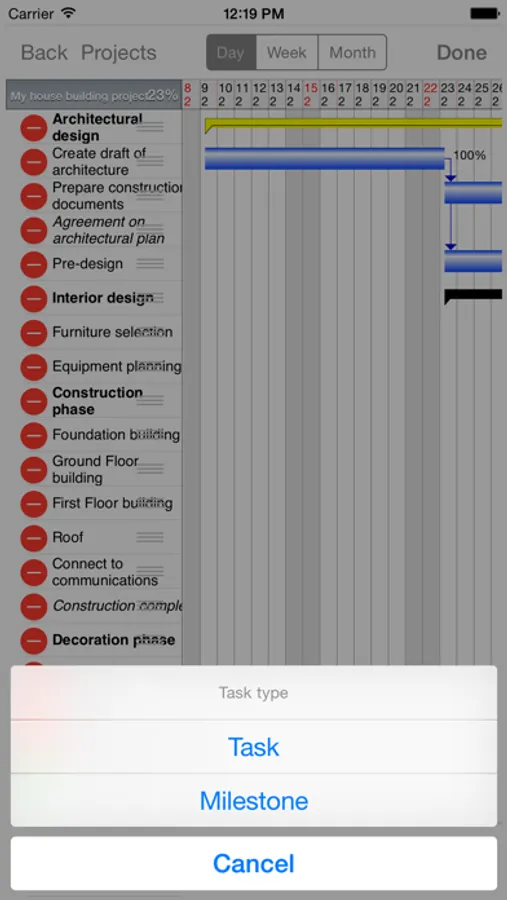
Project Planner 2 allows you manage multiple projects. In every project you can add many tasks grouped in phases and finished by milestone.
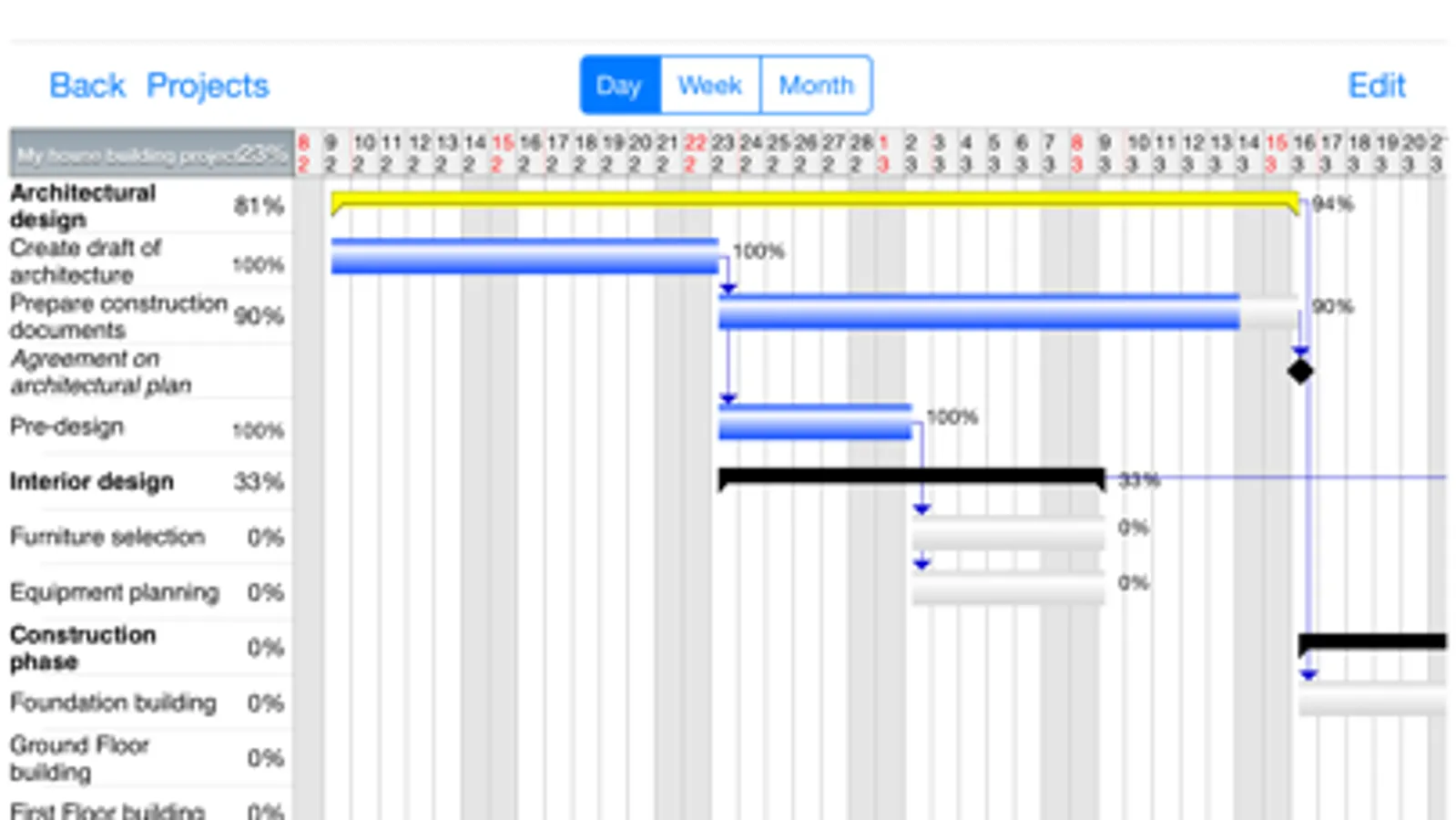
You can view your project on Gantt chart in portrait and landscape view in days, weeks or months scale.
Major features:
- managing multiple projects
- viewing your tasks as a list or Gantt Chart
- viewing multiple projects on Gantt Chart
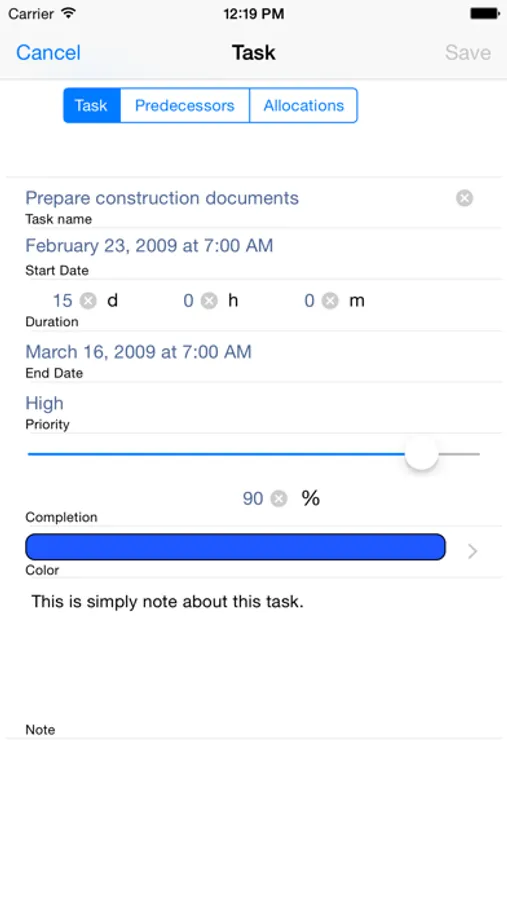
- editing task directly from Gantt Chart
- creating dependencies between tasks
- updating progress of task to keep track
- adding resources and costs to tasks
- exporting and importing projects in .ppf format (supported by Project Planner 2, Project Planner 2 HD and Project Planner for OSX - available in Mac App Store)
- exporting and importing project in .gan format (supported by Gantt Project available on OSX, Windows and Linux) (importing with some limitations: Project Planner imports all dependencies as 'hard' and 'end-to-start')
- exporting reports in PDF format (readable in Adobe Reader, OSX Preview and all full pdf compatible readers)
- exporting chart as image in PNG format
- exporting are available by mail, to iTunes and to Dropbox
- importing are available from iTunes), from mail and from Dropbox
- printing reports ans charts directly from app using AirPrint
User manual is available on the product webpage.
Project Planner 2 allows you manage multiple projects. In every project you can add many tasks grouped in phases and finished by milestone.
You can view your project on Gantt chart in portrait and landscape view in days, weeks or months scale.
Major features:
- managing multiple projects
- viewing your tasks as a list or Gantt Chart
- viewing multiple projects on Gantt Chart
- editing task directly from Gantt Chart
- creating dependencies between tasks
- updating progress of task to keep track
- adding resources and costs to tasks
- exporting and importing projects in .ppf format (supported by Project Planner 2, Project Planner 2 HD and Project Planner for OSX - available in Mac App Store)
- exporting and importing project in .gan format (supported by Gantt Project available on OSX, Windows and Linux) (importing with some limitations: Project Planner imports all dependencies as 'hard' and 'end-to-start')
- exporting reports in PDF format (readable in Adobe Reader, OSX Preview and all full pdf compatible readers)
- exporting chart as image in PNG format
- exporting are available by mail, to iTunes and to Dropbox
- importing are available from iTunes), from mail and from Dropbox
- printing reports ans charts directly from app using AirPrint
User manual is available on the product webpage.
Project Planner - Gantt app Screenshots
Tap to Rate:
Reviews for Project Planner - Gantt app
NorthStarVisual
Does not work
Waste of $2.99. Please refund me.
Raabdog
Junk
I got my hopes up because it looked like it was going to work - for about ten minutes. Now all text is blacked out including all text on the Help Screen. Not worth the $3 I paid.