In this time tracking app, users can log and manage expenses and mileage quickly using timers and calculators. Includes automatic data transfer, GPS client mapping, and reporting features.
AppRecs review analysis
AppRecs rating 5.0. Trustworthiness 78 out of 100. Review manipulation risk 32 out of 100. Based on a review sample analyzed.
★★★★★
5.0
AppRecs Rating
Ratings breakdown
5 star
93%
4 star
7%
3 star
0%
2 star
0%
1 star
0%
What to know
✓
Credible reviews
78% trustworthiness score from analyzed reviews
✓
High user satisfaction
93% of sampled ratings are 5 stars
⚠
Pricing complaints
Many low ratings mention paywalls or pricing
About iSlips
iSlips is the fastest solution for tracking time and expenses because it takes advantage of the iPhone’s “always on” capability. No need to startup a slow computer to track that 15 minute call with a client.
iSlips can automatically start tracking time on a call made through the built in client dialing. Never forget to bill a client for a phone call again.
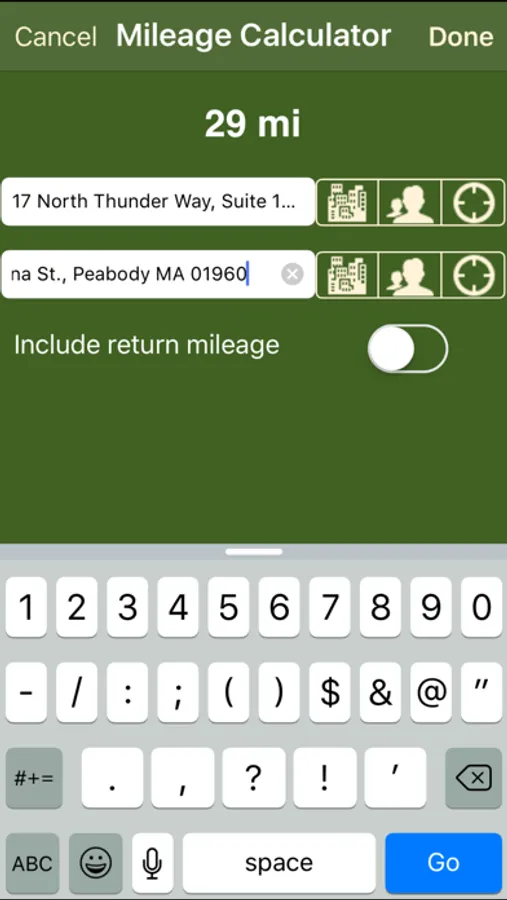
Do you charge clients for mileage? iSlips with its exclusive Mileage Calculator makes it fast and easy to capture mileage on your iPhone. Calculating the mileage from your office to a client’s place of business is just 2 clicks.
iSlips Features:
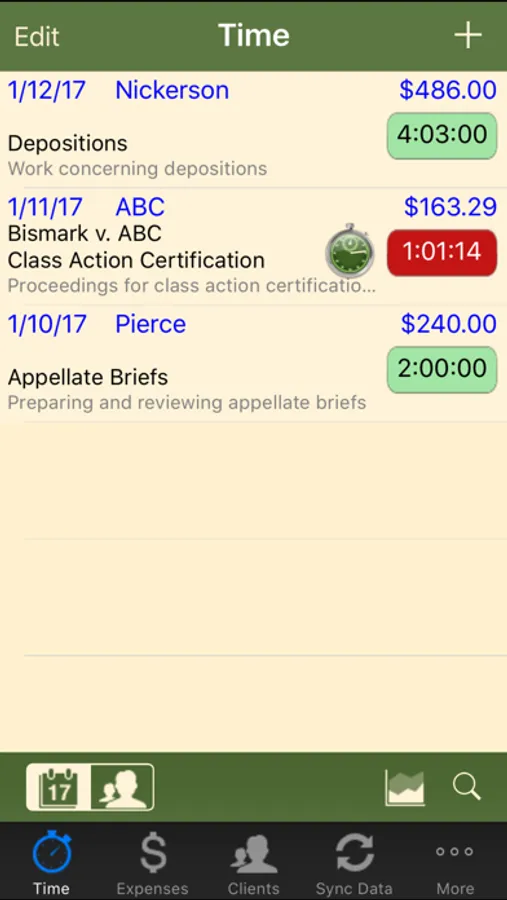
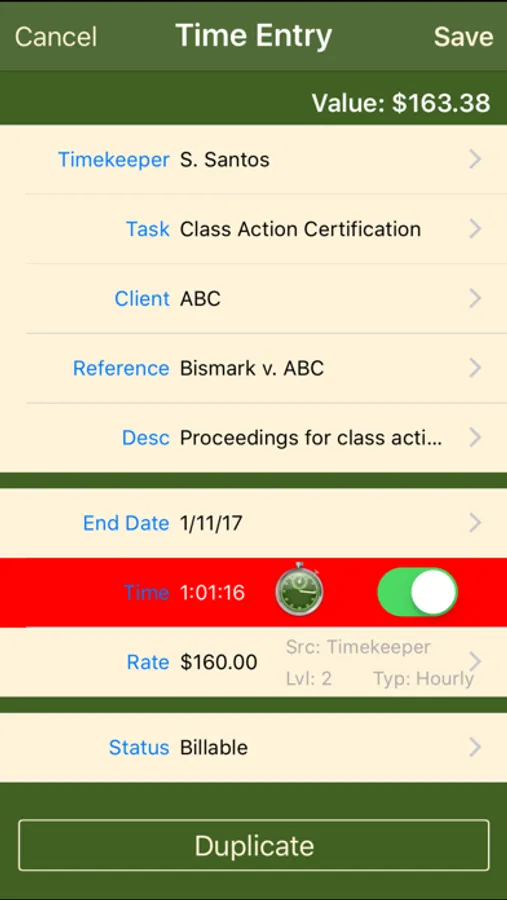
- Time Entry (with timers)
- Expense Entry
- Mileage Calculator
- Client Dialing with Automatic Time Entry Creation
- Client Emailing with Automatic Time Entry Creation
- Client Mapping (GPS)
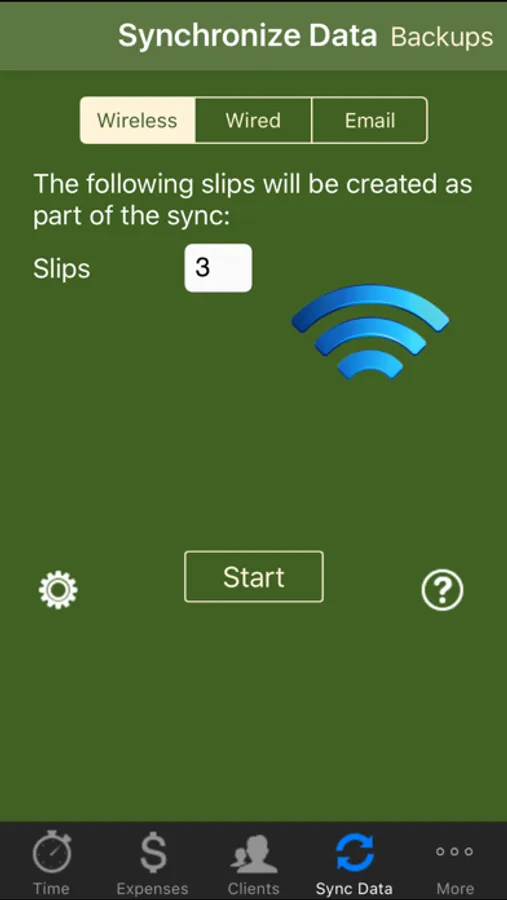
- Wireless Data Transfer with Timeslips
- USB and Email Data Transfer with Timeslips
- Rounding Time by Seconds and Minutes
- Recent 10 list for Clients, Activities, and References
- Abbreviations
- Start/Stop Time Calculator
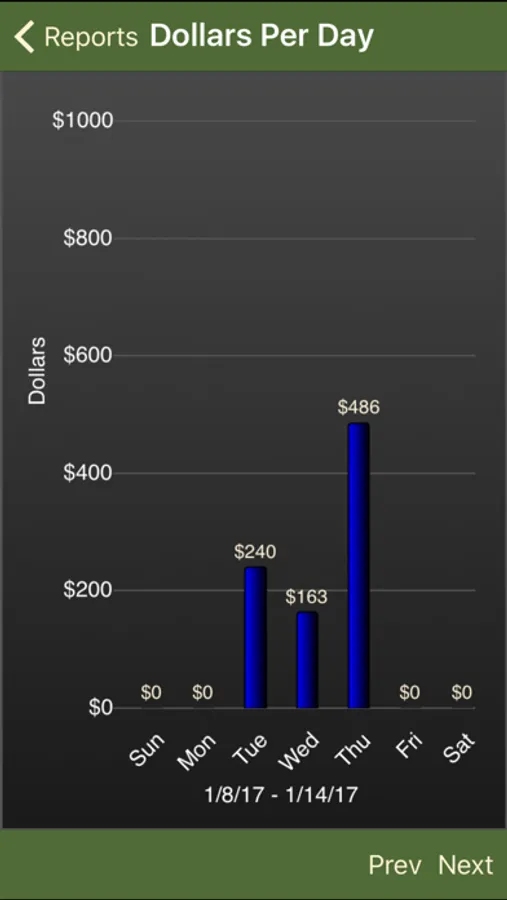
- Reports (Hours Per Day, Dollars Per Day, and Slip Totals)
- Automatic backups
Timeslips is a great time & billing product. Purchase iSlips to extend the reach of Timeslips to your iPhone and make every second count.
REQUIREMENTS:
- A wireless (WiFi) network connection to perform a wireless data syncs
- iOS 5.0 or higher
- Timeslips or TSRemote, v10.5 or higher
- In order to sync with iSlips you must install iSlips Sync on the same computer as Timeslips
Please visit us at www.brainfreezesoftware.com for additional product information, requirements, videos, and to download iSlips Sync.
iSlips Screenshots
Tap to Rate:
Reviews for iSlips
LeRoyABrown
Great Software
Been using for several years. Support is as good as the software. Excellent product.
Marathon1234
Great tool for Timeslips users
This is a great tool for Timeslips users. While TS might not be the best thing out there, this really adds an easy to use remote function. The sync is pretty simple and I've never had a problem with it. It's worth every penny in captured time!