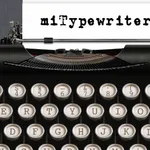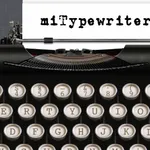
With this note-taking app, you can simulate a vintage typewriter experience on your iPad and customize fonts and colors. Includes document management, external keyboard support, and AirPrint functionality.
AppRecs review analysis
AppRecs rating 4.0. Trustworthiness 75 out of 100. Review manipulation risk 21 out of 100. Based on a review sample analyzed.
★★★★☆
4.0
AppRecs Rating
Ratings breakdown
5 star
53%
4 star
16%
3 star
9%
2 star
16%
1 star
6%
What to know
✓
Low review manipulation risk
21% review manipulation risk
✓
Credible reviews
75% trustworthiness score from analyzed reviews
✓
Good user ratings
69% positive sampled reviews
About miTypewriter for iPad
This is your typewriter on iPad.
Features:
- Realistic typewriter on your iPad
- Email by image or text
- Backspace key to erase type
- Fonts (Old Typewriter / American Typewriter)
- Keyboard layouts (QWERTY, QWERTZ, AZERTY, and QZERTY)
- Colors (Red/Black ink ribbon)
- Document management
- External Keyboard
- Drag to move cursor
- AirPrint
Updates:
- Update for iOS Compatibility
Features:
- Realistic typewriter on your iPad
- Email by image or text
- Backspace key to erase type
- Fonts (Old Typewriter / American Typewriter)
- Keyboard layouts (QWERTY, QWERTZ, AZERTY, and QZERTY)
- Colors (Red/Black ink ribbon)
- Document management
- External Keyboard
- Drag to move cursor
- AirPrint
Updates:
- Update for iOS Compatibility
Tap to Rate:
Reviews for miTypewriter for iPad
blckcanary19
Its Ok
It does what it needs to do. the UI needs some work to make it more attractive. Also need ability to space without hitting SHIFT key.
acdc 3po
Lost work
Simply put, how do I get back lost work?! I would like a response to this question please.