
AppRecs review analysis
AppRecs rating 4.6. Trustworthiness 78 out of 100. Review manipulation risk 22 out of 100. Based on a review sample analyzed.
★★★★☆
4.6
AppRecs Rating
Ratings breakdown
5 star
86%
4 star
14%
3 star
0%
2 star
0%
1 star
0%
What to know
✓
Low review manipulation risk
22% review manipulation risk
✓
Credible reviews
78% trustworthiness score from analyzed reviews
✓
High user satisfaction
86% of sampled ratings are 5 stars
About Bridge Scorepad
- Support for traditional Rubber Bridge scoring (i.e. We/They), Chicago Style (4-deal) AND Duplicate Bridge.
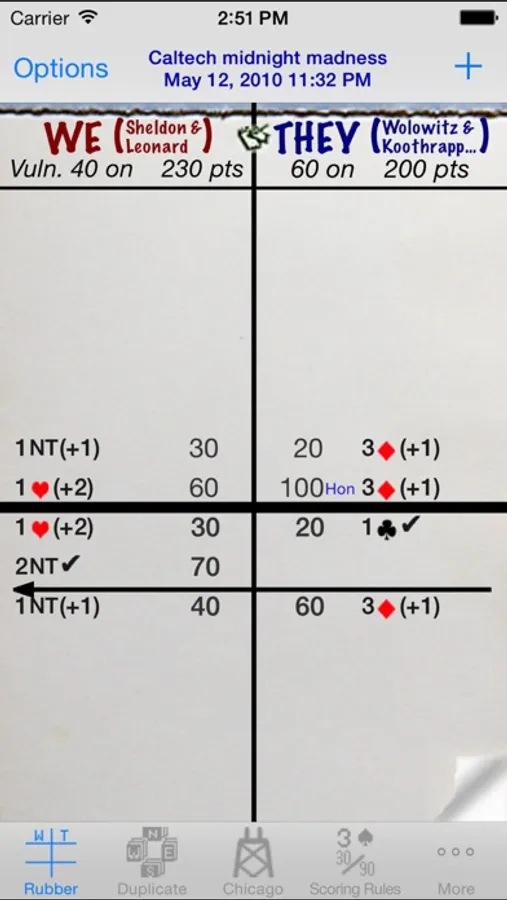
- Rubber Bridge scorepad features:
+ The familiar look of a traditional scoresheet with a graphical notation of the contract and results.
+ See at a glance which teams are vulnerable, which teams have game legs on and their respective total scores.
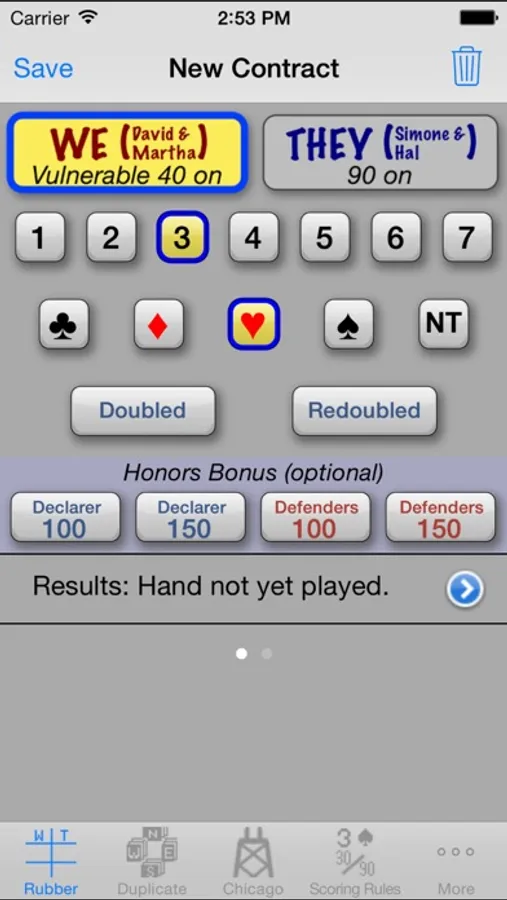
+ Tap on an entry in the scoresheet to view a detailed explanation of the scoring. (You can edit the details of a previously played contract if you need to.)
+ Play multiple rubbers in one scoresheet, or create a new scoresheet for each rubber.
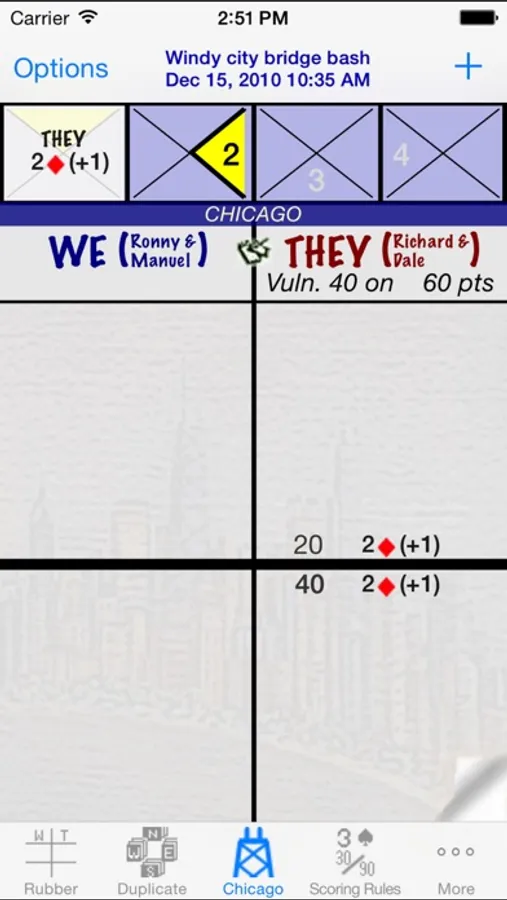
- Chicago Bridge scorepad features:
+ Graphical 'Chukker' to keep track of the deal.
+ Support for both Chicago and Cavendish vulnerability systems.
+ Support for traditional Chicago scoring and Duplicate style scoring.
+ The familiar look of a traditional scoresheet with a graphical notation of the contract and results.
+ See at a glance which teams are vulnerable, which teams have game legs on (Chicago scoring) and their respective total scores.
+ Tap on an entry in the scoresheet to view a detailed explanation of the scoring. (You can edit the details of a previously played contract if you need to.)
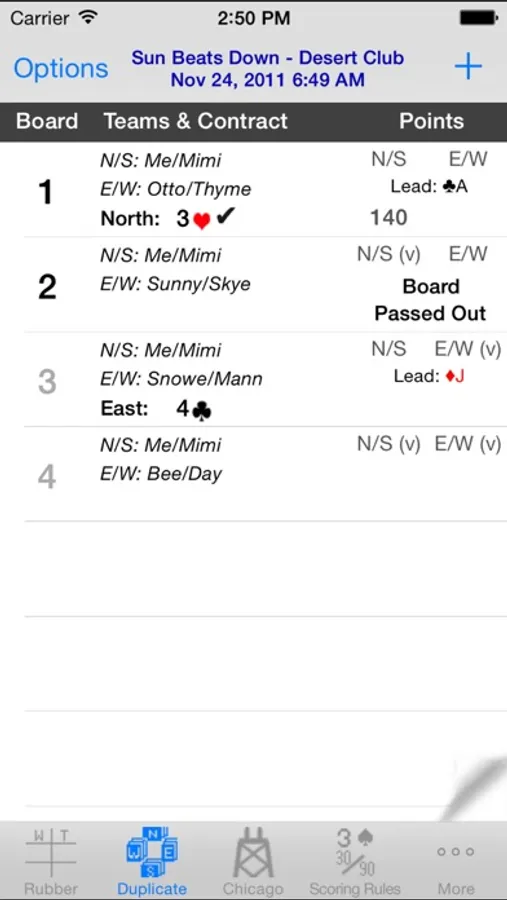
- Duplicate Bridge scorepad features:
+ Enter your Boards one at a time, in batches (e.g. by round) or all at once.
+ Personalize the scoresheet with a description and your player/team ID to highlight your team's scores in the scoresheet.
+ Quickly differentiate between complete and incomplete boards.
+ Tap on a completed board in the scoresheet to view a detailed explanation of the scoring (and edit the board if necessary).
- Personalize and share your scoresheets:
+ Personalize scoresheets with player names and a scoresheet description.
+ Email a PDF copy or print(*) scoresheets directly from your device.
+ When scoring Rubber or Chicago on an iPad, there is a "Large font" user preference to help others at the table better see the scoresheet too.
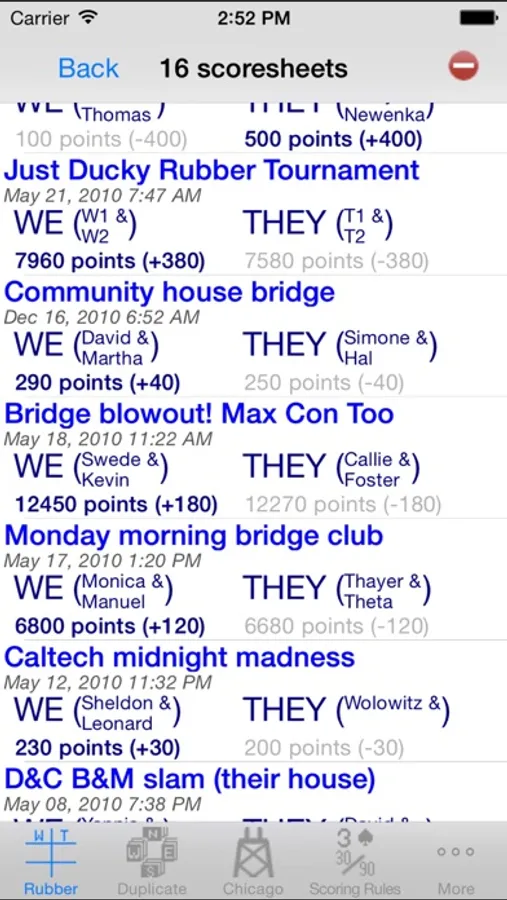
- Sum scores across scoresheets to track players over a period of time (currently for Rubber Bridge and Chicago Bridge only). The report includes a grand total by player as well as subtotals by the dates of the scoresheets (i.e. subtotals for all the scoresheets played on a single date). The report can be emailed or printed (*) directly from your device.
- Includes a reference copy of the standard rules for scoring contract bridge (based on the 2004 International Laws of Contract Bridge).
- Standalone scoring calculator (on the 'backside' of the scoring rules). Use it to score a hand or simply to better understand the nuances of contract bridge scoring.
(*) Printing directly from the device requires an available AirPrint compatible printer. eMailing requires that your device has been configured to send emails.
Bridge Scorepad Screenshots
Tap to Rate:
Reviews for Bridge Scorepad
ThinksDeeply
Absolutely perfect
I am always impressed by application developers who are able to remain focused on delivering outstanding functionality. Developers who are not continually fiddling with apps to add “features” or tweak what works great to “make it better.” ScorePad, and its developer (Yannis S. Arvantis) is just such an app. It delivers straightforward functionality that has not wavered in its excellence for many years. If you are looking for a Bridge score keeping app that will replace paper and pencil and let you see your game history at the touch of a button then here it is. If Yannis ever asks me for a modest contribution to ensure it’s continued availability then I will be the first to make that contribution. Thank you, thank you, thank you.
Delbertmace
Really good app
It keeps score better than I do. it’s very easy to use, almost intuitive if you’ve been keeping score with paper and pencil. I was sold after the first use and haven’t gone back. It even taught me that I’d been scoring penalties (doubles and redoubled) incorrectly. And it looks just like a paper score pad so you’ll be able to read it from the start. If you score bridge, you want this app.