In this refrigerant calculation app, you can determine fluid properties and access detailed refrigerant data using sliders and search filters. Includes safety group information, GWP, ODP, and links to online documents.
AppRecs review analysis
AppRecs rating 4.6. Trustworthiness 76 out of 100. Review manipulation risk 21 out of 100. Based on a review sample analyzed.
★★★★☆
4.6
AppRecs Rating
Ratings breakdown
5 star
82%
4 star
10%
3 star
4%
2 star
1%
1 star
4%
What to know
✓
Low review manipulation risk
21% review manipulation risk
✓
Credible reviews
76% trustworthiness score from analyzed reviews
✓
High user satisfaction
82% of sampled ratings are 5 stars
About BITZER REFRIGERANT RULER
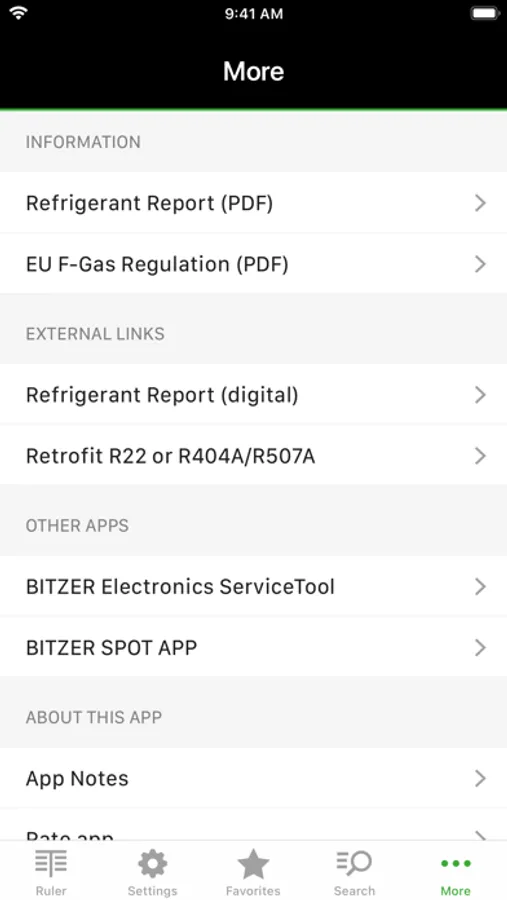
The BITZER REFRIGERANT RULER enables easy and fast determination of refrigerant data. The app contains all common refrigerants, including key fluid properties, safety group information, global warming potential (GWP), ozone depletion potential (ODP), and information on choice of oil type for the compressor. Furthermore, additional information on refrigerants, links to relevant online documents and other information are displayed (under "More..." in the menu bar). The tool provides an intuitive user interface for easy and accurate temperature-to-pressure conversion, while allowing easy use and switching between different metric (SI) and imperial (IP) units (under "Settings").
// CURRENTLY AVAILABLE REFRIGERANTS //
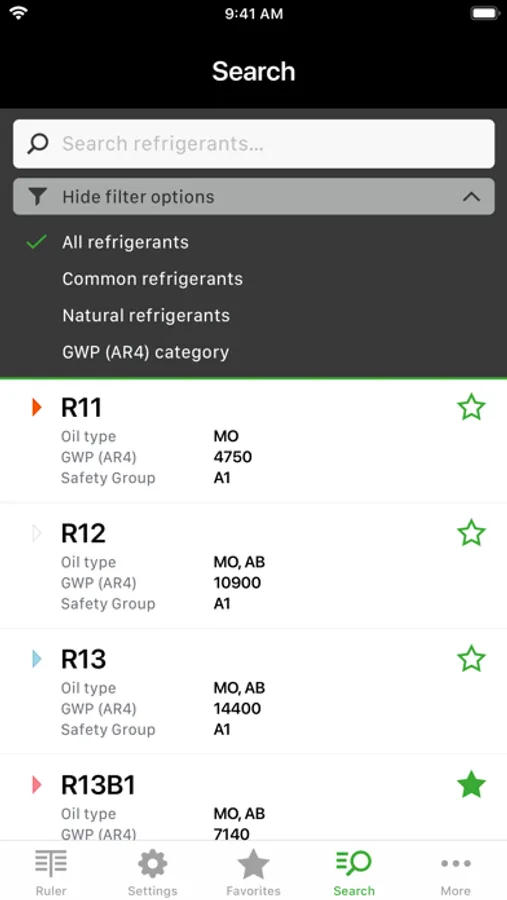
▸ The app contains data and information on more than 100 natural and synthetic refrigerants, which can also be preselected by filter functions (under "Search").
▸ For comparison purposes and also for practical use in service and operation of older existing systems, information on previously used refrigerants, which may have been affected by usage restrictions, are also provided.
// MAIN FUNCTIONS //
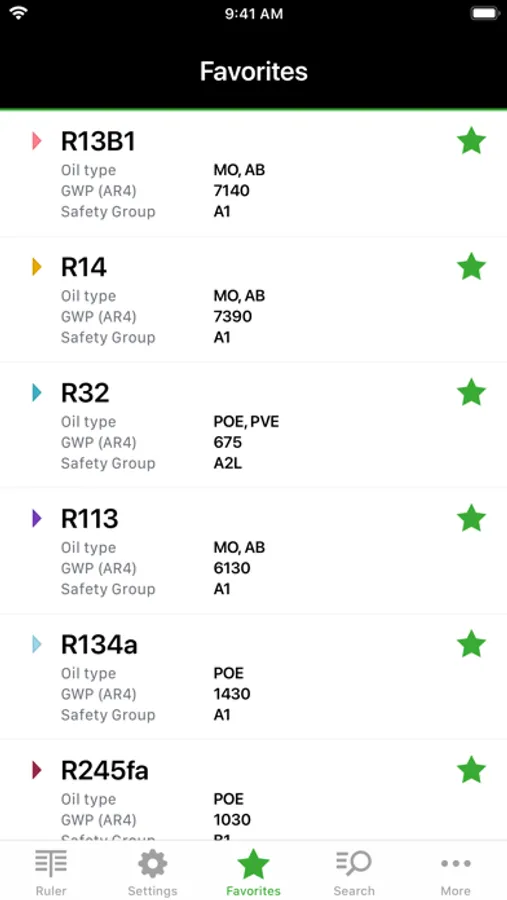
▸ Search filters and favourites: Under the navigation item "Search" or via predetermined "Search filters" or manual entry in the text field the appropriate refrigerant can be found and, if necessary, added to the favourites by tapping the "star symbol". With a simple touch on the selected refrigerant, the slider for the pressure-temperature conversion is displayed.
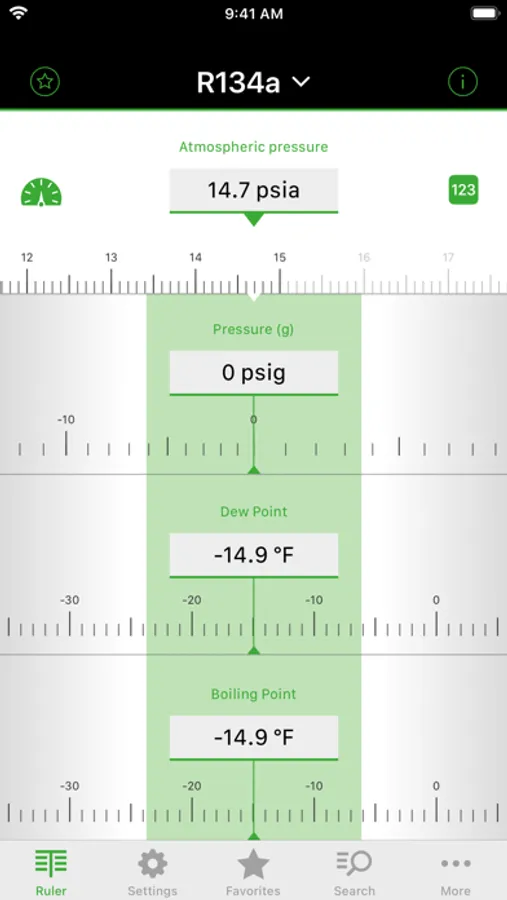
▸ Ruler: By means of a slider, the values of pressure, dew and boiling (bubble) temperatures (temperature glide resulting from the difference) for the selected refrigerant can be determined. Pressure and temperature values can also be entered manually - either by tapping on the respective field or via the symbol "123". When installing the app overpressure values are preset. With this setting, the atmospheric pressure can be entered either manually on the upper ruler or via the "barometer symbol" to correct the pressure values. A change to absolute pressure values is possible under "Settings", the atmospheric pressure correction is then inactive. Further function: By tapping on the refrigerant name, direct access to "Search" (refrigerant list and search filters) is also possible.
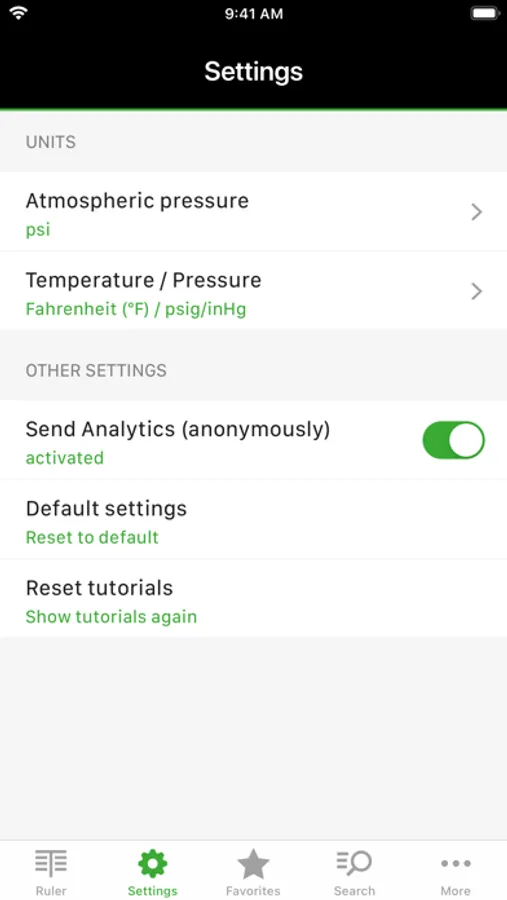
▸ Settings: Under this menu all important parameters for the determination of the atmospheric pressure as well as for temperature and pressure values can be adjusted. Other functions allow for a change to default settings and a repeated display of the “Tutorials” in the ruler view.
▸ Automatic Barometer: The app offers the possibility to determine the current altitude above sea level and/or the actual atmospheric pressure to correct the corresponding dew and bubble temperatures in case of overpressure settings. Depending on the configuration, the analysis for the location in question is optionally carried out automatically via GPS or barometer if the corresponding terminal has the aforementioned sensors. Manually entering the atmospheric pressure or correction is possible as described under “Slider control”.
▸ Temperature / pressure: Temperature and pressure units can be freely selected and combined, if necessary, a mix of SI and IP units is possible as well. For overpressure (or negative pressure) bar (g) or psig / inHg can be selected. In the Setting psig / inHg displays the overpressure values in "psig" and the negative pressure values in "negative inHg" (e.g., -7.5 inHg).
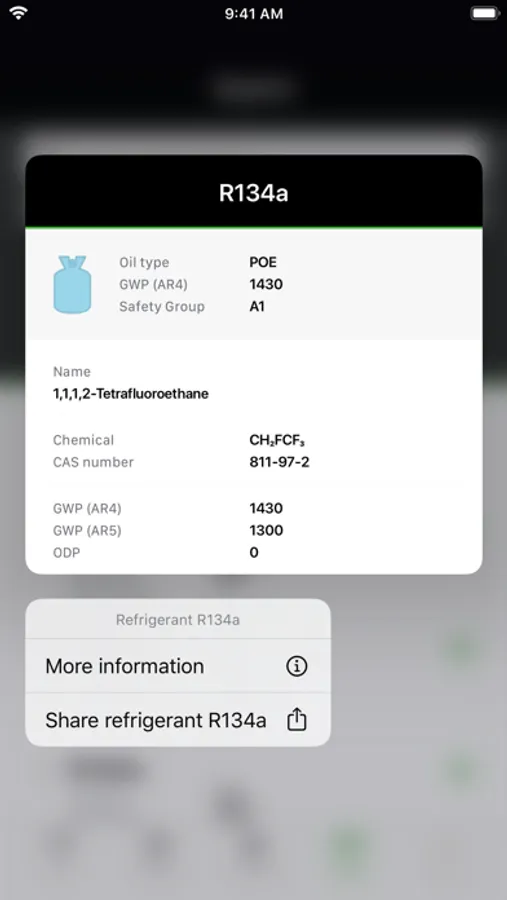
▸ Further information on refrigerants: General and additional information can be found under the information symbol "i" in the header next to the refrigerant name. These include, for example, GWP and ODP values for the refrigerants, safety group, chemical composition or components in mixtures, CAS number, molecular weight, triple and boiling (bubble) points, critical temperature, critical pressure and information on the type of oil for the compressor.
// CURRENTLY AVAILABLE REFRIGERANTS //
▸ The app contains data and information on more than 100 natural and synthetic refrigerants, which can also be preselected by filter functions (under "Search").
▸ For comparison purposes and also for practical use in service and operation of older existing systems, information on previously used refrigerants, which may have been affected by usage restrictions, are also provided.
// MAIN FUNCTIONS //
▸ Search filters and favourites: Under the navigation item "Search" or via predetermined "Search filters" or manual entry in the text field the appropriate refrigerant can be found and, if necessary, added to the favourites by tapping the "star symbol". With a simple touch on the selected refrigerant, the slider for the pressure-temperature conversion is displayed.
▸ Ruler: By means of a slider, the values of pressure, dew and boiling (bubble) temperatures (temperature glide resulting from the difference) for the selected refrigerant can be determined. Pressure and temperature values can also be entered manually - either by tapping on the respective field or via the symbol "123". When installing the app overpressure values are preset. With this setting, the atmospheric pressure can be entered either manually on the upper ruler or via the "barometer symbol" to correct the pressure values. A change to absolute pressure values is possible under "Settings", the atmospheric pressure correction is then inactive. Further function: By tapping on the refrigerant name, direct access to "Search" (refrigerant list and search filters) is also possible.
▸ Settings: Under this menu all important parameters for the determination of the atmospheric pressure as well as for temperature and pressure values can be adjusted. Other functions allow for a change to default settings and a repeated display of the “Tutorials” in the ruler view.
▸ Automatic Barometer: The app offers the possibility to determine the current altitude above sea level and/or the actual atmospheric pressure to correct the corresponding dew and bubble temperatures in case of overpressure settings. Depending on the configuration, the analysis for the location in question is optionally carried out automatically via GPS or barometer if the corresponding terminal has the aforementioned sensors. Manually entering the atmospheric pressure or correction is possible as described under “Slider control”.
▸ Temperature / pressure: Temperature and pressure units can be freely selected and combined, if necessary, a mix of SI and IP units is possible as well. For overpressure (or negative pressure) bar (g) or psig / inHg can be selected. In the Setting psig / inHg displays the overpressure values in "psig" and the negative pressure values in "negative inHg" (e.g., -7.5 inHg).
▸ Further information on refrigerants: General and additional information can be found under the information symbol "i" in the header next to the refrigerant name. These include, for example, GWP and ODP values for the refrigerants, safety group, chemical composition or components in mixtures, CAS number, molecular weight, triple and boiling (bubble) points, critical temperature, critical pressure and information on the type of oil for the compressor.
BITZER REFRIGERANT RULER Screenshots
Tap to Rate:
Reviews for BITZER REFRIGERANT RULER
Youonlytakegoodreviews
App is tooo slowly
The app layout and functionality would be good but it hardly ever loads and is slow to respond And yes I have tried to use many times in many places
whocareswhatwesay
Review
Stop trying to fix what is not broken. What was wrong with the previous platform ?