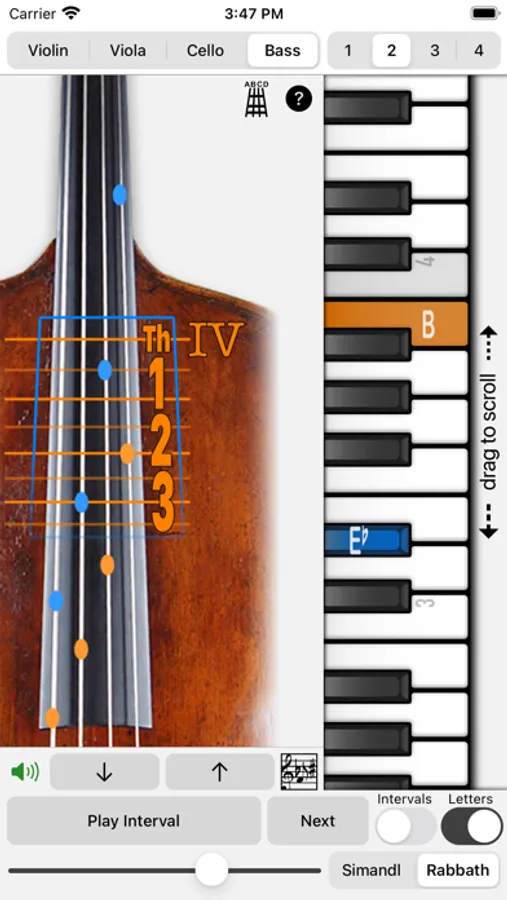
In this musical instrument guide, you can view fingering positions for violin, viola, cello, and double bass and switch between written and concert pitches. Includes multiple hand positions, note notation in various clefs, and sound playback features.
AppRecs review analysis
AppRecs rating 4.0. Trustworthiness 80 out of 100. Review manipulation risk 22 out of 100. Based on a review sample analyzed.
★★★★☆
4.0
AppRecs Rating
Ratings breakdown
5 star
65%
4 star
13%
3 star
4%
2 star
0%
1 star
17%
What to know
✓
Low review manipulation risk
22% review manipulation risk
✓
Credible reviews
80% trustworthiness score from analyzed reviews
✓
High user satisfaction
78% of sampled ratings are 4+ stars (4.1★ average)
About Fingering Strings for iPhone
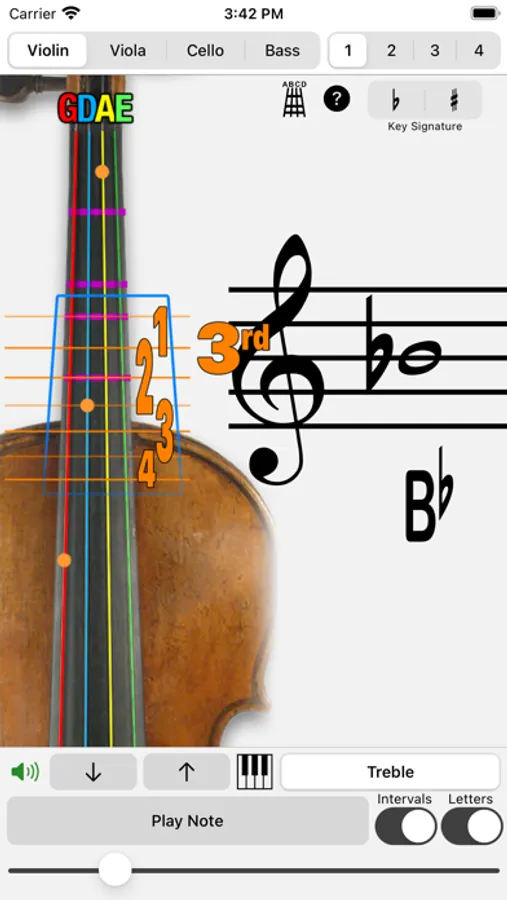
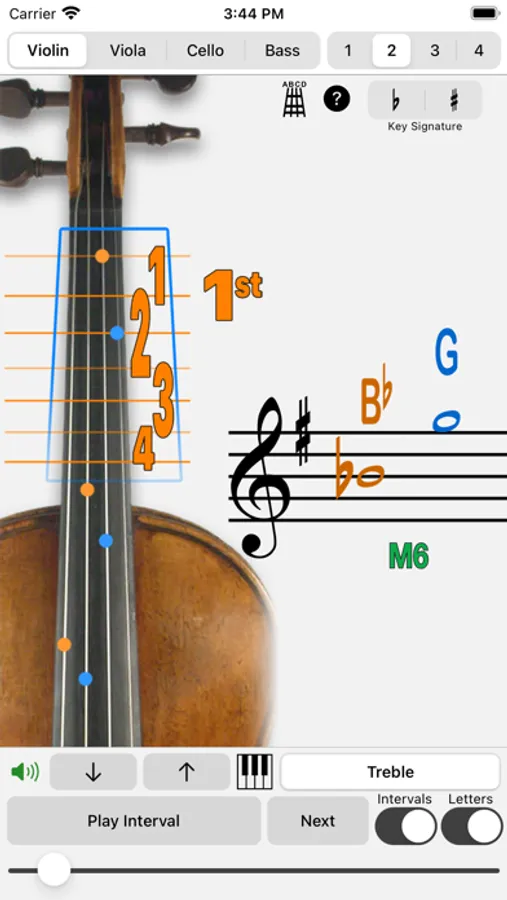
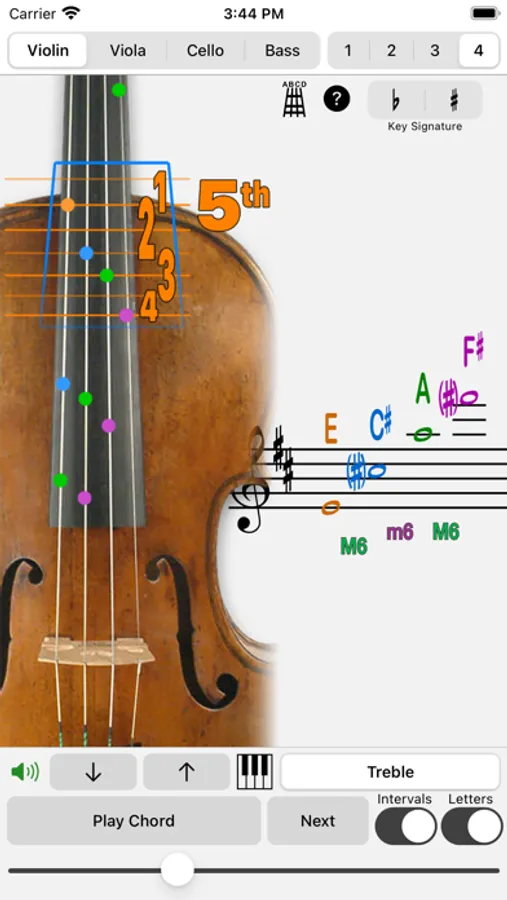
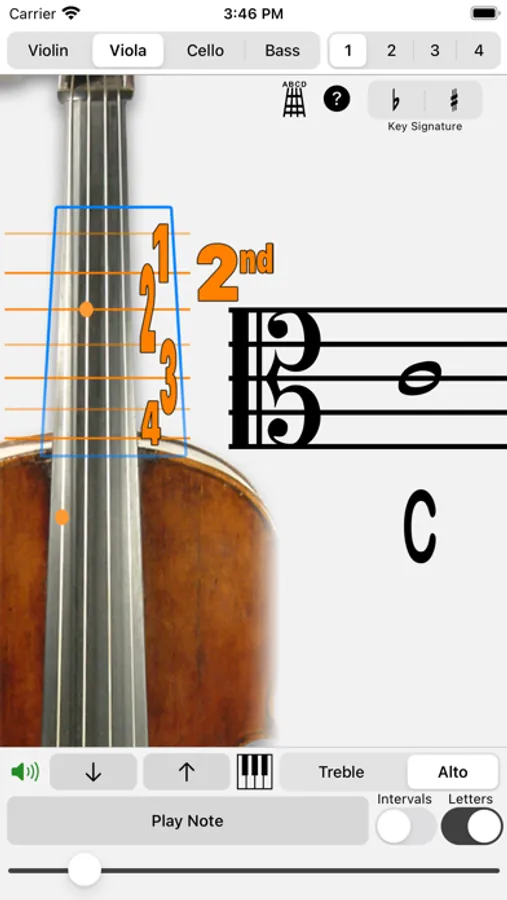
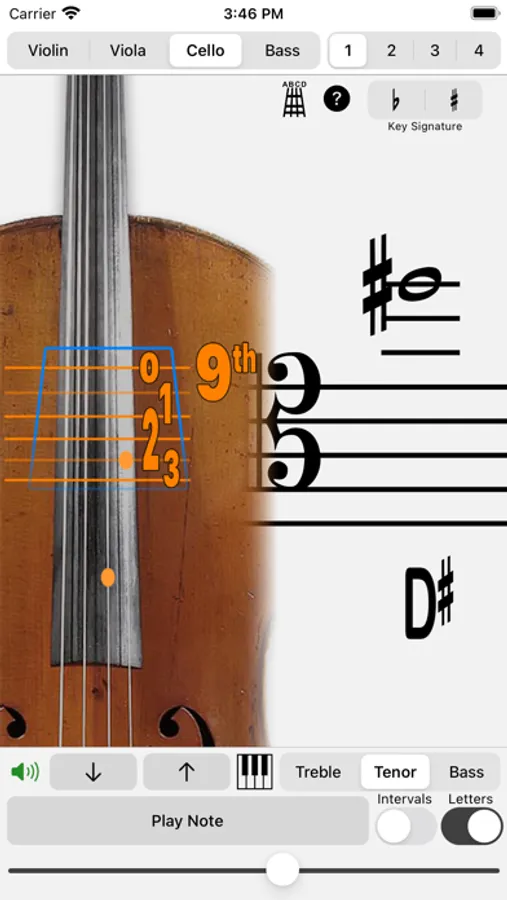
• Hand Positions: 15 positions on the Violin, 15 positions on the Viola, 16 positions on the Cello, and 12 Simandl positions or 6 Rabbath positions on the Double Bass.
• Display "beginner tape" on the fingerboard as well as string names and colors.
• Notate one or two notes in Treble, Alto, Tenor or Bass clef.
How to Use:
Pick a written note (touch the staff) and have the fingering displayed and concert pitch played. Touch a button and reveal the note on the piano.
Play a concert pitch on the piano, and have that pitch's fingering displayed. Touch a button and reveal the transposed note written on the staff.
Written and concert pitches are the same for all but the double bass, which transposes, sounding an octave below what is written.
• Use the ‘Play' button to repeatedly hear the note or interval being displayed.
Selecting a Pitch:
Using the Staff (transposed for the current instrument): Simply touch and slide up and down on the staff to select the note, slide to the right or left of the note for sharps and flats.
Using the Piano (concert pitch): drag in the area below the keyboard to move the keyboard, touch to play notes, touch & slide to change the pitch. When you glissando up the keyboard, notes will be notated as a raised value (sharps), when you glissando down, notes will be notated as lowered values (flats).
Use the up and down arrows to move chromatically up and down without touching the music staff or piano keyboard.
Fingering Strings for iPhone Screenshots
Tap to Rate:
Reviews for Fingering Strings for iPhone
PHN PJ
Upper view of fingerboard is not not visible
For those interested in playing in high position, this app fails to show that part of the fingerboard. Otherwise this app would be useful for me. Oops, My mistake - to see the upper part of the fingerboard just touch the screen view and drag your finger up. Nice app!
dirtfarmin
Won’t play. Just shuts down. I would like a refund.
Does not work.