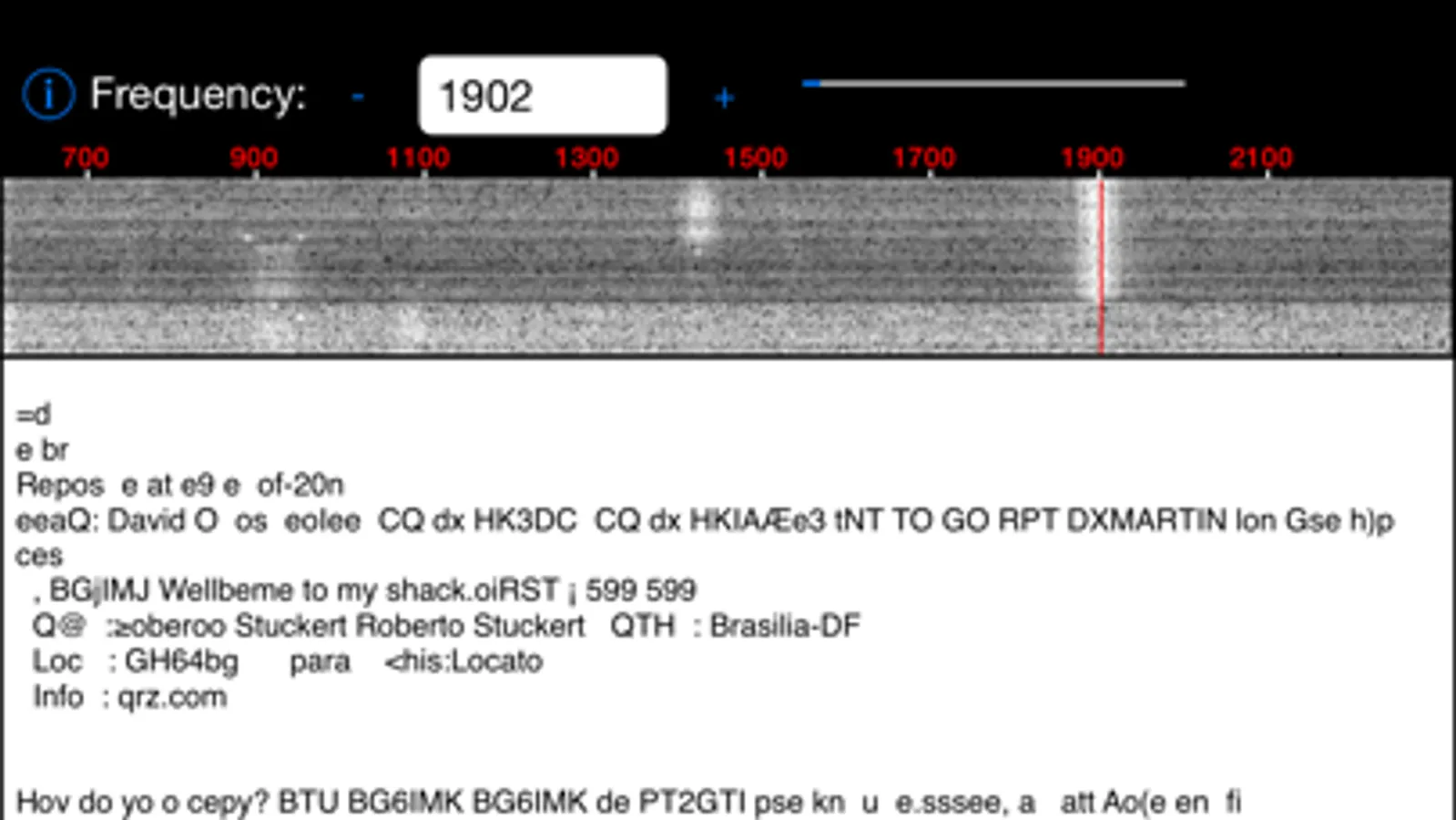
In this app, you can monitor PSK31 transmissions by viewing decoded text and using the spectrum display. Includes features for signal selection and spectrum visualization.
AppRecs review analysis
AppRecs rating 3.3. Trustworthiness 73 out of 100. Review manipulation risk 20 out of 100. Based on a review sample analyzed.
★★★☆☆
3.3
AppRecs Rating
Ratings breakdown
5 star
33%
4 star
27%
3 star
20%
2 star
7%
1 star
13%
What to know
✓
Low review manipulation risk
20% review manipulation risk
✓
Credible reviews
73% trustworthiness score from analyzed reviews
✓
Good user ratings
60% positive sampled reviews
About PSK31
There's a waterfall display of the audio spectrum, showing all of the PSK31 transmission. Tap on a signal, and PSK31 tunes into that transmission.
Get your copy of PSK31 right now, and start decoding and displaying PSK31 transmissions in minutes.
PSK31 Screenshots
Tap to Rate:
Reviews for PSK31
joedom
It does work, but it still needs work...
As I review this app, it appears that PSKer (which frankly has better functionality) has stopped working all together since the developer of that app stopped updating it years ago and now that app doesn’t accept audio input (needs permissions fix to be current with iOS). This app does work, but is a little rough around the edges. I wish it supported landscape mode for the iPad, tagging of waterfalls, and a more intuitive interface. In short, this is all we have for PSK on iOS right now and...at least it works, but still - wish the app would be updated. I’d gladly pay for it. 73, KI4ASK
detnyre
It works, but....
It does work with my Easy Digi by KF5INZ interface. Main problem I have is that you can not change the rotation of the app. I use it with an iPad Pro connected to a keyboard case. The will not display in landscape orientation (sideways), only in portrait mode. This makes the waterfall display small and I have to use the iPad outside of keyboard case. If it would display in landscape orientation with a larger waterfall, then I would use it more.