In this measurement app, you can analyze motion and calculate speed using the camera or synchronized devices. Includes multiple speed tools and distance estimation features.
AppRecs review analysis
AppRecs rating 2.3. Trustworthiness 81 out of 100. Review manipulation risk 20 out of 100. Based on a review sample analyzed.
★★☆☆☆
2.3
AppRecs Rating
Ratings breakdown
5 star
25%
4 star
4%
3 star
5%
2 star
18%
1 star
49%
What to know
✓
Low review manipulation risk
20% review manipulation risk
⚠
Mixed user feedback
Average 2.4★ rating suggests room for improvement
⚠
High negative review ratio
66% of sampled ratings are 1–2 stars
About SpeedClock - Video Radar
The iPhone speed radar - easy-to-use speed measurement in your pocket, anytime, anywhere!
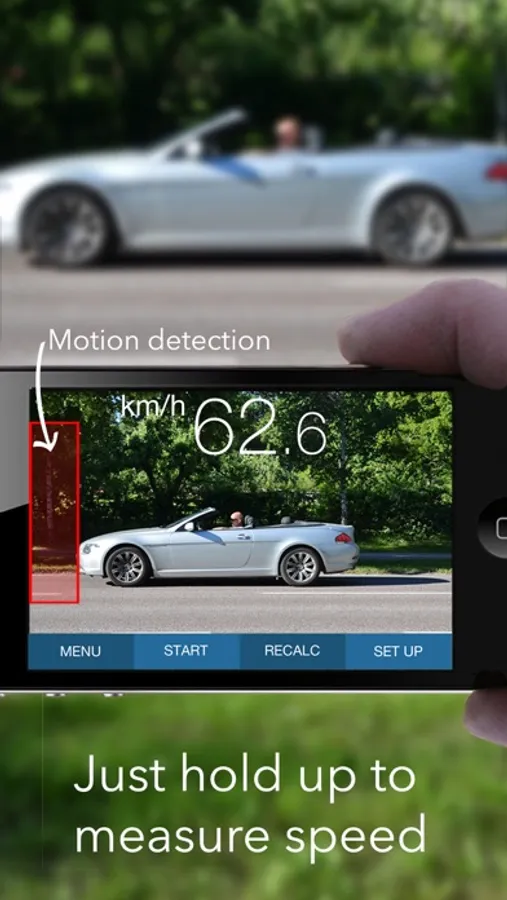
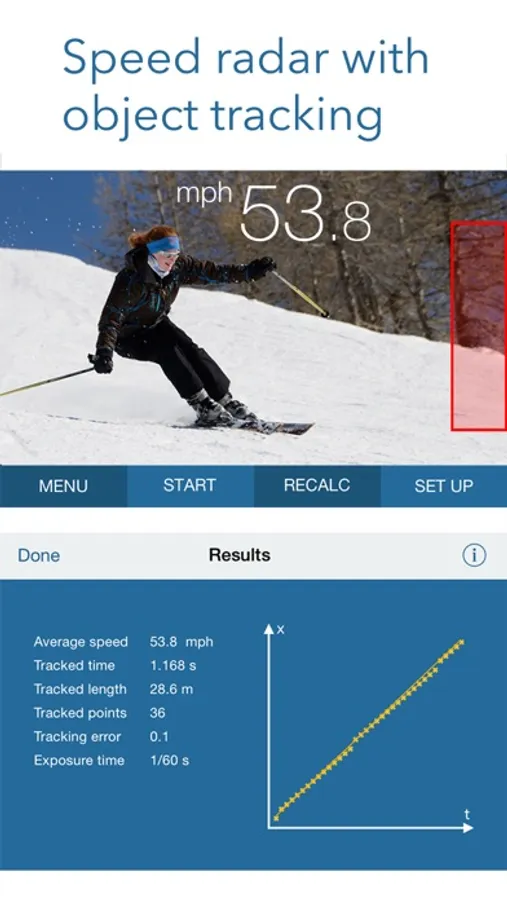
A unique, advanced app designed to easily measure the speed of cars, boats, skaters, skiers, cyclists, animals, models, footballs, tennis serves, etc. The system is based on motion detection, enabling you to track a moving object using a hand-held device alone. SpeedClock includes three separate speed measurement tools and two distance estimation tools.
Speed Radar
SpeedClock uses the camera to detect and analyze motion, and a reference distance to calculate the speed of an object. Define the distance to the object of interest, hold the iPhone still and let the object pass across the the screen. The speed is displayed automatically. SpeedClock is also able to automatically measure the speed and save an image of passing objects. The measurement can be initiated from an Apple Watch and the speed displayed on the watch face.
High Speed Video Recording
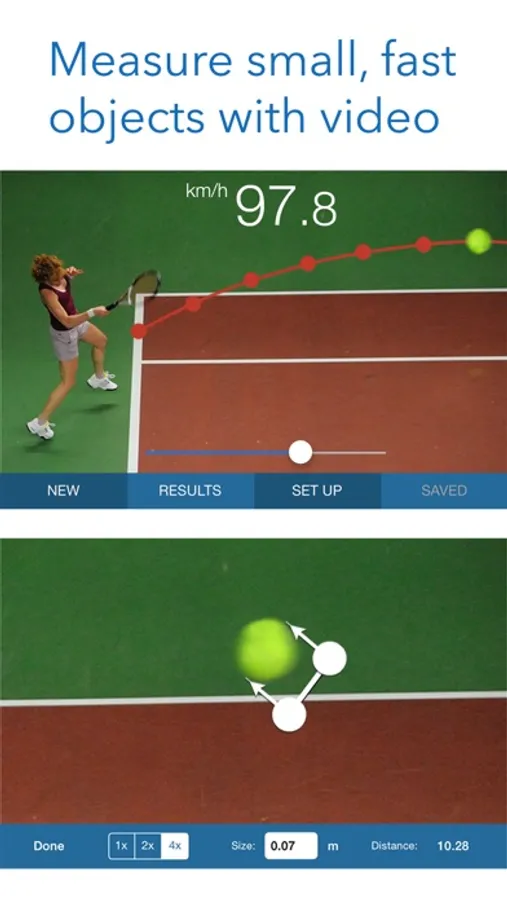
An additional speed tool records and processes a video, which enables SpeedClock to track small, fast object, such as flying balls, that can be difficult to catch with regular motion detection. It also calculates additional parameters like acceleration.
Synchronized Timing Gates
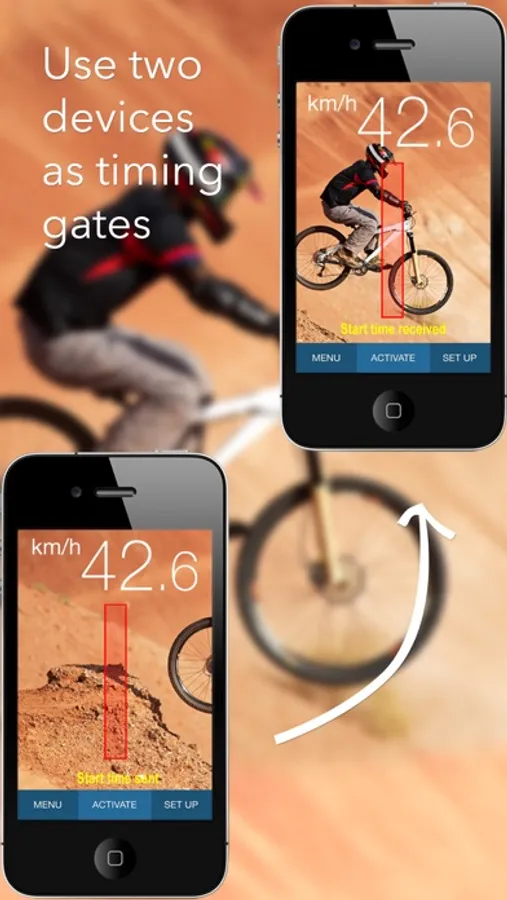
A third speed instrument uses two iPhone/iPads equipped with motion detection to start and stop the timer and measure the speed. The distance between the devices is used as reference, and the speed is calculated based on the time taken by the object to travel between the 'Start' and 'Stop' devices. The time is transmitted wirelessly over WiFi or Bluetooth.
Distance Measurement
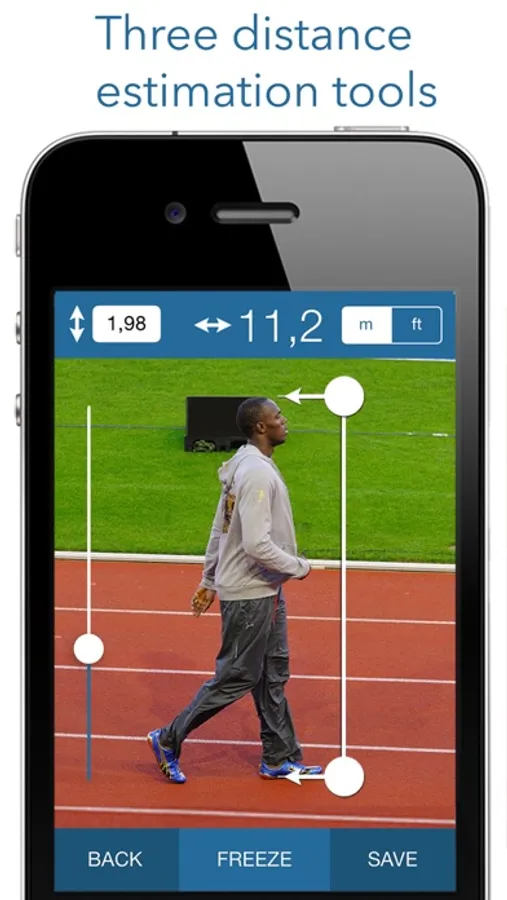
The stadimeter uses the size of a known object, e.g. a car, to calculate the distance. The clinometer uses your own height as reference, along with the angle of the iPhone, to estimate the distance to a point on the ground. The distances obtained from either tool can then be used to calculate the speed.
See a demo video at the application website (www.appmaker.se/speedClock)
ON LINE REVIEWS
“All I can say is, Fantastic”
http://www.madxperts.com/2010/12/03/measure-speed-app-speedclock-iphone-download/
"Wow, how cool is that!"
http://www.ithinkdiff.com/turn-iphone-speed-measuring-gun-speedclock-download/
"You really going to like this app"
dailyappshow.com/speedclock (video)
"A useful utility for anyone needing to measure speed"
appmodo.com/44581/
"Useful, easy to use and quite a bit of fun (4 of 5)"
appvader.com/2011/03/review-speedclock-iphone/
"speedClock is a useful app when you need to check the speed of yourself, or an object for exercise, racing or simple curiosity (4.5 of 5)"
www.cooliphoneipadapps.com/2010/12/speedclock.html
"Astonishing"
iphonelife.com/blog/5/speedclock-velocity-radar-099-app-lets-you-use-camera-measure-speed-objects
"It is a pleasure to use and operate. A nice app for those looking for a open-ended radar gun app."
http://appadvice.com/appguides/show/baseball-radar-gun-apps
A unique, advanced app designed to easily measure the speed of cars, boats, skaters, skiers, cyclists, animals, models, footballs, tennis serves, etc. The system is based on motion detection, enabling you to track a moving object using a hand-held device alone. SpeedClock includes three separate speed measurement tools and two distance estimation tools.
Speed Radar
SpeedClock uses the camera to detect and analyze motion, and a reference distance to calculate the speed of an object. Define the distance to the object of interest, hold the iPhone still and let the object pass across the the screen. The speed is displayed automatically. SpeedClock is also able to automatically measure the speed and save an image of passing objects. The measurement can be initiated from an Apple Watch and the speed displayed on the watch face.
High Speed Video Recording
An additional speed tool records and processes a video, which enables SpeedClock to track small, fast object, such as flying balls, that can be difficult to catch with regular motion detection. It also calculates additional parameters like acceleration.
Synchronized Timing Gates
A third speed instrument uses two iPhone/iPads equipped with motion detection to start and stop the timer and measure the speed. The distance between the devices is used as reference, and the speed is calculated based on the time taken by the object to travel between the 'Start' and 'Stop' devices. The time is transmitted wirelessly over WiFi or Bluetooth.
Distance Measurement
The stadimeter uses the size of a known object, e.g. a car, to calculate the distance. The clinometer uses your own height as reference, along with the angle of the iPhone, to estimate the distance to a point on the ground. The distances obtained from either tool can then be used to calculate the speed.
See a demo video at the application website (www.appmaker.se/speedClock)
ON LINE REVIEWS
“All I can say is, Fantastic”
http://www.madxperts.com/2010/12/03/measure-speed-app-speedclock-iphone-download/
"Wow, how cool is that!"
http://www.ithinkdiff.com/turn-iphone-speed-measuring-gun-speedclock-download/
"You really going to like this app"
dailyappshow.com/speedclock (video)
"A useful utility for anyone needing to measure speed"
appmodo.com/44581/
"Useful, easy to use and quite a bit of fun (4 of 5)"
appvader.com/2011/03/review-speedclock-iphone/
"speedClock is a useful app when you need to check the speed of yourself, or an object for exercise, racing or simple curiosity (4.5 of 5)"
www.cooliphoneipadapps.com/2010/12/speedclock.html
"Astonishing"
iphonelife.com/blog/5/speedclock-velocity-radar-099-app-lets-you-use-camera-measure-speed-objects
"It is a pleasure to use and operate. A nice app for those looking for a open-ended radar gun app."
http://appadvice.com/appguides/show/baseball-radar-gun-apps
SpeedClock - Video Radar Screenshots
Tap to Rate:
Reviews for SpeedClock - Video Radar
ScuffedSdnich
Golf swing
Has trouble tracking specific objects especially if things are close by, don’t recommend for anything more than 60 mph
Andrew9NNN
Фіксація предметів
Дякую хороший додаток але ви могли ще додати таку функцію щоб із багатьох предметів можна було вибрати один предмет і коли він рухається він слідкував за цим предметом?