TwistedWave Audio Editor
TwistedWave Software Ltd.
4.8 ★
902 ratings
$9.99
In this audio editor and recorder, you can record, edit, and apply effects to audio files with precise control. Includes support for various file formats, unlimited undo/redo, and multiple import and export options.
AppRecs review analysis
AppRecs rating 4.5. Trustworthiness 77 out of 100. Review manipulation risk 24 out of 100. Based on a review sample analyzed.
★★★★☆
4.5
AppRecs Rating
Ratings breakdown
5 star
90%
4 star
6%
3 star
2%
2 star
0%
1 star
1%
What to know
✓
Low review manipulation risk
24% review manipulation risk
✓
Credible reviews
77% trustworthiness score from analyzed reviews
✓
High user satisfaction
90% of sampled ratings are 5 stars
About TwistedWave Audio Editor
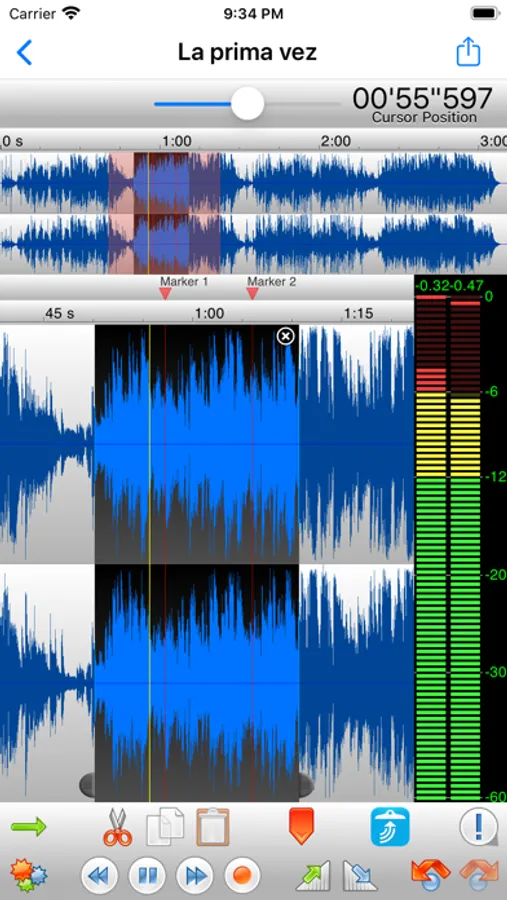
Even when working with huge files, it will remain very fast and fluid, and will never run out of memory.
UNIQUE TO TWISTEDWAVE
• Very fluid, even with very large files
• Unlimited undo / redo history, happens instantly
RECORD AUDIO
• No duration limit other than the available storage
• Up to 24 bit / 96 kHz audio if your audio interface supports it
• Record stereo audio with the built-in microphone (iPhone XS or more recent)
• Record studio quality audio with an external microphone
• Record audio from other music applications with Audiobus
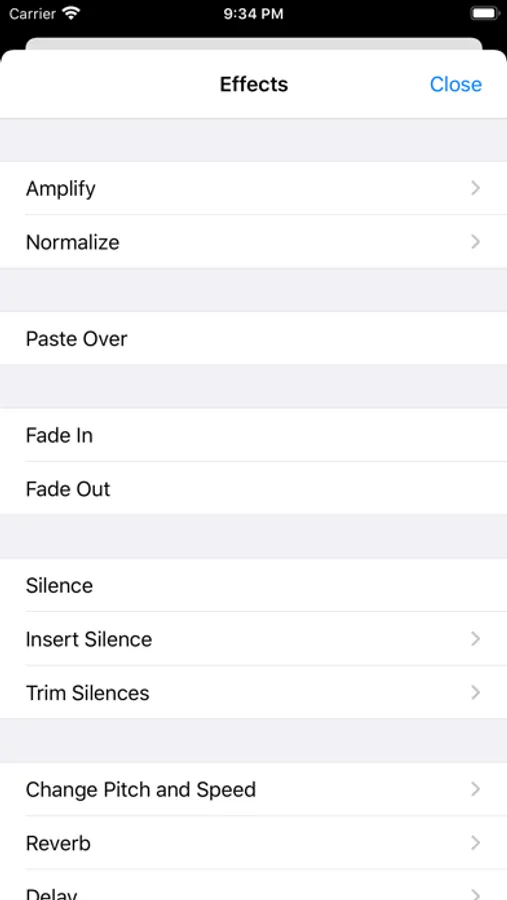
APPLY EFFECTS
• Precision Time Stretching & Pitch Shifting technology licensed from ZTX
• All the AudioUnit extensions (AUv3) available on the App Store can be used with TwistedWave
• Cut, copy / paste audio around
• Fade in / out
• Reverb
• Delay / echo
• Distortion
• Equalizer (parametric, or iPod EQ)
• Dynamics processor, can be used as a compressor or a noise gate
• Peak limiter to amplify audio without causing distortion
• Amplify or normalize the audio to a given level
• Filters (low-pass, high-pass, band-pass, low-shelf, high-shelf)
• Convert the sampling rate (with SoX' very high quality resampler)
• Reverse. Play the file backwards, mostly for fun!
MANY FILE FORMATS SUPPORTED
• WAV
• M4A (AAC or Apple Lossless)
• MP3 (Encoded with the LAME MP3 encoder for the best quality)
• FLAC
• AIFF
• CAF
MANY IMPORT OPTIONS
• Import songs from the music library
• Import files from the Files app
• Import files from an SD card or USB drive, with the right adapter
• Open files sent from other apps
• Browser access, send a file to TwistedWave from a device on the same WiFi network
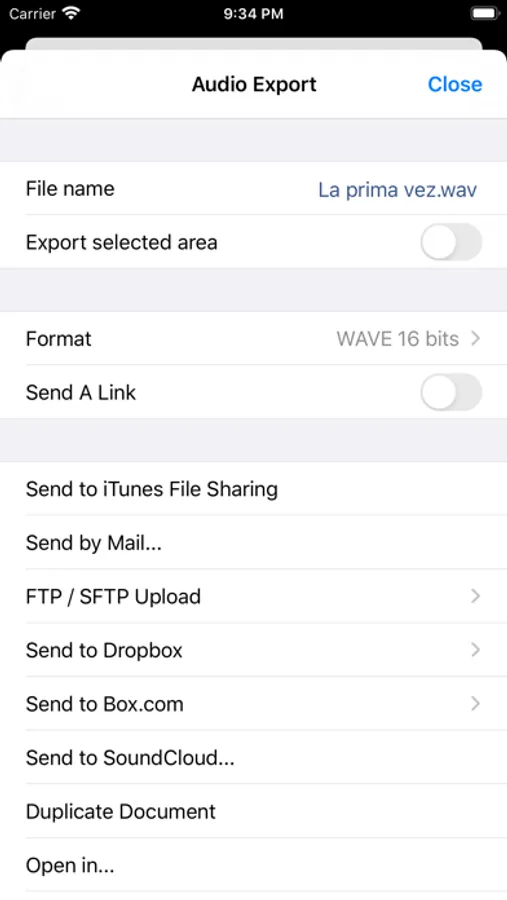
MANY EXPORT OPTIONS
• Send your files by
- iMessage
- SoundCloud
- Dropbox
- AudioCopy
- An FTP or SFTP account
- Any app that accepts audio files
• Export multiple files in a single ZIP file
• Browser access to allow downloading and uploading files from/to TwistedWave
• File too large? Just send a link. (30 days for free on TwistedWave's servers)
BROWSER ACCESS
Connect to the TwistedWave app from a web browser on another device or computer on the same WiFi network, and:
• Play and download the files directly from a browser
• Send files to TwistedWave by drag and dropping them in the browser
TwistedWave Audio Editor Screenshots
Tap to Rate:
Reviews for TwistedWave Audio Editor
Cowgirl wife
Podcast and radio program use
I have used this program for 10 of the twelve years that I have been doing daily recordings. I love how simple it is to use. I have no skills but I can edit with it. I appreciate the quality of the recordings. Thirdly but probably the best is customer service. I have only had two issues in the ten years. Thomas has gotten back to me in a timely fashion and able to fix my problem. Highly recommend this app for your recording needs.
رُقَيةَ
Thank you
Hello, Thank you very much for this wonderful app. I am an iPhone user who relies on VoiceOver ( the screen reader for blind and visually impaired users). While using your app with VoiceOver, I encountered three issues: 1. The VoiceOver gesture used to play/pause media ( two-finger double tap ) does not work inside the app. 2. When I press the option to return to the beginning of the audio , it does not actually go back to the start. 3. The seek bar / progress slider for the audio does not work with VoiceOver, and I cannot control it or change the playback position. I would kindly appreciate it if you could review and fix these issues, as VoiceOver support is very important for blind users. Thank you in advance, and I truly appreciate your efforts