In this network scanning app, you can scan local networks to identify all connected devices and view detailed information. Includes fast scan results, device customization, and options to import and export data.
AppRecs review analysis
AppRecs rating 4.6. Trustworthiness 75 out of 100. Review manipulation risk 23 out of 100. Based on a review sample analyzed.
★★★★☆
4.6
AppRecs Rating
Ratings breakdown
5 star
74%
4 star
14%
3 star
5%
2 star
2%
1 star
6%
What to know
✓
Low review manipulation risk
23% review manipulation risk
✓
Credible reviews
75% trustworthiness score from analyzed reviews
✓
High user satisfaction
88% of sampled ratings are 4+ stars (4.5★ average)
About IP Scanner Ultra
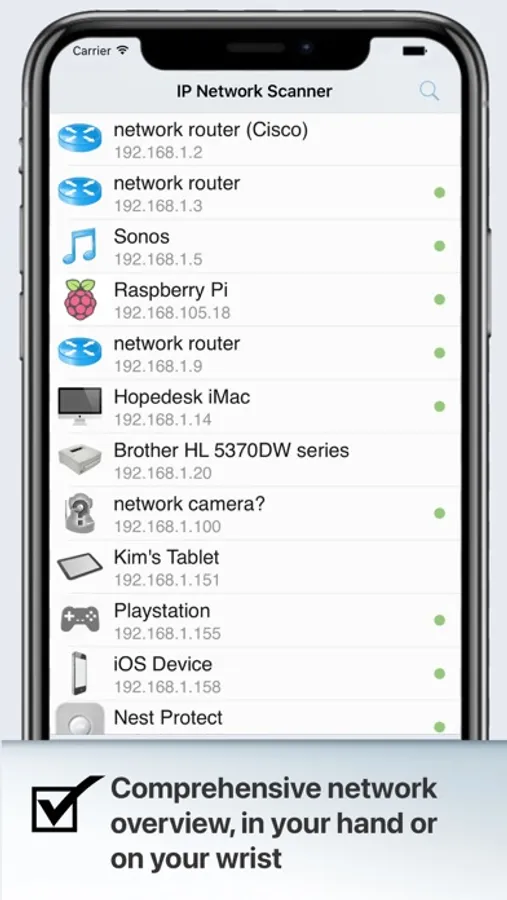
IP Scanner Ultra bundles our award-winning Mac, iPhone and iPad apps together with new Apple TV, Apple Watch and Vision Pro versions - 6 apps in one. Scan your local area network to determine the identity of all machines and internet devices on the LAN. Powerful results, yet easy and intuitive to use. It’s like a level 9 detect devices spell for your network!
Key features:
* Extremely fast scan results
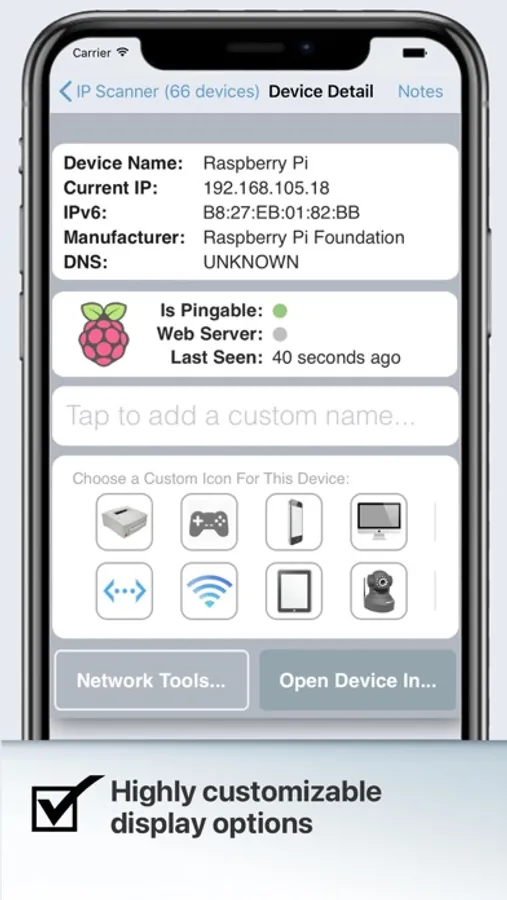
* Customizable results - assign your own names and icons to discovered devices
* Save and consult past scans
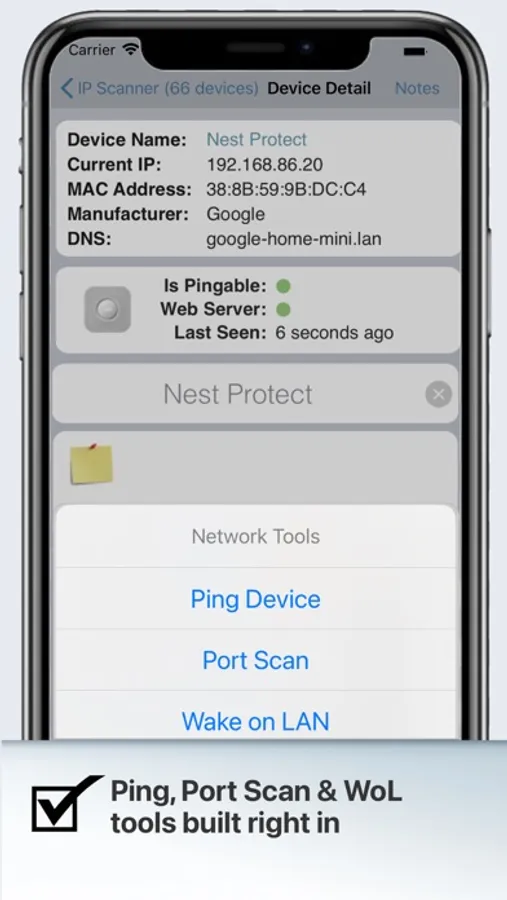
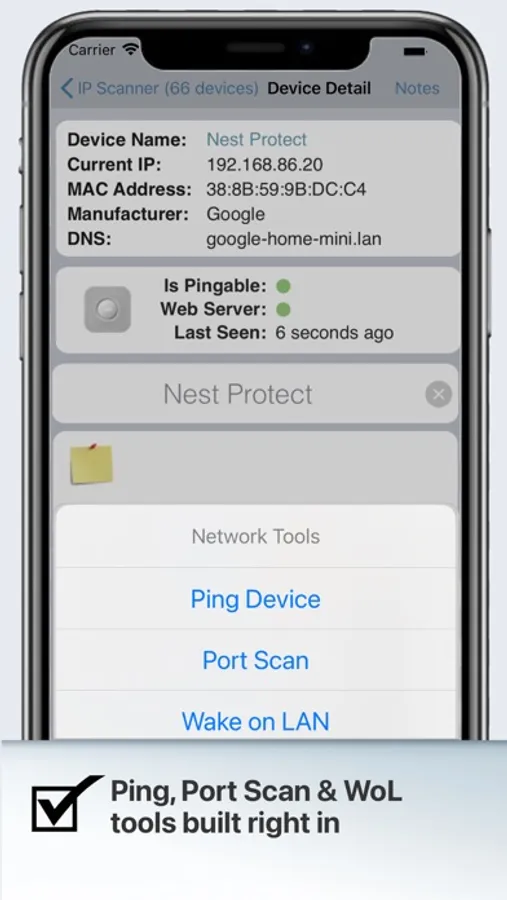
* PING, Wake on LAN and Port Scan tools built right in
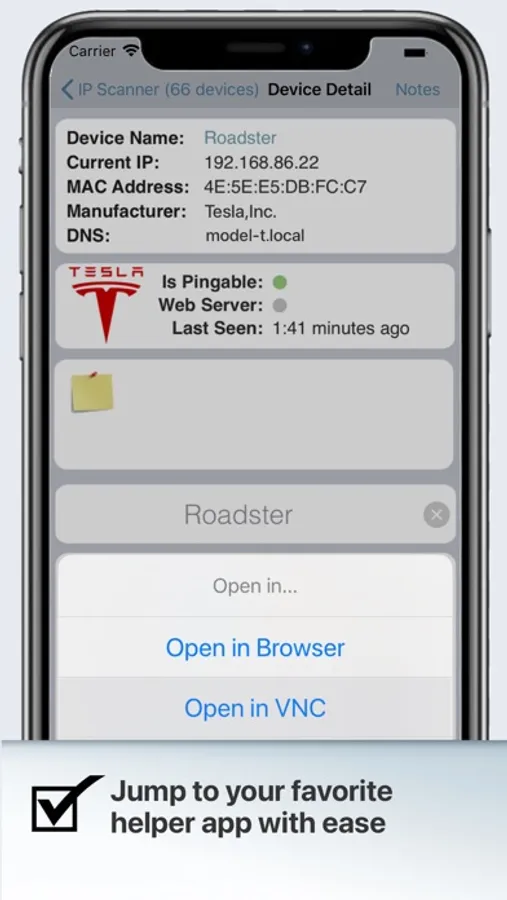
* Option to open a device in browser, VNC or other applications
* Save and import custom device lists, or sync via iCloud
* Sort network list by device name, IP address, MAC address or Last Seen
* System level notifications for newly discovered devices and changes in device state
* Add custom network ranges
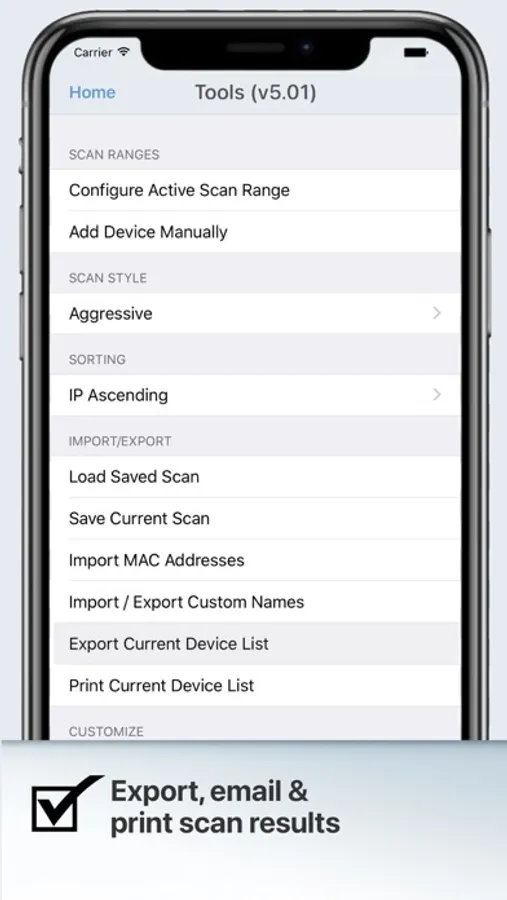
* Import/export scan results via email or bonjour
* Clean, professional design that is super easy to use
Whether you’re a casual home user or a network professional, IP Scanner Ultra is all about customizing the way you view and analyze your network. You may apply custom names and icons to the devices on your network and adjust the type and amount of information you see in the network overview; don't need to see the MAC address column... don't display it! Text too small... make it larger! We also include a whitelist feature that lets you filter out known and trusted devices to reveal new or unexpected ones, a great way to easily identify unwanted network visitors.
IP Scanner Ultra can be used in several primary modes such as:
* A quick overview of which devices are currently on the network, including seeing which devices are actively and passively present
* A “Cumulative Mode” that shows network changes over time, including options to display devices which were once present but now no longer visible.
Still not sure if IP Scanner Ultra does what you need?
* Try it out with our FREE version of IP Scanner available in the App Store for macOS & iOS https://apple.co/3WURLXz
* Check out our FAQs at http://10base-t.com
* Or contact us directly with any questions at hello@10base-t.com - we always love hearing from our customers. We use our own tools daily and strive to make the best possible IP Scanning utility available - let us know what features you’d like to see!
Key features:
* Extremely fast scan results
* Customizable results - assign your own names and icons to discovered devices
* Save and consult past scans
* PING, Wake on LAN and Port Scan tools built right in
* Option to open a device in browser, VNC or other applications
* Save and import custom device lists, or sync via iCloud
* Sort network list by device name, IP address, MAC address or Last Seen
* System level notifications for newly discovered devices and changes in device state
* Add custom network ranges
* Import/export scan results via email or bonjour
* Clean, professional design that is super easy to use
Whether you’re a casual home user or a network professional, IP Scanner Ultra is all about customizing the way you view and analyze your network. You may apply custom names and icons to the devices on your network and adjust the type and amount of information you see in the network overview; don't need to see the MAC address column... don't display it! Text too small... make it larger! We also include a whitelist feature that lets you filter out known and trusted devices to reveal new or unexpected ones, a great way to easily identify unwanted network visitors.
IP Scanner Ultra can be used in several primary modes such as:
* A quick overview of which devices are currently on the network, including seeing which devices are actively and passively present
* A “Cumulative Mode” that shows network changes over time, including options to display devices which were once present but now no longer visible.
Still not sure if IP Scanner Ultra does what you need?
* Try it out with our FREE version of IP Scanner available in the App Store for macOS & iOS https://apple.co/3WURLXz
* Check out our FAQs at http://10base-t.com
* Or contact us directly with any questions at hello@10base-t.com - we always love hearing from our customers. We use our own tools daily and strive to make the best possible IP Scanning utility available - let us know what features you’d like to see!
IP Scanner Ultra Screenshots
Tap to Rate:
Reviews for IP Scanner Ultra
Charlie Buckett
Latest Version, cannot see icons on main display.
Latest Version, cannot see icons on main display. All icons have a yellow triangle with an ! Inside of the triangle. Please fix
Trystero Montevideo
I can’t help binge watching my network lol
It would be great to have a widget version of this app that I can just pin to a wall somewhere!