
AppRecs review analysis
AppRecs rating 1.0. Trustworthiness 73 out of 100. Review manipulation risk 25 out of 100. Based on a review sample analyzed.
★☆☆☆☆
1.0
AppRecs Rating
Ratings breakdown
5 star
58%
4 star
5%
3 star
0%
2 star
0%
1 star
37%
What to know
✓
Low review manipulation risk
25% review manipulation risk
✓
Credible reviews
73% trustworthiness score from analyzed reviews
⚠
Mixed user feedback
Average 1.0★ rating suggests room for improvement
About Metal Detector Professional
Discover Your iPhone's Hidden Power!
Transform your iPhone into a professional metal detector always at your fingertips!
Advanced Technology, Simple to Use
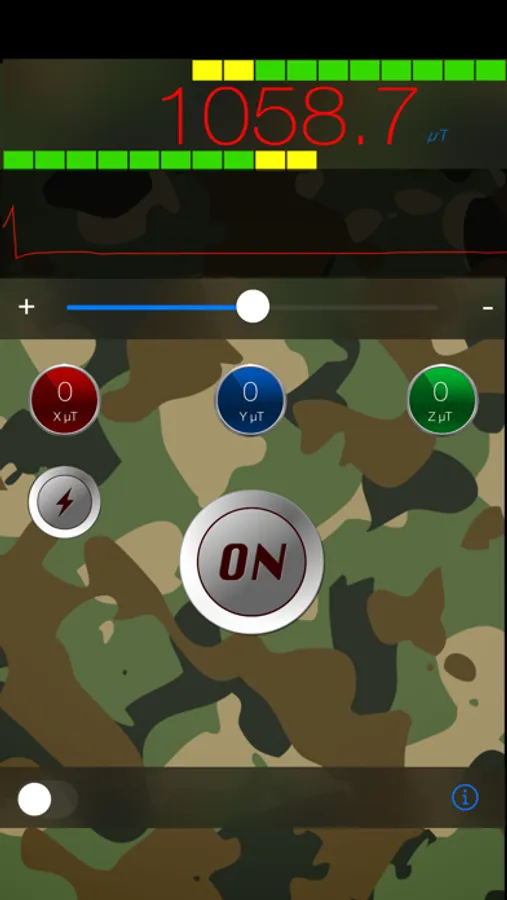
Professional Metal Detector harnesses your iPhone's integrated magnetometer to detect all ferrous metals with surprising precision. Whether you're searching for lost objects, inspecting construction materials, or simply exploring, this app is the perfect tool for you.
How It Works:
Your iPhone's magnetometer (located just above the Apple logo on the back of the device) detects variations in the magnetic field. The closer you get to a ferrous metal or a magnet, the higher the on-screen indicator rises, giving you immediate and precise feedback (naturally, in the ground or in walls it doesn't reach beyond 0.8-1.2 inches depth, while with magnets it can reach up to 2-2.4 inches).
Key Features:
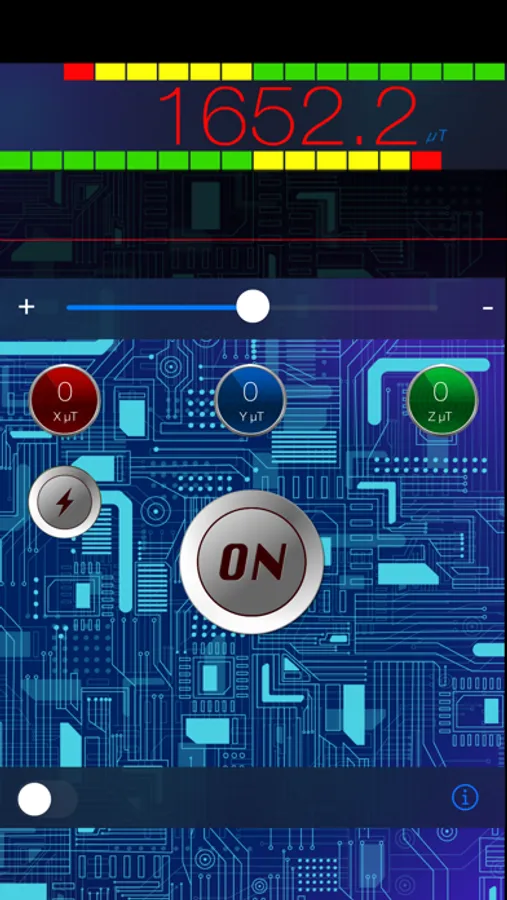
- Professional Interface - Intuitive and easy-to-read design.
- Ability to enable/disable sounds, vibration, and change app colors and themes!
- Ability to turn on the flashlight directly from the app if you're in dark environments
- Precise Detection - Technology based on Apple's magnetometer
- Instant Use - No complex calibration required
- Versatile - Perfect for hobbyists, professionals, and home use
Ideal For:
- Finding nails in wooden boards or drywall (maximum 0.8 inches depth)
- Locating metal studs during renovation work
- Searching for lost metal objects
- Educational and demonstration activities
Download Professional Metal Detector now and always carry a professional detection laboratory with you!
Note: Detection effectiveness depends on the ferrous content of objects. Non-ferrous metals (such as gold, silver, aluminum) may not be detected.
Support: info@andysoft.it
Transform your iPhone into a professional metal detector always at your fingertips!
Advanced Technology, Simple to Use
Professional Metal Detector harnesses your iPhone's integrated magnetometer to detect all ferrous metals with surprising precision. Whether you're searching for lost objects, inspecting construction materials, or simply exploring, this app is the perfect tool for you.
How It Works:
Your iPhone's magnetometer (located just above the Apple logo on the back of the device) detects variations in the magnetic field. The closer you get to a ferrous metal or a magnet, the higher the on-screen indicator rises, giving you immediate and precise feedback (naturally, in the ground or in walls it doesn't reach beyond 0.8-1.2 inches depth, while with magnets it can reach up to 2-2.4 inches).
Key Features:
- Professional Interface - Intuitive and easy-to-read design.
- Ability to enable/disable sounds, vibration, and change app colors and themes!
- Ability to turn on the flashlight directly from the app if you're in dark environments
- Precise Detection - Technology based on Apple's magnetometer
- Instant Use - No complex calibration required
- Versatile - Perfect for hobbyists, professionals, and home use
Ideal For:
- Finding nails in wooden boards or drywall (maximum 0.8 inches depth)
- Locating metal studs during renovation work
- Searching for lost metal objects
- Educational and demonstration activities
Download Professional Metal Detector now and always carry a professional detection laboratory with you!
Note: Detection effectiveness depends on the ferrous content of objects. Non-ferrous metals (such as gold, silver, aluminum) may not be detected.
Support: info@andysoft.it
Metal Detector Professional Screenshots
Tap to Rate:
Reviews for Metal Detector Professional
DidgeDoctor
Doesn't work with iPhone 6 plus
Very inconsistent readings. Compass calibration screen appeared out of nowhere after 5 min use. No useful documentation. Author's website under construction.
gigi caliendo
Beautifull
beautifull graphics, work very well on my iPhone 4s, great work