AppRecs review analysis
AppRecs rating 3.1. Trustworthiness 75 out of 100. Review manipulation risk 23 out of 100. Based on a review sample analyzed.
★★★☆☆
3.1
AppRecs Rating
Ratings breakdown
5 star
30%
4 star
19%
3 star
13%
2 star
6%
1 star
32%
What to know
✓
Low review manipulation risk
23% review manipulation risk
✓
Credible reviews
75% trustworthiness score from analyzed reviews
About Peanut Remote for TiVo DVR
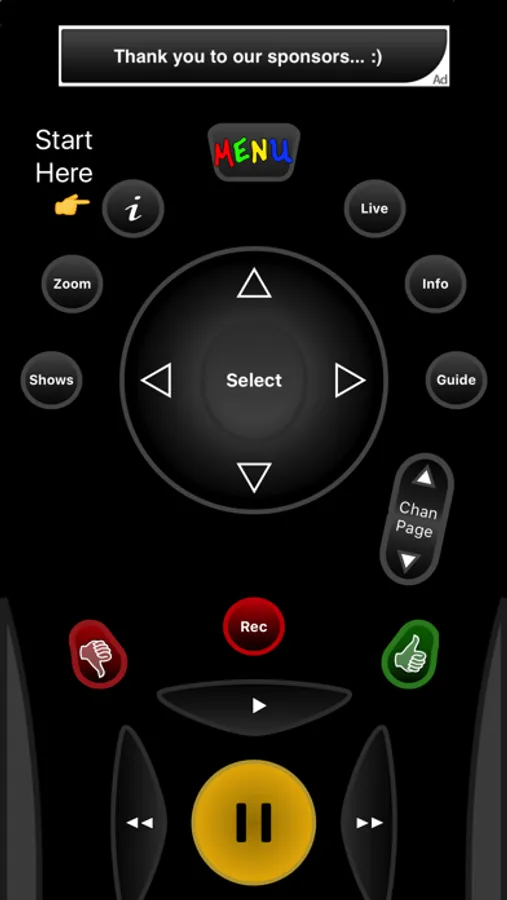
Peanut is a simple remote control for your favorite DVR.
Features
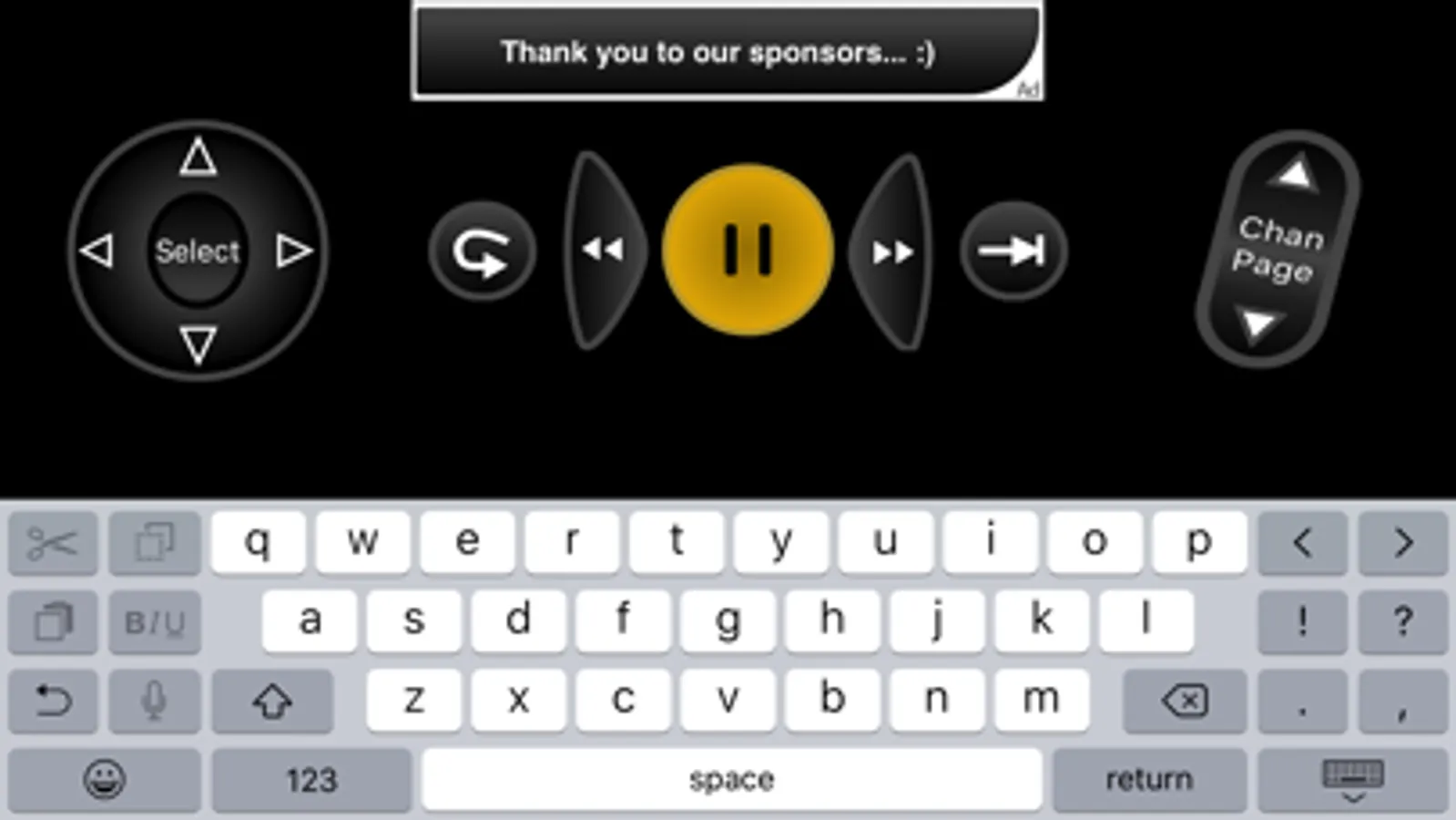
- Classic design works just like you'd expect!
- Rotate the device for a full QWERTY Keyboard (not all DVR text entry screens support keyboard entry. Make sure your device does not have the rotation lock engaged.)
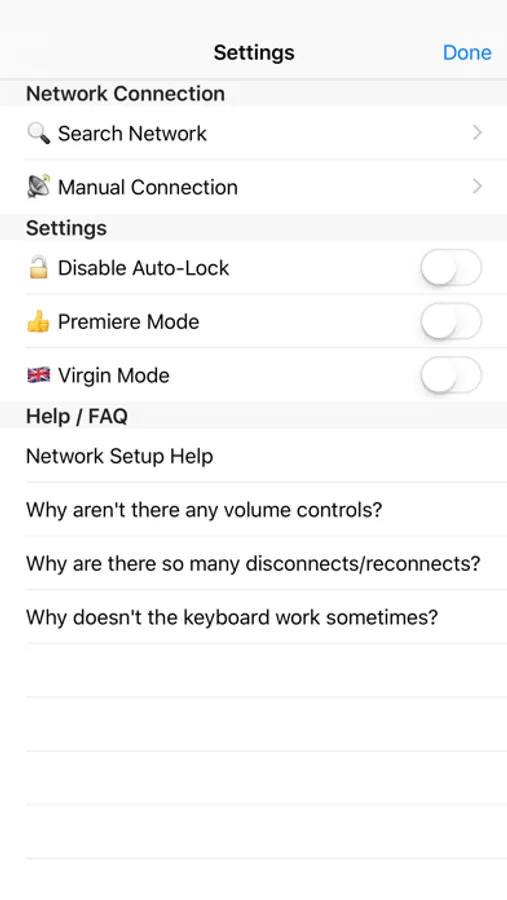
- Automatic DVR discovery using Bonjour or manual connection using IP and port.
- "Premiere" mode for the Premiere and later DVRs that use a different set of remote codes for the keyboard that (should) improve keyboard support on these DVR models.
Note that some functions, such as TV power and volume cannot be controlled by Peanut. These functions are actually for your television and not the TiVo itself. There is no software mechanism in the DVR for retransmitting these commands from the DVR to your TV or other devices. While it might be possible to do this with an add-on bit of hardware or iOS accessory, it is not possible with the stock hardware at this time.
TiVo Series 3 or Later required. (Does not work on 1st or 2nd Generation DVRs.)
Please enable the "Network Remote Control" feature on your TiVo, and make sure both the TiVo and your iOS device are on the same network. Then use the "Info" button to search your network for DVRs broadcasting for remote control. (The "i" button in the upper right of Peanut's remote control takes you to the app's settings)
If you have any problems, please contact the support email address.
TiVo and the TiVo logo are registered trademarks of TiVo Inc. and its subsidiaries worldwide. This application is not endorsed by TiVo.
Features
- Classic design works just like you'd expect!
- Rotate the device for a full QWERTY Keyboard (not all DVR text entry screens support keyboard entry. Make sure your device does not have the rotation lock engaged.)
- Automatic DVR discovery using Bonjour or manual connection using IP and port.
- "Premiere" mode for the Premiere and later DVRs that use a different set of remote codes for the keyboard that (should) improve keyboard support on these DVR models.
Note that some functions, such as TV power and volume cannot be controlled by Peanut. These functions are actually for your television and not the TiVo itself. There is no software mechanism in the DVR for retransmitting these commands from the DVR to your TV or other devices. While it might be possible to do this with an add-on bit of hardware or iOS accessory, it is not possible with the stock hardware at this time.
TiVo Series 3 or Later required. (Does not work on 1st or 2nd Generation DVRs.)
Please enable the "Network Remote Control" feature on your TiVo, and make sure both the TiVo and your iOS device are on the same network. Then use the "Info" button to search your network for DVRs broadcasting for remote control. (The "i" button in the upper right of Peanut's remote control takes you to the app's settings)
If you have any problems, please contact the support email address.
TiVo and the TiVo logo are registered trademarks of TiVo Inc. and its subsidiaries worldwide. This application is not endorsed by TiVo.
Peanut Remote for TiVo DVR Screenshots
Tap to Rate:
Reviews for Peanut Remote for TiVo DVR
EngineerUser
Thank you for the app!
Thank you for developing this app because it works much better than the official TiVo app. And to offer that app for free is very generous of you to do that. Thanks again!
jr23100
Great App
I have tried many remote TiVo apps and this one is the best. Even better than actual hand held remote. Dev I appreciate your work, thanks