With this app, you can quickly check if your headphones are on the correct side by selecting left or right test audio. Includes voice prompts, screen dimming, and support for pausing other audio.
AppRecs review analysis
AppRecs rating 4.6. Trustworthiness 68 out of 100. Review manipulation risk 31 out of 100. Based on a review sample analyzed.
★★★★☆
4.6
AppRecs Rating
Ratings breakdown
5 star
83%
4 star
6%
3 star
5%
2 star
0%
1 star
6%
What to know
✓
High user satisfaction
83% of sampled ratings are 5 stars
✓
Authentic reviews
No red flags detected
About Headphone Check
Simple, quick, and easy to use + free.
Imagine the situation: you’ve just put your headphones on and turned the light out to go to sleep. Or you’ve just set off walking somewhere with your coat and hat on.
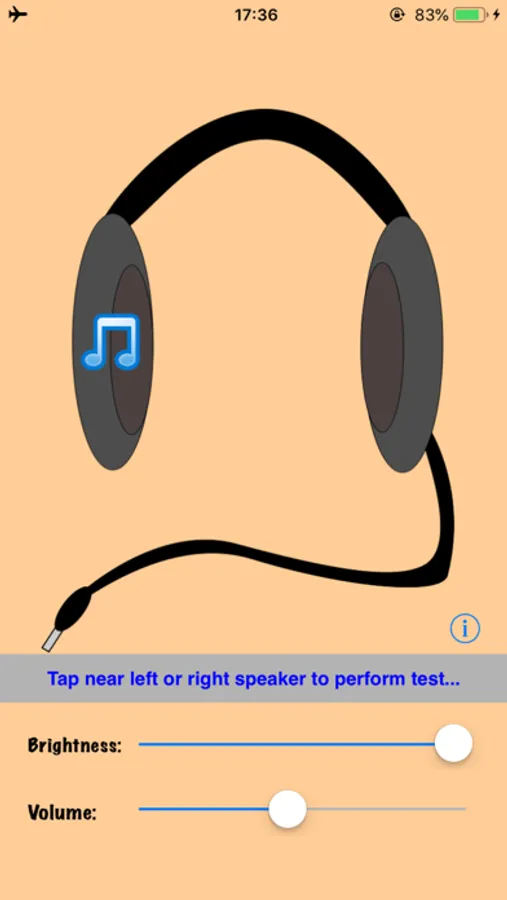
How can you quickly and easily check you’ve put your headphones on correctly? Simply start this app and tap the appropriate speaker on screen to play a left or right test message.
Already playing other music/audio? It will be paused when the app opens. You can also darken the screen if it’s too bright.
With thanks to Mike Itashiki, of www.itashiki.com for the test message narration.
Headphone Check Screenshots
Tap to Rate:
Reviews for Headphone Check
Gravity438
It serves its purpose.
It plays audio so you can hear if your headphones are backwards or, your earbuds are on the wrong ear. The app does have advertisements at the top however, the advertisements are small and is not really distracting. 5/5. The app serves its purpose without any catch (besides the small advertisement at the top but, it is very minor.)
Blueberry And Iris+
Not only for headphones
It also works on your phone speakers. Pretty useful if you need it! Just please make it more complex. It would be a better app. Overall pretty good!