AudibleSpeed (GPS Speed Monitor) - Express Edition
Elena Chiorsac
3.0 ★
rating
Free
AppRecs review analysis
AppRecs rating 3.0. Trustworthiness 75 out of 100. Review manipulation risk 25 out of 100. Based on a review sample analyzed.
★★★☆☆
3.0
AppRecs Rating
Ratings breakdown
5 star
33%
4 star
0%
3 star
0%
2 star
0%
1 star
67%
What to know
✓
Low review manipulation risk
25% review manipulation risk
✓
Credible reviews
75% trustworthiness score from analyzed reviews
About AudibleSpeed (GPS Speed Monitor) - Express Edition
AudibleSpeed (GPS Speed Monitor) provides CONTINUOUS AUDIBLE MONITORING of your current speed at all times!!
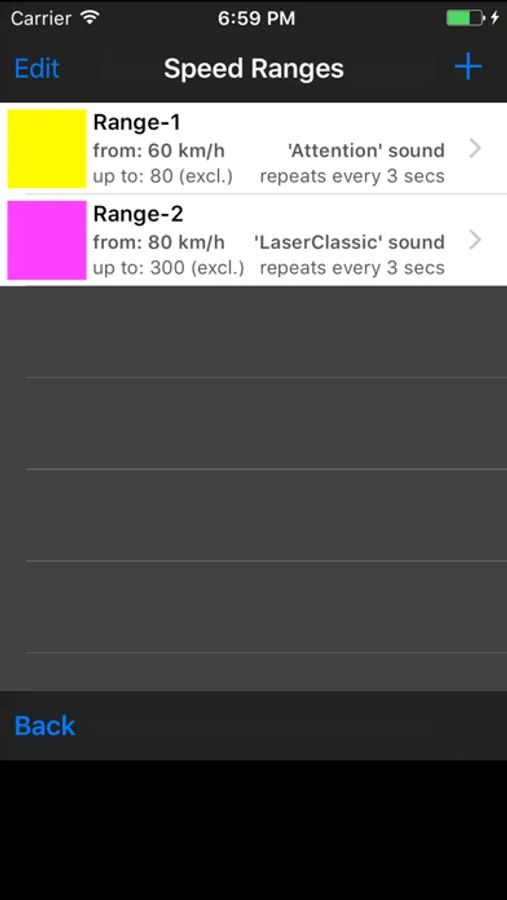
This utility app allows you to define one or more Speed Ranges and associate each range with a sound effect and a color code (any RGB color).
*** NOTE: The Express Edition includes the full functionality of the AudibleSpeed (GPS Speed Monitor) app, but only allows to define up to 3 speed ranges. ***
It will then track your speed using your iPhone's GPS unit (built-in in all iPhone 3G/3GS models) and will:
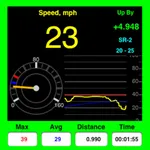
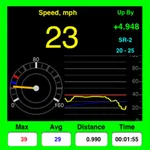
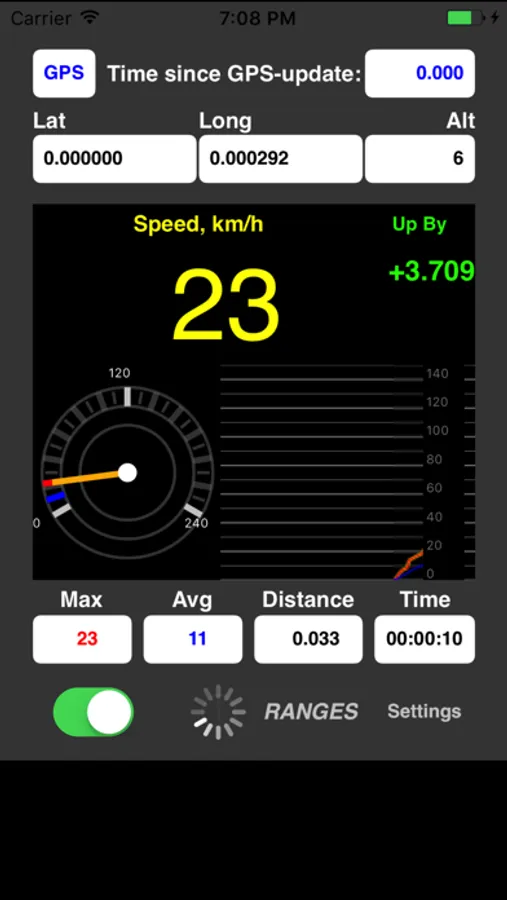
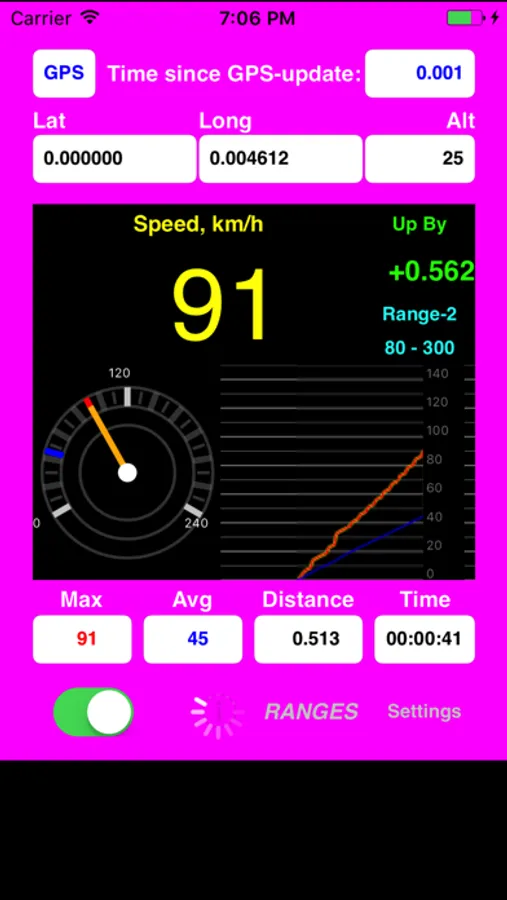
- display the current speed in digital and analogue ("speedometer") formats, as well as plot a graph chart (covering the last 80 seconds);
- play the associated sound effect whenever your current speed enters a defined range;
- (optionally) replay the sound effect repeatedly with a specified interval as long as your speed stays within that range (this is configurable individually for each range);
- change the screen frame/background color to the color associated with that range;
- display the range name (or associated sound effect name if range name is left blank) and some other parameters;
- it also tracks and displays the MAX and AVG speed for the session, as well as time and distance traveled.
When the GPS satellites signal is unavailable (e.g., inside tunnels, between skyscrapers, under big bridges, indoors, etc) and/or GPS speed data becomes "stale" (older than 5 seconds) it will play a warning "beep" sound and flash the frame/background color black and white.
NOTE:
On the very first use (once-off), it will guide you through:
- a warning/disclaimer screen (please read carefully),
- then the Settings screen - where you can choose your speed measurement units (MPH, KM/H, etc),
- and then it will then create a set of sample speed ranges with values that best illustrate the concept taking into account the speed measurement units selected in Settings (you can later modify or delete these sample ranges - just as if they were your own created by you).
NOTE:
Because this app uses the GPS unit to obtain speed data, it must be allowed to access "Location Services" when prompted to do so.
Also "Location Services" must be turned "ON" and the "Airplane Mode" must be "OFF" in the iPhone's standard "Settings" page.
Besides using the GPS data to determine current speed, this app is also retrieving and displaying your current Long, Lat and Alt, but it is NOT actually "tracking" your location as such - i.e. it does not store or report or make any use of Long/Lat/Alt data other than displaying on screen and calculating the distance between previous and current location point (to aggregate total distance traveled).
CONTENT FEATURE:
It comes prepackaged with 90 thoughtfully hand-picked sound effects to choose from.
*** YOU CAN EVEN ADD YOUR OWN SOUND EFFECTS BY FOLLOWING THE STEPS DESCRIBED AT:
http://audiblespeed.okapps.net/faq
CREDITS:
Used FREE sound samples from freesound.org.
Special thanks to individual contributors - see http://www.freesound.org/usersAttribution.php?id=1281637&format=html
IMPORTANT - PLEASE READ:
Continued use of GPS running in the background can dramatically decrease battery life.
(Therefore, if this app is used in a vehicle, we highly recommend that you plug your iPhone into a compatible in-car charger or charging cradle/dock.)
*** This application is provided for informational and entertainment purposes only.
The consumer-grade GPS technology (like the one found in iPhone 3G/3GS or any other GPS-enabled phones) has substantial inherent limitations regarding its availability, accuracy and reliability - especially in regards to speed data.
Therefore it can not and MUST NOT be used for primary navigation.
**** DO NOT ATTEMPT TO CONFIGURE THE SOFTWARE OR INPUT INFORMATION WHILE DRIVING!! ****
SUPPORT & FEEDBACK:
http://audiblespeed.okapps.net
Also via TWITTER: @okApps
This utility app allows you to define one or more Speed Ranges and associate each range with a sound effect and a color code (any RGB color).
*** NOTE: The Express Edition includes the full functionality of the AudibleSpeed (GPS Speed Monitor) app, but only allows to define up to 3 speed ranges. ***
It will then track your speed using your iPhone's GPS unit (built-in in all iPhone 3G/3GS models) and will:
- display the current speed in digital and analogue ("speedometer") formats, as well as plot a graph chart (covering the last 80 seconds);
- play the associated sound effect whenever your current speed enters a defined range;
- (optionally) replay the sound effect repeatedly with a specified interval as long as your speed stays within that range (this is configurable individually for each range);
- change the screen frame/background color to the color associated with that range;
- display the range name (or associated sound effect name if range name is left blank) and some other parameters;
- it also tracks and displays the MAX and AVG speed for the session, as well as time and distance traveled.
When the GPS satellites signal is unavailable (e.g., inside tunnels, between skyscrapers, under big bridges, indoors, etc) and/or GPS speed data becomes "stale" (older than 5 seconds) it will play a warning "beep" sound and flash the frame/background color black and white.
NOTE:
On the very first use (once-off), it will guide you through:
- a warning/disclaimer screen (please read carefully),
- then the Settings screen - where you can choose your speed measurement units (MPH, KM/H, etc),
- and then it will then create a set of sample speed ranges with values that best illustrate the concept taking into account the speed measurement units selected in Settings (you can later modify or delete these sample ranges - just as if they were your own created by you).
NOTE:
Because this app uses the GPS unit to obtain speed data, it must be allowed to access "Location Services" when prompted to do so.
Also "Location Services" must be turned "ON" and the "Airplane Mode" must be "OFF" in the iPhone's standard "Settings" page.
Besides using the GPS data to determine current speed, this app is also retrieving and displaying your current Long, Lat and Alt, but it is NOT actually "tracking" your location as such - i.e. it does not store or report or make any use of Long/Lat/Alt data other than displaying on screen and calculating the distance between previous and current location point (to aggregate total distance traveled).
CONTENT FEATURE:
It comes prepackaged with 90 thoughtfully hand-picked sound effects to choose from.
*** YOU CAN EVEN ADD YOUR OWN SOUND EFFECTS BY FOLLOWING THE STEPS DESCRIBED AT:
http://audiblespeed.okapps.net/faq
CREDITS:
Used FREE sound samples from freesound.org.
Special thanks to individual contributors - see http://www.freesound.org/usersAttribution.php?id=1281637&format=html
IMPORTANT - PLEASE READ:
Continued use of GPS running in the background can dramatically decrease battery life.
(Therefore, if this app is used in a vehicle, we highly recommend that you plug your iPhone into a compatible in-car charger or charging cradle/dock.)
*** This application is provided for informational and entertainment purposes only.
The consumer-grade GPS technology (like the one found in iPhone 3G/3GS or any other GPS-enabled phones) has substantial inherent limitations regarding its availability, accuracy and reliability - especially in regards to speed data.
Therefore it can not and MUST NOT be used for primary navigation.
**** DO NOT ATTEMPT TO CONFIGURE THE SOFTWARE OR INPUT INFORMATION WHILE DRIVING!! ****
SUPPORT & FEEDBACK:
http://audiblespeed.okapps.net
Also via TWITTER: @okApps
AudibleSpeed (GPS Speed Monitor) - Express Edition Screenshots


Tap to Rate:
Reviews for AudibleSpeed (GPS Speed Monitor) - Express Edition
crimea73
It works well.
Not fancy. Works well. I like it and use all the time.
USForces
Clumsy
Very bad interface and stupid way of adding max of 3 ranges after which you must pay in order to add more. Tested and removed.