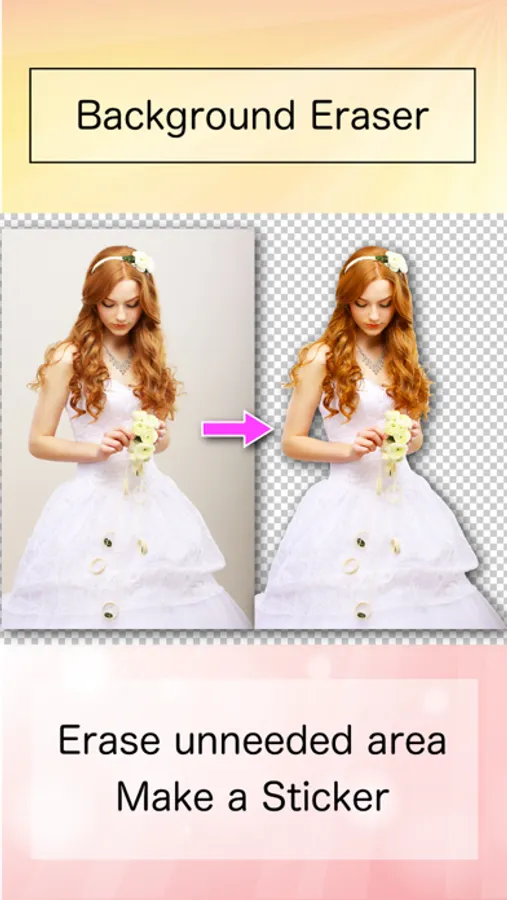
In this photo editing app, you can remove backgrounds from images using automatic and edge detection tools. Includes background removal, transparency options, and support for PNG and JPEG formats.
AppRecs review analysis
AppRecs rating 4.4. Trustworthiness 69 out of 100. Review manipulation risk 26 out of 100. Based on a review sample analyzed.
★★★★☆
4.4
AppRecs Rating
Ratings breakdown
5 star
90%
4 star
6%
3 star
2%
2 star
0%
1 star
1%
What to know
✓
Low review manipulation risk
26% review manipulation risk
✓
High user satisfaction
90% of sampled ratings are 5 stars
⚠
Low-content positive reviews
Many 5-star reviews use very limited vocabulary
About Background Eraser Pro
◇ Use the results as stickers in other apps, such as PhotoLayers, for photomontage, collage, and composite photos.
◇ This is the paid, ad-free version.
◇◇◇ Features ◇◇◇
◇ Automatic AI cutout for background transparent images.
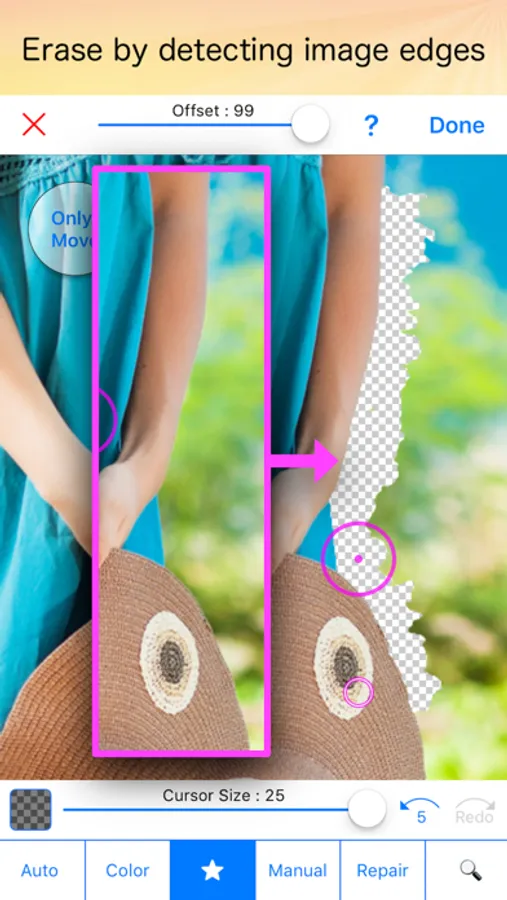
◇ “Star” mode
- Detects image edges to erase more easily and accurately.
◇ “Auto” mode
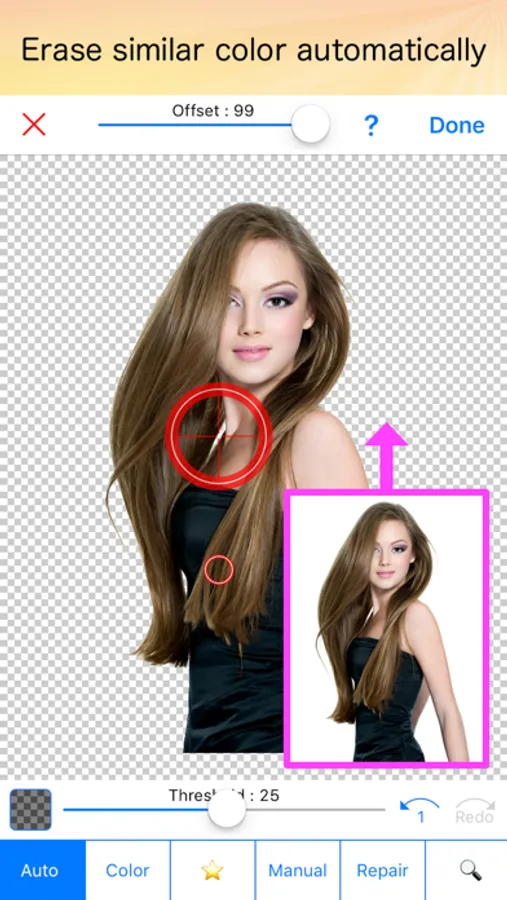
- Erases similar pixels automatically.
Accurate background transparent cutouts are essential when you want to superimpose photos and create high-quality composite photos.
This app helps you make clean cutouts quickly and easily.
Background Eraser Pro Screenshots

Tap to Rate:
Reviews for Background Eraser Pro
Skullyann
Review
I like that it comes with a bundle. It is simple for you to understand and use. I used to use another app where you could layer and stuff but they wanted almost $13 every month I was looking for an app or a bundle that I could pay for a one time fee so I can save money. It works pretty well. Gets the job done and the bundle with the extra things is also nice.
Kennedy Kingman III
Best app
Ever!