
In this banking app, you can view account balances, transfer funds, and set up automatic payments. Includes account management, bill payments, mobile top-ups, and security features.
AppRecs review analysis
AppRecs rating 4.4. Trustworthiness 0 out of 100. Review manipulation risk 0 out of 100. Based on a review sample analyzed.
★★★★☆
4.4
AppRecs Rating
Ratings breakdown
5 star
91%
4 star
6%
3 star
1%
2 star
0%
1 star
1%
What to know
✓
High user satisfaction
91% of sampled ratings are 5 stars
About BNZ Mobile
Manage your money on the go with the BNZ app. Check your account balances, transfer money, top up your prepay mobile, and more.
KNOW YOUR MONEY
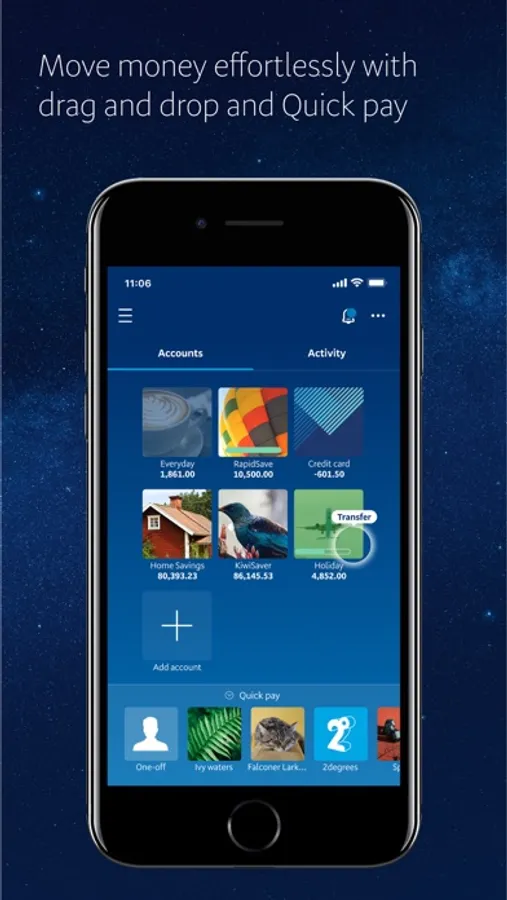
• View account balances and transaction history
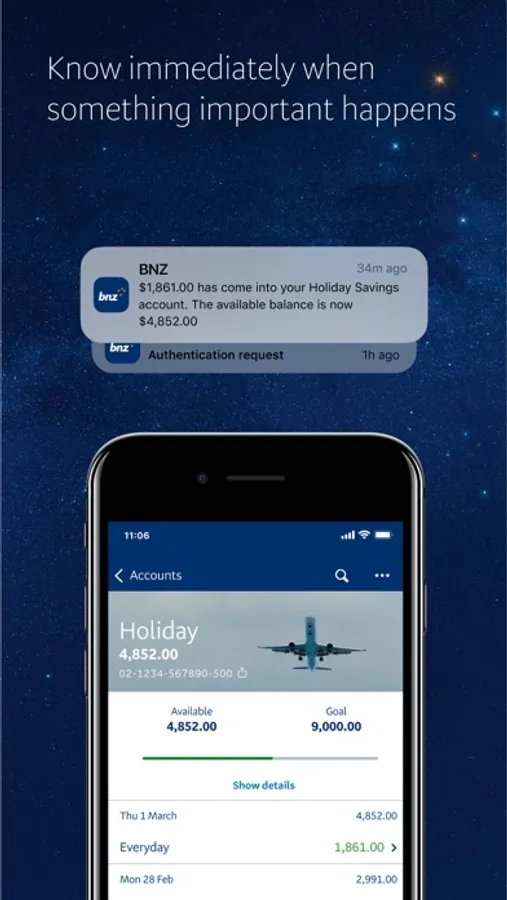
• Set goals and follow your progress
• Personalise your accounts with images
• Set up push notifications for money in and out, and account balance alerts
• Turn on instant balances to view account balances without logging in
• View your accounts in list or grid view
MANAGE YOUR MONEY
• Transfer money between your accounts
• Pay your bills, credit card, or IRD
• Make one-off payments
• Open and close accounts instantly with YouMoney
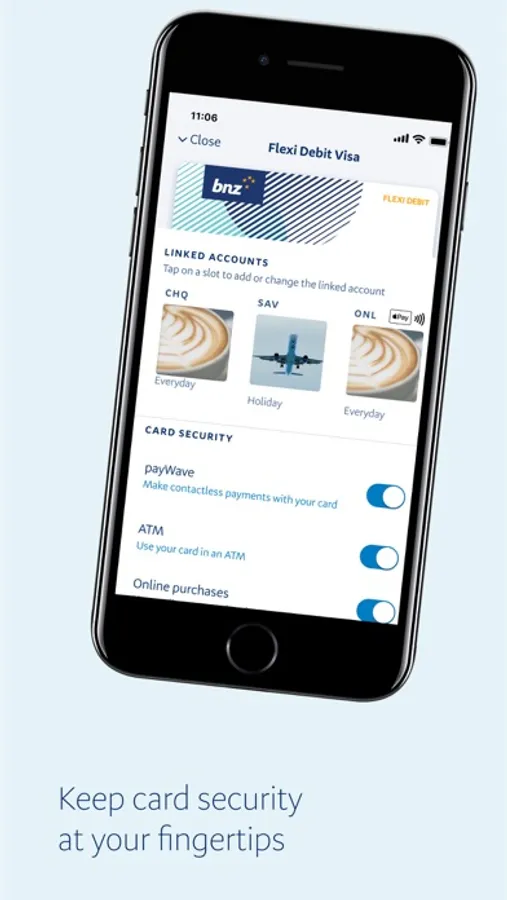
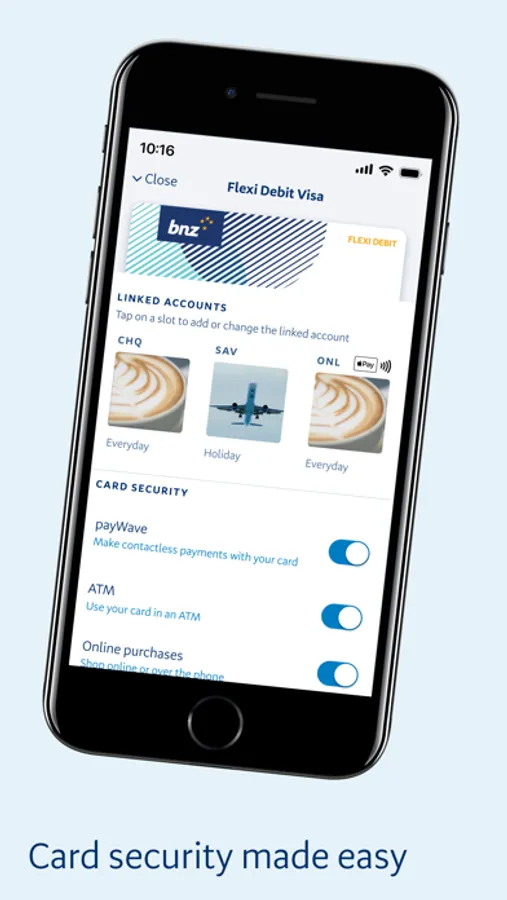
• Link accounts to your Eftpos, Flexi Debit Visa, or credit card
• Add/edit payees and view payment history
• Set up, edit and delete automatic payments
EXTRA SERVICES
• Top up One NZ, Spark, Skinny and 2degrees prepaid mobile
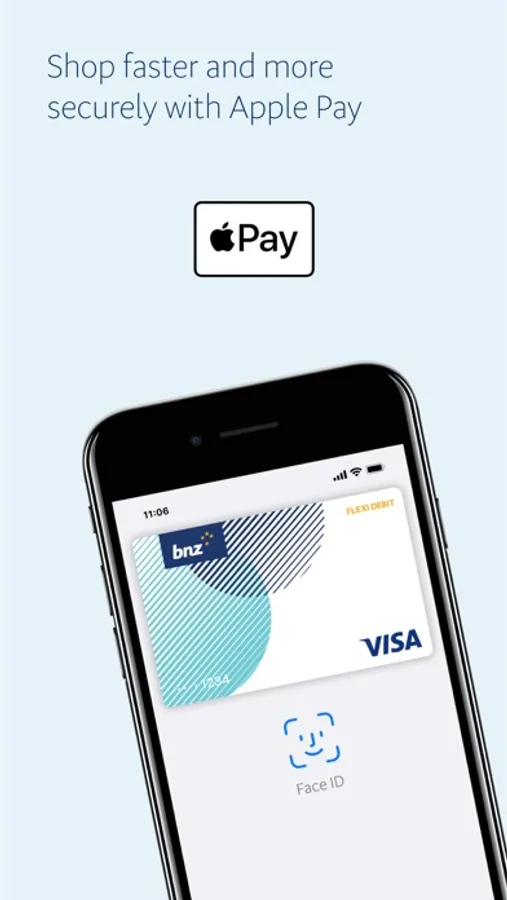
• Get Apple Pay and pay with your phone
GET IN TOUCH
• Message our virtual assistant
• Find the nearest BNZ branches and ATMs
• View our contact phone numbers
• Request a call
APPLY ONLINE
• Apply for a Flexi Debit Visa or credit card
• Apply for loans or insurances
• Join the BNZ KiwiSaver Scheme
SECURE BANKING
• Set up a personal 5-digit PIN or
• Log in with your Internet Banking password
• Touch ID and Face ID login are available on supported devices
iOS REQUIREMENTS
• To get the app for the first time you'll need iOS 17 or above.
• If you’ve downloaded the app before you’ll need iOS 15 or above.
IMPORTANT INFORMATION
• Always remember to log out and update your device to the newest version of iOS
• Never store your BNZ access number or password on your device
• Never allow other people to access your mobile device using Touch ID, Face ID, or device password
• Mobile data is required to access the BNZ app
• Use of the BNZ app is subject to the Internet Banking Terms and Conditions (bnz.co.nz/internetbankingtcs)
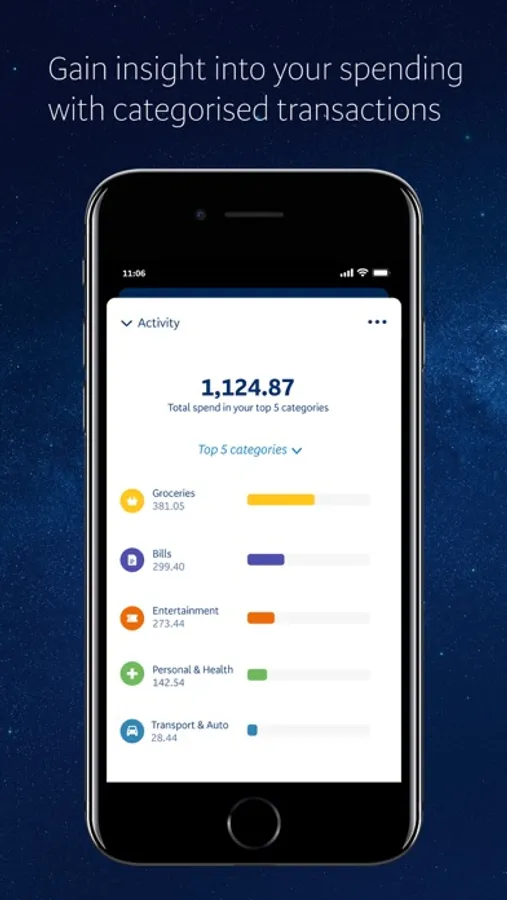
• The Activity feature is available with a personal BNZ credit card or transaction account, including joint transaction accounts
• Non-personal accounts like family trust or business accounts won’t show in the Activity feature
When you’re in the BNZ app, we collect information about behaviour like how you type, scroll, and swipe. This helps us spot any activity that isn’t yours to detect and prevent fraud.
To find out how we collect and use your information, read our Master Privacy Policy at bnz.co.nz/privacy.
GET STARTED
• If you’re registered for BNZ Personal Internet Banking, install this app to get started.
• If you’re not registered for BNZ Personal Internet Banking, install this app and register at bnz.co.nz/registernow or call 0800 999 269 (+64 4 494 7153 from overseas - international toll charges apply).
KNOW YOUR MONEY
• View account balances and transaction history
• Set goals and follow your progress
• Personalise your accounts with images
• Set up push notifications for money in and out, and account balance alerts
• Turn on instant balances to view account balances without logging in
• View your accounts in list or grid view
MANAGE YOUR MONEY
• Transfer money between your accounts
• Pay your bills, credit card, or IRD
• Make one-off payments
• Open and close accounts instantly with YouMoney
• Link accounts to your Eftpos, Flexi Debit Visa, or credit card
• Add/edit payees and view payment history
• Set up, edit and delete automatic payments
EXTRA SERVICES
• Top up One NZ, Spark, Skinny and 2degrees prepaid mobile
• Get Apple Pay and pay with your phone
GET IN TOUCH
• Message our virtual assistant
• Find the nearest BNZ branches and ATMs
• View our contact phone numbers
• Request a call
APPLY ONLINE
• Apply for a Flexi Debit Visa or credit card
• Apply for loans or insurances
• Join the BNZ KiwiSaver Scheme
SECURE BANKING
• Set up a personal 5-digit PIN or
• Log in with your Internet Banking password
• Touch ID and Face ID login are available on supported devices
iOS REQUIREMENTS
• To get the app for the first time you'll need iOS 17 or above.
• If you’ve downloaded the app before you’ll need iOS 15 or above.
IMPORTANT INFORMATION
• Always remember to log out and update your device to the newest version of iOS
• Never store your BNZ access number or password on your device
• Never allow other people to access your mobile device using Touch ID, Face ID, or device password
• Mobile data is required to access the BNZ app
• Use of the BNZ app is subject to the Internet Banking Terms and Conditions (bnz.co.nz/internetbankingtcs)
• The Activity feature is available with a personal BNZ credit card or transaction account, including joint transaction accounts
• Non-personal accounts like family trust or business accounts won’t show in the Activity feature
When you’re in the BNZ app, we collect information about behaviour like how you type, scroll, and swipe. This helps us spot any activity that isn’t yours to detect and prevent fraud.
To find out how we collect and use your information, read our Master Privacy Policy at bnz.co.nz/privacy.
GET STARTED
• If you’re registered for BNZ Personal Internet Banking, install this app to get started.
• If you’re not registered for BNZ Personal Internet Banking, install this app and register at bnz.co.nz/registernow or call 0800 999 269 (+64 4 494 7153 from overseas - international toll charges apply).
BNZ Mobile Screenshots
Tap to Rate:
Reviews for BNZ Mobile
Zenon Pilat
Friendly and professional
I am on temporary visa and setting an account was easy and painless experience. Very friendly customer service.
CharleyCross
Handy, but no macrons
It’s very odd in Aotearoa that such a well-designed and useful app doesn’t allow the use of macrons in payee names. No whānau, for example.