
In this video conferencing app, you can join HD multi-party calls and share content on iOS devices. Includes adaptive video layering, layout controls, and content sharing features.
AppRecs review analysis
AppRecs rating 2.0. Trustworthiness 79 out of 100. Review manipulation risk 21 out of 100. Based on a review sample analyzed.
★★☆☆☆
2.0
AppRecs Rating
Ratings breakdown
5 star
17%
4 star
6%
3 star
8%
2 star
6%
1 star
63%
What to know
✓
Low review manipulation risk
21% review manipulation risk
⚠
Mixed user feedback
Average 2.1★ rating suggests room for improvement
⚠
High negative review ratio
69% of sampled ratings are 1–2 stars
About VidyoMobile
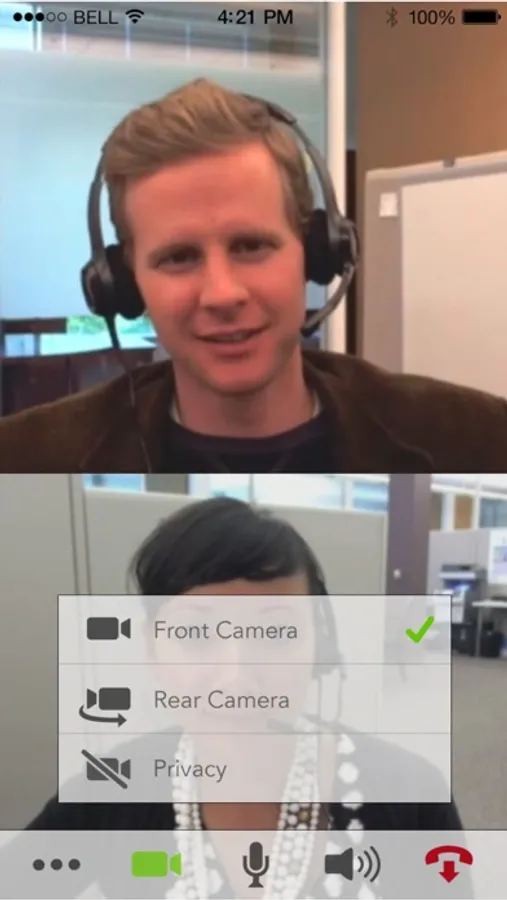
VidyoMobile delivers up to full HD business grade point-to-point and multipoint video conferencing to your iPad, iPod or iPhone device when connected to your enterprise or service provider’s Vidyo infrastructure.
Experience telepresence quality conferencing with shared content viewing on the move with VidyoMobile. The same low latency, reliable high quality video experience that is delivered to high-end room systems and desktops is extended to your iOS devices. Your mobile device can connect seamlessly with VidyoDesktops, VidyoRooms, and legacy H.323 and SIP-based endpoints through the VidyoGateway.
Unreliable wireless networks have traditionally posed challenges for video conferencing. Vidyo’s patented Adaptive Video Layering technology is the difference between VidyoMobile’s reliable video interaction at the pace of conversation, and the broken pictures and unnatural delays of traditional video conferencing solutions. Through this technology, video streams are dynamically optimized to provide the best quality video based on both the capabilities of the mobile device and the performance of the wireless network.
The VidyoMobile app is simple to install and use. VidyoMobile users have full control over their layout and can choose which participants they want to view and can dynamically change between portrait and landscape orientations as well as preferred speaker and continuous presence modes. Since multiple participants can share data in the conference at the same time, VidyoMobile offers a content dock where shared data may be previewed and selected or returned to the dock and hidden off screen, all with common iOS gesture controls.
By installing this application, you acknowledge that you have read and understood this description. You acknowledge that this application may require access to your camera and/or contacts in order to function properly. You consent to receive communications, updates, and upgrades from Vidyo for this application or from the operator of any Vidyo system to which this application connects (an "Operator"). The Operator of each Vidyo system to which this application connects may collect meeting usage data and personal information, such as your screen name, email address and IP address, from the application when it connects to such system, which will be subject to any terms of services, privacy policy and/or similar provisions of such Operator. You can withdraw your consent at any time by uninstalling this application. If you need assistance with removing this application, please contact support@vidyo.com.
VidyoMobile Screenshots


Tap to Rate:
Reviews for VidyoMobile
Vashanda
Garbage app
This app is pure trash. Either you can’t connect at all or the app just crashes upon startup. Unfortunate but completely on brand that UPMC uses this for patient visits!
indecisive oopsie
Why
Why would I want a separate on-screen keyboard from my usual one? And why would I want it to look like THAT? If Skype or Zoom is Windows 10, this app is Windows 95.