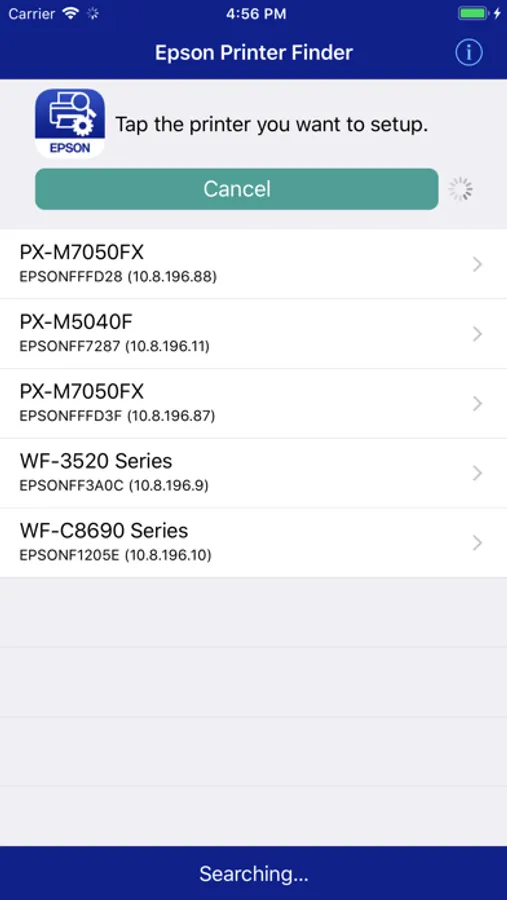
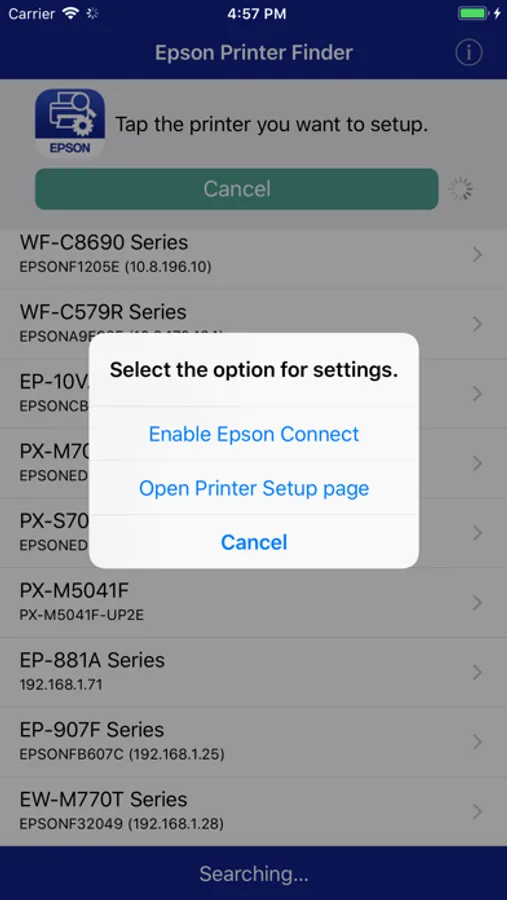
With this app, you can locate network-connected Epson printers and access their setup pages to adjust settings like AirPrint. Includes firmware updates, printer support information, and license details.
AppRecs review analysis
AppRecs rating 2.3. Trustworthiness 76 out of 100. Review manipulation risk 25 out of 100. Based on a review sample analyzed.
★★☆☆☆
2.3
AppRecs Rating
Ratings breakdown
5 star
20%
4 star
17%
3 star
5%
2 star
5%
1 star
53%
What to know
✓
Low review manipulation risk
25% review manipulation risk
⚠
Mixed user feedback
Average 2.5★ rating suggests room for improvement
⚠
High negative review ratio
58% of sampled ratings are 1–2 stars
About Epson Printer Finder
You can then make setting changes for services such as AirPrint.
Before starting setup, update the printer's firmware to the latest version.
Amazon Alexa is now available on Epson Connect.
Supported printers:Epson Printer that supports AirPrint.
Visit the following website to check the license agreement regarding the use of this application.
https://support.epson.net/terms/ijp/swinfo.php?id=7110
To use Printer Finder with a Wi-Fi connection, you must allow the app to use your device's location services.
This allows Printer Finder to search for wireless networks; your location data is not collected.
Epson Printer Finder Screenshots
Tap to Rate:
Reviews for Epson Printer Finder
Mom2big
ET-2840
Can't find
Virgo Critique
No option for air print on the app
Same here with no printer found. I checked and double checked every possible way to connect from my phone. Also there is no option for air print. Useless and pointless. Going back to Brother printer. Where I can print from my phone without all this running about wasting time. Could have had multiple pages printed