With this file manager app, you can quickly switch between viewing, editing, and managing files using multi-touch gestures and organize various file types efficiently. Includes support for cloud services, file sharing, document editing, archiving, and media playback.
AppRecs review analysis
AppRecs rating 4.3. Trustworthiness 78 out of 100. Review manipulation risk 27 out of 100. Based on a review sample analyzed.
★★★★☆
4.3
AppRecs Rating
Ratings breakdown
5 star
76%
4 star
11%
3 star
2%
2 star
2%
1 star
9%
What to know
✓
Low review manipulation risk
27% review manipulation risk
✓
Credible reviews
78% trustworthiness score from analyzed reviews
✓
High user satisfaction
87% of sampled ratings are 4+ stars (4.4★ average)
About File Manager - Folder Plus
*****
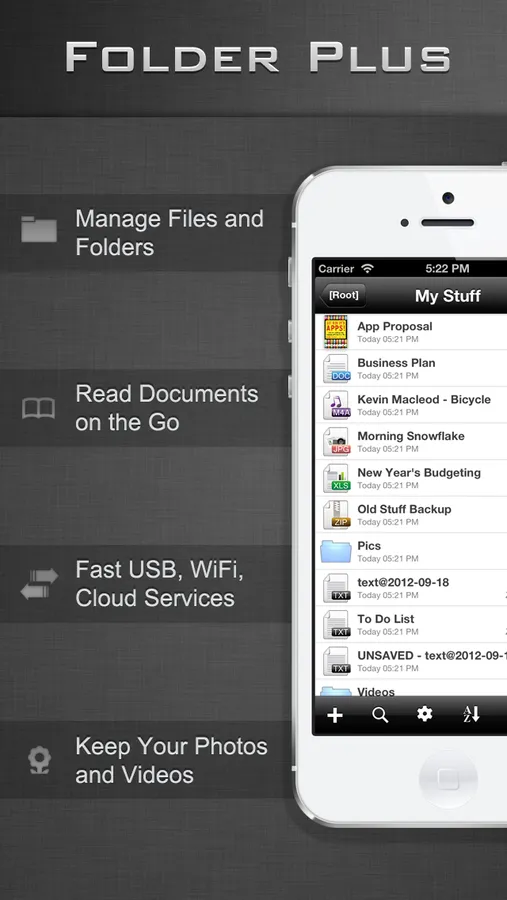
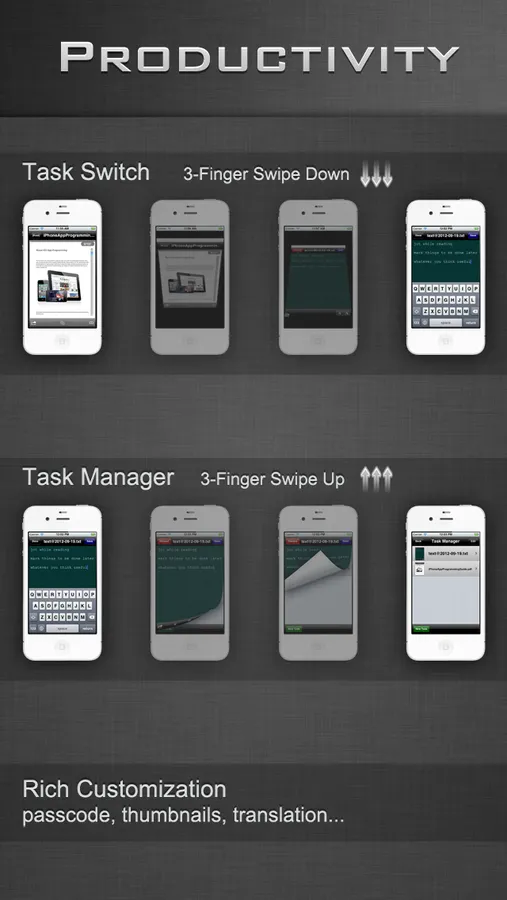
Folder Plus is an In-App Multitasking Capable File Manager/Viewer/Editor, with 3-Finger Swipes You Switch between Tasks of File Managing, Viewing, Editing, etc QUICKLY
*****
Folder Plus's Features
- Total File Manager
- Exclusive 3-Finger Task Switch
- Lightning Fast USB File Transfer
- Robust FTP/HTTP/WebDAV Sharing Server
- Support Dropbox, Google Drive, Box, iCloud, OneDrive
- Wide Range of Supported File Types
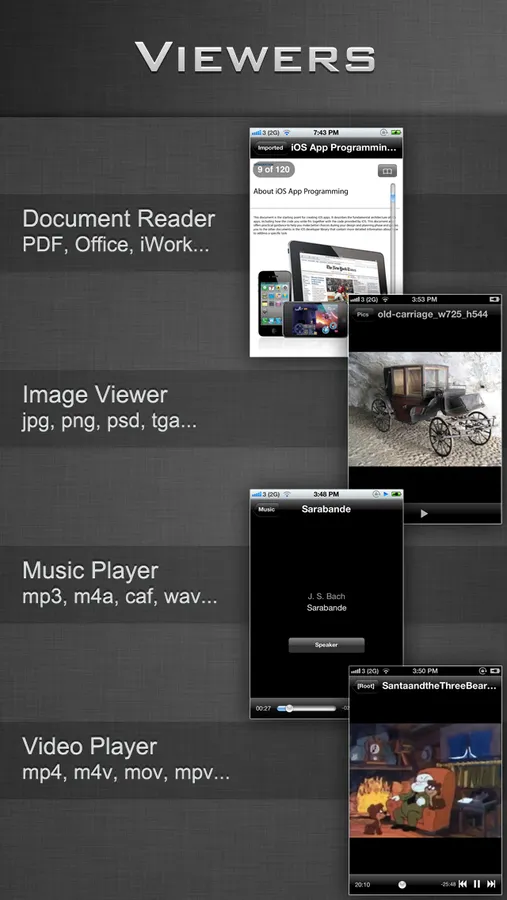
- Document Reader
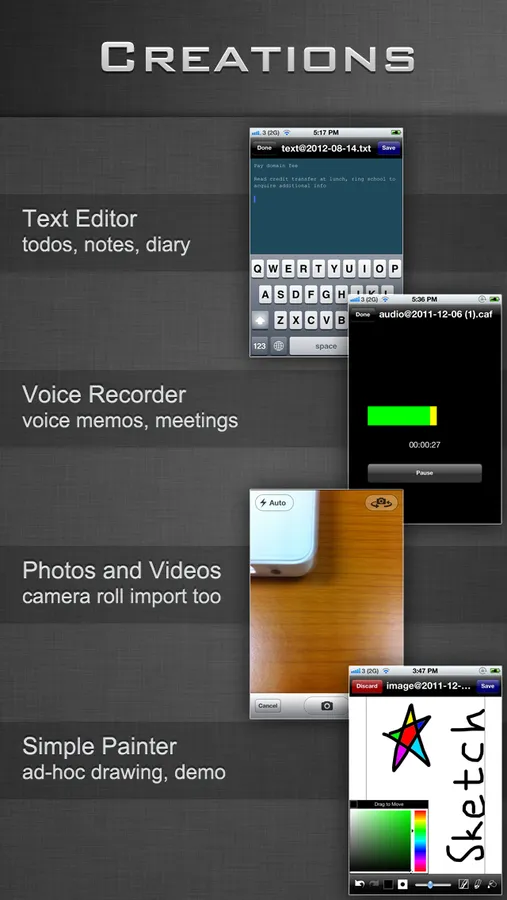
- Text Editor
- Audio Recorder
- Simple Image Editor
- Media Player
- Structured Directory Browsing
- View Restore of Long Documents
- Zip Archiver (compress & decompress, secure with password encryption)
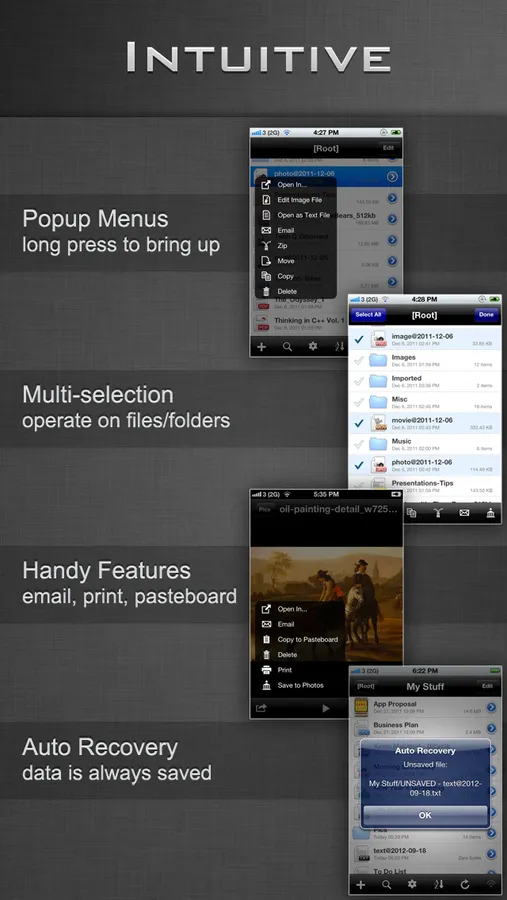
- Long Press to Bring up Context Menu
- Multiple Files/Folders Operations
- Attach Files/Folders to Emails
- Search
- Auto Recovery of Editing Documents
- Passcode Security
- WiFi Authentication (FTP/HTTP/WebDAV)
- User Account Manager (FTP/HTTP/WebDAV)
- Send Files as Email Attachments
- Open Files in Compatible Apps (iBooks, ...)
- Open Supported Files Requested by Other Apps (Safari, Mail Attachments, ...)
- Portrait/Landscape Support
- Support Translation for Selected Text When Reading Documents (PDF, DOC, PAGES)
- Support Thumbnails
- Support AirPrint
Supported File Types
- PDF Files
- Microsoft Office Files (Word, Excel and PowerPoint)
- iWork Files (Pages, Numbers and Keynote)
- Image Files (JPG, PNG, GIF, TIFF, PSD)
- HTML Files
- Web Archives
- Plain Text Files
- Audio Files (MP3, AAC, Apple Lossless, WAVE, AIFF, CAF)
- Video Files (QuickTime, MP4, M4V, MPV)
- Archive Files (.zip/.cbz, .rar/.cbr, .7z/.cb7; handle passwords, splits)
Supported File Operations
- Folder/Sub-Folder Creation
- Text File Creation/Editing
- Image File Creation/Editing
- Audio Recording Creation
- Take Photos & Video
- Import Photos & Video from the Photos App
- Export Photos & Video to the Photos App
- Open as Text File
- Move/Copy/Zip/Email/Delete on Single/Multiple File(s)/Folder(s)
- Folder Merge during Copying/Moving
- View File/Folder Properties
- Rename Files/Folders
- Search Files/Folders
- Search within Search
USB Transfer Client
- Folder Plus USB
Recommended FTP Clients
- Cyberduck
- Filezilla
- Windows Explorer
Recommended WebDAV Clients
- Mac OS X's Finder
- Windows Explorer
- Cyberduck
Recommended Browser for Web Transfer
- Chrome
- Safari
- Firefox
* All listed clients/browsers can be thought of file manager apps as well running on desktop to manage the files off device
WiFi Transfer Requirements
A WiFi connection is required to transfer document files between Folder Plus and FTP/HTTP/Web clients
More features are on the way
File Manager - Folder Plus Screenshots
Tap to Rate:
Reviews for File Manager - Folder Plus
hartpete
No longer compatible with Mac OS app
Used to be fabulous - now next to useless since I can't move files back and forth beyween ipad and Mac
CBee35
Great app
Favorite app, simple to use and organize. Wish Inner folders could be individually password protected. Hope this app is continually updated for new IOS updates. It would be nice if the photos were shown a little larger. It is difficult to see what they are in such tiny format.