AppRecs review analysis
AppRecs rating 2.4. Trustworthiness 0 out of 100. Review manipulation risk 0 out of 100. Based on a review sample analyzed.
★★☆☆☆
2.4
AppRecs Rating
Ratings breakdown
5 star
20%
4 star
20%
3 star
0%
2 star
0%
1 star
60%
What to know
⚠
Mixed user feedback
Average 2.4★ rating suggests room for improvement
About HemiStim
Hemistim can be used as a visual stimulation of areas of the frontal, parietal, occipital, and temporal lobes hemispherically. It is a specific brain stimulation which is rarely used in conjunction with other treatments but can be used as a portion of a home-based program or an office-based program. Such usage may lead to improved hemispheric connectivity specific, targeted areas of the brain and its connections to the parietal/temporal or frontal cortices.
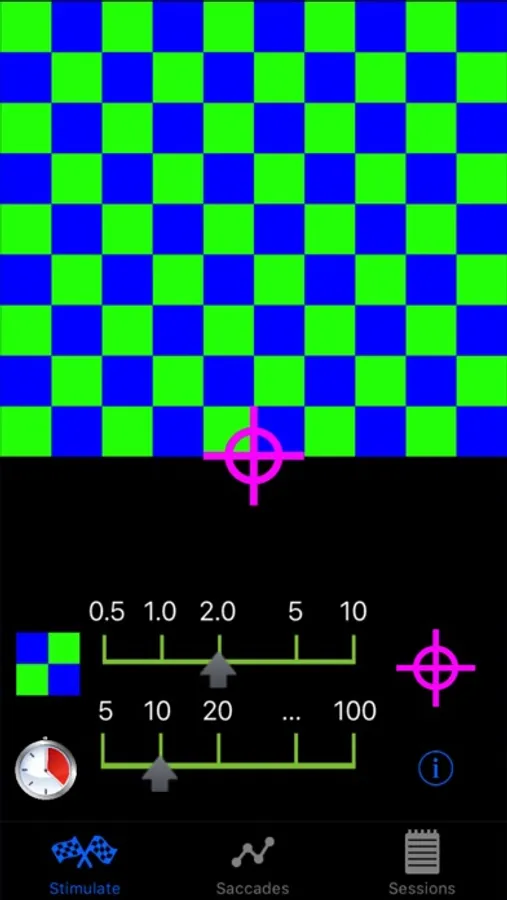
Hemistim provides a visual stimulation through utilizing color patterns and eye tracking that can be used for specific left or right visual exercise. The stimulus is recognized and interpreted by the contralateral (opposite) occipital lobe. Pursuit and saccadic eye movements are created by targeting on the moving object. Pursuit away from and saccade towards the alternating squares are initiated by the ipsilateral (same side) parietal and frontal cortex, respectively. This gives the doctor the ability to work the frontal, parietal, occipital, and temporal lobes hemispherically.
HemStim is easy to use.
Swipe left or right to select a different colored pattern. Multiple patterns are available.
Tap a pattern to make it begin blinking. The pattern will blink until the timer stops it.
Double tapping the pattern will also make it stop.
The blink rate and timer can be changed using the sliders.
Target motion is controlled by the tapping the small target to the right of the speed control. Choose among no motion, saccade, and pursuit by successive taps on the small target. Exterior motion is indicated by purple arrows on the target and interior motion by white arrows.
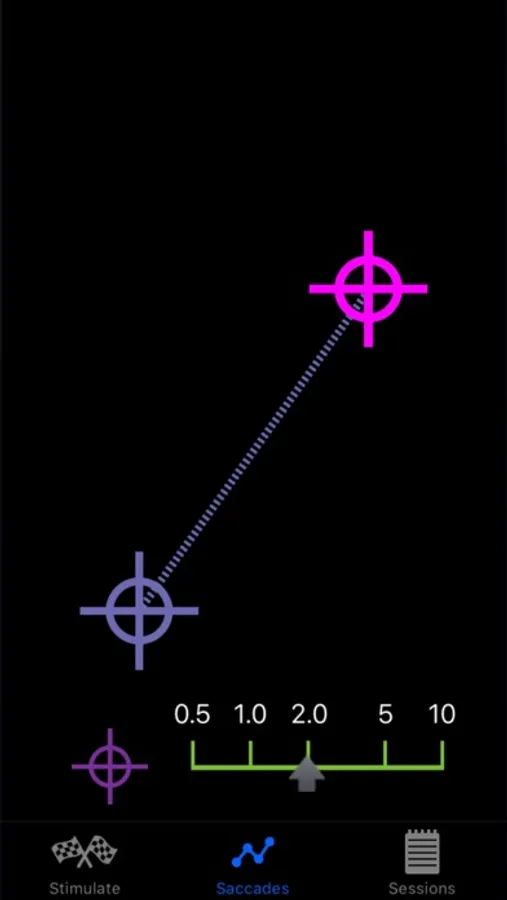
The new Saccades screen only displays target motion.
Drag the purple target with one finger to set the direction and length of its motion.
Tap the screen once simultaneously with two fingers to switch between saccades, a dashed line, and pursuits, a solid line.
Tap the screen once with one finger to start the saccades or pursuits.
Double tap the screen with one finger to stop the target motion.
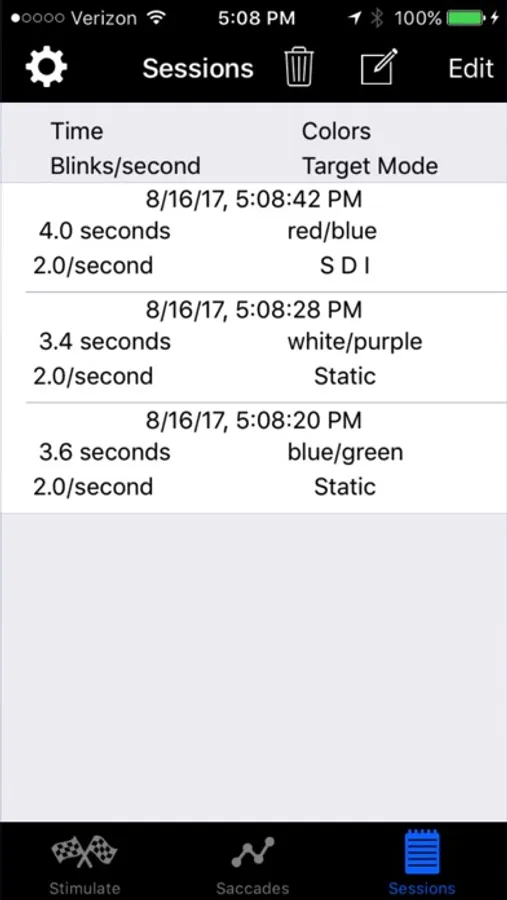
HemiStim automatically tracks therapy sessions, recording all pertinent information about each one. Maintain close communication between clinician and patient via email.
Hemistim provides a visual stimulation through utilizing color patterns and eye tracking that can be used for specific left or right visual exercise. The stimulus is recognized and interpreted by the contralateral (opposite) occipital lobe. Pursuit and saccadic eye movements are created by targeting on the moving object. Pursuit away from and saccade towards the alternating squares are initiated by the ipsilateral (same side) parietal and frontal cortex, respectively. This gives the doctor the ability to work the frontal, parietal, occipital, and temporal lobes hemispherically.
HemStim is easy to use.
Swipe left or right to select a different colored pattern. Multiple patterns are available.
Tap a pattern to make it begin blinking. The pattern will blink until the timer stops it.
Double tapping the pattern will also make it stop.
The blink rate and timer can be changed using the sliders.
Target motion is controlled by the tapping the small target to the right of the speed control. Choose among no motion, saccade, and pursuit by successive taps on the small target. Exterior motion is indicated by purple arrows on the target and interior motion by white arrows.
The new Saccades screen only displays target motion.
Drag the purple target with one finger to set the direction and length of its motion.
Tap the screen once simultaneously with two fingers to switch between saccades, a dashed line, and pursuits, a solid line.
Tap the screen once with one finger to start the saccades or pursuits.
Double tap the screen with one finger to stop the target motion.
HemiStim automatically tracks therapy sessions, recording all pertinent information about each one. Maintain close communication between clinician and patient via email.
HemiStim Screenshots
Tap to Rate:
Reviews for HemiStim
pcssucks
Does NOT WORK!
Just spent $12.99 on this as part of a bundle. The HemiStim app won’t even open!
AJFDC
Stop working.
Great app, but it stop working all the sudden and I don’t know who to contact to fix it.