In this embroidery design app, you can view, manage, and modify embroidery files with precise editing tools. Includes design preview, file sharing, and format conversion features.
AppRecs review analysis
AppRecs rating 4.0. Trustworthiness 82 out of 100. Review manipulation risk 21 out of 100. Based on a review sample analyzed.
★★★★☆
4.0
AppRecs Rating
Ratings breakdown
5 star
70%
4 star
6%
3 star
3%
2 star
3%
1 star
18%
What to know
✓
Low review manipulation risk
21% review manipulation risk
✓
Credible reviews
82% trustworthiness score from analyzed reviews
✓
High user satisfaction
76% of sampled ratings are 4+ stars (4.1★ average)
About StitchBuddy HD
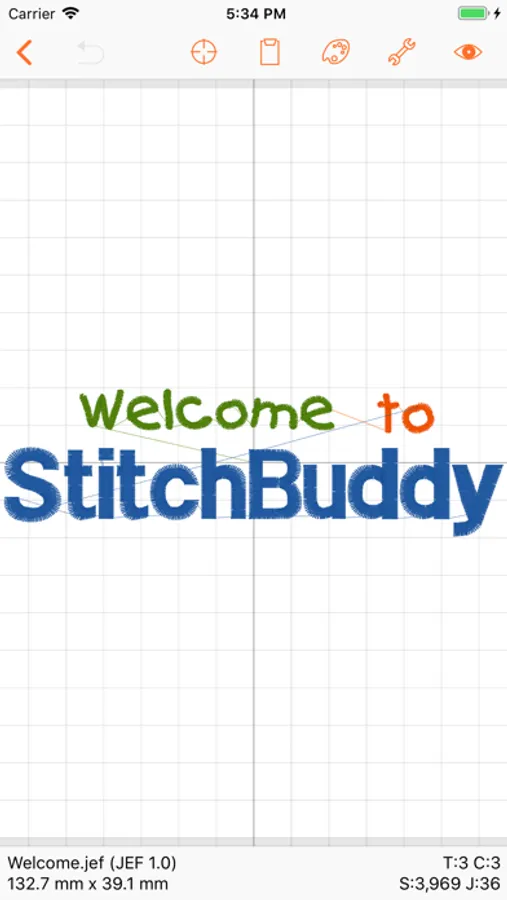
Have your machine embroidery designs always at hand, wherever you are! Enjoy beautiful previews on your iPhone and iPad, manage and modify designs down to stitch level, and stay in sync with your computer.
Features:
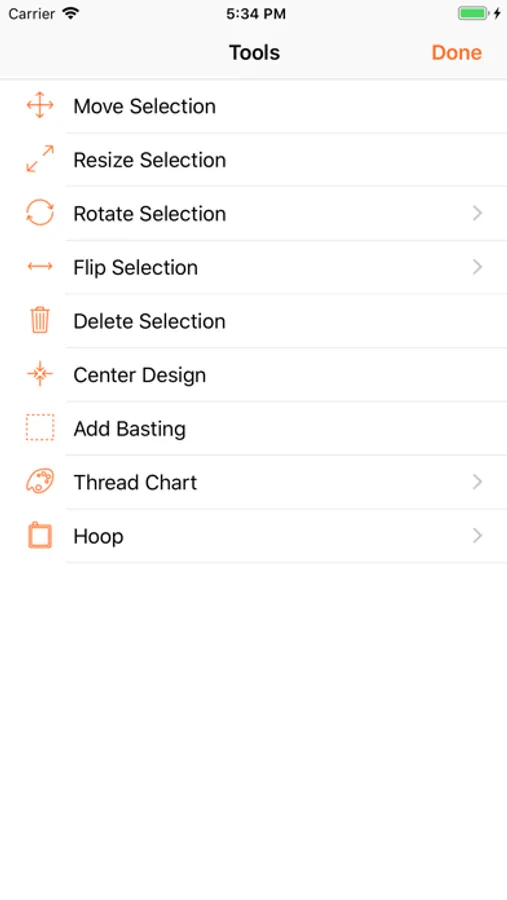
• Rotate, flip, move, resize, or delete selected parts or the entire design.
• Resize selected parts or the entire design (without adjusting the stitch count).
• Copy and paste to duplicate parts, or to combine different designs.
• Center a design in the hoop.
• Add basting stitches to fix the underlay.
• Change individual thread colors, or replace the entire palette.
• Select from several different manufacturer thread charts.
• Reorder threads and delete color changes.
• Display options incl. zooming, 3D stitch display, or stitch structure.
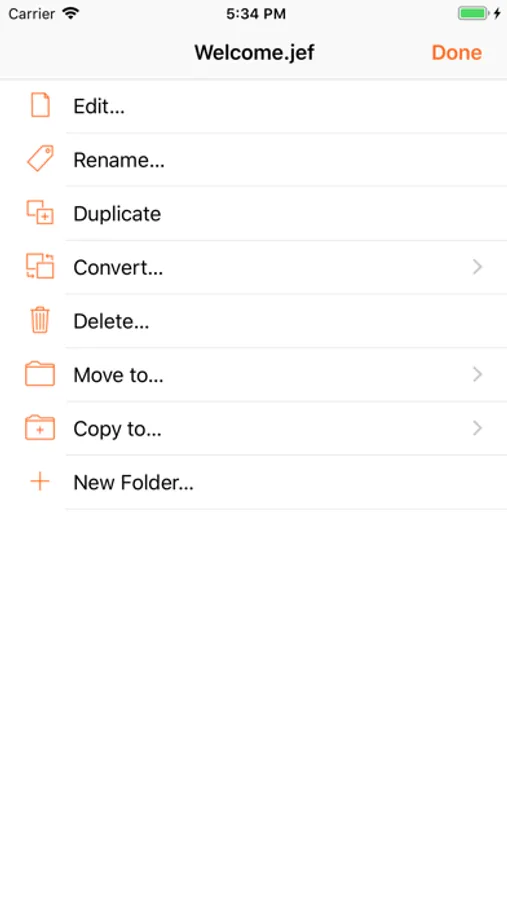
• File management with folders and design previews.
• Print detail sheets via AirPrint.
• Share design files, detail sheets, or real-size templates (PDF).
• Multiple levels of Undo while editing.
• Convert designs to other embroidery file formats.
• Synchronization between different devices via iCloud.
• Supports various storage locations including USB sticks.
• Open designs in other applications or share by AirDrop.
Supported import formats (read):
• Janome JEF, JEF+, JPX, SEW
• Brother PES, PEC
• Melco EXP
• Tajima DST
• Pfaff VP3, KSM, PCS, PCQ, PCD
Supported export formats (write):
• Janome JEF
• Brother PES v1.0 (130 x 180 mm), PEC
• Melco EXP
• Tajima DST
• Pfaff PCS
You can test StitchBuddy HD with all functions for free (saving designs is limited to 1,000 stitches). Unlock this limitation via In-App purchase if you like StitchBuddy HD and want to support its development ... and please share your experience with others by leaving a rating or review!
Additional information, FAQs and video tutorials can be found at StitchBuddy's website.
NOTE: StitchBuddy HD does not digitize embroidery designs.
Features:
• Rotate, flip, move, resize, or delete selected parts or the entire design.
• Resize selected parts or the entire design (without adjusting the stitch count).
• Copy and paste to duplicate parts, or to combine different designs.
• Center a design in the hoop.
• Add basting stitches to fix the underlay.
• Change individual thread colors, or replace the entire palette.
• Select from several different manufacturer thread charts.
• Reorder threads and delete color changes.
• Display options incl. zooming, 3D stitch display, or stitch structure.
• File management with folders and design previews.
• Print detail sheets via AirPrint.
• Share design files, detail sheets, or real-size templates (PDF).
• Multiple levels of Undo while editing.
• Convert designs to other embroidery file formats.
• Synchronization between different devices via iCloud.
• Supports various storage locations including USB sticks.
• Open designs in other applications or share by AirDrop.
Supported import formats (read):
• Janome JEF, JEF+, JPX, SEW
• Brother PES, PEC
• Melco EXP
• Tajima DST
• Pfaff VP3, KSM, PCS, PCQ, PCD
Supported export formats (write):
• Janome JEF
• Brother PES v1.0 (130 x 180 mm), PEC
• Melco EXP
• Tajima DST
• Pfaff PCS
You can test StitchBuddy HD with all functions for free (saving designs is limited to 1,000 stitches). Unlock this limitation via In-App purchase if you like StitchBuddy HD and want to support its development ... and please share your experience with others by leaving a rating or review!
Additional information, FAQs and video tutorials can be found at StitchBuddy's website.
NOTE: StitchBuddy HD does not digitize embroidery designs.
StitchBuddy HD Screenshots

Tap to Rate:
Reviews for StitchBuddy HD
Medinalove13
Beware
I can’t upload my designs
dogfrienddddser
DO NOT BUY
This is a complete scam. It does not work and the tutorials tell you nothing