In this satellite finder app, you can point your device towards the sky to locate satellites and access detailed orbital parameters. Includes a comprehensive satellite database, manual compass, and notification updates.
AppRecs review analysis
AppRecs rating 4.6. Trustworthiness 71 out of 100. Review manipulation risk 28 out of 100. Based on a review sample analyzed.
★★★★☆
4.6
AppRecs Rating
Ratings breakdown
5 star
75%
4 star
13%
3 star
5%
2 star
1%
1 star
5%
What to know
✓
Low review manipulation risk
28% review manipulation risk
✓
Credible reviews
71% trustworthiness score from analyzed reviews
✓
High user satisfaction
75% of sampled ratings are 5 stars
About SatFinder Pro Satellite Finder
SatFinder PRO is a professional tool for tuning your satellite antenna.
Description:
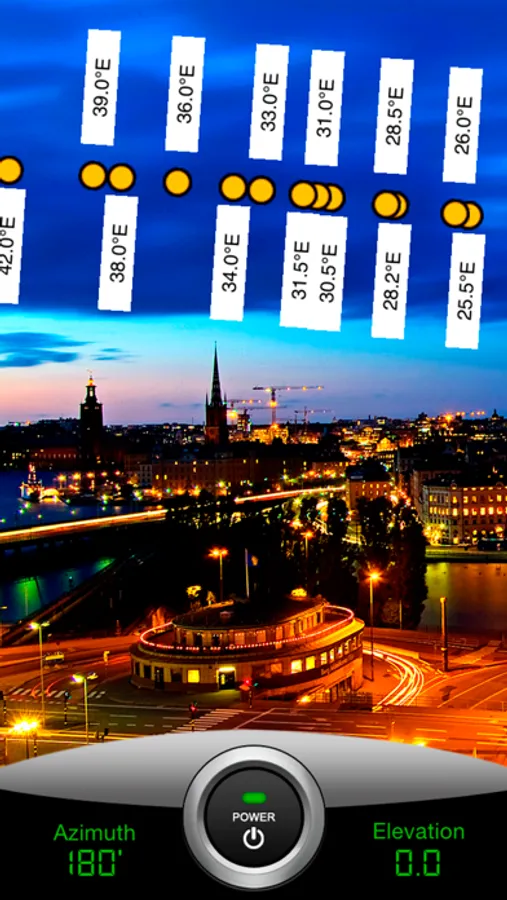
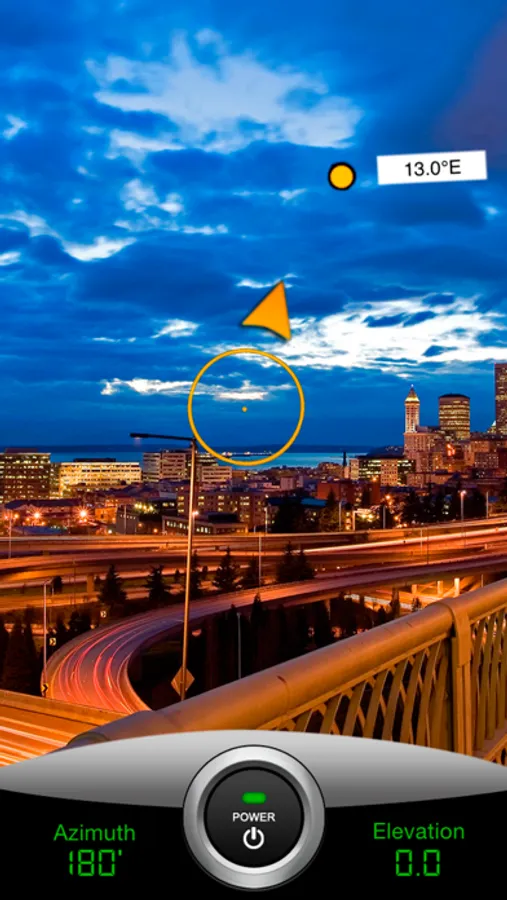
You no longer need to search for desired satellite, just press "Power" button, point your iOS device towards the sky and watch all available satellites of your location.
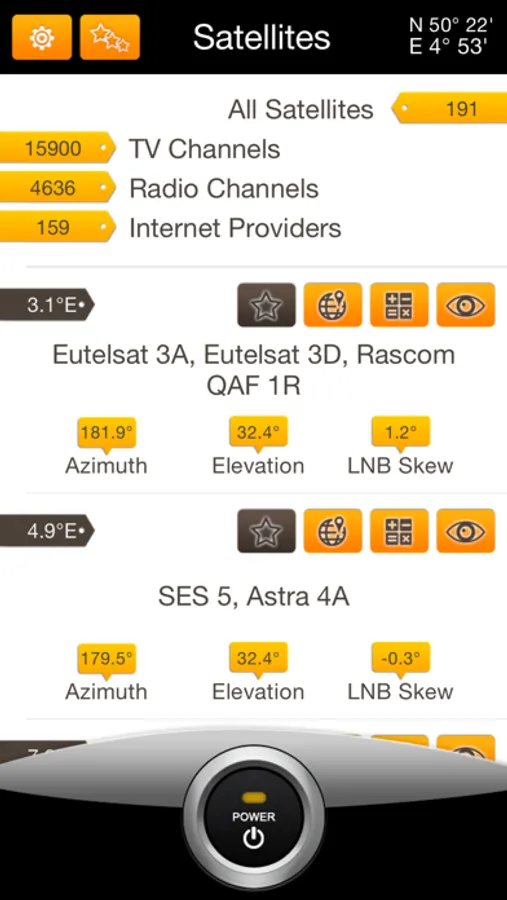
This program also is a transponders data base of all TV/RADIO satellites in the world. You can easily find a satellite parameters.
Features:
- Sort by satellite
- Search by channel name, radio name, provider name
- Sort by frequency
- Sort by Ku & C -bands
- Displaying the channel name, radio station, a provider with the link to the official site, encoding display
- Displaying a frequency, polarization, FEC and Symbol Rate
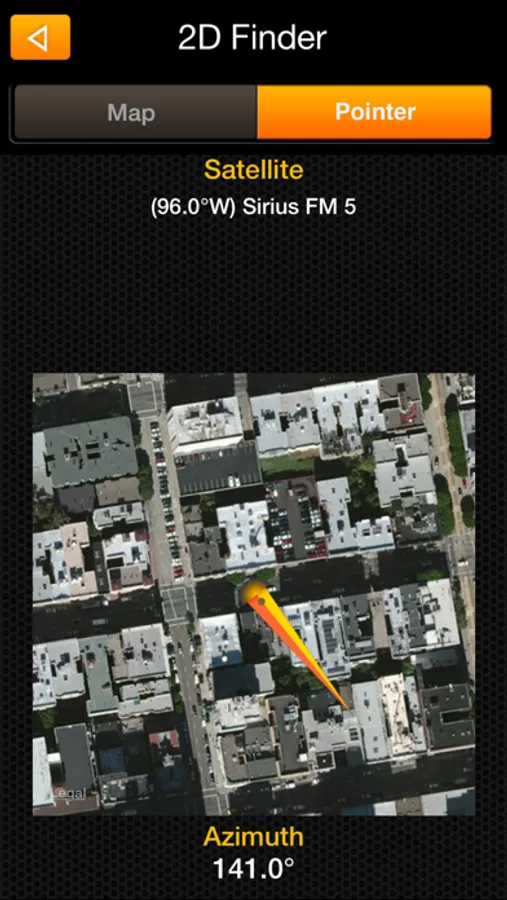
- Azimuth, Elevation, LNB Skew angels for the desired satellite
- Smart satellite search with sound indication
- Manual compass for iPods
- Push notifications about database update every 10 days!
- List of favorites
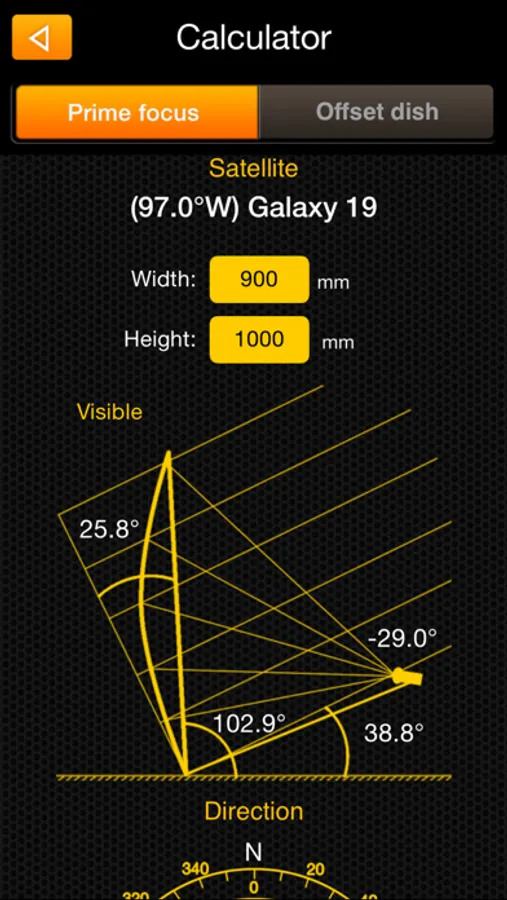
- Satellite calculator
An enormous data base. More than 12,800 video channels, 3900 radio stations and 180 Internet service providers
Usage instructions:
- For best accuracy hold your device in portrait position
- Tap on "Power" button
- Make some device movements for compas calibration if needed
- Look at device display and try to get 180° at "Heading" indicator if you are in the northern hemisphere and 0° if you are in the southern hemisphere. All available satellites should be appear
- Now you can easily move your device and find desired satellite. It will be a real satellite position in the sky
Also available lite version without augmented reality feature at http://itunes.apple.com/us/app/satellite-transponders/id488579989
Description:
You no longer need to search for desired satellite, just press "Power" button, point your iOS device towards the sky and watch all available satellites of your location.
This program also is a transponders data base of all TV/RADIO satellites in the world. You can easily find a satellite parameters.
Features:
- Sort by satellite
- Search by channel name, radio name, provider name
- Sort by frequency
- Sort by Ku & C -bands
- Displaying the channel name, radio station, a provider with the link to the official site, encoding display
- Displaying a frequency, polarization, FEC and Symbol Rate
- Azimuth, Elevation, LNB Skew angels for the desired satellite
- Smart satellite search with sound indication
- Manual compass for iPods
- Push notifications about database update every 10 days!
- List of favorites
- Satellite calculator
An enormous data base. More than 12,800 video channels, 3900 radio stations and 180 Internet service providers
Usage instructions:
- For best accuracy hold your device in portrait position
- Tap on "Power" button
- Make some device movements for compas calibration if needed
- Look at device display and try to get 180° at "Heading" indicator if you are in the northern hemisphere and 0° if you are in the southern hemisphere. All available satellites should be appear
- Now you can easily move your device and find desired satellite. It will be a real satellite position in the sky
Also available lite version without augmented reality feature at http://itunes.apple.com/us/app/satellite-transponders/id488579989
SatFinder Pro Satellite Finder Screenshots
Tap to Rate:
Reviews for SatFinder Pro Satellite Finder
Heievfhrieigegf
AR totally broken
Augmented reality is completely broken Would give 0/5 stars if i could
Frequent camper 2023
Ken
Took all frustrations out of satellite set-up. Love the app.