In this shift planning calendar, you can enter and view shift schedules and compare multiple users' shifts easily. Includes shift input, shift list management, email creation, and calendar snapshot features.
AppRecs review analysis
AppRecs rating 4.7. Trustworthiness 67 out of 100. Review manipulation risk 33 out of 100. Based on a review sample analyzed.
★★★★☆
4.7
AppRecs Rating
Ratings breakdown
5 star
82%
4 star
13%
3 star
3%
2 star
0%
1 star
2%
What to know
✓
High user satisfaction
82% of sampled ratings are 5 stars
✓
Authentic reviews
Natural distribution, no red flags
About Shift Planning Calendar
This app provides powerful support for people who do shift work.
This app was created based on comments like these.
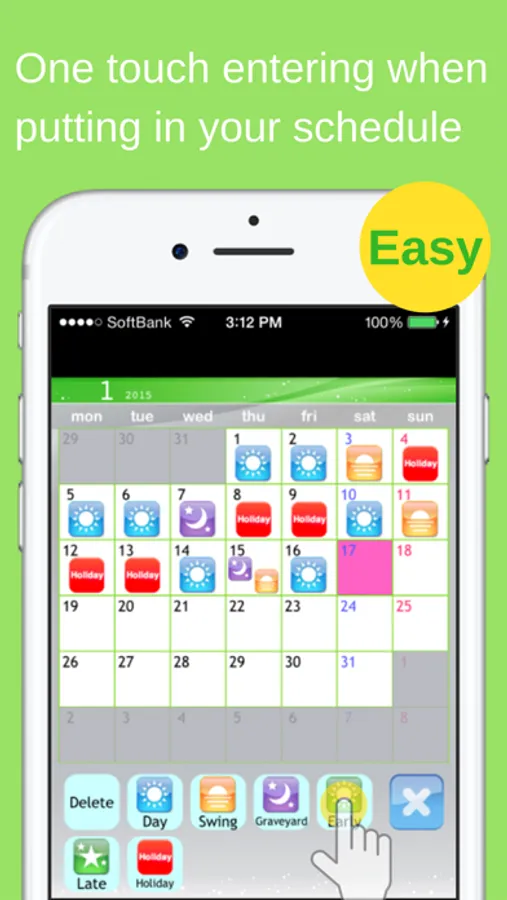
• Entering shifts on the calendar one by one is a lot trouble.
> By using the Shift Input Function, you can fill in shifts for a whole month in less than 30 seconds.
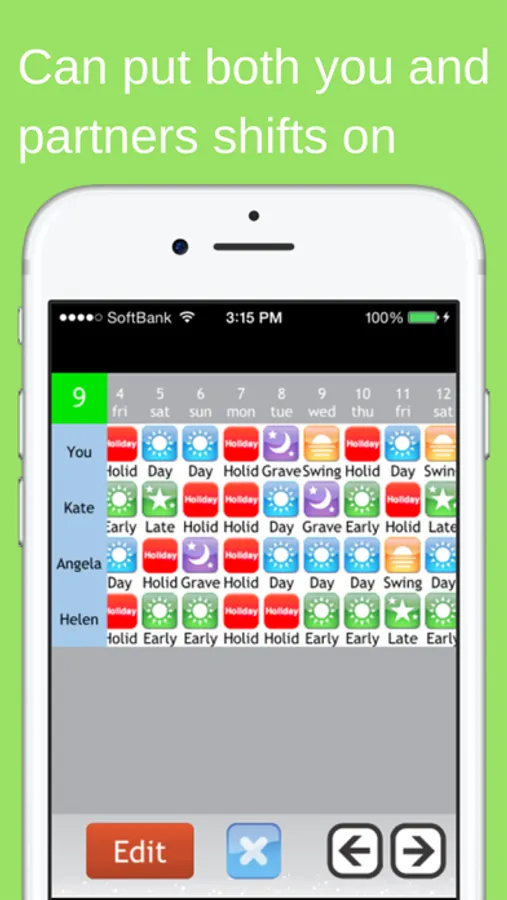
• I want to view shifts for me and my friends side by side when we're planning a day to hang out together.
> By using the Shift List Function, you can quickly find out which day is best for everyone.
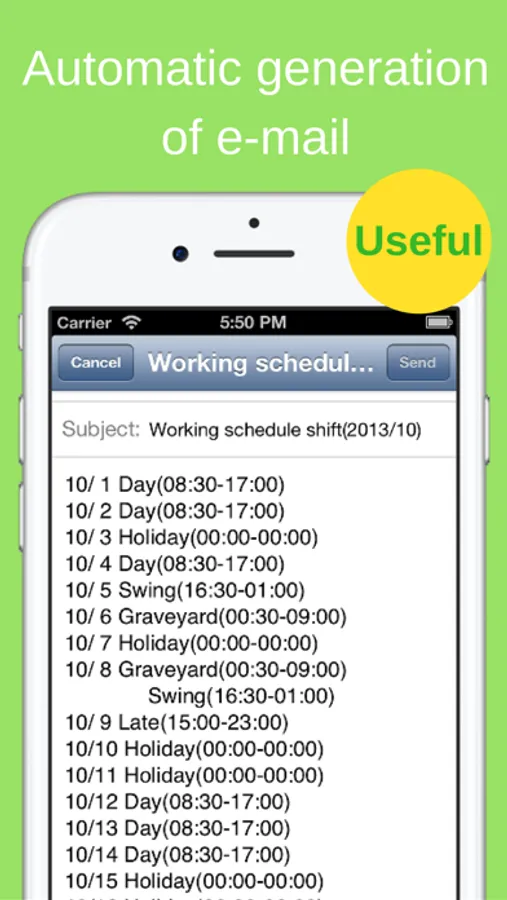
• Writing emails when I want to tell my friends and family my shifts is difficult.
> With the Autocreate Email Function, you can automatically create an email of your shift schedule with one touch.
• I want to check my shifts quickly on the lock screen.
> With the Calendar Snapshot Function, you can easily create an image of your calendar that can be used for the standby display.
*** Main Features ***
* You can use all of the features right from the start without having to purchase any add-ons.
• Shift Input Mode
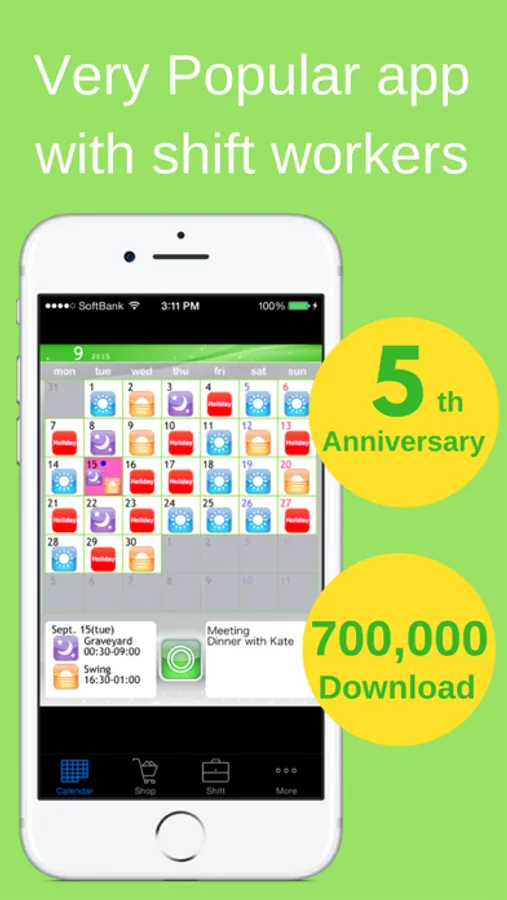
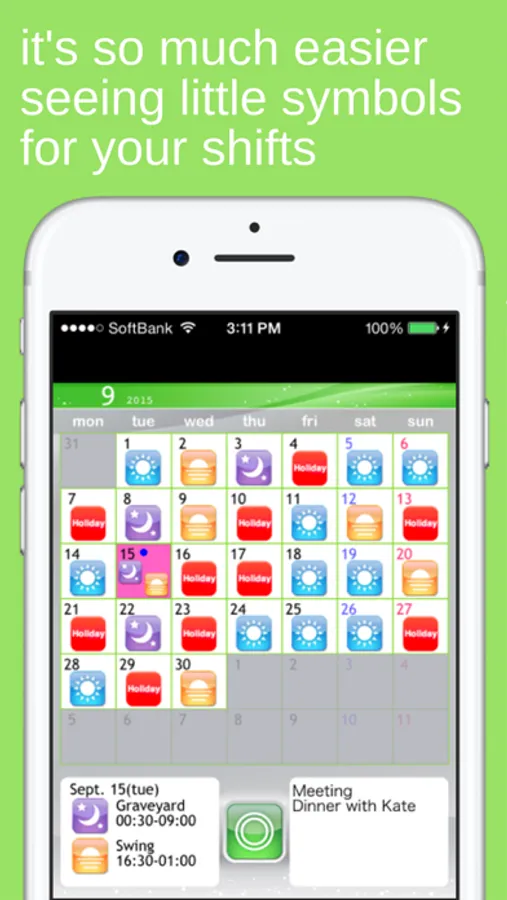
You can fill in shifts on the calendar with simple one touch controls using icons.
• Shift List Function
You can manage shifts for multiple other users, and compare shifts for you and your friends on a single list.
• Autocreate Email Function
Creates an email of your work schedule with one touch.
• Bluetooth Shift Exchange Function
Exchange your shift information by bringing your iPhone/iPod Touch close together, similar to IR communication.
• Calendar Snapshot Function
Creates an image of your calendar that you can use as your lock screen or wallpaper. You can check your shifts quickly on your lock screen.
• Launch App with URL Scheme
open:ShiftWorkingCalendar
open:shift
*** User Reviews ***
* Very helpful app. Makes life easier for shift workers.
* Easy to use. Great for odd shifts. Love the icons.
* Thanks it's easy to use and free
* Absolutely fantastic.
* Very handy for me and quick to use Easy to email to others
* Very convenient. Nice app.
* Glad a shift planner is free, without any adverts.
* Just what I have been waiting for. Up till now, I have had to write shifts on calendar for my wife to see, and help plan. A simple email now does it all, great!
This app was created based on comments like these.
• Entering shifts on the calendar one by one is a lot trouble.
> By using the Shift Input Function, you can fill in shifts for a whole month in less than 30 seconds.
• I want to view shifts for me and my friends side by side when we're planning a day to hang out together.
> By using the Shift List Function, you can quickly find out which day is best for everyone.
• Writing emails when I want to tell my friends and family my shifts is difficult.
> With the Autocreate Email Function, you can automatically create an email of your shift schedule with one touch.
• I want to check my shifts quickly on the lock screen.
> With the Calendar Snapshot Function, you can easily create an image of your calendar that can be used for the standby display.
*** Main Features ***
* You can use all of the features right from the start without having to purchase any add-ons.
• Shift Input Mode
You can fill in shifts on the calendar with simple one touch controls using icons.
• Shift List Function
You can manage shifts for multiple other users, and compare shifts for you and your friends on a single list.
• Autocreate Email Function
Creates an email of your work schedule with one touch.
• Bluetooth Shift Exchange Function
Exchange your shift information by bringing your iPhone/iPod Touch close together, similar to IR communication.
• Calendar Snapshot Function
Creates an image of your calendar that you can use as your lock screen or wallpaper. You can check your shifts quickly on your lock screen.
• Launch App with URL Scheme
open:ShiftWorkingCalendar
open:shift
*** User Reviews ***
* Very helpful app. Makes life easier for shift workers.
* Easy to use. Great for odd shifts. Love the icons.
* Thanks it's easy to use and free
* Absolutely fantastic.
* Very handy for me and quick to use Easy to email to others
* Very convenient. Nice app.
* Glad a shift planner is free, without any adverts.
* Just what I have been waiting for. Up till now, I have had to write shifts on calendar for my wife to see, and help plan. A simple email now does it all, great!
Shift Planning Calendar Screenshots
Tap to Rate:
Reviews for Shift Planning Calendar
Why???##**!!
Shift schedule
Not working out. I can’t get 2025 scheduled. Now it isn’t even letting me submit this review.
BookwormInARage
Simple but efficient
Keeps me updated on my schedule and very flexible and easy to use! 👍🏻👍🏻👍🏻