AppRecs review analysis
AppRecs rating 2.6. Trustworthiness 76 out of 100. Review manipulation risk 19 out of 100. Based on a review sample analyzed.
★★☆☆☆
2.6
AppRecs Rating
Ratings breakdown
5 star
32%
4 star
7%
3 star
7%
2 star
4%
1 star
50%
What to know
✓
Low review manipulation risk
19% review manipulation risk
✓
Credible reviews
76% trustworthiness score from analyzed reviews
⚠
Mixed user feedback
Average 2.7★ rating suggests room for improvement
About Synced Tool
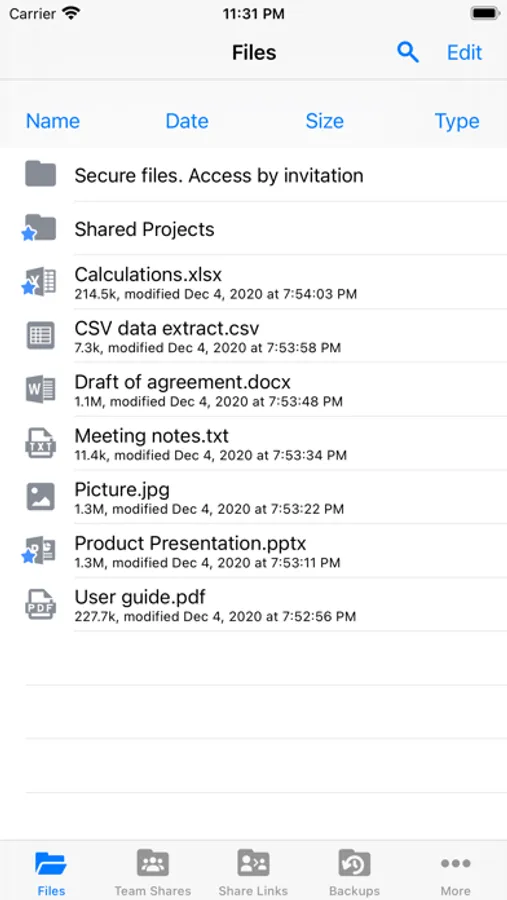
Synced Tool empowers you to stay productive with military-grade security and compliance, anywhere, anytime, on any device; it's invincible productivity. With Synced Tool, you can securely view, upload, edit, and share your files and folders, even if they exist on a file server back in the office, at home, or at a data center. Gain mobility, security, collaboration and business continuity with Synced Tool for iOS.
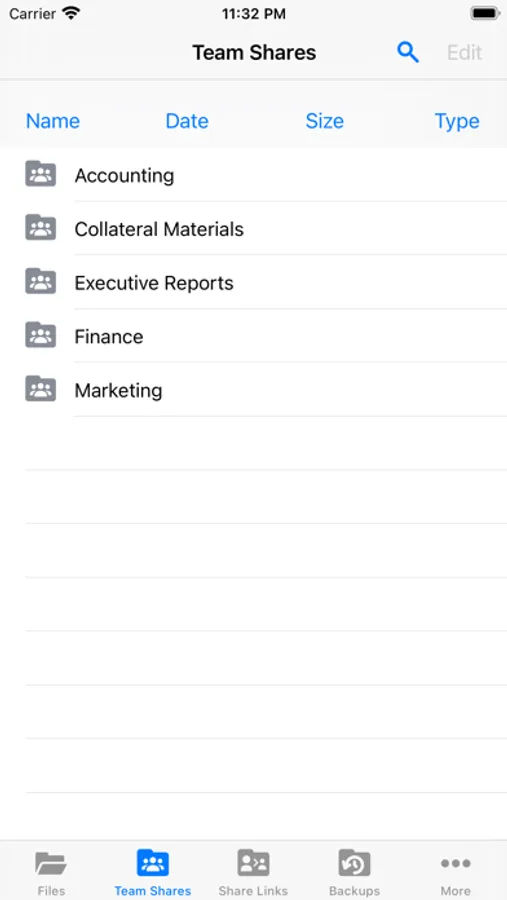
- Securely view and edit files within the Synced Tool app, or third party apps, that will sync with the server and other endpoints
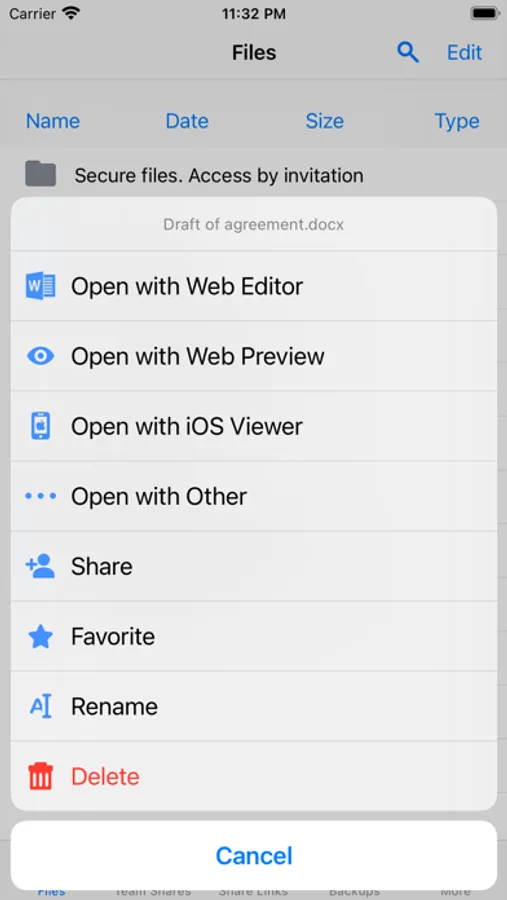
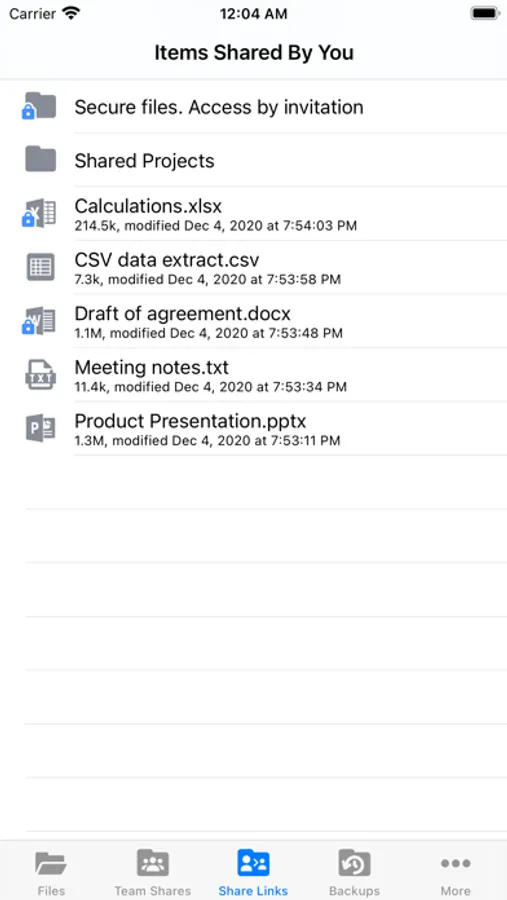
- Generate secure share links on the fly to include in emails or chat tools
- Save files for offline viewing and keep them up to date whenever online
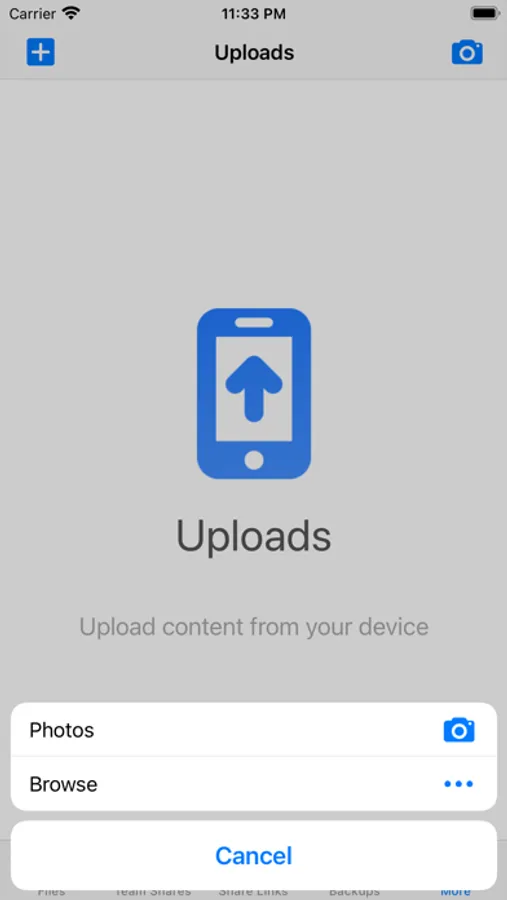
- Upload any content from your device to the server and other endpoints with a single click
- Choose to enable camera upload which automatically uploads new photos and videos from your camera roll and photo stream
- Quickly find the content you need, whenever you need it, wherever you are, with granular filtering
- Remotely access your backups of other endpoints on the road
- Rename, delete, or even lock content to prevent others from editing and force them into read-only mode when accessing that content
- Set up two-step authentication in the form of a passcode lock to further secure the data on your device
- Utilize the iOS Files App to access and manage your Synced Tool data through a tight integration
- Specify the amount of local storage allowed for storing your Synced Tool data locally
- Choose whether or not to sync over WiFi only
- Choose whether or not to auto-update your favorited content
- Interact with your data how content administrators intended by honoring complex permission roles
- Experience the intuitive user interface in a fully localized experience translated in multiple languages
Supported on most current iOS devices including iPhones and iPads!
- Securely view and edit files within the Synced Tool app, or third party apps, that will sync with the server and other endpoints
- Generate secure share links on the fly to include in emails or chat tools
- Save files for offline viewing and keep them up to date whenever online
- Upload any content from your device to the server and other endpoints with a single click
- Choose to enable camera upload which automatically uploads new photos and videos from your camera roll and photo stream
- Quickly find the content you need, whenever you need it, wherever you are, with granular filtering
- Remotely access your backups of other endpoints on the road
- Rename, delete, or even lock content to prevent others from editing and force them into read-only mode when accessing that content
- Set up two-step authentication in the form of a passcode lock to further secure the data on your device
- Utilize the iOS Files App to access and manage your Synced Tool data through a tight integration
- Specify the amount of local storage allowed for storing your Synced Tool data locally
- Choose whether or not to sync over WiFi only
- Choose whether or not to auto-update your favorited content
- Interact with your data how content administrators intended by honoring complex permission roles
- Experience the intuitive user interface in a fully localized experience translated in multiple languages
Supported on most current iOS devices including iPhones and iPads!
Synced Tool Screenshots
Tap to Rate:
Reviews for Synced Tool
Rothg
Needs an update.
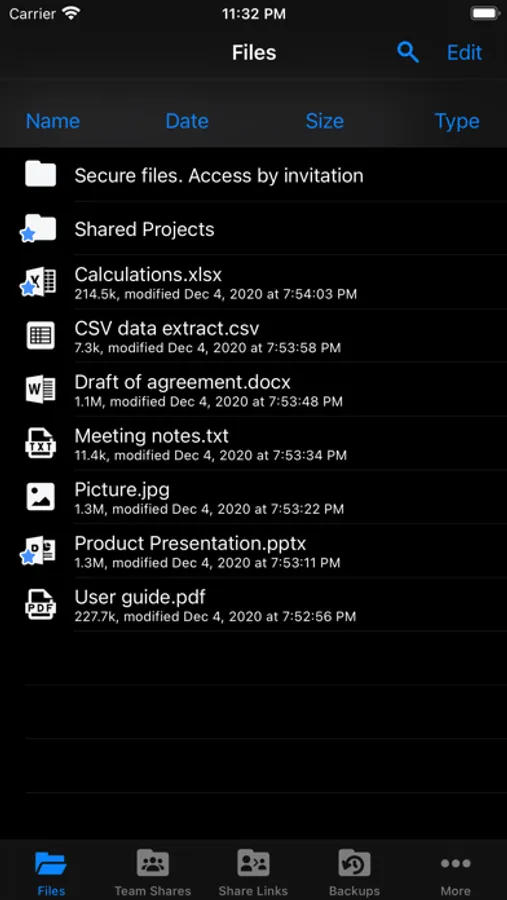
With iOS 13.3.1 already in full swing and dark mode available the UI especially filenames unless tapped on are no longer visible. Also with apps such as MEGA.NZ’s the bar has been raised for mobile storage functionality.
Dlax9
Useless in Dark Mode
This app doesn’t support dark mode and odds unusable if you are running dark mode!