AppRecs review analysis
AppRecs rating 3.9. Trustworthiness 57 out of 100. Review manipulation risk 21 out of 100. Based on a review sample analyzed.
★★★☆☆
3.9
AppRecs Rating
Ratings breakdown
5 star
67%
4 star
3%
3 star
6%
2 star
3%
1 star
21%
What to know
✓
Good user ratings
70% positive sampled reviews
About Calculate Comfort
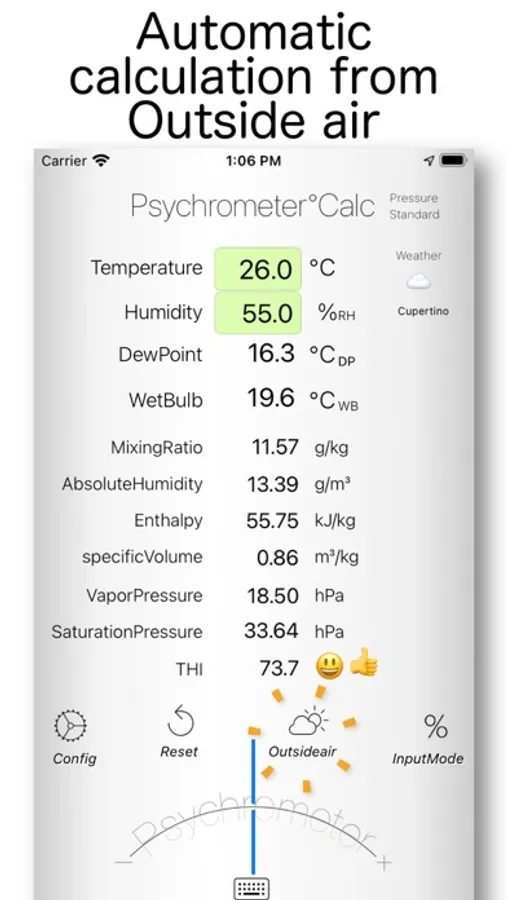
This app calculates comfort levels by evaluating heat, cold, dryness, and moisture.
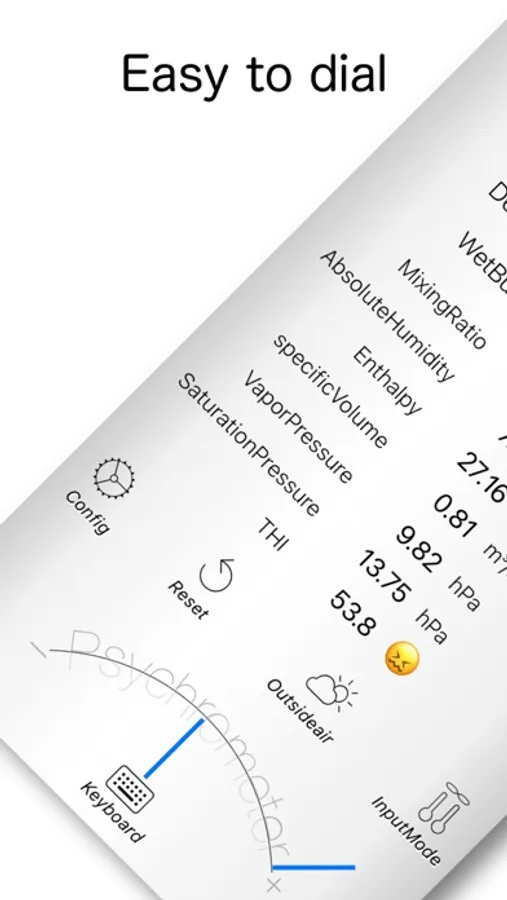
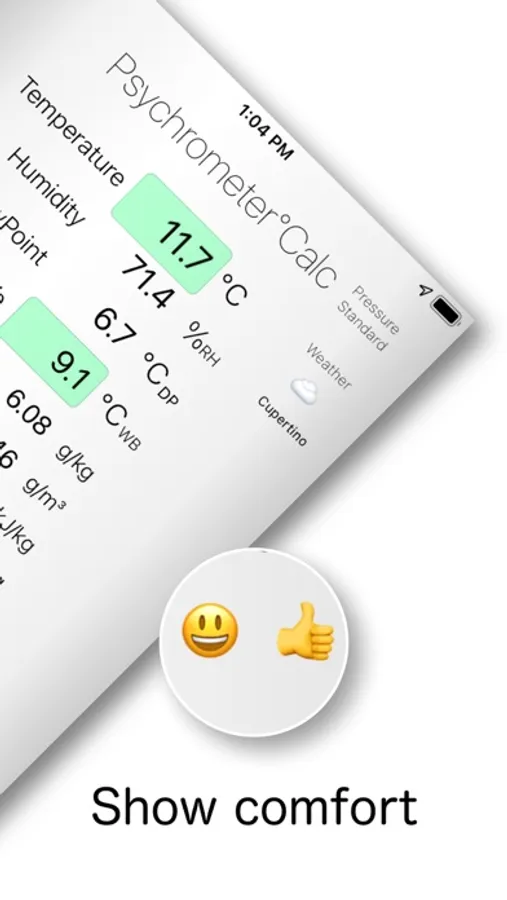
You can easily adjust values using a dial. Results are visually displayed using color and emoji indicators.
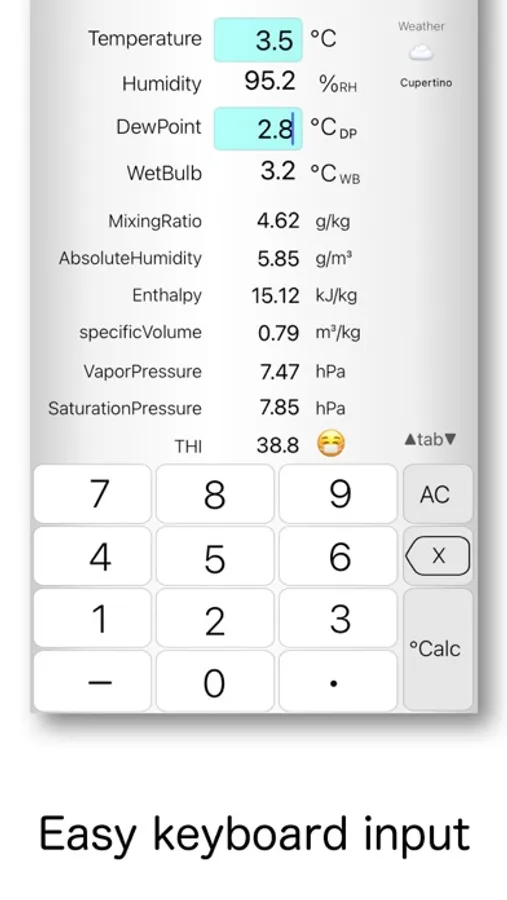
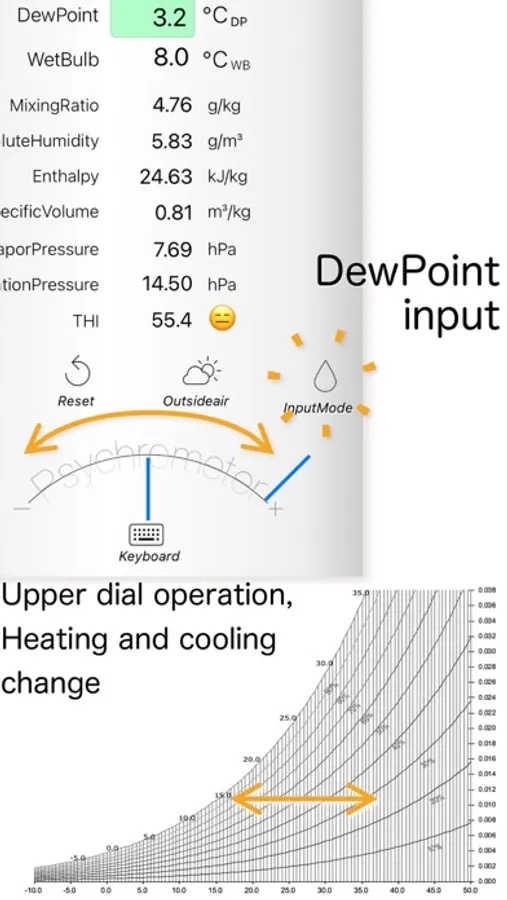
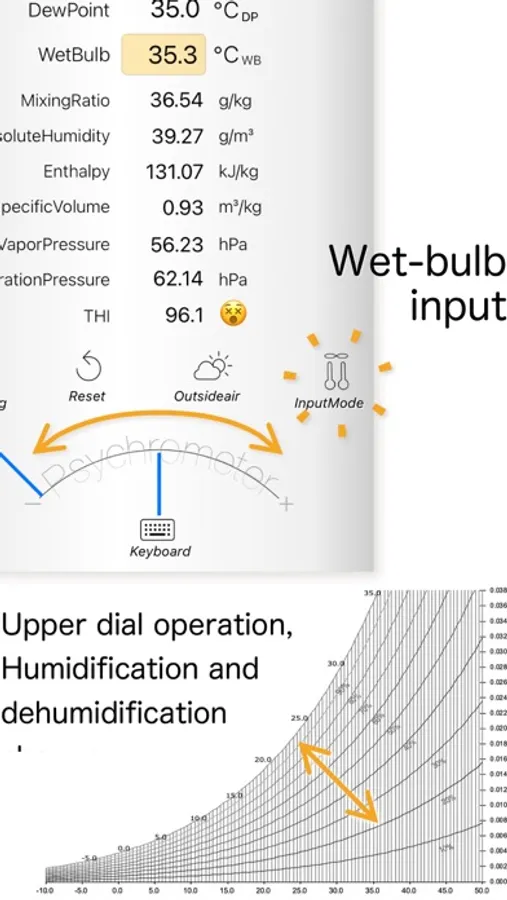
By inputting temperature and humidity, dew point, or wet-bulb temperature, the app calculates the following air conditions:
Relative Humidity (%RH)
Dew Point / Frost Point Temperature (°C DP / °C FP)
Wet-Bulb Temperature (°C WB)
Mixing Ratio (g/kg)
Absolute Humidity (g/m³)
Enthalpy (kJ/kg)
Specific Volume (m³/kg)
Vapor Pressure (hPa)
Saturated Vapor Pressure (hPa)
Discomfort Index (DI)
Wet-Bulb Globe Temperature (WBGT)
Comfort Indicator (18–28°C, 40–70% humidity)
When within the comfort range, a visual indicator using color or emoji will appear.
■ Main Features
Index Toggle (DI / WBGT)
Tap the DI section to switch between Discomfort Index and WBGT.
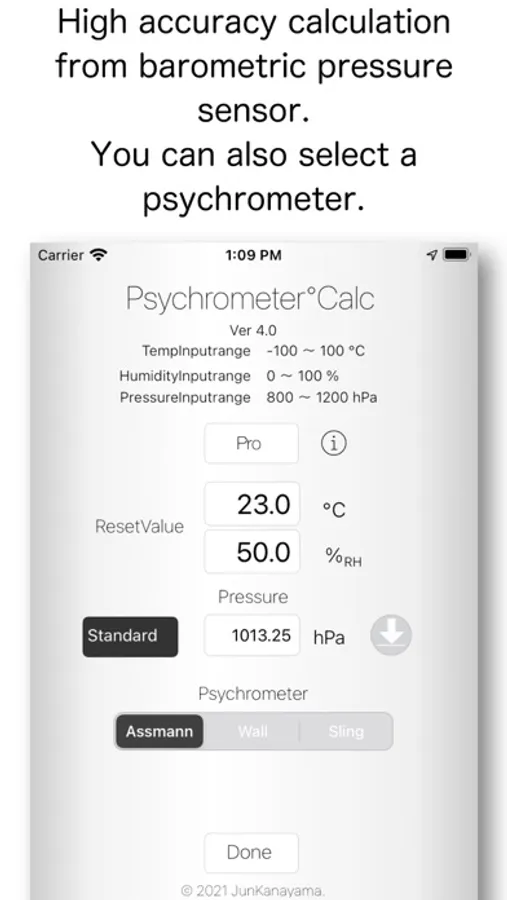
Atmospheric Pressure Input
Tap the pressure icon to select from:
Standard (1013.25 hPa)
Sensor (reads from internal barometer)
Weather Data (auto-fetched)
Manual Entry (800–1200 hPa, or 23–36 inHg with Pro)
Input Switching (% Icon)
Switch between relative humidity, dew point, or wet-bulb temperature.
In dew point mode, long-press to choose between dew point (condensation) and frost point (ice).
In wet-bulb mode, long-press to select psychrometer type:
・Assmann (ventilated, high accuracy)
・August (non-ventilated, simple)
・Sling (manual rotation)
When below 0°C, a freeze switch appears (automatic freeze below -10°C for Sling type). You can toggle freezing manually to match actual conditions.
Weather Auto-Fetch (Weather Icon)
Uses location to retrieve temperature and humidity from weather data.
Long-press to choose the provider: OpenWeatherMap or Apple Weather.
Reset (Circular Arrow Icon)
Restores default values (set in settings). Psychrometer resets to Assmann.
Long-press to set your own default temperature/humidity.
Info (i Icon)
Opens help and purchase screen.
– Pro Version Features –
Unlock the following:
・Ad Removal
Removes all ads.
・Unit Conversion
Switch between SI and US units:
°C ↔ °F
g/kg ↔ gr/lb
g/m³ ↔ gr/ft³
kJ/kg ↔ BTU/lb
m³/kg ↔ ft³/lb
hPa ↔ inHg
・Export Function
Export calculation results as text.
■ Calculation Specs
Saturated Vapor Pressure: Sonntag formula
Vapor Pressure: JIS Z 8806
Relative Humidity: WMO standard (denominator = vapor pressure of supercooled water)
■ Notes
Extreme inputs may cause errors.
Values may slightly vary due to rounding and internal conversion.
While accuracy is a priority, results are not guaranteed. The developer is not liable for any damage caused by app usage.
You can easily adjust values using a dial. Results are visually displayed using color and emoji indicators.
By inputting temperature and humidity, dew point, or wet-bulb temperature, the app calculates the following air conditions:
Relative Humidity (%RH)
Dew Point / Frost Point Temperature (°C DP / °C FP)
Wet-Bulb Temperature (°C WB)
Mixing Ratio (g/kg)
Absolute Humidity (g/m³)
Enthalpy (kJ/kg)
Specific Volume (m³/kg)
Vapor Pressure (hPa)
Saturated Vapor Pressure (hPa)
Discomfort Index (DI)
Wet-Bulb Globe Temperature (WBGT)
Comfort Indicator (18–28°C, 40–70% humidity)
When within the comfort range, a visual indicator using color or emoji will appear.
■ Main Features
Index Toggle (DI / WBGT)
Tap the DI section to switch between Discomfort Index and WBGT.
Atmospheric Pressure Input
Tap the pressure icon to select from:
Standard (1013.25 hPa)
Sensor (reads from internal barometer)
Weather Data (auto-fetched)
Manual Entry (800–1200 hPa, or 23–36 inHg with Pro)
Input Switching (% Icon)
Switch between relative humidity, dew point, or wet-bulb temperature.
In dew point mode, long-press to choose between dew point (condensation) and frost point (ice).
In wet-bulb mode, long-press to select psychrometer type:
・Assmann (ventilated, high accuracy)
・August (non-ventilated, simple)
・Sling (manual rotation)
When below 0°C, a freeze switch appears (automatic freeze below -10°C for Sling type). You can toggle freezing manually to match actual conditions.
Weather Auto-Fetch (Weather Icon)
Uses location to retrieve temperature and humidity from weather data.
Long-press to choose the provider: OpenWeatherMap or Apple Weather.
Reset (Circular Arrow Icon)
Restores default values (set in settings). Psychrometer resets to Assmann.
Long-press to set your own default temperature/humidity.
Info (i Icon)
Opens help and purchase screen.
– Pro Version Features –
Unlock the following:
・Ad Removal
Removes all ads.
・Unit Conversion
Switch between SI and US units:
°C ↔ °F
g/kg ↔ gr/lb
g/m³ ↔ gr/ft³
kJ/kg ↔ BTU/lb
m³/kg ↔ ft³/lb
hPa ↔ inHg
・Export Function
Export calculation results as text.
■ Calculation Specs
Saturated Vapor Pressure: Sonntag formula
Vapor Pressure: JIS Z 8806
Relative Humidity: WMO standard (denominator = vapor pressure of supercooled water)
■ Notes
Extreme inputs may cause errors.
Values may slightly vary due to rounding and internal conversion.
While accuracy is a priority, results are not guaranteed. The developer is not liable for any damage caused by app usage.
Calculate Comfort Screenshots
Tap to Rate:
Reviews for Calculate Comfort
Dibrbenl
Cannot Use Fahrenheit
App works very well. It is disappointing one cannot change input to degrees F.
Xqmzrtf
As covers content
The app is almost unusable because the banner ad covers the dry bulb temperature.