
Use this scheduling app to view work calendars and request shifts. Includes security features and communication tools.
AppRecs review analysis
AppRecs rating 2.0. Trustworthiness 79 out of 100. Review manipulation risk 22 out of 100. Based on a review sample analyzed.
★★☆☆☆
2.0
AppRecs Rating
Ratings breakdown
5 star
13%
4 star
9%
3 star
7%
2 star
13%
1 star
58%
What to know
✓
Low review manipulation risk
22% review manipulation risk
⚠
Mixed user feedback
Average 2.1★ rating suggests room for improvement
⚠
High negative review ratio
71% of sampled ratings are 1–2 stars
About ANSOS2Go
*** IMPORTANT: After installing ANSOS2Go you must contact your organization’s IT department for the necessary website URL as well as your username and password. If you have trouble logging in or connecting to a server please contact your organization’s IT department. ***
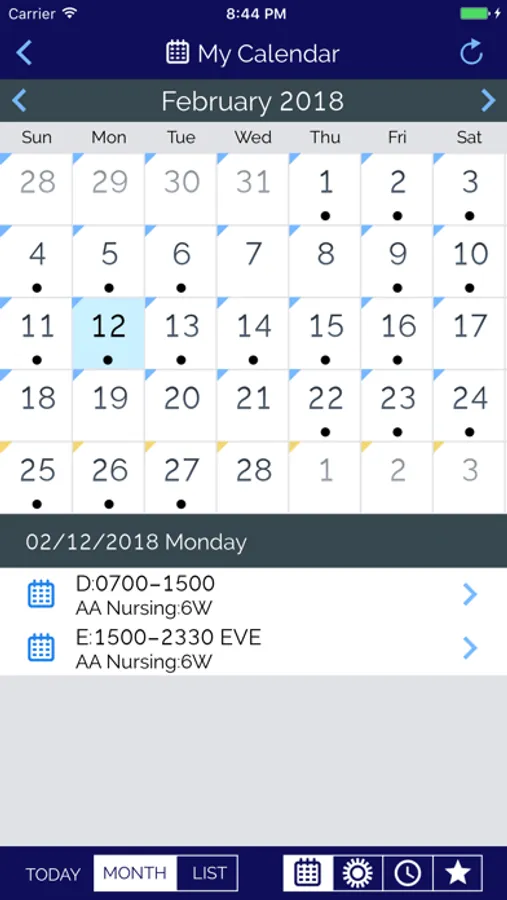
With ANSOS2Go, employees can view their calendars to quickly see days containing work assignments and tap a day to view the start and end time, workshift, and area of any assignment. Employees can see what Area, date, time and shift they are working at a glance, on-the-Go!
With the expanded use of Web Scheduler, employees can also request work, time off and select available shifts - all in 3 clicks to a shift.
Plus managers and employees with security access can view Area Schedules and can call, email or text an employee just by tapping the employee’s name.
All of these features are backed by an array of security protections against unwarranted access to personal information.
ANSOS2Go is supported with the latest release of ANSOS Staff Scheduling as well as the previous major release.
ANSOS2Go Screenshots


Tap to Rate:
Reviews for ANSOS2Go
lbffyh
Needs ical integration
Difficult to determine schedule … working or using PTO you have to click on it. Wish you could download into iCal
NEX & PX
Horrible App!!
One of the most awful apps in the history of apps! Simply horrible. Users have to simultaneously use the app and website in order for it to function properly…WTH?!?! AND it’s difficult to navigate. As a healthcare provider, I’m strongly recommending to our enterprise to stop using this antiquated system, and move on to a more user friendly one.