
eSchoolPLUS Admin Mobile App
PowerSchool Group LLC
1.5 ★
43 ratings
Free
AppRecs review analysis
AppRecs rating 1.4. Trustworthiness 70 out of 100. Review manipulation risk 24 out of 100. Based on a review sample analyzed.
★☆☆☆☆
1.4
AppRecs Rating
Ratings breakdown
5 star
5%
4 star
5%
3 star
5%
2 star
9%
1 star
77%
What to know
✓
Low review manipulation risk
24% review manipulation risk
⚠
Mixed user feedback
Average 1.5★ rating suggests room for improvement
About eSchoolPLUS Admin Mobile App
Designed for users of the eSchoolPLUS student information system, the eSchoolPLUS Admin Mobile App is another 21st-century tool developed for 21st-century schools by SunGard K-12 Education.
Features
Robust Functionality, Information
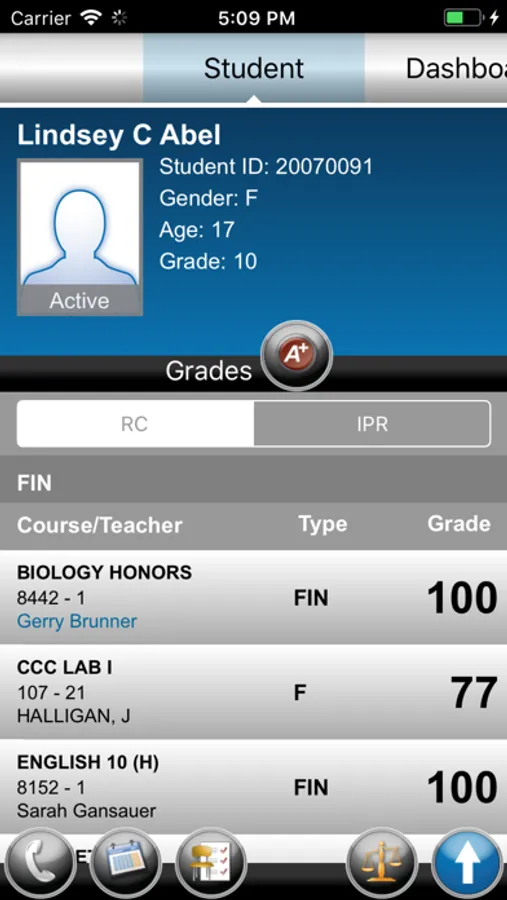
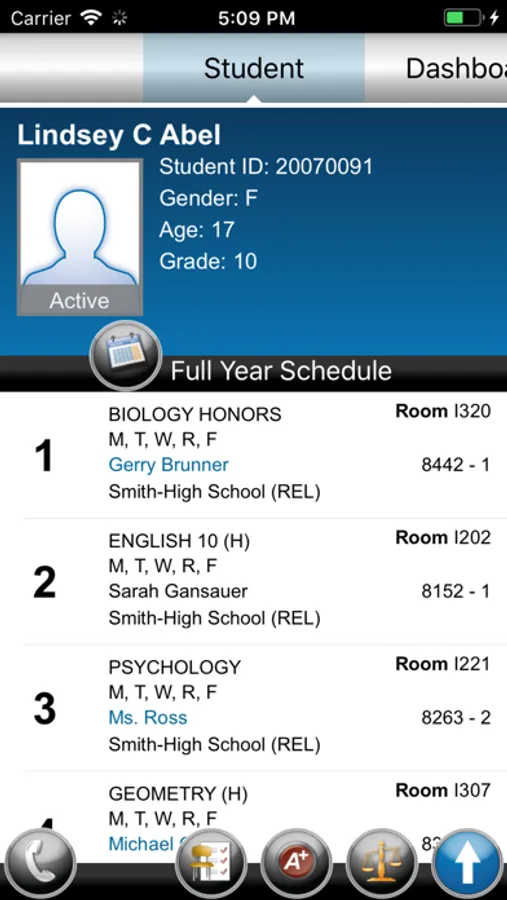
• Anytime, Anywhere Access. A wealth of student information is at your fingertips—contact information, class schedule, attendance, report card/individual progress reports, discipline, notes, demographics, and alerts, such as medical advisories.
• Quick Search Capabilities. Easily find student information by scanning bar or QR codes on student I.D. cards, or search by first name, last name, student I.D., grade, gender, house team and status. The search engine provides results as a gallery of student photographs to ensure you connect with the right information.
• Convenient Offline Mode. Student information is available even when a wireless connection is not, thanks to the app’s offline mode. This feature synchronizes basic information to your local device, secures it, and then makes it available when you’re not connected—on field trips, at athletic contests, or even during school emergencies.
Powerful Mobile Office
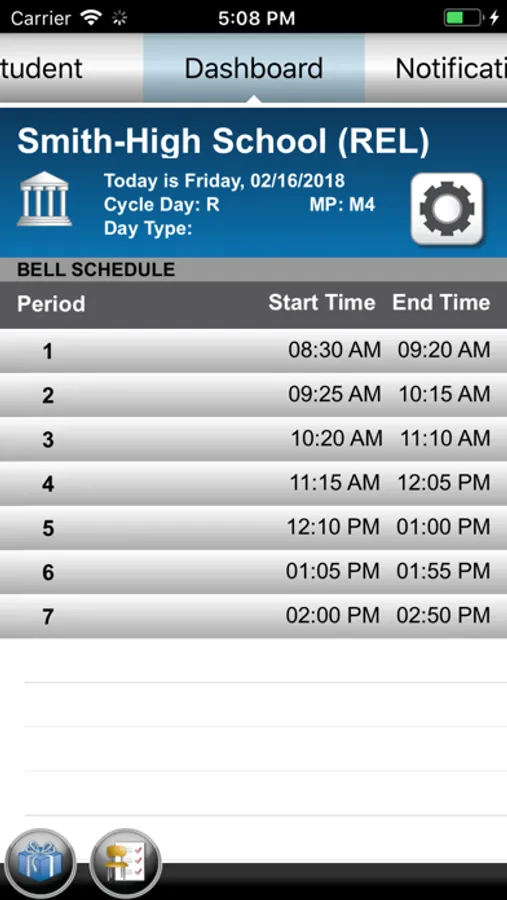
• Today at a Glance. The Dashboard features today’s class schedule and allows you to retrieve lists of students who are absent and those celebrating their birthday.
• Portable Notifications. When paired with the eSchoolPLUS 3.0 notification engine, the app can extend the reach and timeliness of routine and emergency communications. You can read notifications wherever you are.
• Discipline At-the-Scene. The discipline referral process is available wherever you need it—in school hallways, classrooms, and the cafeteria. The tool permits you open and submit a conduct referral. You also can add documentation, like photographs and notes, to the referral.
• Timely Connections. Initiate conversations from your mobile device by tapping on phone numbers and e-mail addresses in a student’s contact information.
Intuitive 21st-Century Tool
• User Friendly App. The touch interface is easy to use. Those who need a little help can watch a short video available on the customer support website, which explains how to navigate the app and use its features. In addition, screen overlays will appear the first time you open each of the app’s pages.
• Building-Specific and Student-Centric Data. Based on your eSchoolPLUS domain and password, the app quickly takes you to the student information for your building. This increases the speed of your searches and reduces the amount of data stored on your device. And, if you need to view information for more than one building, the app allows you to move there with ease.
Secure Access
• Protection for Student Privacy. The app’s security, with encrypted data exchange, safeguards student data from prying eyes, either on the device or in the air.
• Consistency with District Access Criteria. On first use, you will be required to enter a passkey to gain access to the district’s eSchoolPLUS server. The district’s pre-established criteria determine what student information eSchoolPLUS Admin Mobile App users can view.
eSchoolPLUS Admin Mobile App Screenshots
Tap to Rate:
Reviews for eSchoolPLUS Admin Mobile App
TTURanger
Lacks Updates
The app has not been updated in three years, rarely loads student photos, and requires a login each use. The app does not allow Face ID or single sign in through Google.
Mark-Levi
I was really looking forward to using this app!
Have double, triple, and quadruple checked my log in and password. When I try to log in it will either say, Error log in or password" , or it will just force close and shut down. I have restarted my phone, I have deleted the app and reinstalled! What else can be done?!?!