In this remote control app, users can operate their computer’s mouse, keyboard, and touchpad using their phone over a local network. Includes remote media control, file browsing, and system commands.
AppRecs review analysis
AppRecs rating 3.9. Trustworthiness 79 out of 100. Review manipulation risk 25 out of 100. Based on a review sample analyzed.
★★★☆☆
3.9
AppRecs Rating
Ratings breakdown
5 star
58%
4 star
16%
3 star
7%
2 star
3%
1 star
15%
What to know
✓
Low review manipulation risk
25% review manipulation risk
✓
Credible reviews
79% trustworthiness score from analyzed reviews
✓
Good user ratings
75% positive sampled reviews
About WiFi Mouse(keyboard trackpad)
Transform your phone into a wireless mouse, keyboard and trackpad for your computer, it enables you to control your PC/Mac/Linux effortlessly through a local network connection. WiFi Mouse can replace your real mouse, keyboard or controller when they are broken.
Now you can relax on the sofa and control playing movie in the comfort of your own home.
Key features:
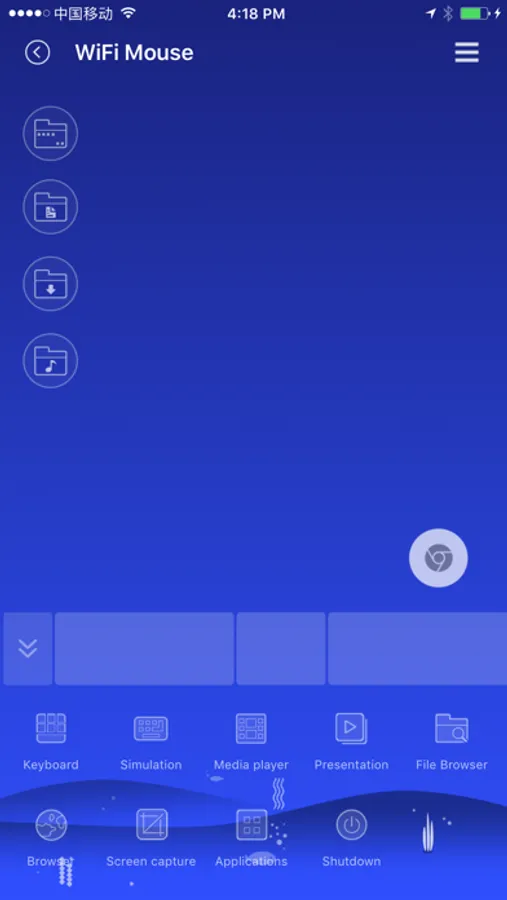
● Fully Simulated Mouse
● System keyboard input text
● Simulated Computer Keyboard
(support combination keys)
● Magic touchpad
● Multi-Touch Gestures
● Shutdown / Sleep / log off / restart PC/MacBook Remotely
● Remote media controller
(support YouTube, VLC, Spotify and etc)
● Voice Input Remotely
● Application Launcher
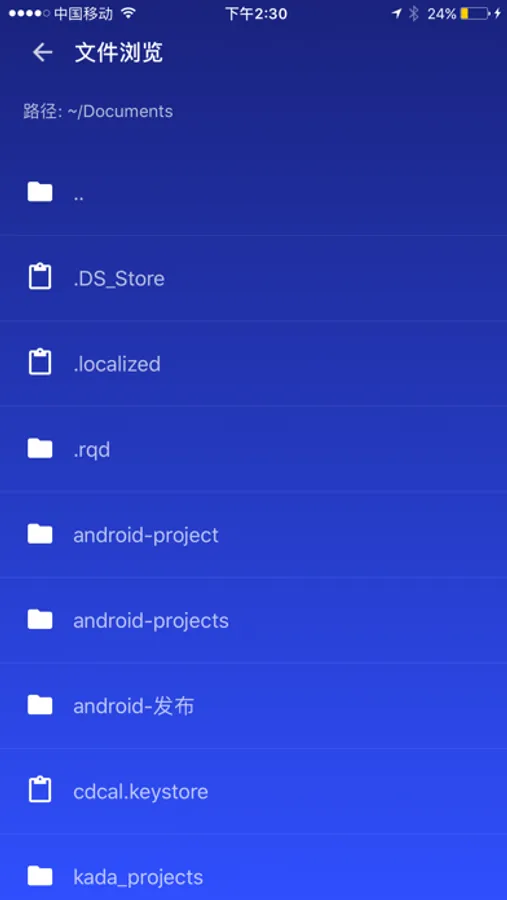
● Browse and open computer files.
● Screen capture
● Game controller
● Password protection
● Control PPT / Keynote Presentation Remotely
● Compatible with Windows 7/8/10, macOS/Linux
Quick setup:
● Download & install mouse server from website http://wifimouse.necta.us
● Make sure your phone and computer at the same network.
● Start app to connect one computer
● Now you can control your computer with mouse, keyboard, touchpad and more features.
Now you can relax on the sofa and control playing movie in the comfort of your own home.
Key features:
● Fully Simulated Mouse
● System keyboard input text
● Simulated Computer Keyboard
(support combination keys)
● Magic touchpad
● Multi-Touch Gestures
● Shutdown / Sleep / log off / restart PC/MacBook Remotely
● Remote media controller
(support YouTube, VLC, Spotify and etc)
● Voice Input Remotely
● Application Launcher
● Browse and open computer files.
● Screen capture
● Game controller
● Password protection
● Control PPT / Keynote Presentation Remotely
● Compatible with Windows 7/8/10, macOS/Linux
Quick setup:
● Download & install mouse server from website http://wifimouse.necta.us
● Make sure your phone and computer at the same network.
● Start app to connect one computer
● Now you can control your computer with mouse, keyboard, touchpad and more features.
WiFi Mouse(keyboard trackpad) Screenshots



Tap to Rate:
Reviews for WiFi Mouse(keyboard trackpad)
Jake2001$
Amazing
I’ve been using for almost 7 or so yrs, I never had a problem with the app unless it was my own internet connection
Disappointed5184
Refund
I bought this a three days ago and was charged for it. I was just charged for it again today. I don’t want to pay for this twice please issue me a refund.