
AppRecs review analysis
AppRecs rating 3.3. Trustworthiness 87 out of 100. Review manipulation risk 27 out of 100. Based on a review sample analyzed.
★★★☆☆
3.3
AppRecs Rating
Ratings breakdown
5 star
57%
4 star
0%
3 star
0%
2 star
0%
1 star
43%
What to know
✓
Low review manipulation risk
27% review manipulation risk
✓
Credible reviews
87% trustworthiness score from analyzed reviews
About volumeCTRL
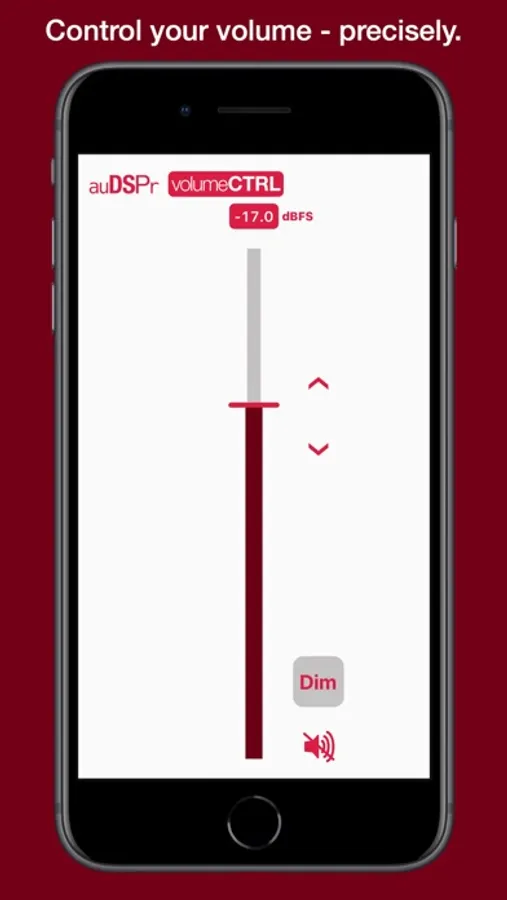
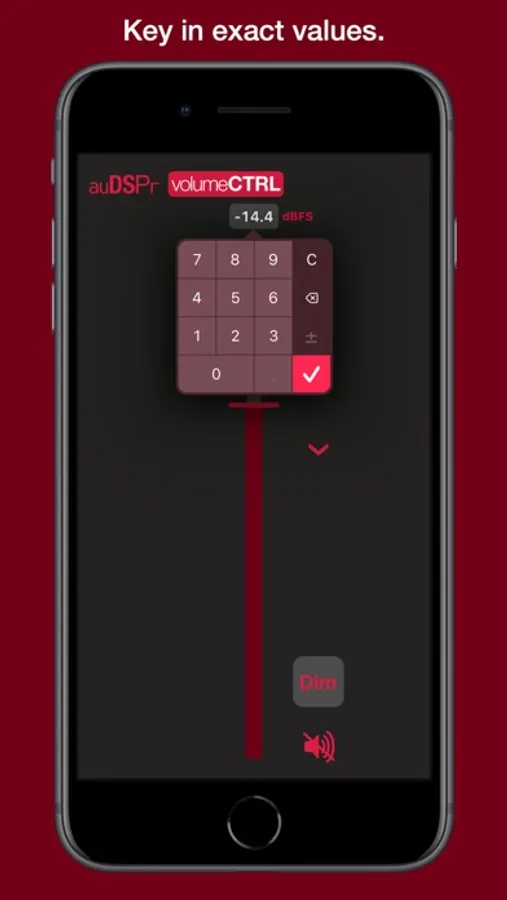
volumeCTRL lets you set the volume level using either Percent or dBFS (decibels from Full Scale). You can key in exact values with a handy on-screen keypad. Fine tune your setting using buttons which change the value in small steps. Dim or Mute the sound when you get interrupted temporarily.
volumeCTRL is the perfect iPad Split View or Slide Over companion for listening to music, audiobooks, or podcasts. Use it with your favorite music app, such as Apple Music, Spotify, Qobuz, TIDAL Music, or Pandora. With volumeCTRL, you can get your late night listening level just right when you stream movies or TV shows while everything else is quiet.
If you're picky about exactly how loud your device audio is, volumeCTRL is the right app for you.
FEATURES
- volumeCTRL lets you set your iPhone, iPad, or iPod touch volume precisely
+ New Favorite Volume options let you set preferred volumes for various listening cases
- Selectable Units: Percent (%) or Decibels from Full Scale (dBFS)
- Virtual Keypad allows you to key in exact values
- Volume Up/Down Buttons let you change the volume in fine-grained 0.5 % or about 0.5 dB steps
+ New in Version 1.1 You can customize the step size
- Dim and Mute Buttons let you temporarily lower the volume and easily get back to your previous level
- Dim lowers the volume by a fixed amount (Customizable, Default: 18 dB) Super handy for quieting down loud commercials!
- Mute silences the audio completely
- volumeCTRL peacefully coexists with the device’s built-in volume controls — use either and the other follows seamlessly
- Supports both Dark and Light Mode Appearances
- Supports Hardware Keyboards connected to iPads
- volumeCTRL is a Universal App - it works on iPad, iPhone, & iPod touch
- User Guide embedded in App - no internet connection required to read it
- auDSPr strives to design Apps for Everyone
- Languages: All auDSPr audio apps support for 简体中文, Español, русский, 日本語, Français, Deutsch, Svenska, Latviešu
- Accessibility Features
- VoiceOver screen reader support assists visually impaired users
APPLICATIONS
- Setting impactful yet safe listening levels when using headphones or in-ear monitors
- Setting repeatable reference volumes for studio control rooms or audiophile listening rooms
- Setting precise levels for hearing aid intelligibility
SYSTEM REQUIREMENTS
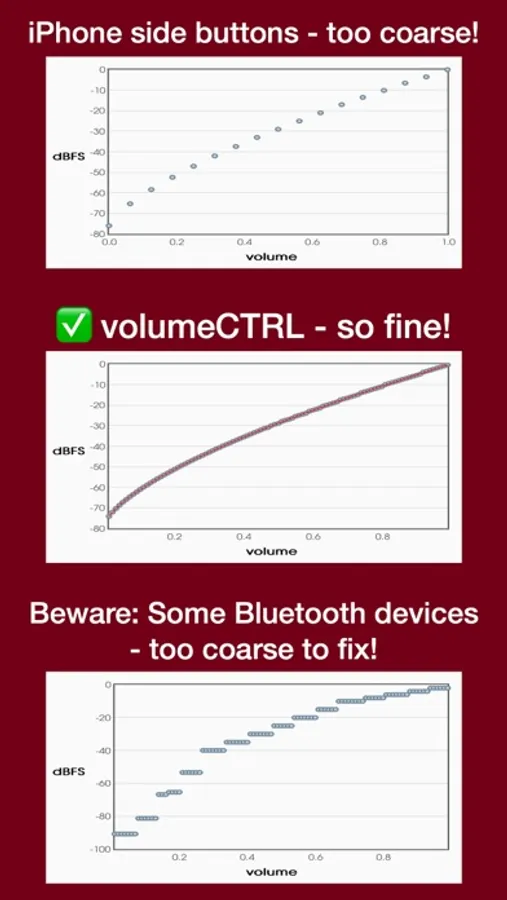
- BUYER BEWARE: Some Bluetooth devices have coarse volume implementations (see picture above). The coarse hardware volume defeats volumeCTRL’s fine software volume setting and prevents performance from behaving optimally!
- volumeCTRL is verified to work beautifully with Apple AirPods
- Compatible with iOS 11.0 & up (iPhone 5S, iPhone SE (1st Generation), iPod touch (6th Generation) & up)
- Compatible with iPadOS 11.0 & up (iPad (5th Generation), iPad Pro (1st Generation), iPad Air (1st Generation), iPad mini 2,& up)
volumeCTRL Screenshots
Tap to Rate:
Reviews for volumeCTRL
Xbway
Works
I have an iPhone 16 and this worked great on it. I’m connected to a Bluetooth device in my car and can slowly slide the slider up or down to gradually increase/decrease volume.
JL955
Works as advertised. Excellent app for IPad
I cant speak to the few criticisms I’ve read regarding how this app works with bluetooth connected devices. But as for the Ipad itself, this app is outstanding - providing PRECISE volume control to the Ipad down to increments of even a tenth of a decibel. An absolute must-own if you enjoy falling asleep to a podcast or music playing on your Ipad and you need to hit that sweet spot in having it just loud enough to hear, but soft enough to fall asleep to. The native volume control in the Ipad has always been trash. This app corrects the problem at a reasonable price and is a worthy successor to the “Volume Pro” app which used to be good but then inexplicably decided to ruin its own usefulness with a disastrous update.