
AppRecs review analysis
AppRecs rating 4.6. Trustworthiness 66 out of 100. Review manipulation risk 23 out of 100. Based on a review sample analyzed.
★★★★☆
4.6
AppRecs Rating
Ratings breakdown
5 star
79%
4 star
13%
3 star
0%
2 star
4%
1 star
4%
What to know
✓
Low review manipulation risk
23% review manipulation risk
✓
High user satisfaction
79% of sampled ratings are 5 stars
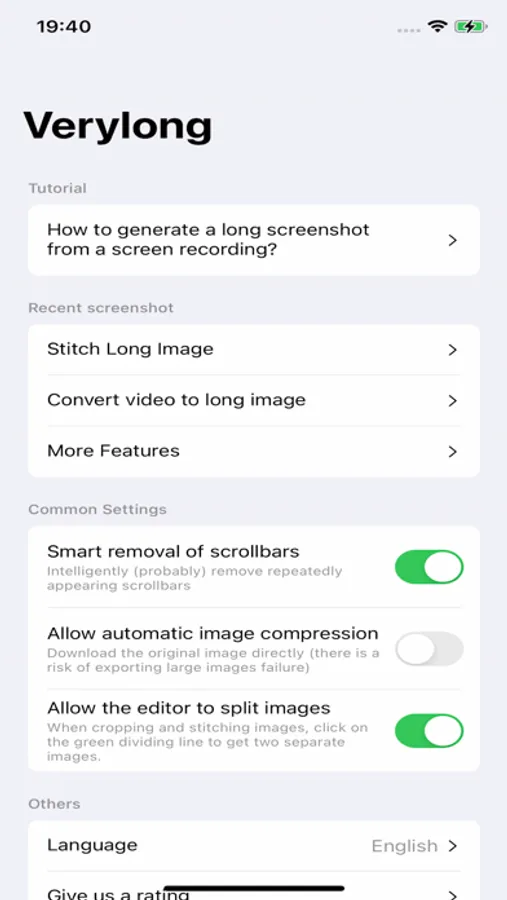
About Stitch Screenshots Easiest Way
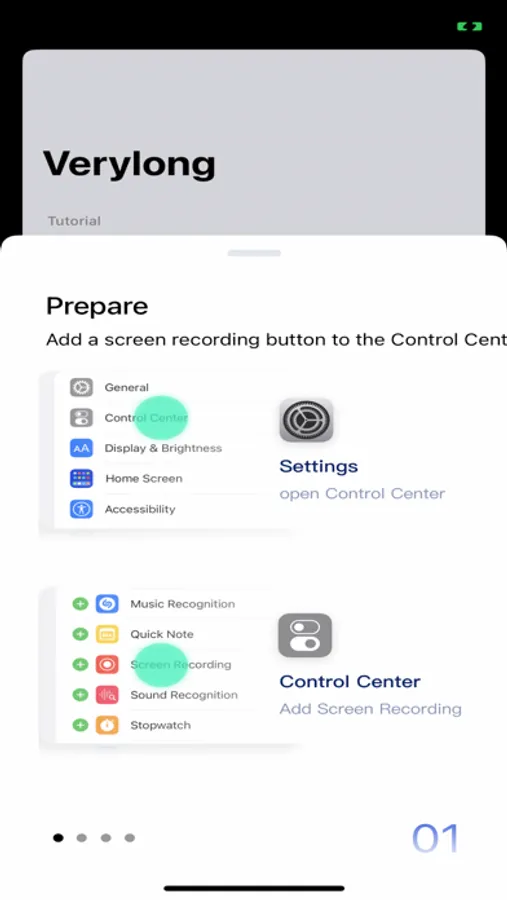
**Preparation:**
OPEN Settings; select Control Center; ensure the Screen Recording option has been added:
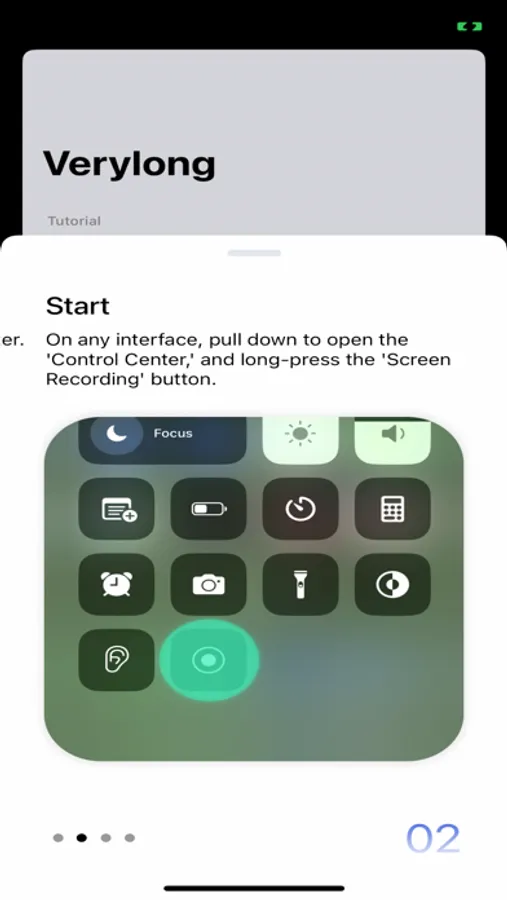
**Steps:**
1. Prepare the content you want to capture, ensuring that dynamically loaded content is fully loaded.
2. Pull down the control center, long-press the screen recording button.
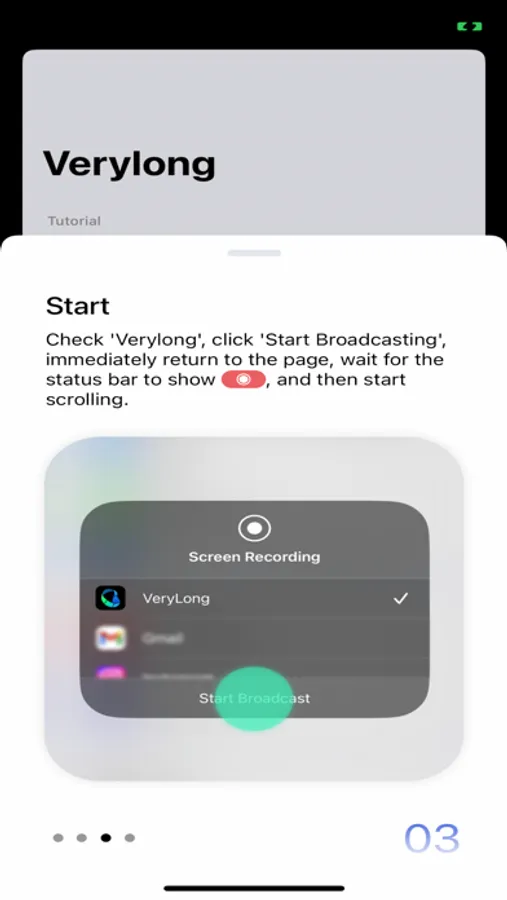
3. Choose the "Verylong" option, then click on start recording.
4. Return to the content page you want to capture before the countdown ends.
5. When the recording button is illuminated, start scrolling through the page.
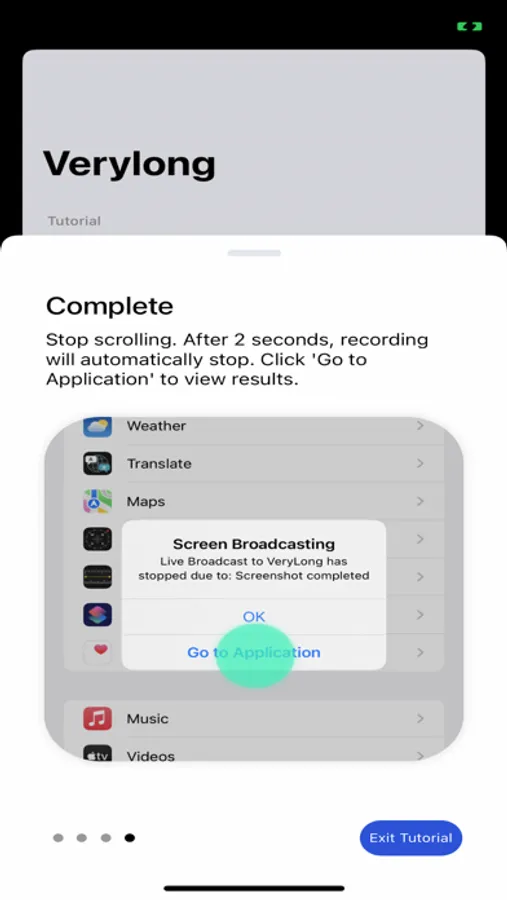
6. Lift your finger from the screen at the desired endpoint for recording and wait for 3 seconds.
7. After 3 seconds, a pop-up window will appear, click on "Go to the app."
Congratulations, you have completed the screenshot operation!
User Agreement:https://metal-basin-5f3.notion.site/Pro-Verylong-Terms-of-Use-7adc43bede7846f9996541e8def24566?pvs=4
Privacy Policy: https://metal-basin-5f3.notion.site/Pro-Very-long-Privacy-Policy-c43443aaa77049f5a33bf97a985f0bdf?pvs=4
Stitch Screenshots Easiest Way Screenshots
Tap to Rate:
Reviews for Stitch Screenshots Easiest Way
insainlewey
Crazy how much I use this.
Way better than I expected. And also surprised to see so many updates. Solid job to the developer people. Others could learn lots from your ways. I had an android and it was stock on it. But this works even better than that. Thanks!
Viniati - Chris
Great App 1 Request
This is a wonderful app! Is there a way to add ocr? From someone that uses image to text features, that would make this app amazing, or at the least a pdf export so we don’t lose the text image quality please! Please add feature: 1. OCR image to text function. 2. PDF export. Thanks for the work you’ve done here!